Float Cam - Background camera
Use phone while recording
Designed for iPhone, iPad, iPod touch
Free · In-app purchases
- Age rating17+
- CategoryPhoto & Video
- DeveloperTry the Colors s. r. o.
- LanguagesEnglish+ 51 more
- Size77.3 MB
Links to the official App Store page
Download.org hosts no file of Float Cam - Background camera. The button opens its official App Store page, published by Try the Colors s. r. o. Listing last checked on Nov 21, 2026.
Screenshots


About
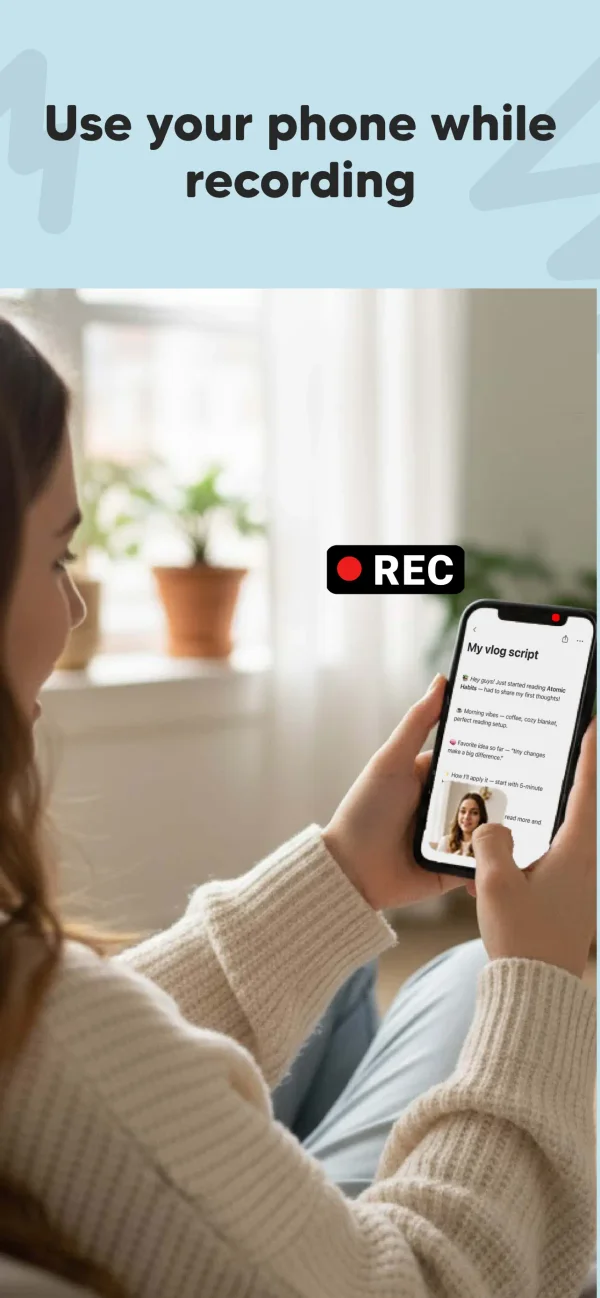
Float Cam - Background camera is a smart floating camera app that lets you record videos and take pictures while using your phone. Unlike the standard system camera, Float Cam allows multitasking — you can keep a floating camera window on screen while reading notes, browsing the web, or checking your script within the app.
MAIN FEATURES:
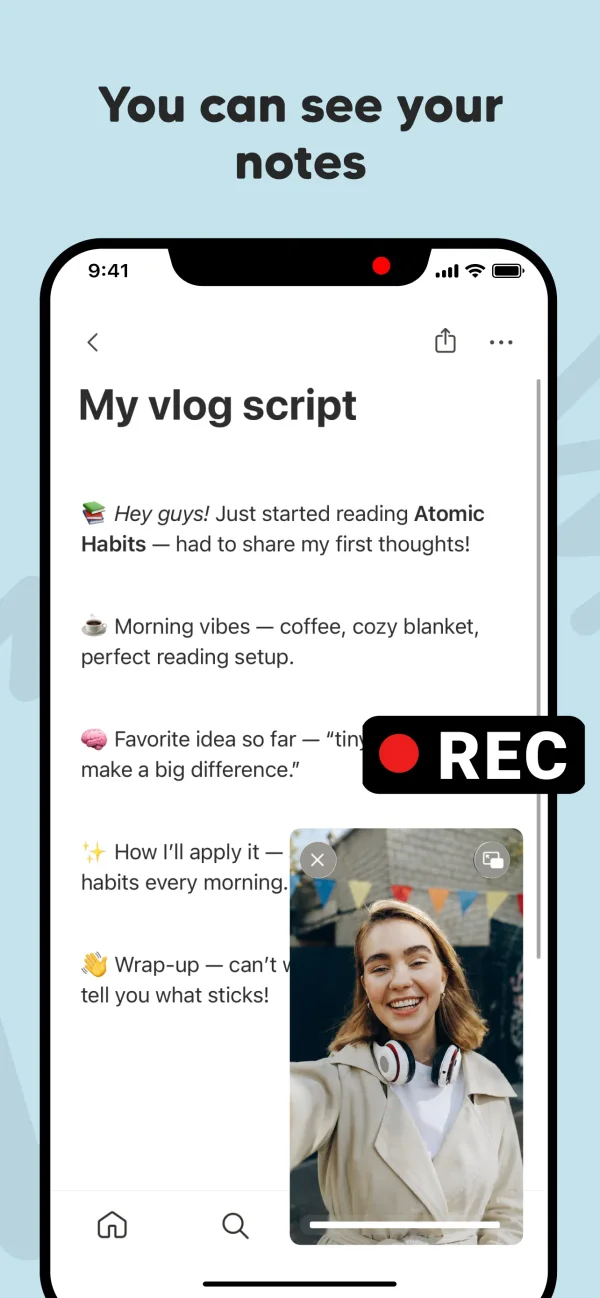
• Floating camera window: Move, resize, and position the floating camera anywhere on your screen.
• Background camera recording: Record videos while keeping other content visible.
• See your notes while recording: Ideal for creators, vloggers, students, or anyone reading a script.
• Built-in web browser: Open any website while recording yourself.
• Open images, PDFs, or documents: Display reference materials, lyrics, or presentations during video recording.
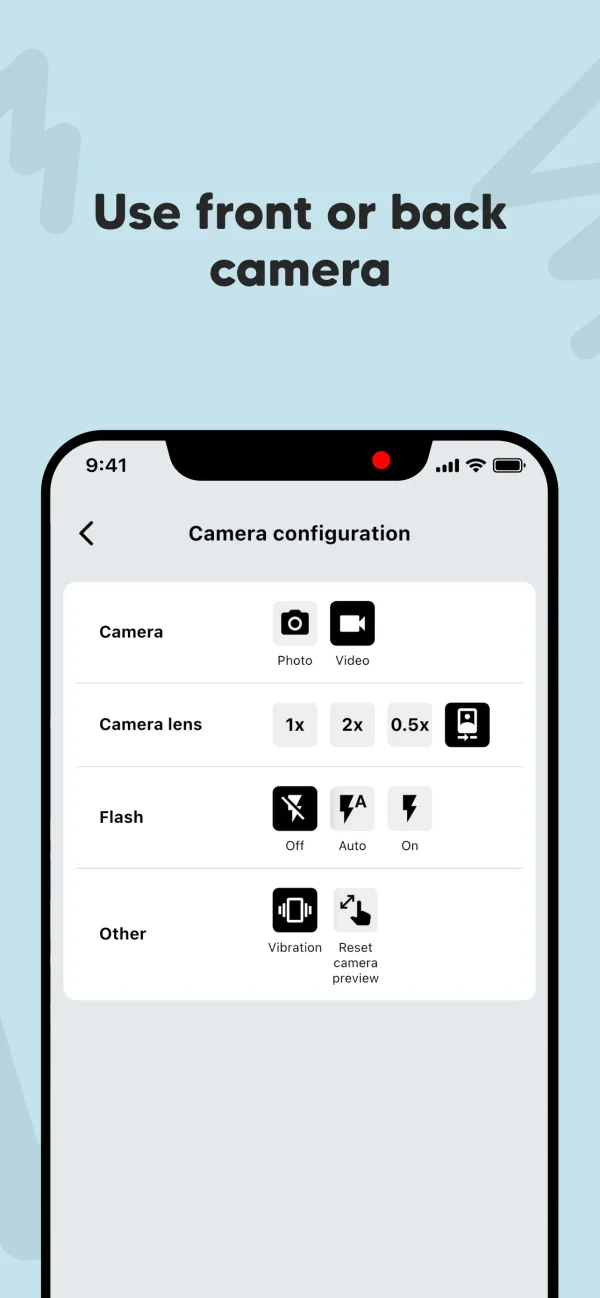
• Switch front or back camera: Use either the selfie camera or rear camera easily.
• Capture photos anytime: Take photos directly from the floating camera bubble.
• Simple, intuitive, and powerful UI.
-
PERFECT FOR:
• Content creators, vloggers, and YouTubers who want to record themselves while reading notes or a teleprompter.
• Musicians and singers who want to see lyrics or chords while recording video performances.
• Students and teachers who record study videos, tutorials, or online lessons while referencing their materials.
• Coaches, trainers, and speakers who want to see their key points while recording motivational or training videos.
• Business users who record video messages, product demos, or presentations with reference documents visible.
-
WHY FLOAT CAM?
Traditional cameras block your screen while recording. Float Cam - Background camera gives you freedom. The floating camera view stays on top, so you can record video and use your phone at the same time.
With the in-app browser, document viewer, and notes editor, you can open:
• Websites, YouTube, or Google Docs
• Images, PDFs, or DOCX files
• Personal notes or scripts
Float Cam is not just a camera — it's a complete multitasking video recording tool. Whether you're filming a tutorial, singing your favorite song, presenting your project, or rehearsing a speech, Float Cam helps you stay focused and efficient.
-
More reasons to love Float Cam
Float Cam combines everything you need in one floating camera app — a picture-in-picture camera, background video recorder, and teleprompter-style note viewer.
Whether you want to record video while using other apps, take photos while multitasking, or overlay a floating selfie camera while browsing, Float Cam does it all.
It's perfect as a floating camera for YouTube, musicians, teachers, and vloggers who want a camera with notes, lyrics, or PDF viewer always visible on screen.
-
Download Float Cam - Background camera now and experience the freedom of recording videos while multitasking. Stay creative, productive, and focused — all in one floating camera app.
By using this app, you agree to Apple's standard End User License Agreement (EULA), available here: https://www.apple.com/legal/internet-services/itunes/dev/stdeula/
What’s new
Version 1.0.48 · Nov 17, 2026
- Improved app startup on slow connections
- Bug fixes and performance improvements
App privacy
What Try the Colors s. r. o. declares on the App Store about how this app handles data.
-
Data used to track you
May be used to track you across apps and websites owned by other companies.
- Identifiers
- Usage data
- Diagnostics
-
Data linked to you
May be collected and linked to your identity.
- Identifiers
- Usage data
- Diagnostics
-
Data not linked to you
May be collected but is not linked to your identity.
- Diagnostics
Privacy practices may vary, for example with the features you use or your age.
Information
- Seller
- Try the Colors s. r. o.
- Category
- Photo & Video
- Version
- 1.0.48
- Updated
- Nov 17, 2026
- Released
- Oct 24, 2025
- Size
- 77.3 MB
- Requires
- iOS 15.0 or later
- Age rating
- 17+
- Price
- Free
- In-app purchases
- Yes
- Languages
- English, Albanian, Azerbaijani, Bengali, Bulgarian, Burmese, Cambodian, Catalan, Croatian, Czech, Danish, Dutch + 40 more
- Copyright
- © 2026 Try the Colors s. r. o.
You might also like
-
 HD Face Cam Screen RecorderRecord Reactions & Gameplay
-
 BlackOut: Black Screen CameraSilent Discreet Video Recorder
-
 Black Screen CameraREC indicator
-
 Black Screen Camera QuietCamSilent Screen Off Recorder
-
 Reel: Screen Recorder Face CamCamera Overlay, No Watermark
-
 Facecam Screen Recorder: PIPReaction, Tutorial Video Maker
-
 Picture in picture camerarecording with both cameras
-
 NoLight: Black Screen CameraRecord Without Screen Glow
-
 Blackout CameraBlack-screen video recorder
-
 Sidekick: Dual Camera RecorderRecord Front & back video Vlog