Blackout Camera
Black-screen video recorder
Designed for iPhone, iPad
Free · In-app purchases
- Age rating4+
- CategoryPhoto & Video
- DeveloperMatthew Wong
- LanguagesEnglish+ 51 more
- Size18.9 MB
Links to the official App Store page
Download.org hosts no file of Blackout Camera. The button opens its official App Store page, published by Matthew Wong. Listing last checked on Nov 20, 2026.
Screenshots




About
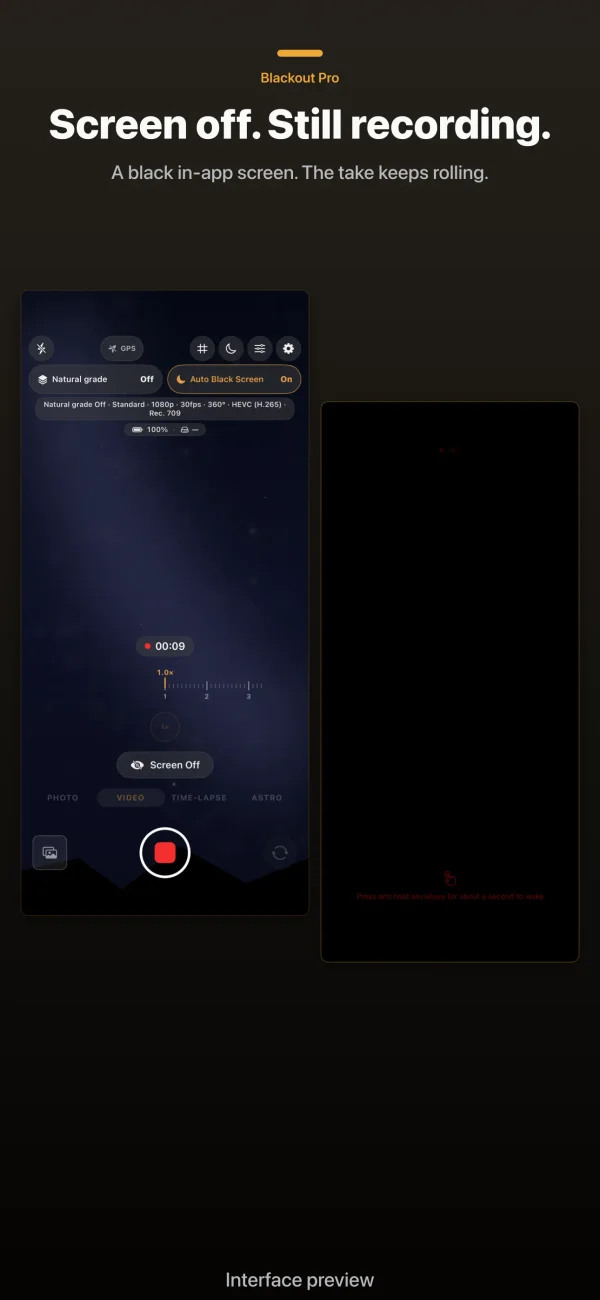
Screen off. Still recording.
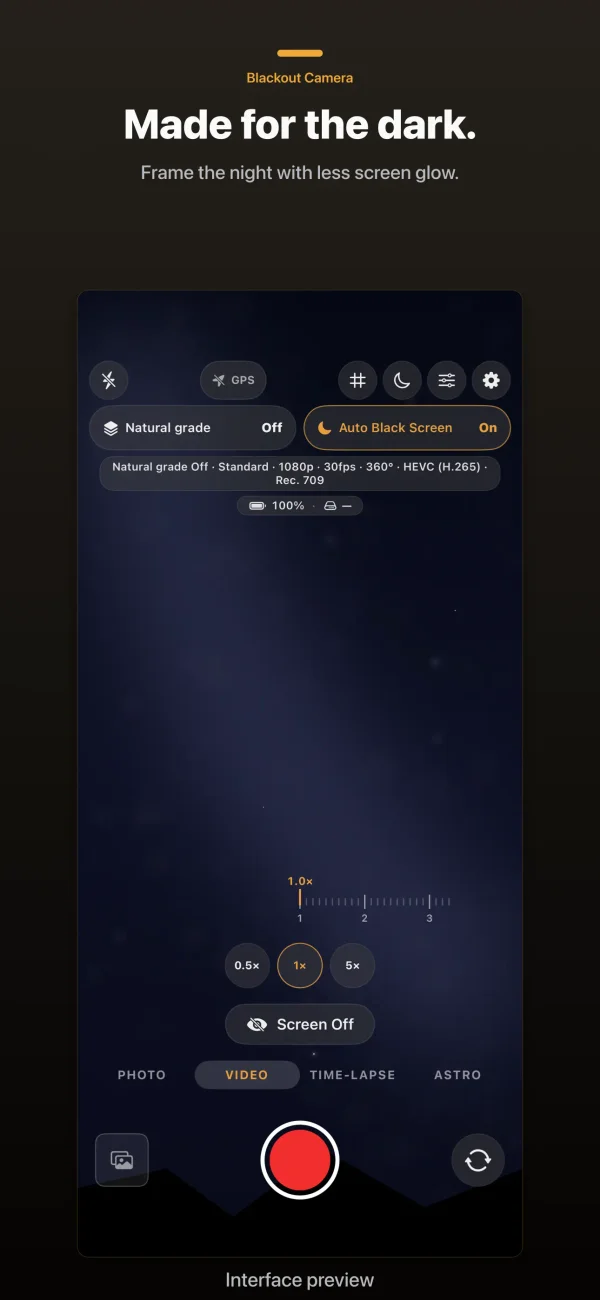
Record at night without screen glare. Blackout Camera gives iPhone and iPad a dim red interface and, with Blackout Pro, manual controls and a black recording screen, so your eyes stay adjusted and your surroundings stay dark.
Take photos and record video up to 1080p at 30 fps for free. Capturing with the screen off and the advanced tools described above require Blackout Pro, subject to existing Basic access below.
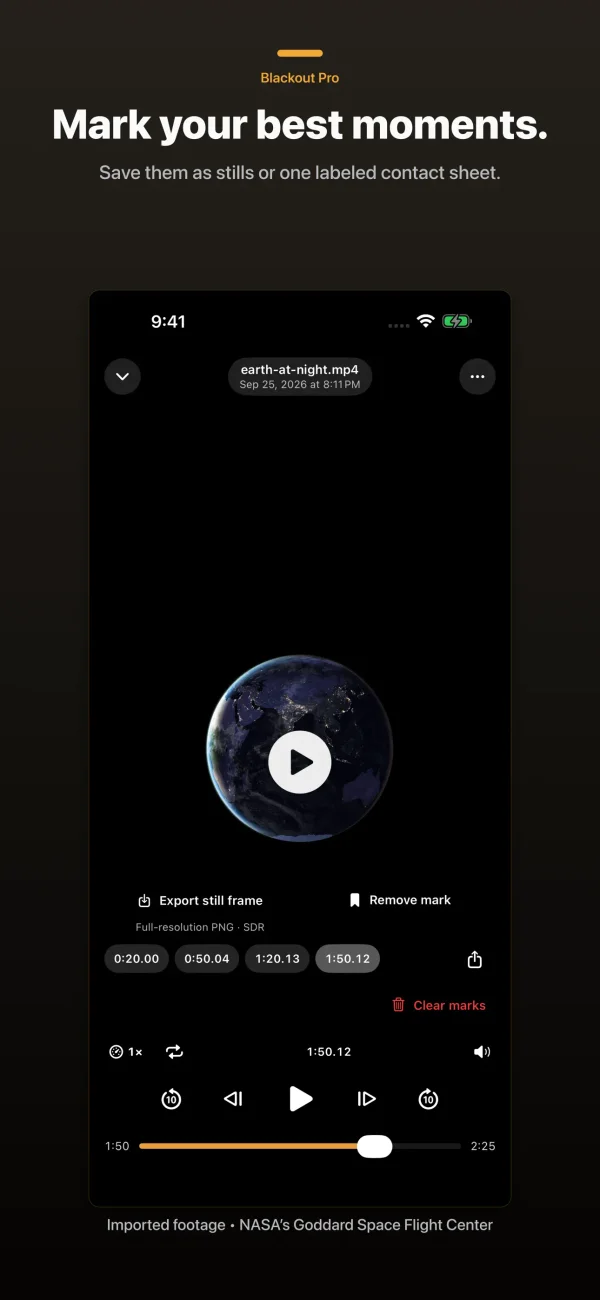
• Mark frames: save the moments that matter as full-resolution stills or one labelled contact sheet (Pro).
• Blackout Glance: while recording with the screen off, a tap shows the take's time, storage left and battery in dim red.
• Faster photos: take the next shot while the last is still processing. Every photo gets full-quality processing.
• Smoother camera, lens and Photo/Video switching.
A CAMERA WORKFLOW FOR DARK SHOOTS
Keep attention on the scene with a dim red interface. After initial setup and permissions, use the Home Screen widget or supported system controls to open the app and start recording with your chosen setup.
Press and hold anywhere for about a second to wake the black screen. Apple's camera and microphone indicators remain visible. Keep the app open: locking the phone or leaving the app can interrupt capture.
SHAPE YOUR LOOK WITH BLACKOUT PRO
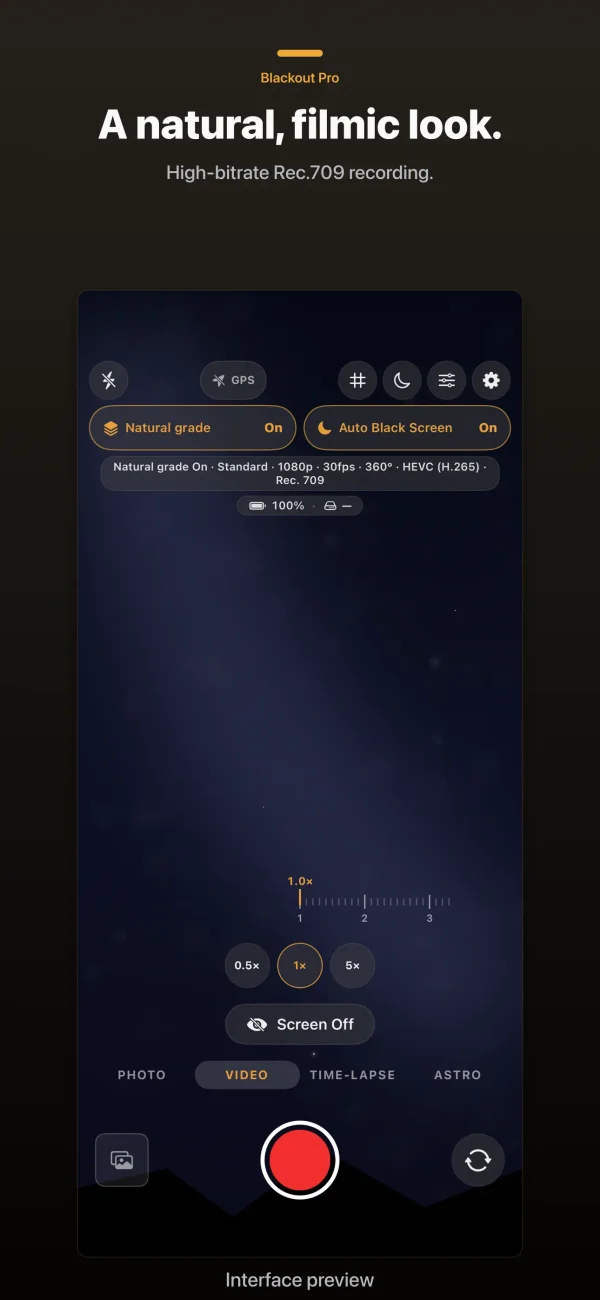
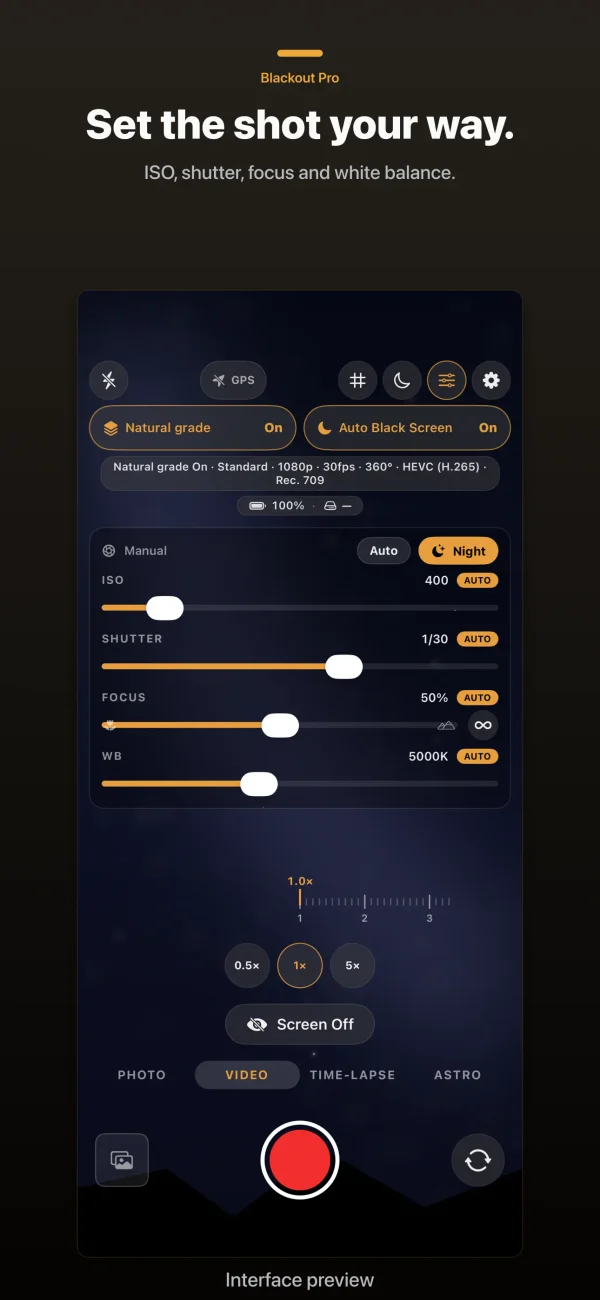
Adjust ISO, shutter, focus and white balance. Check exposure and focus with monitoring tools. Natural grade gives Rec.709 video restrained color, a softer tone curve and a touch of warmth, with the graded image in the preview and saved recording.
Pro also includes Astro frame stacking, time-lapse and advanced camera formats. 4K, higher frame rates, ProRes, HDR, Apple Log, ProRAW and high-resolution photos depend on your device, lens and settings.
FRAME IT. KEEP IT.
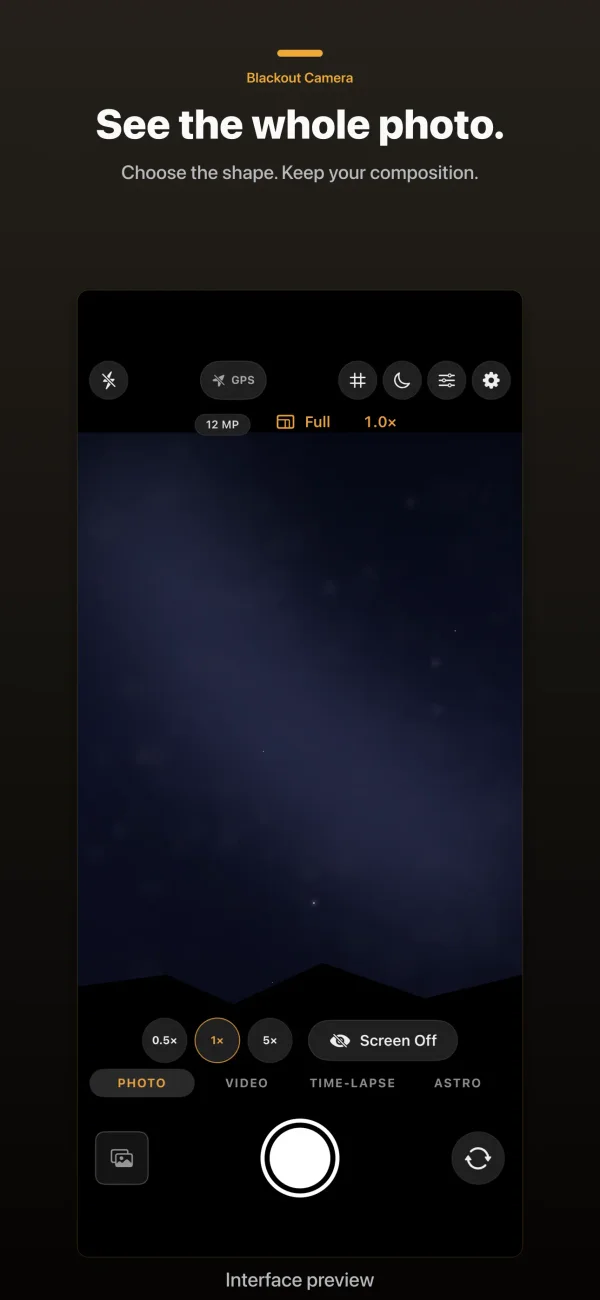
See the whole photo composition that will be saved. Choose the full image or 4:3, 1:1 and 16:9 crops at the original image resolution, without upscaling. ProRAW keeps the full sensor image.
Open a video from the in-app Library or Files, select a moment and export a full-resolution SDR PNG to Files. The still uses the video's frame resolution; HDR video is tone-mapped to SDR. Photo framing and single-frame export are free; marking frames and contact sheets are part of Pro.
Save to Apple Photos, the in-app Library, the Pro Private Folder, or a combination. The Private Folder uses device biometrics or a passcode; existing files remain accessible when your subscription ends. No app account is required. Media is processed on your device; you control export and sharing. Apple Photos and device backups follow your Apple settings. Existing Basic subscribers keep black-screen capture. A device passcode is required to protect the Private Folder.
SUBSCRIPTIONS
Pro offers optional monthly or yearly auto-renewable subscriptions. Your localized price, billing period and any eligible introductory offer are shown before purchase. Apple charges your account at confirmation or after an applicable free trial. The subscription renews unless cancelled at least 24 hours before the period ends. Manage or cancel in your Apple Account settings. Restore Purchases is available in the app.
Terms of Use: https://www.apple.com/legal/internet-services/itunes/dev/stdeula/
Privacy Policy: https://mwsupplylimited.github.io/blackoutcamera/privacy.html
APPLE WATCH CAMERA CONTROL — PRO
Frame photos and supported SDR video. Take photos, start/stop video, switch camera, zoom and toggle the blackscreen. See time, actual resolution/quality and Auto Black Screen status. Requires Blackout Pro and a compatible Watch paired with iPhone (not iPad). Enable Watch control on iPhone; keep the app on screen and iPhone unlocked. Live connection needed; no offline capture queue. Preview may be unavailable during recording, depending on format, settings and camera feed. No preview for HDR/Apple Log or Monitor LUT. Recording controls remain available without preview.
What’s new
Version 1.6.4 · Nov 16, 2026
Moving a photo or video out of the Private Folder is now clearer: the button reads “Move to Library”, and the Library opens right at the moved item, outlined so you can spot it.
App privacy
What Matthew Wong declares on the App Store about how this app handles data.
-
Data not linked to you
May be collected but is not linked to your identity.
- Purchases
- Location
- Identifiers
- Usage data
- Diagnostics
Privacy practices may vary, for example with the features you use or your age.
Information
- Seller
- Matthew Wong
- Category
- Photo & Video
- Version
- 1.6.4
- Updated
- Nov 16, 2026
- Released
- Jun 9, 2026
- Size
- 18.9 MB
- Requires
- iOS 17.0 or later
- Age rating
- 4+
- Price
- Free
- In-app purchases
- Yes
- Languages
- English, Arabic, Bengali, Bulgarian, Catalan, Croatian, Czech, Danish, Dutch, Estonian, Filipino, Finnish + 40 more
- Copyright
- © 2026 MW Supply Limited
You might also like
-
 BlackOut: Black Screen CameraSilent Discreet Video Recorder
-
 NoLight: Black Screen CameraRecord Without Screen Glow
-
 Screet - Black Screen CameraSilent Photos & Discreet Video
-
 Black Screen Camera QuietCamSilent Screen Off Recorder
-
 Kemra - Black Screen CameraDiscreet Pro Photo Camera
-
 Black Screen CameraREC indicator
-
 Kiso CameraManual Control. Blackout Mode.
-
 Float Cam - Background cameraUse phone while recording
-
 Kamera: Night Vision CameraLiDAR, Low Light, Dark Photo
-
 SkyScope: Telescope CameraUltra Zoom Moon & Sky Camera