
Pure Writer
Write fast. Keep every word.
Designed for iPhone, iPad
Free · In-app purchases
- Age rating4+
- CategoryProductivity
- DeveloperDrakeet Co., Ltd
- LanguagesEnglish+ 27 more
- Size67.2 MB
Links to the official App Store page
Download.org hosts no file of Pure Writer. The button opens its official App Store page, published by Drakeet Co., Ltd. Listing last checked on Nov 22, 2026.
Screenshots

About
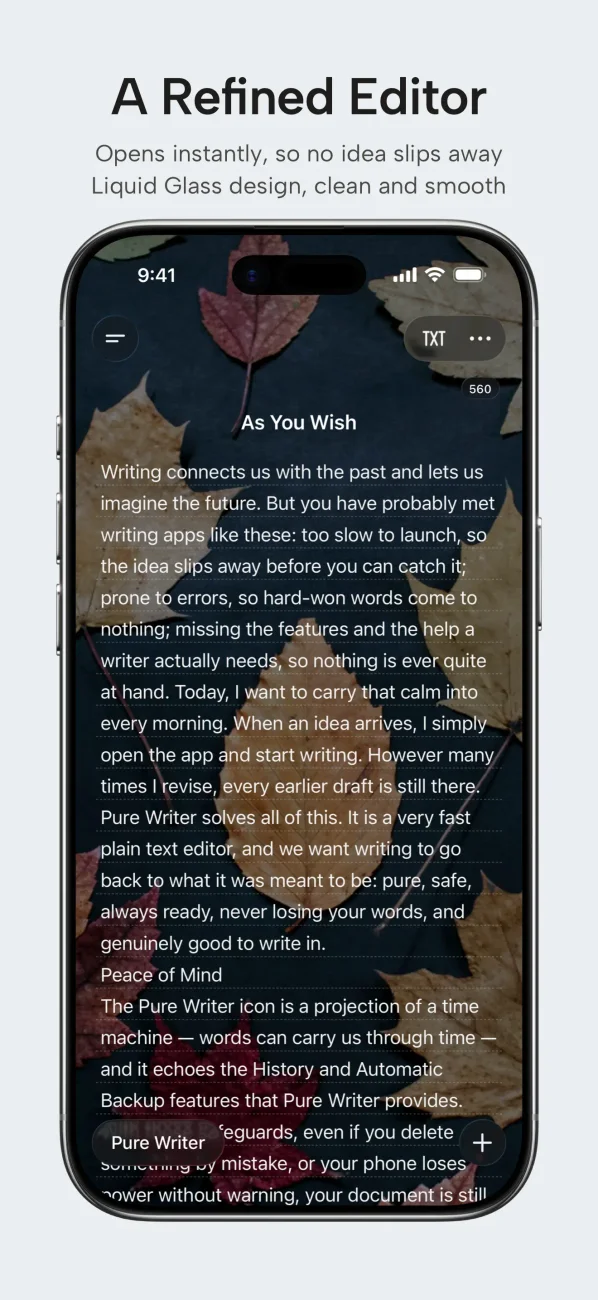
Writing connects us with the past and lets us imagine the future.
Pure Writer is a very fast plain text editor, built so writing can go back to what it was meant to be: pure, safe, always ready, and never losing your words.
Your words stay yours. Documents are stored on your device and can be backed up to your own iCloud or cloud drive. Pure Writer is simply a tool for writing and organizing your own text, and it never publishes what you write.
PEACE OF MIND
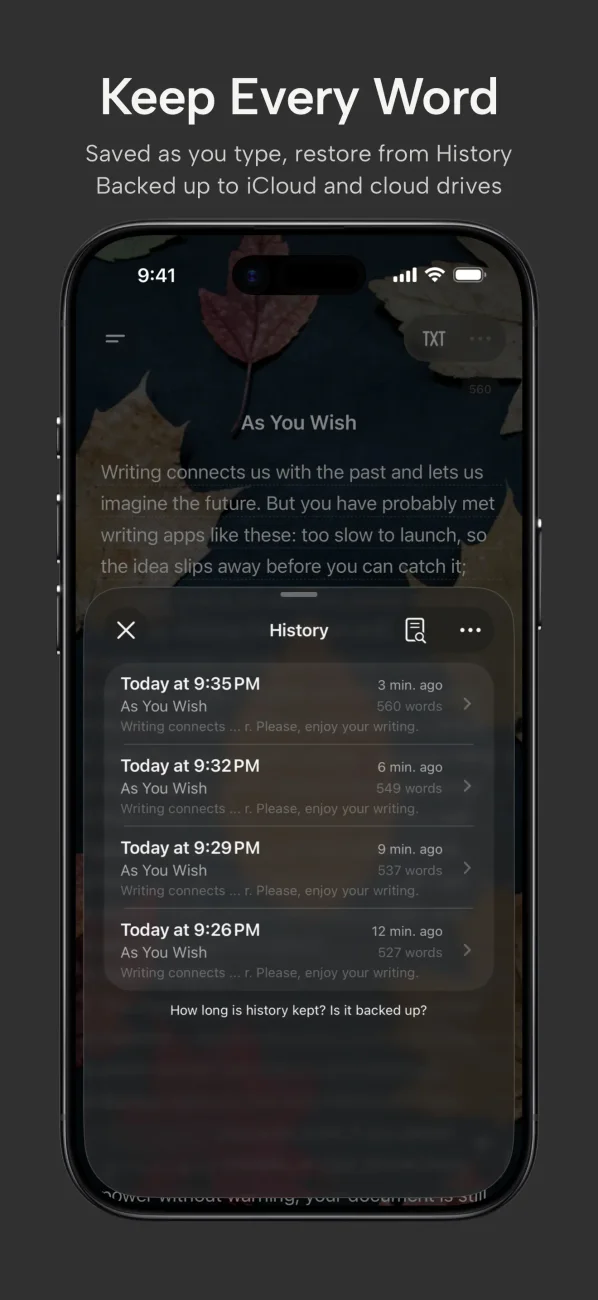
Even if you delete something by mistake, or your phone loses power without warning, your document is still saved in full, or waiting for you in History.
SMOOTH AND FLUID
Built on ten years of experience with editors and rebuilt from the ground up for iOS, with Liquid Glass throughout. Typewriter Mode keeps the paragraph you are writing in focus, and reopening a document brings you back to where you left off.
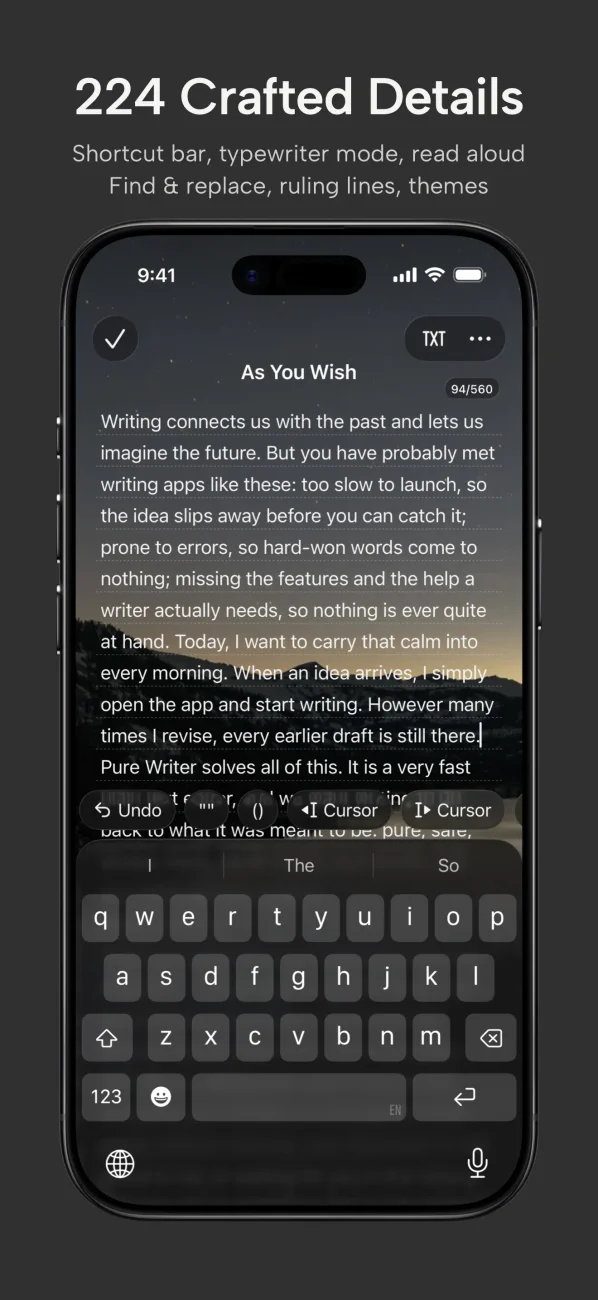
224 CRAFTED DETAILS, INCLUDING:
Editing
• Blue Fill Box: type inside paired symbols, press Return to jump past them
• Paired symbols delete together; lists, numbering, and indents continue
• One undo history for title and body, with three-finger gestures and shake to undo
• Date completion
• Move paragraphs up and down
• Dual Editors, and no word limit
Focus & Layout
• Typewriter Mode, Immersive Mode, a top bar that hides as you scroll
• Floating word count, selection count, and your choice of counting rules
• Line spacing, margins, paragraph spacing, and font size, with a live preview
• One-Tap Typesetting
Look & Feel
• Light and Dark appearance, custom accent color, your own fonts
• Paper backgrounds from solid colors, built-in scenery, or your photos
• Manuscript ruling lines and rounded, refined selection highlights
Quick Input
• A shortcut bar for phrases, names, symbols, dates, and actions
• Set where the cursor lands after inserting
Organize Your Writing
• Organize your own writing in nested groups, from quick notes to long drafts
• Tags, drag to reorder, collapsible groups, detailed lists
Find & Replace
• Search and replace across all your documents
• Several conditions at once, match case, regular expressions
Saving & Recovery
• Autosave and History, with version comparison
• Writing Cache and Trash
• Automatic and manual local backups, saved to the Files app if you like
• A safety backup before every restore, and a clear backup protection status
Cloud
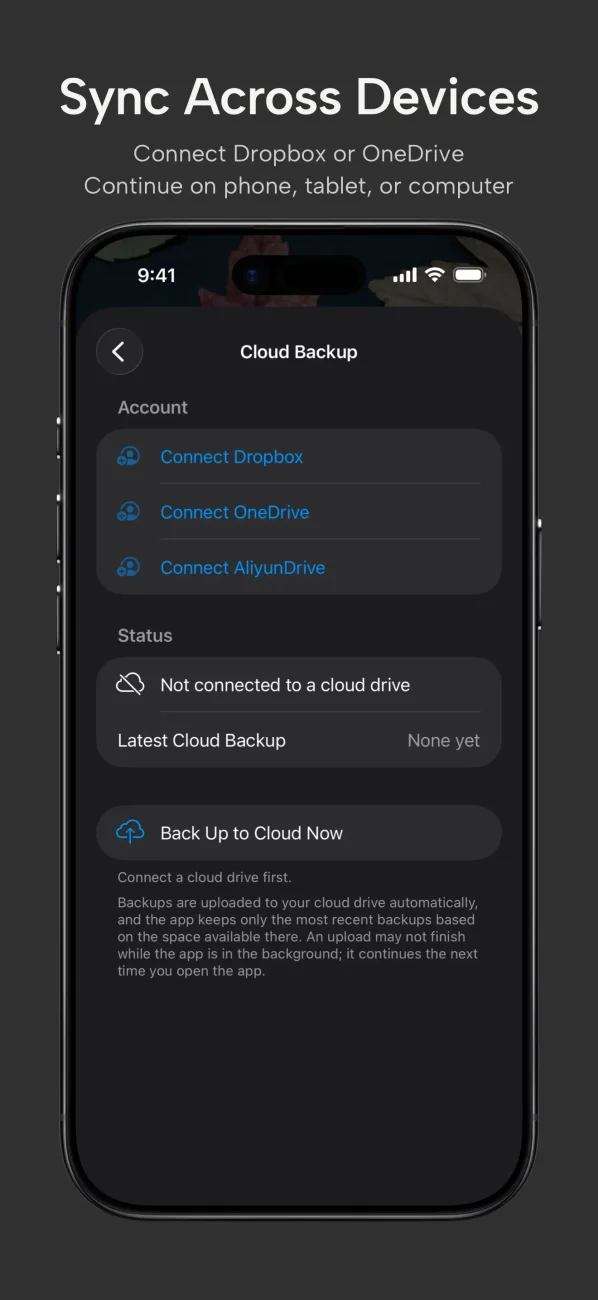
• Extra iCloud backups
• Automatic backups to Dropbox or OneDrive, optionally on Wi‑Fi only
• Sync across your phone, tablet, and computer
Markdown
• Switch any document to Markdown, with syntax highlighting
• A Markdown panel for headings, lists, quotes, code, links, and tables
• LaTeX math and images; save the source as a .md file
Export
• Long image, image sets, PDF, Word (DOCX), EPUB, and plain text
• Export only the selection, add a watermark, or combine documents into one export with chapters
Proofread by Ear
• Read aloud with the current sentence highlighted, from the cursor, at your chosen speed, even in the background
• Hear the words you just typed
TRIAL AND MEMBERSHIP
Try every feature free for 7 days. No subscription is needed during the trial, and you will not be charged automatically. Afterwards, unlock everything with a monthly subscription, a yearly subscription, or a lifetime membership. There are no separate free and premium tiers. If you choose not to pay after the trial, you can still export all your writing in one tap, and apart from editing and creating documents, many features such as reading, backup, and sync stay available.
Subscriptions renew automatically unless auto-renew is turned off at least 24 hours before the end of the current period. Manage or cancel anytime in your App Store account settings.
Terms of Use: https://www.apple.com/legal/internet-services/itunes/dev/stdeula/
Privacy Policy: https://writer.drakeet.com/ios/privacy
A writing experience that feels safe and runs smooth. This is Pure Writer. Enjoy your writing.
What’s new
Version 1.0.15 · Nov 21, 2026
Rearranged the top bar buttons for editing: the Hide Keyboard button is now at the top right, and the Undo button is at the top left. You can switch them back in Settings › Advanced Options.
Touch and hold the top-left button to undo, redo, or open the sidebar.
New documents now use the same format as the document next to them (plain text or Markdown), so you don’t have to switch each one by hand. To always use one format, choose it in Settings › Markdown Options › Format for New Documents.
Scrolling in Markdown preview is now smoother when a document contains images.
Added Default Indent in Settings › Indentation: set paragraph indentation to 2, 4, 6, or 8 half-width spaces, or 1 or 2 full-width spaces.
The Undo button now appears on its own, so it no longer replaces the document format icon while you edit.
When you paste Markdown into a blank plain text document, you’re now asked whether to switch to Markdown.
With Chapter Numbering on, documents without a title now show their chapter number in the title field.
Fixed shortcut bar buttons occasionally showing only the glass, with no label.
Added quick Markdown preview: while editing a Markdown document, tap the preview button to switch between editing and preview without losing your place.
Fixed the reading position shifting after rotating the screen.
Added Export All Content in Settings › Backup & Cloud Sync: export all your books and documents to a single ZIP file in one tap.
Backup and sync are now incremental, bringing real-time cloud sync.
Optimized for iPhone Duo.
After you create a document, the sidebar scrolls to it automatically.
Fixed the Hide Keyboard and Undo buttons not appearing at the top when editing with an external keyboard and all shortcut bars turned off.
Refined details and improved features.
App privacy
What Drakeet Co., Ltd declares on the App Store about how this app handles data.
-
Data linked to you
May be collected and linked to your identity.
- Purchases
- Location
- Contact info
- User content
- Identifiers
- Usage data
-
Data not linked to you
May be collected but is not linked to your identity.
- Diagnostics
Privacy practices may vary, for example with the features you use or your age.
Information
- Seller
- Drakeet Co., Ltd.
- Category
- Productivity
- Version
- 1.0.15
- Updated
- Nov 21, 2026
- Released
- Oct 24, 2026
- Size
- 67.2 MB
- Requires
- iOS 26.0 or later
- Age rating
- 4+
- Price
- Free
- In-app purchases
- Yes
- Languages
- English, Bulgarian, Czech, Danish, Dutch, Finnish, French, German, Greek, Hindi, Hungarian, Indonesian + 16 more
- Copyright
- © 2026 Drakeet Co., Ltd.
You might also like
-
 FavPicks:bookmarks saverManage Favorites & Reminders !
-
 笔落写作Productivity
-
 PureWrite: Writing StudioScreenplay & Markdown Writer
-
 Life Metro: Daily PlannerTo-do list & weekly reviews
-
 序日Track plans, journals & dates
-
 Flodo - Flow TodoProductivity
-
 OneDay: Focus on today’s todoOnly what matters today
-
 EverTrans - 文本、语音、图片离线翻译助手Offline Translate
-
 OneOpen: File ViewerHTML, Markdown, CAD & 3D
-
 NexPaste - Clipboard ManagerEverything you copy, in reach