
Focus Guard: App Blocker
Screen time, focus, kid mode
Designed for iPhone, iPad, iPod touch
Free · In-app purchases
- Age rating4+
- CategoryProductivity
- DeveloperVan Nguyen
- LanguagesEnglish
- Size26.8 MB
Links to the official App Store page
Download.org hosts no file of Focus Guard: App Blocker. The button opens its official App Store page, published by Van Nguyen. Listing last checked on Nov 14, 2026.
Screenshots



About
FocusGuard helps you take back your time from the apps that pull at you.
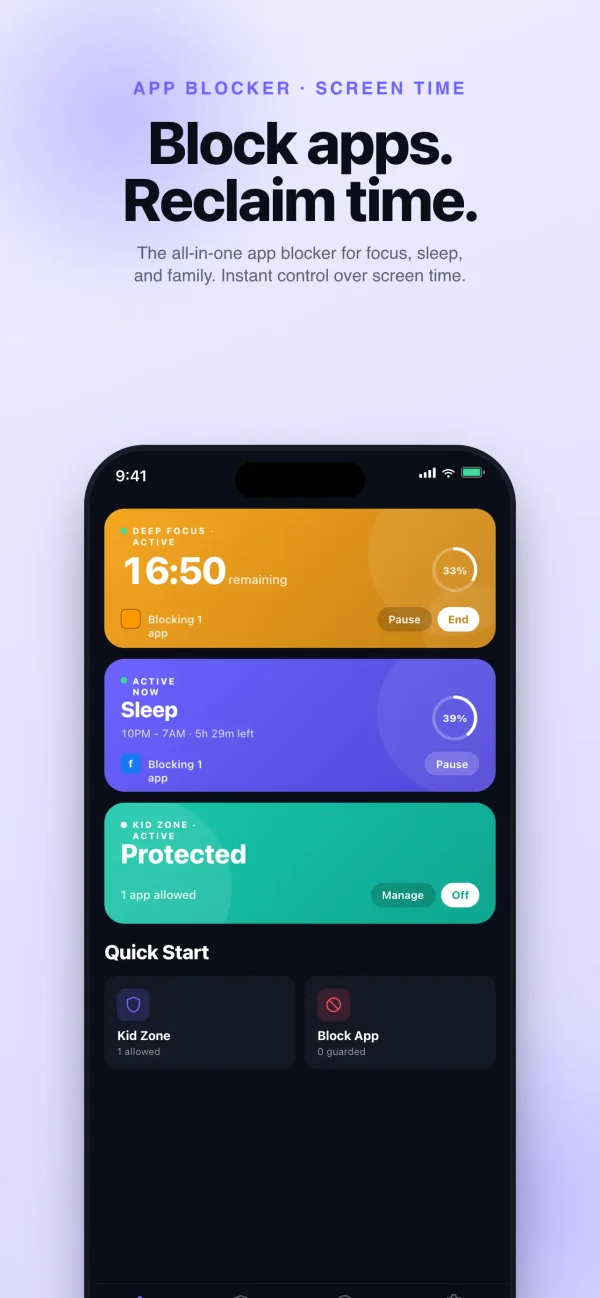
One tap blocks distracting apps for as long as you decide. Set repeating schedules so social media is locked during work and study. Hand the device to a child and Kid Zone makes only the apps you've allowed accessible — everything else is off-limits until you unlock it.
Built on Apple's Family Controls, FocusGuard uses the same shielding technology Screen Time uses. There is no proxy, no VPN, and your app data stays on your device.
WHAT'S INSIDE
• Guard — pin specific apps to be permanently shielded. Tap to add, swipe to manage.
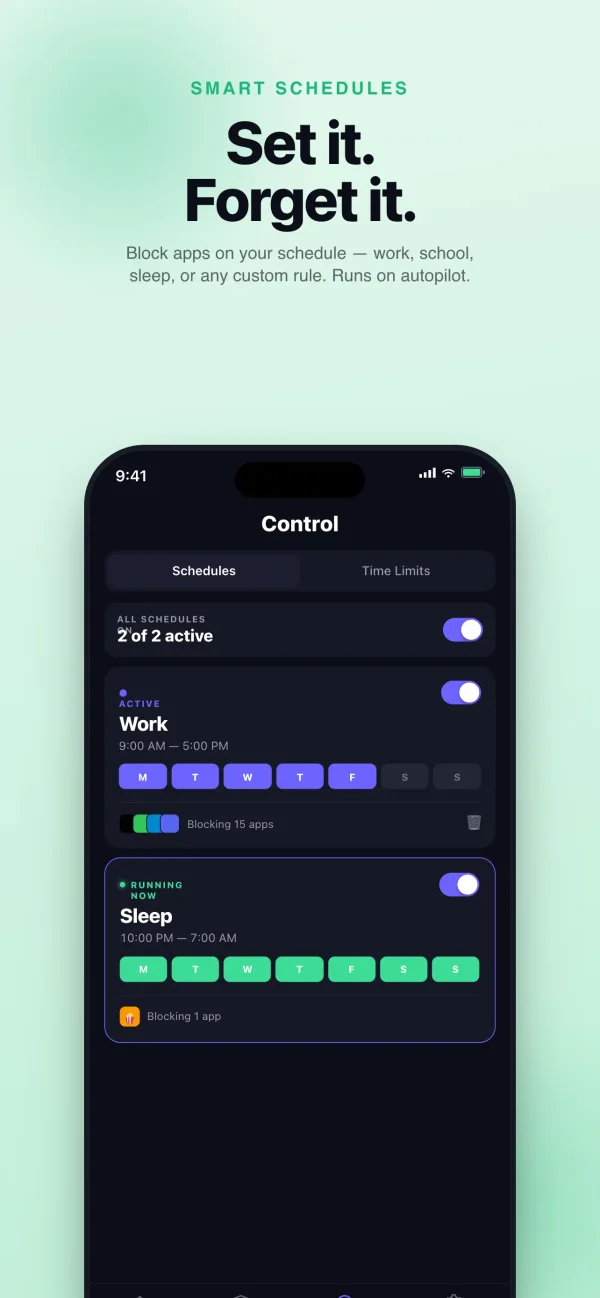
• Schedules — block apps during a recurring time window (work hours, study, sleep). Pre-built presets for Work, Study, Sleep, and Morning Routine. Customise the days and time exactly.
• Time Limits — set daily, weekly, or monthly caps for a group of apps.
• Deep Focus — instant block-everything-distracting session with a live timer. Pause, resume, or end early. Pick the session length (15/25/45/60 minutes or custom). Real-time progress on the home screen.
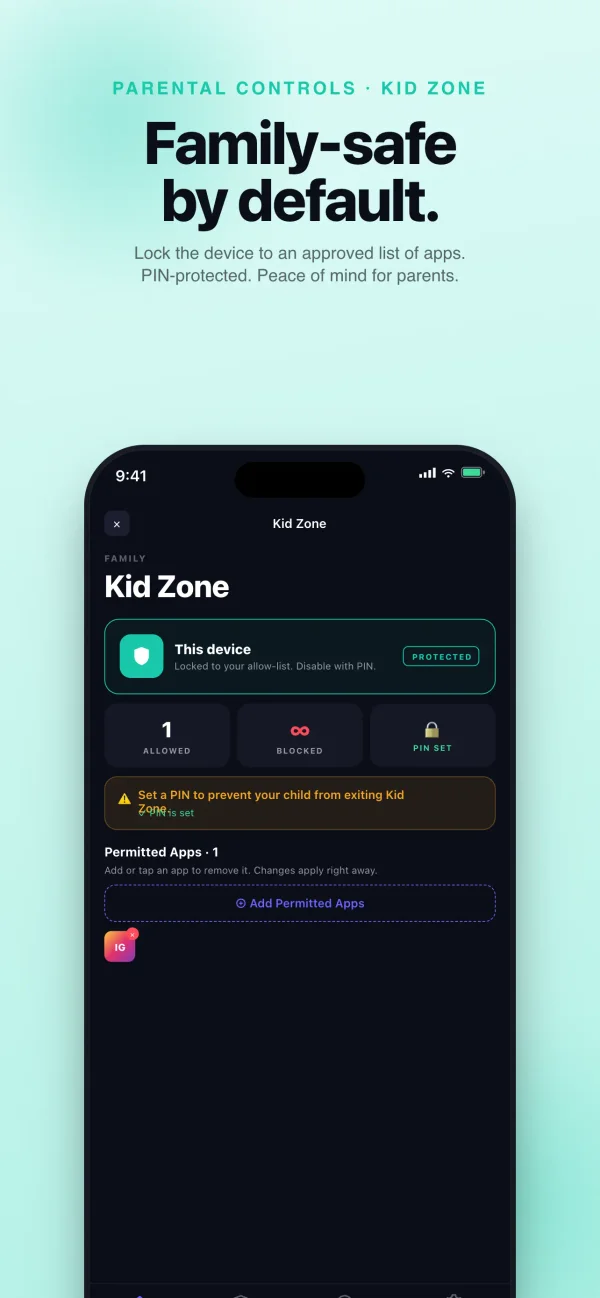
• Kid Zone — hand the device to a kid and only the apps you've chosen will open. Everything else is sealed behind your PIN. Web domains are also locked so Safari isn't a backdoor.
• Strict Mode — a 5-second cooldown before any protection can be turned off, removed, or ended. Just enough friction to break the impulse loop without locking you out of legitimate edits.
• PIN lock — protect Settings and Kid Zone exit with a 4-digit PIN. Changing or removing the PIN requires re-entering the current one.
• Light & dark themes that follow your system, plus an explicit toggle.
• Universal — designed for iPhone and iPad in both portrait and landscape.
PRIVACY FIRST
• No accounts. No sign-in.
• No analytics, no crash reporting, no third-party SDKs.
• Your blocked-apps list never leaves your device. Apple's Family Controls hides app bundle identifiers from third-party apps; we don't try to extract them and we don't transmit them anywhere.
• In-app purchases are validated directly by Apple — no proxy server.
REQUIREMENTS
• iOS 16 or later for full shielding (Family Controls / Screen Time API).
PREMIUM (FOCUSGUARD FULL ACCESS)
A small one-time or subscription unlock removes the free-tier app limit and supports continued development. Available as Monthly, Yearly, or Lifetime.
Subscriptions auto-renew unless cancelled at least 24 hours before the end of the period. You can manage your subscription in your Apple ID settings.
Privacy policy: https://minbudget.net/focusguard/privacy.html
Terms of use: https://www.apple.com/legal/internet-services/itunes/dev/stdeula/
App privacy
What Van Nguyen declares on the App Store about how this app handles data.
-
Data not collected
The developer does not collect any data from this app.
Privacy practices may vary, for example with the features you use or your age.
Information
- Seller
- Van Nguyen
- Category
- Productivity
- Version
- 1.0
- Updated
- May 30, 2026
- Released
- May 30, 2026
- Size
- 26.8 MB
- Requires
- iOS 15.1 or later
- Age rating
- 4+
- Price
- Free
- In-app purchases
- Yes
- Languages
- English
- Copyright
- © 2026 Van Nguyen
You might also like
-
 FocusGuard: App Lock & BlockerDumb Phone Mode & Screen Time
-
 Stillock: App Blocker & FocusLimit screen time & focus
-
 FocusLock: Block Apps & FocusStop Scrolling, Study & Focus
-
 Roam: App BlockerBlock apps by location
-
 Screen Limit: App BlockerFocus, Study & Digital Detox
-
 Out of Office: Block Work AppsClock out on a schedule
-
 Bracer: App Blocker, Watch KeyThe key is on your wrist
-
 Impedo: App & Website BlockerScreen time limits that stick
-
 Perimeter: App BlockerLocation-based screen time
-
 Still Block Apps / SitesDigital Detox & site blocker