Fold Commander: File Manager
Dual-pane SFTP & FTP client
Designed for iPhone, iPad
Free · In-app purchases
- Age rating4+
- CategoryUtilities
- DeveloperViktar Babkin
- LanguagesEnglish+ 7 more
- Size9.9 MB
Links to the official App Store page
Download.org hosts no file of Fold Commander: File Manager. The button opens its official App Store page, published by Viktar Babkin. Listing last checked on Nov 23, 2026.
Screenshots

About
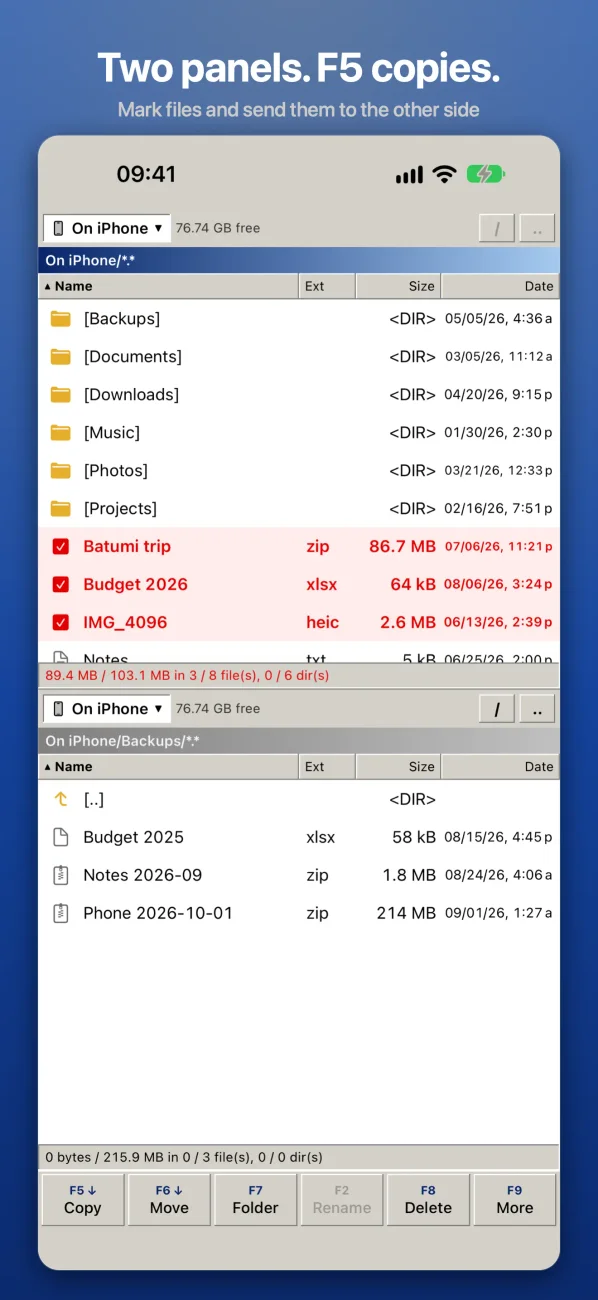
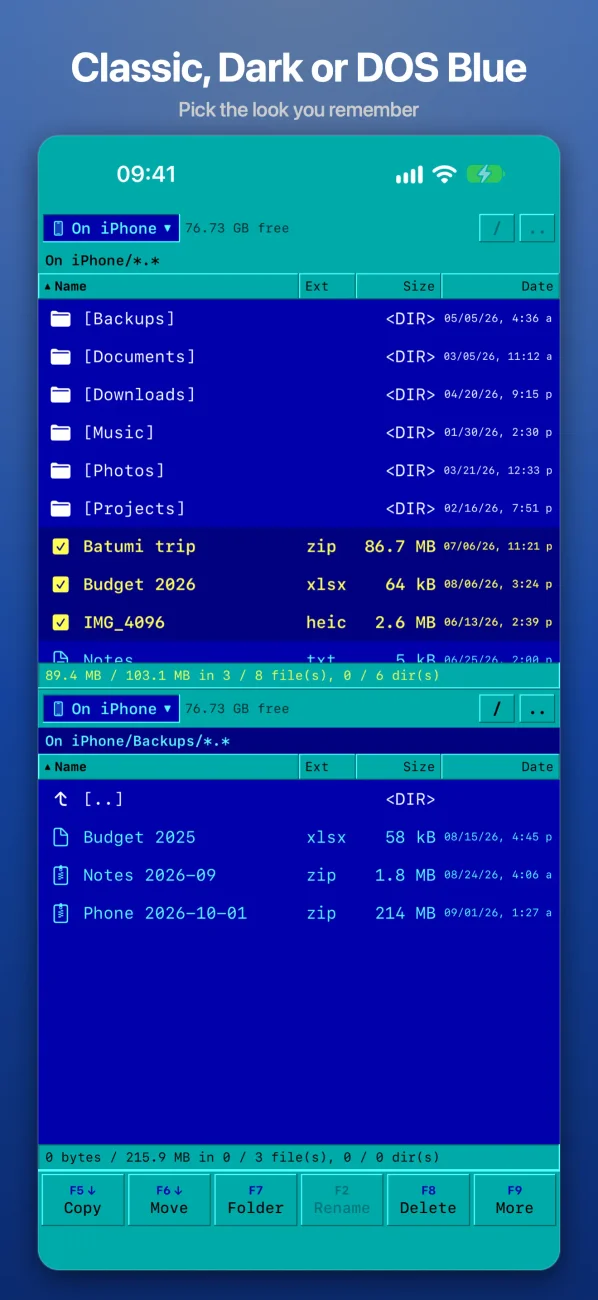
A two-panel file manager in the style of the classic desktop commanders. Two folders side by side, function keys at the bottom: F5 copies from one panel to the other, F6 moves, F7 makes a folder, F2 renames, F4 edits, F8 deletes. Free, no ads, no account.
TWO PANELS
• Browse your iPhone or iPad storage, iCloud Drive, folders of other apps, USB drives and network shares added in Files
• Tap a row to open it, tap its icon to mark it — marked files turn red
• Sort by name, extension, size or date; show or hide hidden files
• Tabs in each panel, each remembering its folder, sorting and marks
• Drag a row to the other panel or onto a folder, then choose Copy or Move
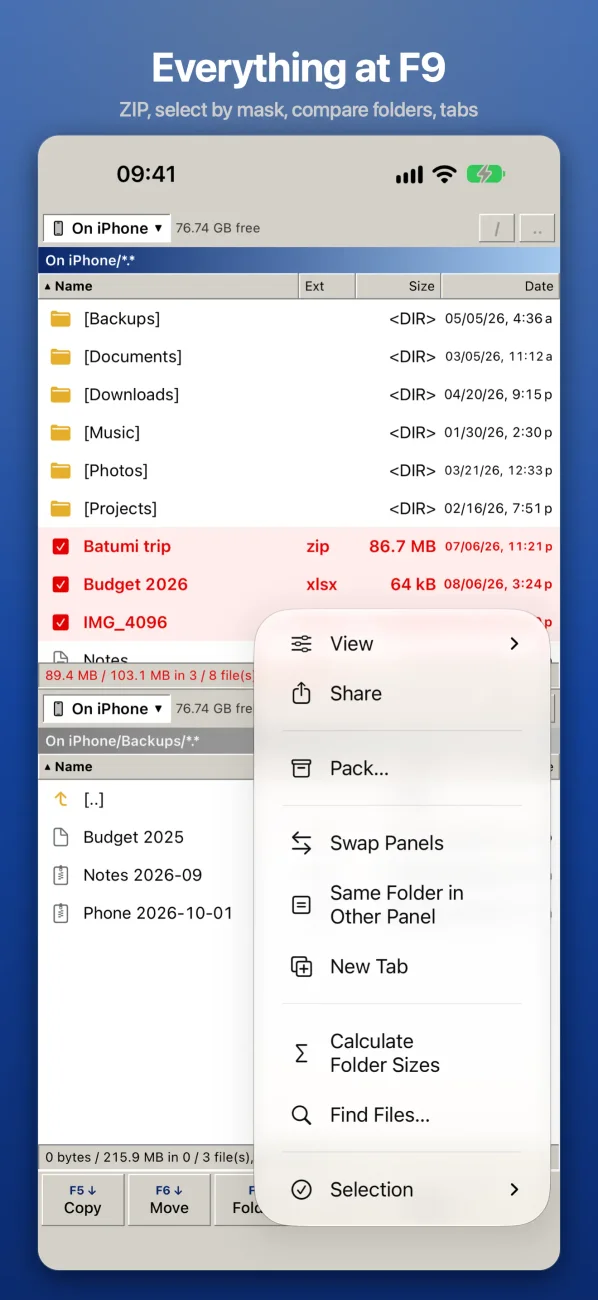
• Swap panels, open the same folder on the other side, preview anything with Quick Look, share files
COPY THE WAY YOU EXPECT
• Names already there? Choose once: replace, skip or keep both
• Progress with a Cancel button; cancelling leaves no half-written files behind
EDIT TEXT (F4)
• Edit configs, notes and scripts right in the panel — on the device or straight on a server
• Keeps the file's encoding (UTF-8, UTF-16, Cyrillic and Western code pages) and its line endings
• Find and replace, a warning before closing unsaved changes, and before overwriting a file changed elsewhere
SERVERS
• SFTP with password or SSH private key (ed25519, RSA), host key fingerprint check
• FTP with passive mode and anonymous login
• WebDAV over HTTPS or HTTP: your NAS, cloud storage or own web server
• Servers appear as places in a panel: copy and move between your device and a server, or between two servers
• Passwords and keys are stored in the Keychain on this device only
ARCHIVES
• Pack marked files into a ZIP in the other panel
• Unpack to the same or the other panel; names in old non-Unicode archives are decoded correctly
SELECT, FIND, COMPARE
• Select by mask: *.jpg *.png, exclusions after |, folders with a trailing /
• Select all, invert, clear
• Compare folders: marks what is missing or newer on each side, optionally byte by byte
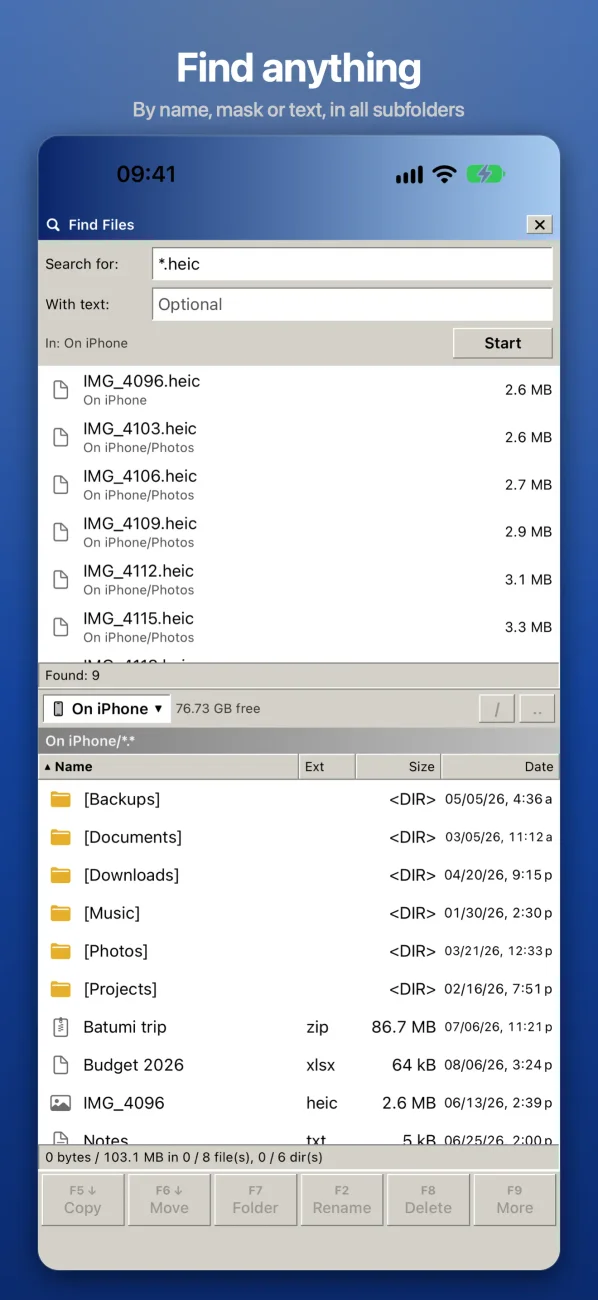
• Find files by name or mask, with text inside, through all subfolders
• Folder sizes shown right in the size column
IPAD AND KEYBOARD
• Panels side by side in any orientation, in Split View and Stage Manager of any width
• Keys as on the desktop: arrows and Page Up/Down move the cursor, Tab switches panels, Space marks, Enter opens, Backspace goes up, F2–F8 run the commands; hold ⌘ to see them all
• Works with a keyboard connected to iPhone too; on iPad the pointer highlights rows
THEMES
• Classic grey with a blue path bar, Dark, and Blue in the spirit of DOS commanders — or follow the system
• Color files by type: photos, videos, music, archives, documents and code, each in a color you pick
IPHONE DUO
• Unfolded like a book — one panel on each screen, keys split under each panel, nothing on the fold
• Unfolded like a laptop — one panel on top, the other panel and keys below
• Folded or on any other iPhone — panels stacked
Works on iPhone and iPad with iOS 17 or later.
In English, Russian, Spanish, French, Portuguese, Japanese, Korean and Chinese.
Free with no ads; optional tips in the app unlock nothing and help keep the updates coming.
What’s new
Version 1.2 · Nov 20, 2026
• The interface now speaks eight languages: English, Russian, Spanish, French, Portuguese, Japanese, Korean and Chinese
• File colors: photos, videos, music, archives, documents and code each get their own color — pick yours in F9 → Settings → File Colors
• Blue theme: the active panel's path bar is now white, so you see at once which panel is active
• Optional tips in F9 → Settings → Tip Jar: they unlock nothing and help keep the updates coming
App privacy
What Viktar Babkin declares on the App Store about how this app handles data.
-
Data not collected
The developer does not collect any data from this app.
Privacy practices may vary, for example with the features you use or your age.
Information
- Seller
- Viktar Babkin
- Category
- Utilities
- Version
- 1.2
- Updated
- Nov 20, 2026
- Released
- Oct 27, 2026
- Size
- 9.9 MB
- Requires
- iOS 17.0 or later
- Age rating
- 4+
- Price
- Free
- In-app purchases
- Yes
- Languages
- English, French, Japanese, Korean, Portuguese, Russian, Simplified Chinese, Spanish
- Copyright
- © 2026 Viktar Babkin
You might also like
-
 CRATE: Archive InspectorRAR, 7Z & ZIP Unpacker Utility
-
 SnipSnapsClean up your photo library
-
 IArek CommanderDual-pane file manager
-
 Voice Lab: STT, TTS & MoreOffline speech on device
-
 XFiles: SFTP, FTP & NAS FilesDual-Pane File Manager & SSH
-
 Wolf CommanderDual-Pane File Manager
-
 Retro File ManagerPDF Reader & File Explorer
-
 Easy Share:File Manager & DocsConverter. Downloader. Reader.
-
 Twin CommanderClassic Dual-Pane File Manager
-
 POKE64Commodore 64 emulator