Retro File Manager
PDF Reader & File Explorer
Designed for iPhone, iPad
Free · In-app purchases
- Age rating4+
- CategoryUtilities
- DeveloperDmitrii Chuprov
- LanguagesEnglish
- Size27.4 MB
Links to the official App Store page
Download.org hosts no file of Retro File Manager. The button opens its official App Store page, published by Dmitrii Chuprov. Listing last checked on Nov 17, 2026.
Screenshots

About
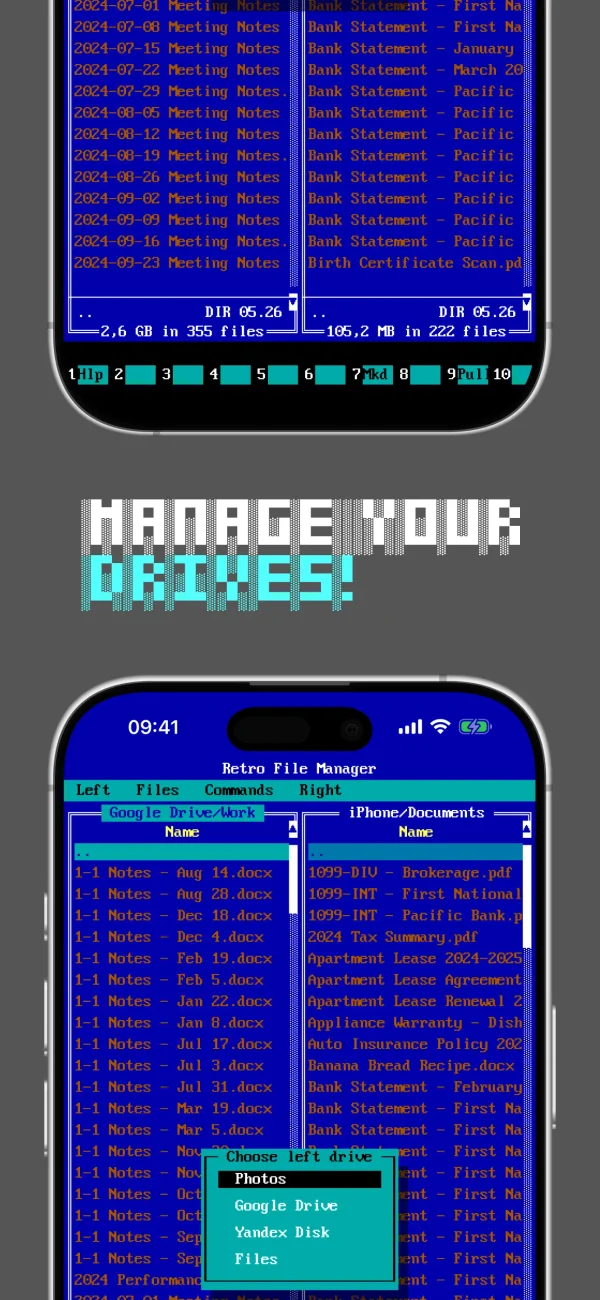
Remember Norton Commander? The dual-panel file manager is back — now on your iPhone and iPad. Try the full app free for 7 days.
DUAL-PANEL NAVIGATION
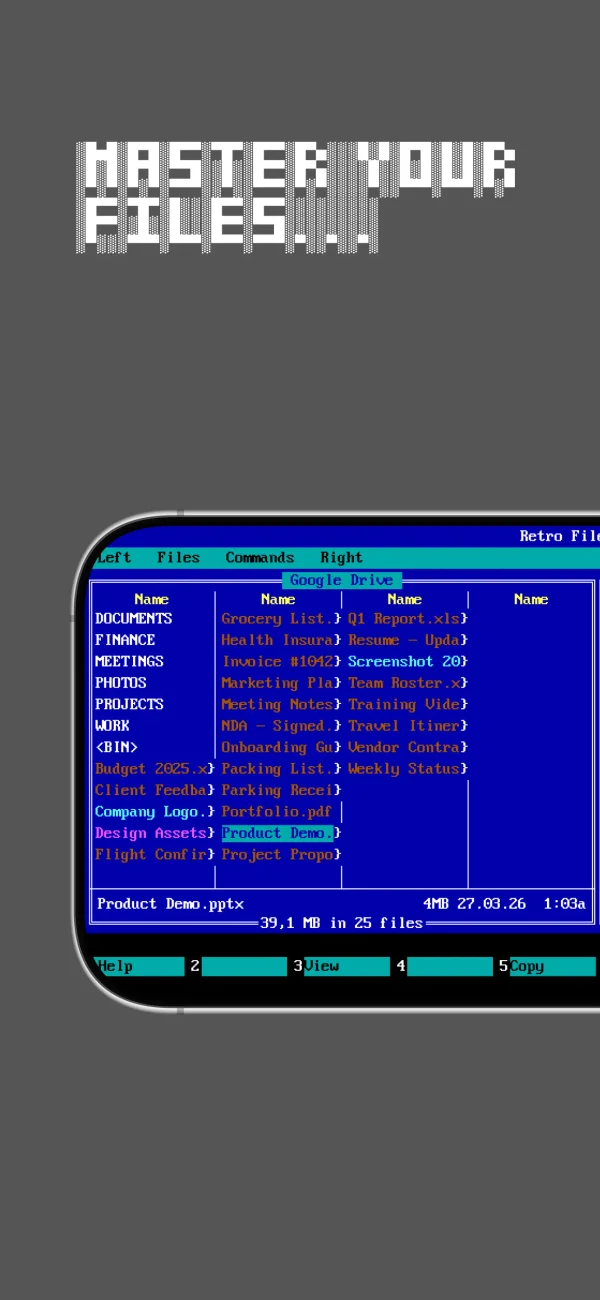
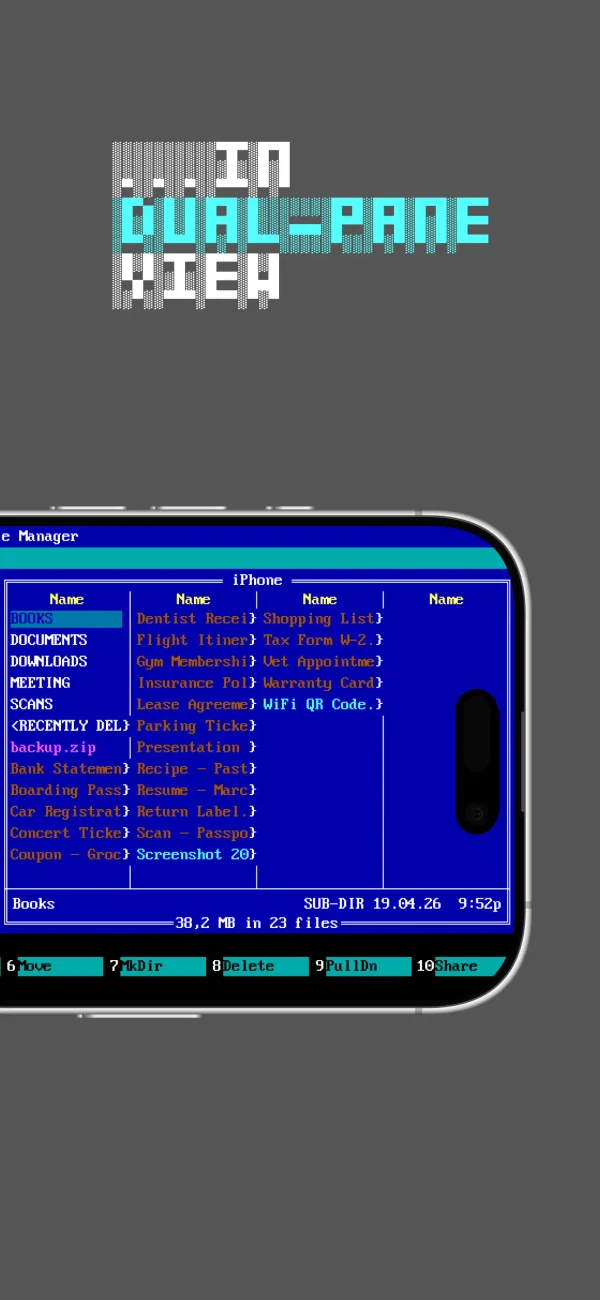
Two panels side by side, just like the classics. Browse your device and your cloud drives at the same time. The efficiency that power users have loved since the DOS era.
DOCUMENT FORMATS
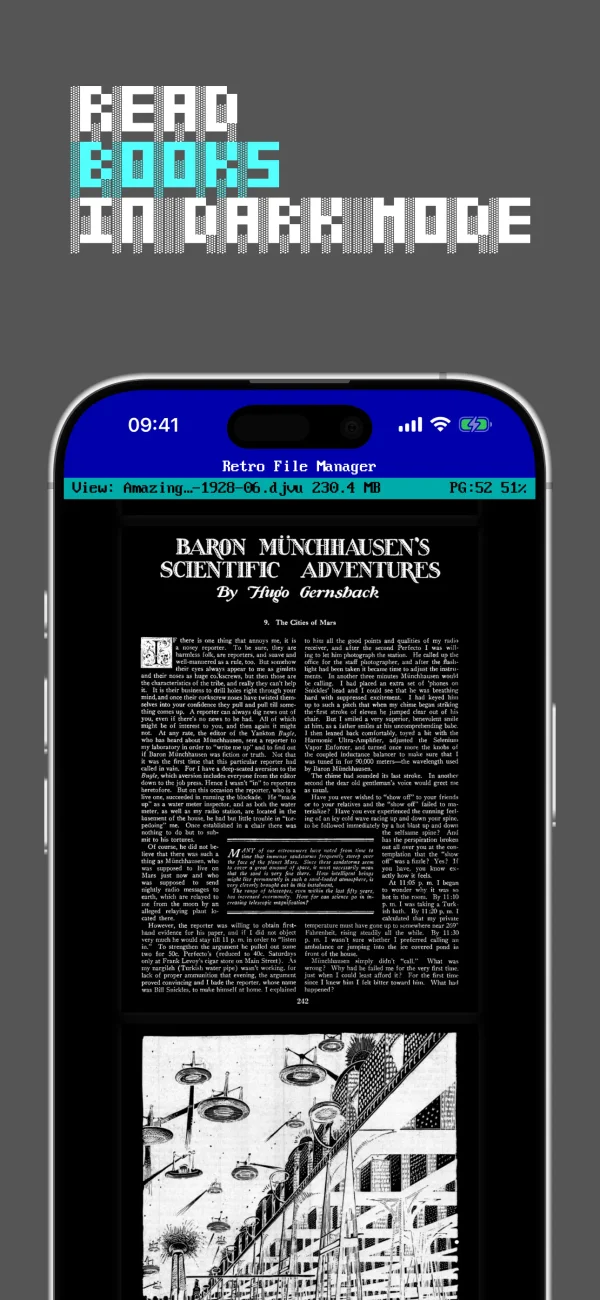
Open PDF, EPUB, FB2, DjVu, Microsoft Office, images, and more. Dark mode for comfortable reading. Your reading position is saved automatically — pick up right where you left off.
CLOUD INTEGRATION
Connect Google Drive and Yandex Disk. Browse cloud files in the same familiar dual-panel interface.
FILE OPERATIONS
Copy files between panels with F5, move with F6 — just like the original. Select several files with a long-press and drag, then copy, move, or delete them as a batch. Share multiple files at once with F10. Create folders with F7.
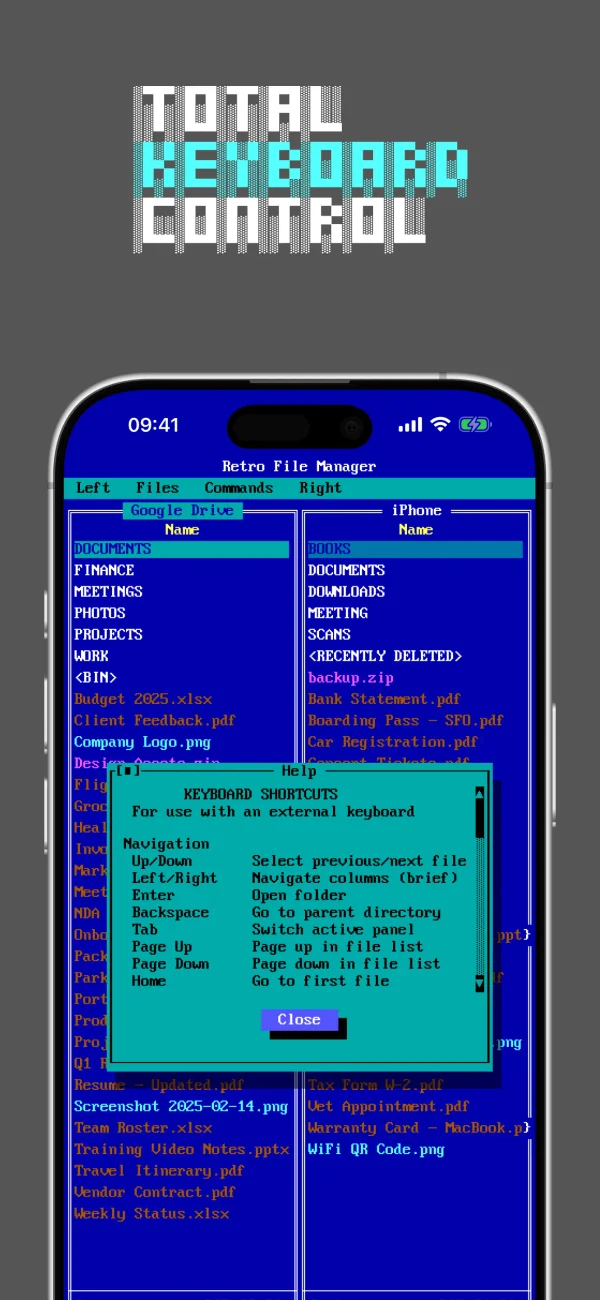
KEYBOARD SHORTCUTS
Connect an external keyboard and use classic shortcuts. F1 for help, F3 to view, F5 to copy, F6 to move, F7 to create folder, F8 to delete, F10 to share. On iPad, use number keys 1–0.
PRIVACY FIRST
No tracking. No ads. Your files stay private.
TRY EVERYTHING FOR 7 DAYS
Every feature is unlocked from the moment you install — try it on your own files:
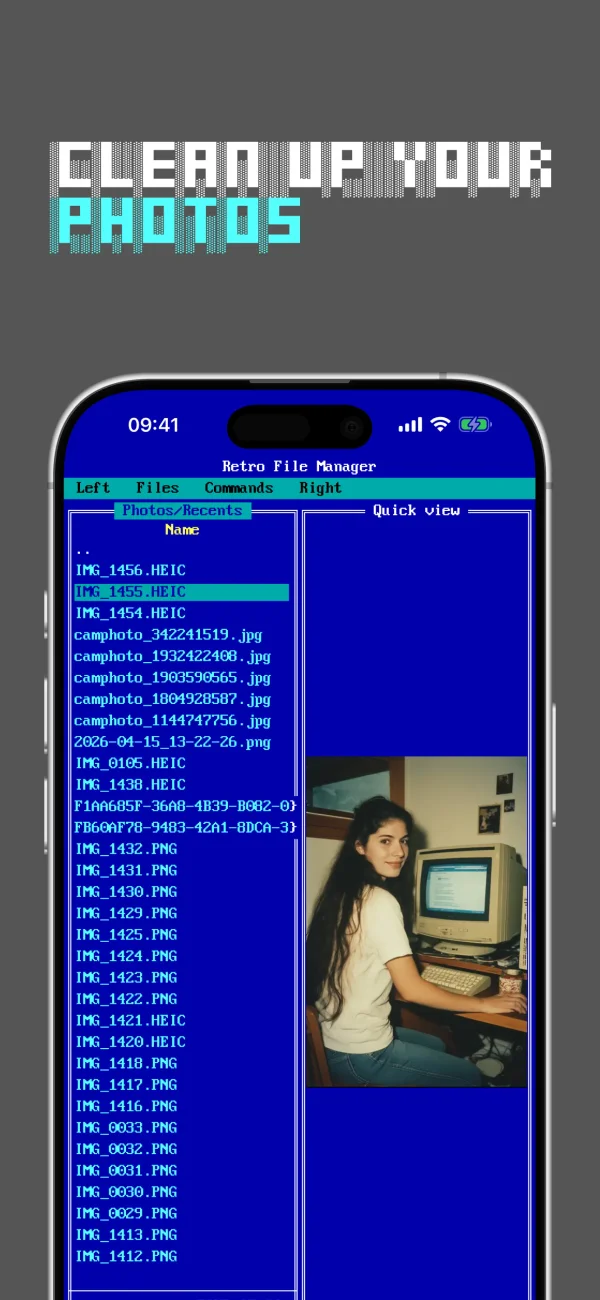
• Dual-panel browsing of your photos and the folders you add from the Files app
• Google Drive and Yandex Disk
• Copy, move, share and batch operations (F5 / F6 / F10)
• PDF, EPUB, FB2, DjVu and Office document viewer
Start your free week today.
Terms of Use (EULA): https://www.apple.com/legal/internet-services/itunes/dev/stdeula/
What’s new
Version 1.1.0 · Jul 28, 2026
A FREE WEEK OF EVERYTHING
What used to be locked is now open for 7 days — Photos, your Files app folders, Google Drive and Yandex Disk. If you never got round to trying them, this is the moment.
BOOKS
You can now scroll straight from the cover into the text, and back out of the endnotes — the book used to stop scrolling there and had to be closed and reopened. Books now open on the cover, and jumping to a section or a percentage lands where you asked.
PHOTOS
Copying and moving now keep Live Photos, RAW files and metadata intact, and edited photos are exported exactly as you see them. A move checks the copy against the original before it finishes.
SOMETHING GETTING IN THE WAY?
Commands → Feedback opens our public board — tell us what didn't work.
Also: fixed dialog layout in landscape and a few sizing glitches.
App privacy
What Dmitrii Chuprov declares on the App Store about how this app handles data.
-
Data linked to you
May be collected and linked to your identity.
- Contact info
- Identifiers
-
Data not linked to you
May be collected but is not linked to your identity.
- Purchases
- Usage data
Privacy practices may vary, for example with the features you use or your age.
Information
- Seller
- Dmitrii Chuprov
- Category
- Utilities
- Version
- 1.1.0
- Updated
- Jul 28, 2026
- Released
- Jun 22, 2026
- Size
- 27.4 MB
- Requires
- iOS 18.5 or later
- Age rating
- 4+
- Price
- Free
- In-app purchases
- Yes
- Languages
- English
- Copyright
- © 2026 Dmitrii Chuprov
You might also like
-
 Yotta InstallerSolar site field installer
-
 OpticsOSTactical Command Center
-
 IArek CommanderDual-pane file manager
-
 Torvi Shade: Safari Dark ModeAdjust brightness & contrast
-
 Fold Commander: File ManagerDual-pane SFTP & FTP client
-
 AnyPlay DriveFiles Manager and Media Player
-
 PhotoCleaner - Clean Space.Smart photo cleanup
-
 PCTransferWiFi File Transfer & Manager
-
 Capture Sync - Media BackupsPrivate Photo & Video backups
-
 Bestcrypt ExplorerPrivate encrypted file manager