
FolderCam - Work Camera
Shoot to folders. Bulk delete.
Designed for iPhone, iPad
Free · In-app purchases
- Age rating4+
- CategoryPhoto & Video
- DeveloperZrindy LLC
- LanguagesEnglish+ 45 more
- Size85.1 MB
Links to the official App Store page
Download.org hosts no file of FolderCam - Work Camera. The button opens its official App Store page, published by Zrindy LLC. Listing last checked on Nov 23, 2026.
Screenshots

About
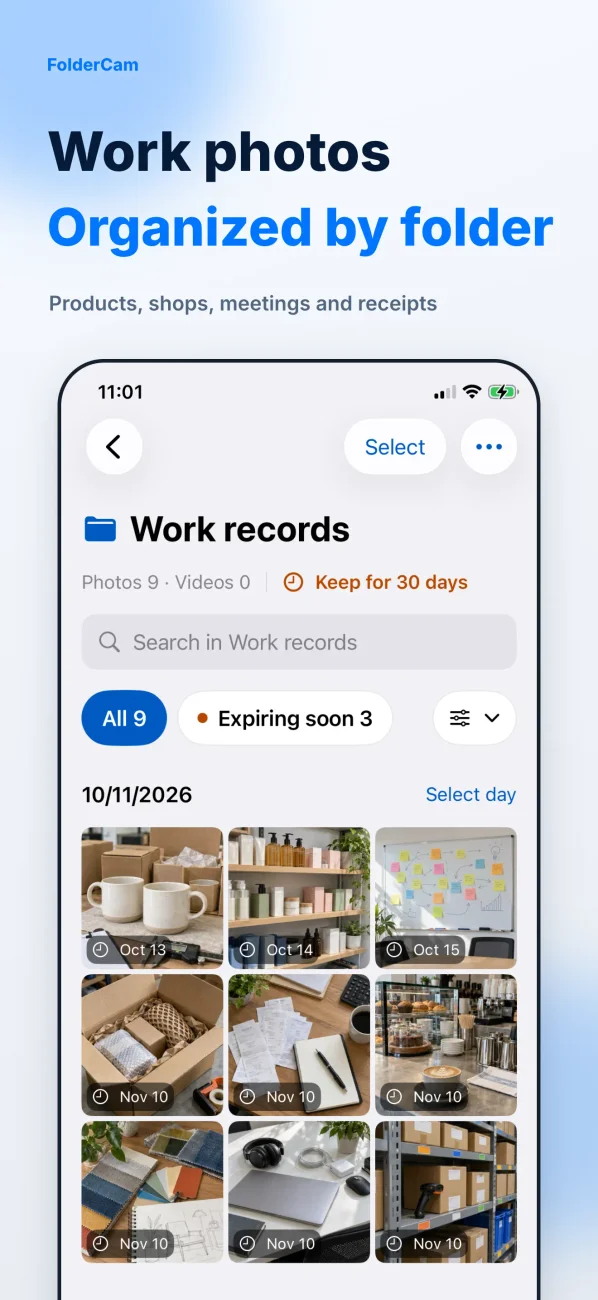
Work photos belong in work folders.
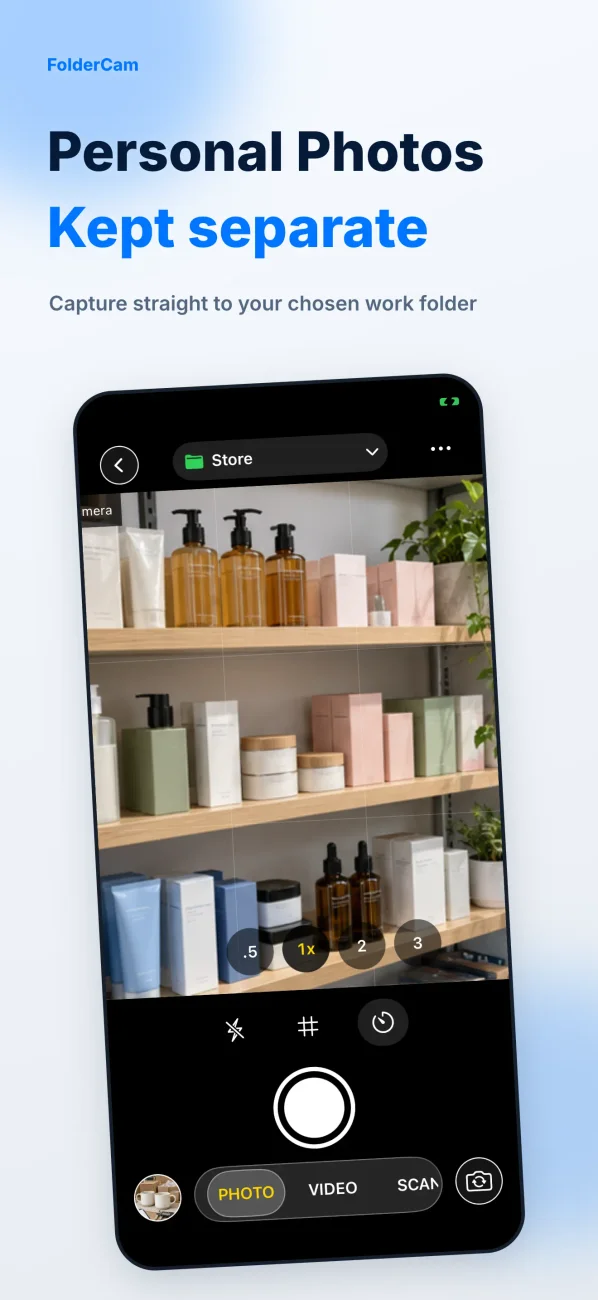
Choose a folder and take a photo. FolderCam saves it straight to that folder. When the job is done, select several photos and delete them together. Your personal Photos library stays separate. New photos and videos are not automatically added to your device’s Photos library.
For all kinds of work
Product checks, shop displays, meetings, receipts, deliveries and equipment records: keep each task in its own folder.
Find, record and organize
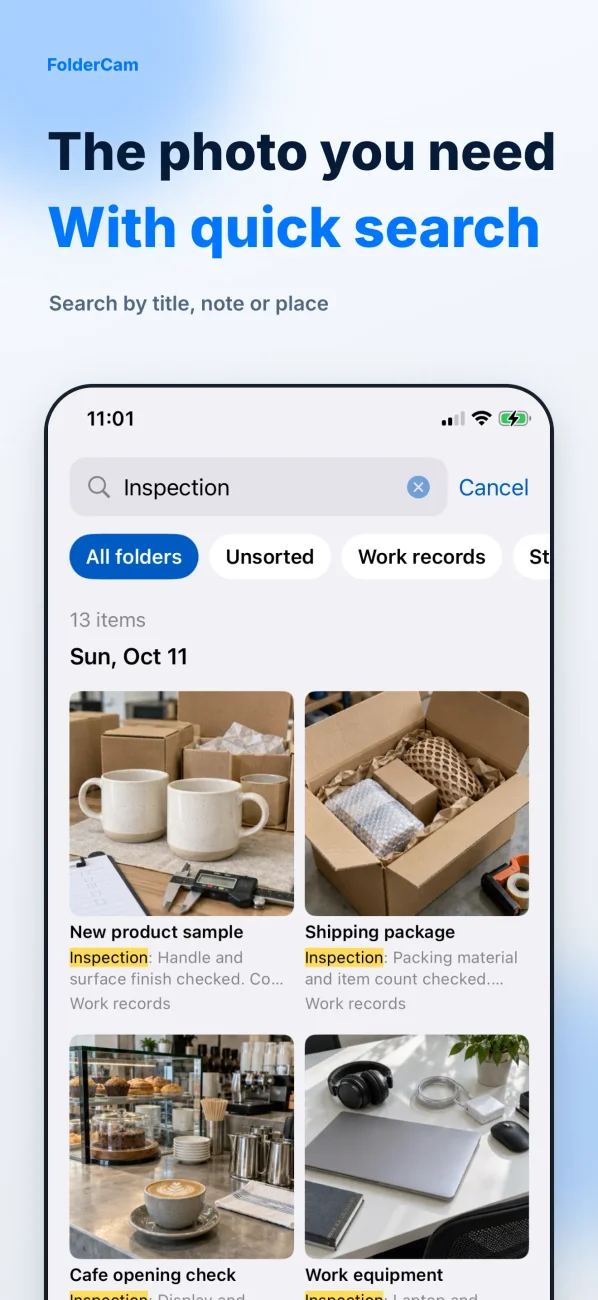
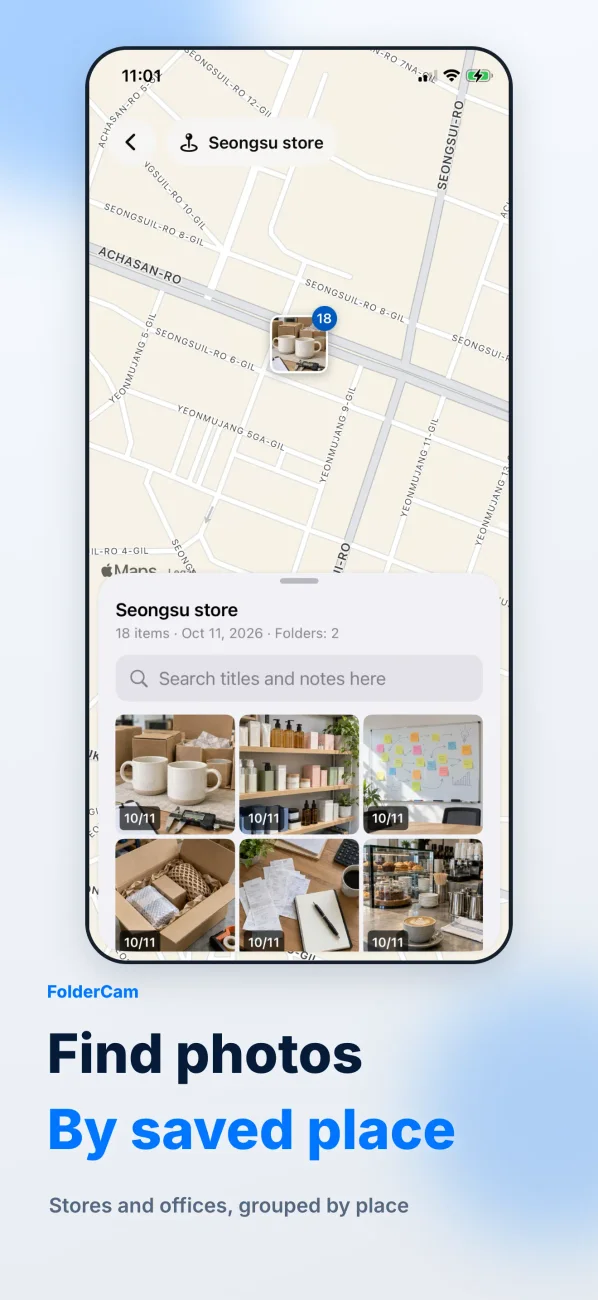
• Search by photo title, note or place.
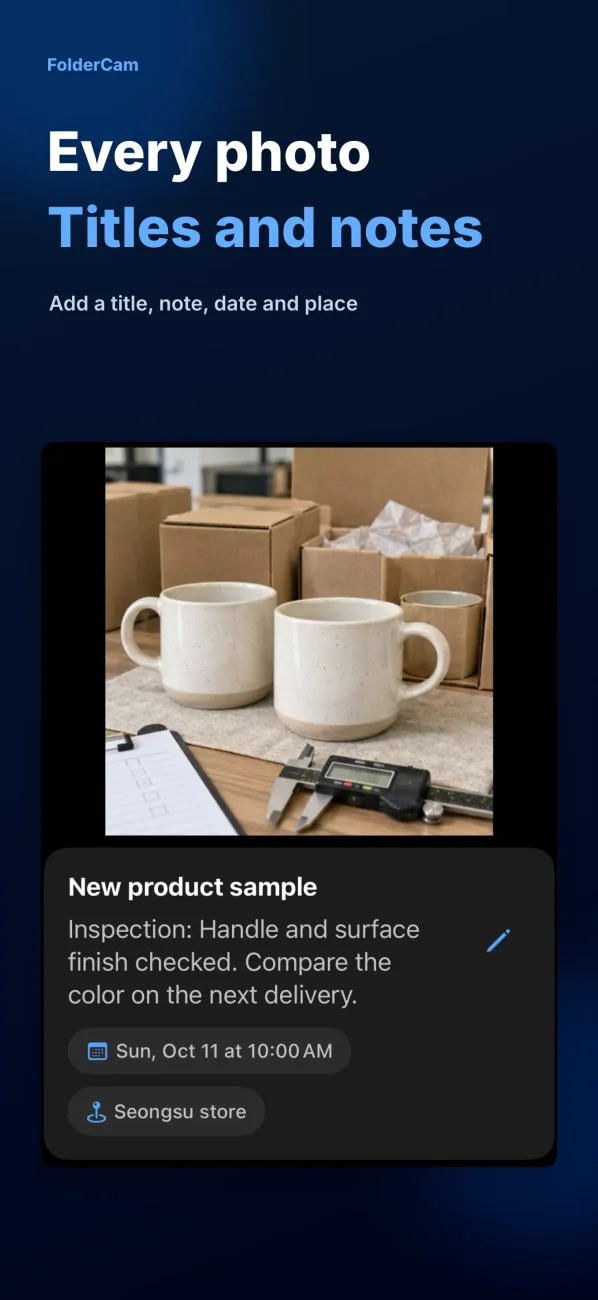
• Add a title, note, date and place to each photo. Find and choose places with Apple Maps.
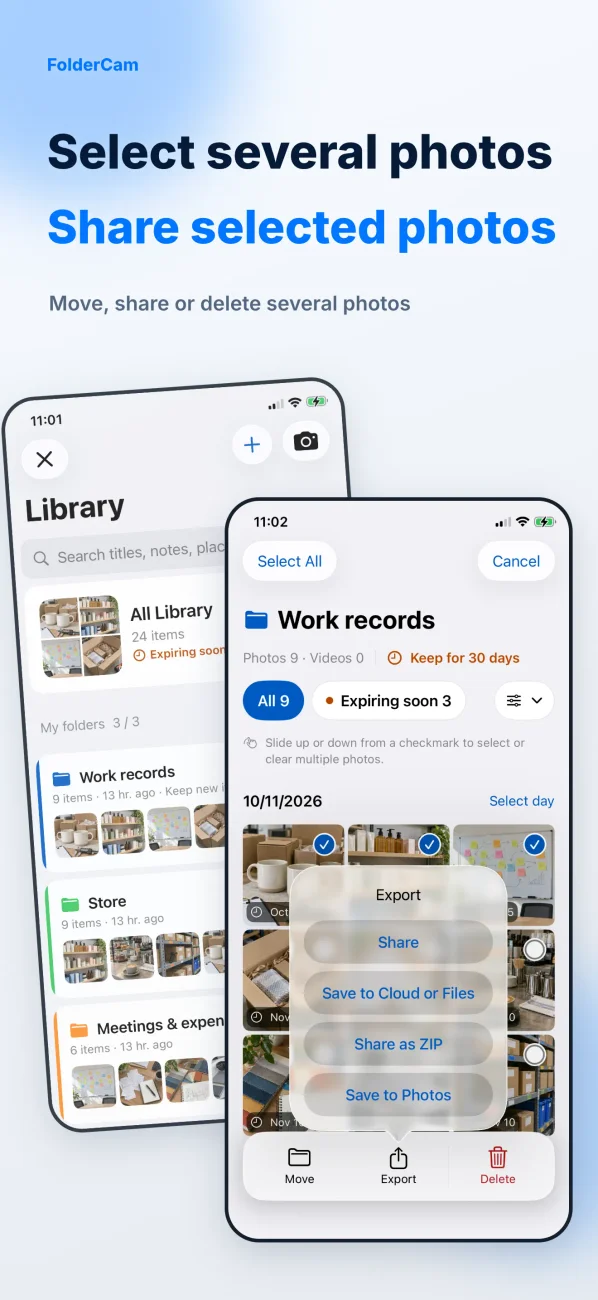
• Select multiple photos to move, share or delete together.
• Capture photos and videos, scan documents, and use a timer or grid.
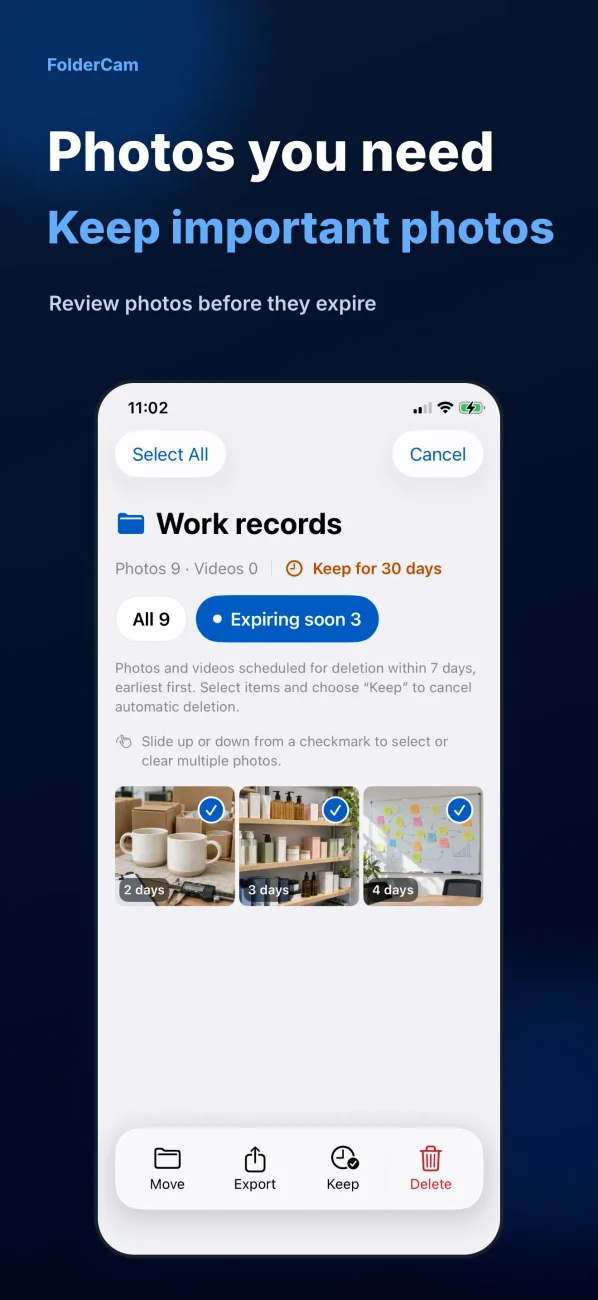
Set photo retention by folder
Photos stay until you delete them by default. If you enable automatic deletion for a folder, its chosen retention period applies to new captures made afterward. Expired photos are removed when you open the app. Switch a photo to Keep before it expires if you still need it.
Start free. Do more with Premium.
Capture and keep photos without an app photo-count limit. Create three folders, use basic time/place templates, crop photos, and export to Photos or share for free. Try three successful copy saves with Markup. Watch a rewarded ad to use Erase or Reduce File Size for one hour each. FolderCam Premium removes ads and includes both tools, unlimited folders, Markup, custom retention, custom logos and advanced stamps, ZIP sharing, and saving to Cloud or Files. Choose monthly, annual or lifetime access. The current price is shown before purchase. Monthly and annual subscriptions renew automatically unless canceled. Manage or cancel in your Apple account settings.
Your photos and data
Photos stay on your device with no automatic upload. Optional Apple or Google sign-in uses Firebase Authentication; it does not back up photos or change Apple purchases. Firebase stores your account ID and provider profile, such as name and email. Delete the account in Settings. Files providers receive copies only when you choose Save to Cloud or Files. RevenueCat receives an anonymous customer identifier and purchase history for Premium verification, subscription management and purchase analytics. Free users may see ads in the library and after some exports; Premium removes ads. Google AdMob may process device identifiers, app interactions and approximate location for ad delivery and measurement. Location permission supports Use Current Location and location stamps. Deleting the app deletes its library; export important photos first. Device backups follow iOS settings.
Usage analytics is on by default. A previous choice to turn it off remains respected. Firebase receives app interaction events; photos, folder names and precise location are not sent.
Terms of Use (Apple Standard EULA): https://www.apple.com/legal/internet-services/itunes/dev/stdeula/
What’s new
Version 1.0.20 · Nov 19, 2026
Browse large photo libraries and save settings faster.
Free users may see full-screen ads when opening the app or after exporting photos, starting 7 days after first opening the app.
App privacy
What Zrindy LLC declares on the App Store about how this app handles data.
-
Data linked to you
May be collected and linked to your identity.
- Purchases
- Location
- Contact info
- Identifiers
- Usage data
- Diagnostics
-
Data not linked to you
May be collected but is not linked to your identity.
- Identifiers
- Usage data
Privacy practices may vary, for example with the features you use or your age.
Information
- Seller
- Zrindy LLC
- Category
- Photo & Video
- Version
- 1.0.20
- Updated
- Nov 19, 2026
- Released
- Oct 5, 2026
- Size
- 85.1 MB
- Requires
- iOS 17.0 or later
- Age rating
- 4+
- Price
- Free
- In-app purchases
- Yes
- Languages
- English, Arabic, Bengali, Bulgarian, Catalan, Croatian, Czech, Danish, Dutch, Finnish, French, German + 34 more
- Copyright
- © 2026 Zrindy LLC
You might also like
-
 FolderCam: Work Photo CameraTimestamp, GPS & Watermark
-
 AltCam: Folder CameraFolder Camera & Photo Vault
-
 VideoFrameCut-Batch VideoMakerExtend short clips ·50 layouts
-
 Deletely: Photo CleanerSwipe Cleanup & Free Up Space
-
 Irisly: Eye Color AnalyzerIris photo & AI art portrait
-
 OneLens: Cloud Camera for WorkAuto upload, timestamp & GPS
-
 BerryCam: Daycare CameraTag kids, keep photos separate
-
 CardShuttle: SD Card BackupCopy memory cards to an SSD
-
 Kirari — 推し写真アルバムPhoto & Video
-
 Memento: Swipe Photo CleanerDelete Photos, Free Up Storage