
- Age rating9+
- CategoryPhoto & Video
- DeveloperTRAN VAN MANH
- LanguagesEnglish
- Size73.3 MB
Links to the official App Store page
Download.org hosts no file of Frametify. The button opens its official App Store page, published by TRAN VAN MANH. Listing last checked on Nov 17, 2026.
Screenshots



About
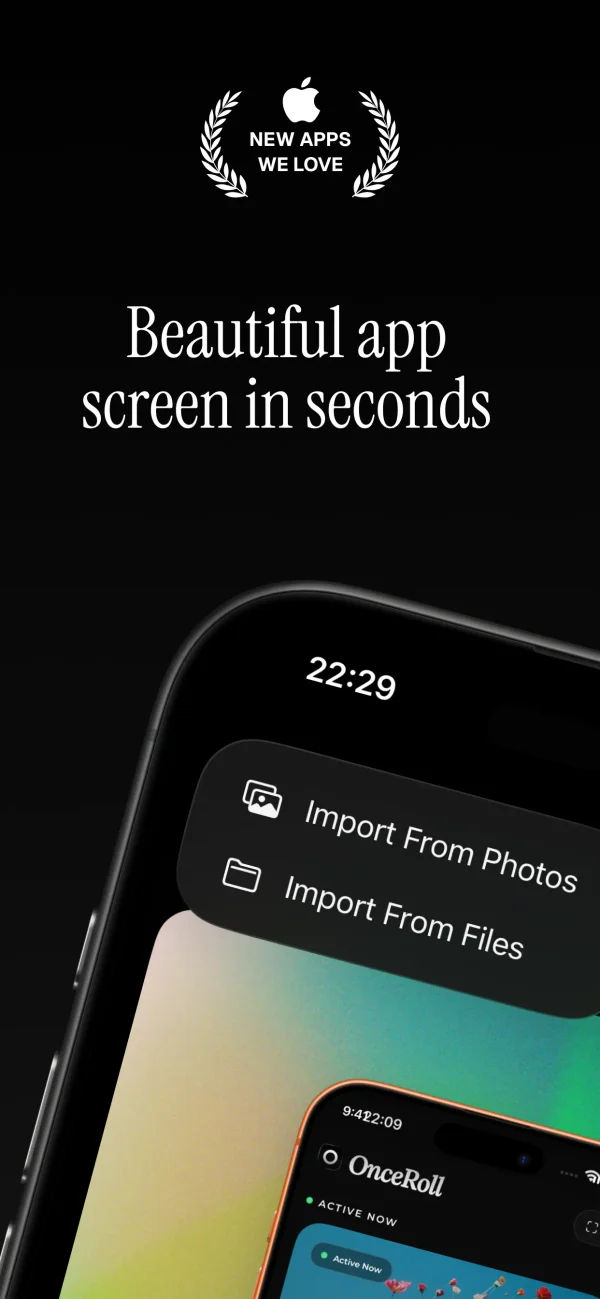
Frametify helps you turn app screenshots into beautiful, share-ready iPhone mockups without opening a design tool.
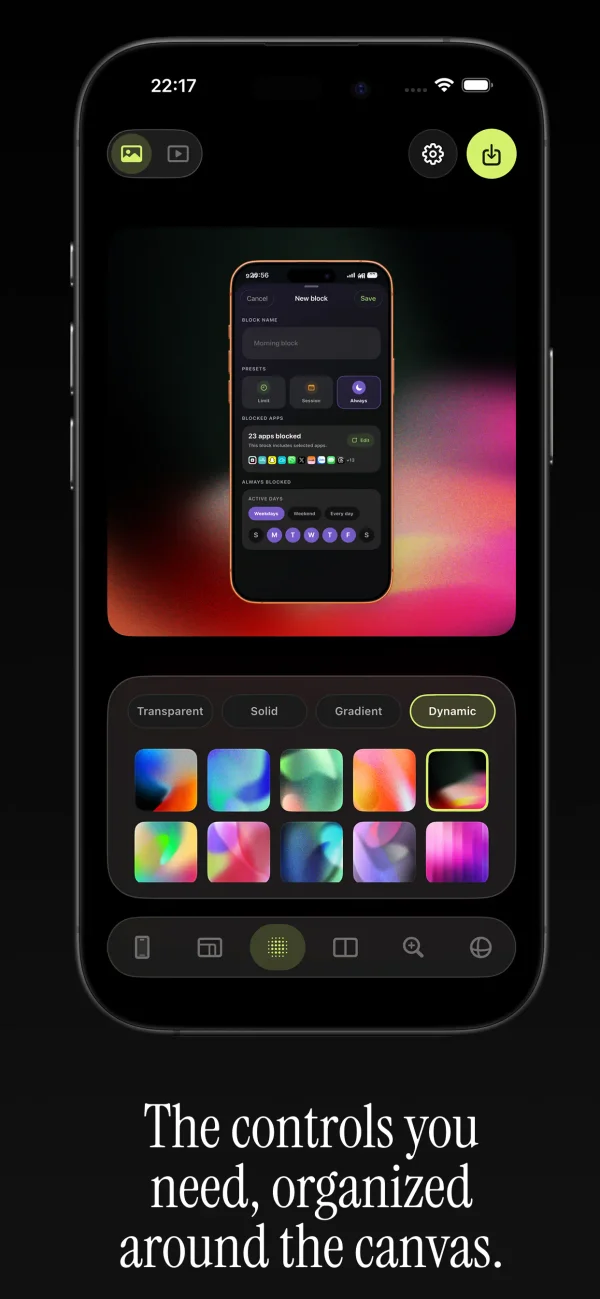
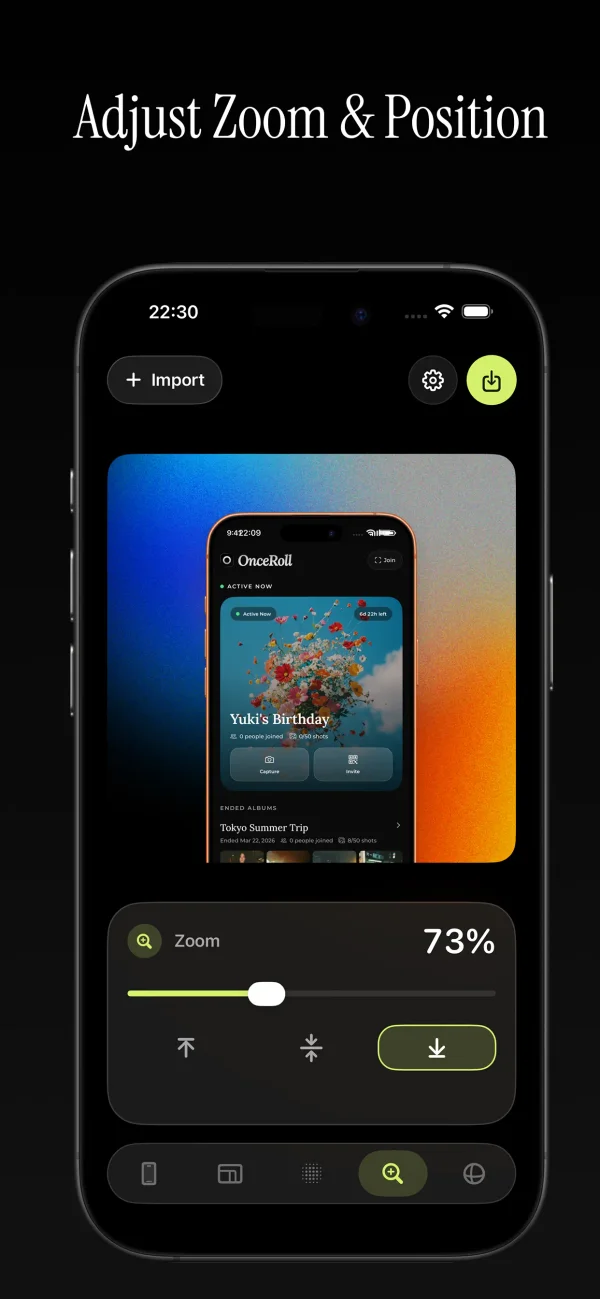
Import screenshots or videos, choose a polished device frame, add vibrant backgrounds, arrange up to three screens side by side, fine-tune spacing, zoom, rotation, and alignment, then export high-quality visuals for App Store updates, product pages, social posts, pitch decks, and launch announcements.
Built for makers, designers, founders, and developers, Frametify keeps the workflow fast and focused: bring in your app screen, style it beautifully, and export a professional mockup in a few taps.
Features:
Import screenshots and videos from Photos or Files
Create single-screen or side-by-side mockups with up to three frames
Choose clean iPhone device mockup styles
Customize backgrounds with colors, gradients, and visual presets
Fine-tune spacing, zoom, padding, rotation, and alignment
Create smooth animated mockups for more engaging posts
Export polished PNG, JPG, MP4, or GIF visuals
Save reusable presets for faster repeat work
Create marketing assets directly on your iPhone
Frametify Pro unlocks unlimited exports, high-resolution output, animations, and all current and future Pro presets.
Whether you are preparing an App Store update, showing a new feature, sharing product progress, or building launch assets, Frametify helps you present your app screens in a clean, beautiful, and professional way.
Terms of Service:
https://www.apple.com/legal/internet-services/itunes/dev/stdeula
What’s new
Version 1.3.4 · Jun 15, 2026
Frametify 1.3.4 delivers higher-quality exports, real-time progress tracking, and improved shadow rendering for crisper, more polished mockups.
- Exports now render at up to 1080p (up from 720p) for sharper MP4 output
- Frame rate increased to 15fps for MP4 and 10fps for GIF
- Real-time export progress bar with percentage instead of a spinner
- Export success confirmation shown after saving or sharing
- Shadow direction control now reflected in canvas preview and export
- Improved background clipping for more accurate canvas preview
- Rendering made more resilient, bad video frames no longer abort the entire export
App privacy
What TRAN VAN MANH declares on the App Store about how this app handles data.
-
Data not collected
The developer does not collect any data from this app.
Privacy practices may vary, for example with the features you use or your age.
Information
- Seller
- TRAN VAN MANH
- Category
- Photo & Video
- Version
- 1.3.4
- Updated
- Jun 15, 2026
- Released
- May 4, 2026
- Size
- 73.3 MB
- Requires
- iOS 18.6 or later
- Age rating
- 9+
- Price
- Free
- In-app purchases
- Yes
- Languages
- English
- Copyright
- © 2026 Frametify. All rights reserved.
You might also like
-
 RetinlyTurn recordings into app demos
-
 Mockify App Photo Video MockupRealistic app & video mockups
-
 MemoryPlaces AppPhoto & Video
-
 DummoDevice mockup video studio
-
 SnapFrame: App Mockup MakerApp Store Screenshots & Video
-
 Pucam - Photo & Video AlbumsSave & share your memories
-
 Kliptra: Screen RecorderProduct App Demo Video Editor
-
 Thumbs: Still from VideoStills & thumbnails from video
-
 KeyFramifyKeyframe Video Editor
-
 Screeny: Screenshot EditorBeautiful Screenshot Frames