
- Age rating4+
- CategoryProductivity
- DeveloperMohammad Farseen Manekhan
- LanguagesEnglish
- Size29.6 MB
Links to the official App Store page
Download.org hosts no file of freewrite. The button opens its official App Store page, published by Mohammad Farseen Manekhan. Listing last checked on Nov 16, 2026.
Screenshots
About
I'm Farseen
Dev who ported farza's mac app to react native
Word from farza :
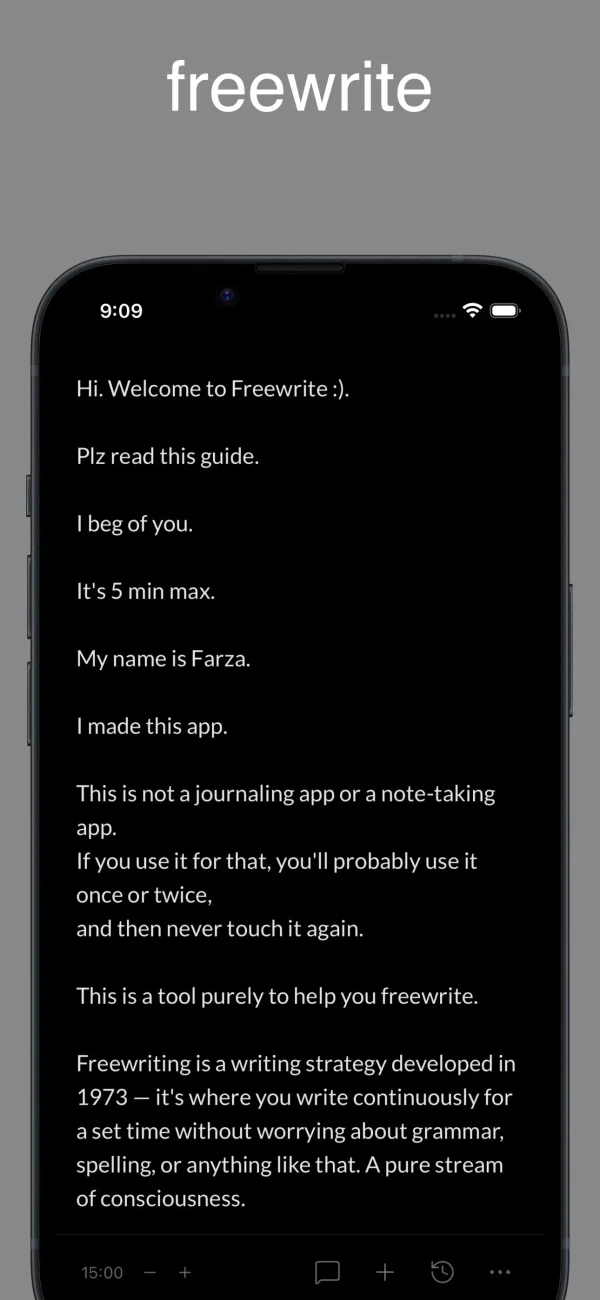
Hi. Welcome to Freewrite :).
Plz read this guide.
I beg of you.
It's 5 min max.
My name is Farza.
I made this app.
This is not a journaling app or a note-taking app.
If you use it for that, you'll probably use it once or twice,
and then never touch it again.
This is a tool purely to help you freewrite.
Freewriting is a writing strategy developed in 1973 — it's where you write continuously for a set time without worrying about grammar, spelling, or anything like that. A pure stream of consciousness.
I picked up freewriting many years ago.
It's led to real breakthroughs — like helping me untangle big feelings around shutting down my last company, reflecting on my relationships, and figuring out what actually matters to me as I continuously figure out the next chapter of life.
asdfasdf
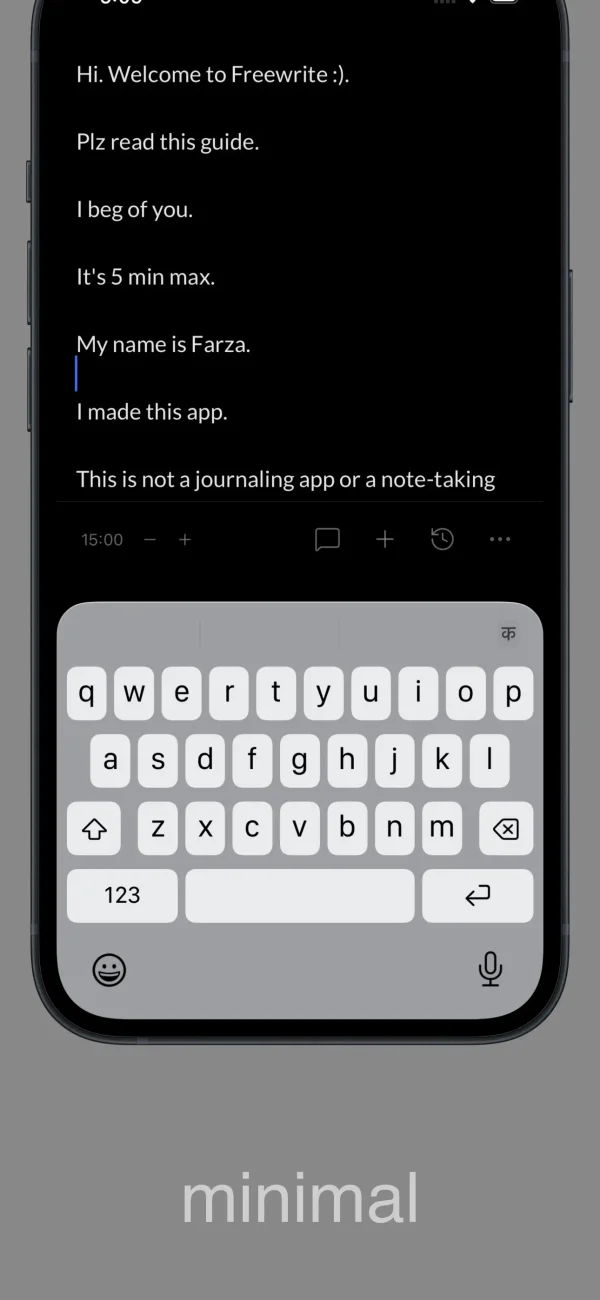
Using this app is actually super simple:
1. Think of a topic to write about (ex. a breakup, a struggle at work, a new idea)
2. Start the timer
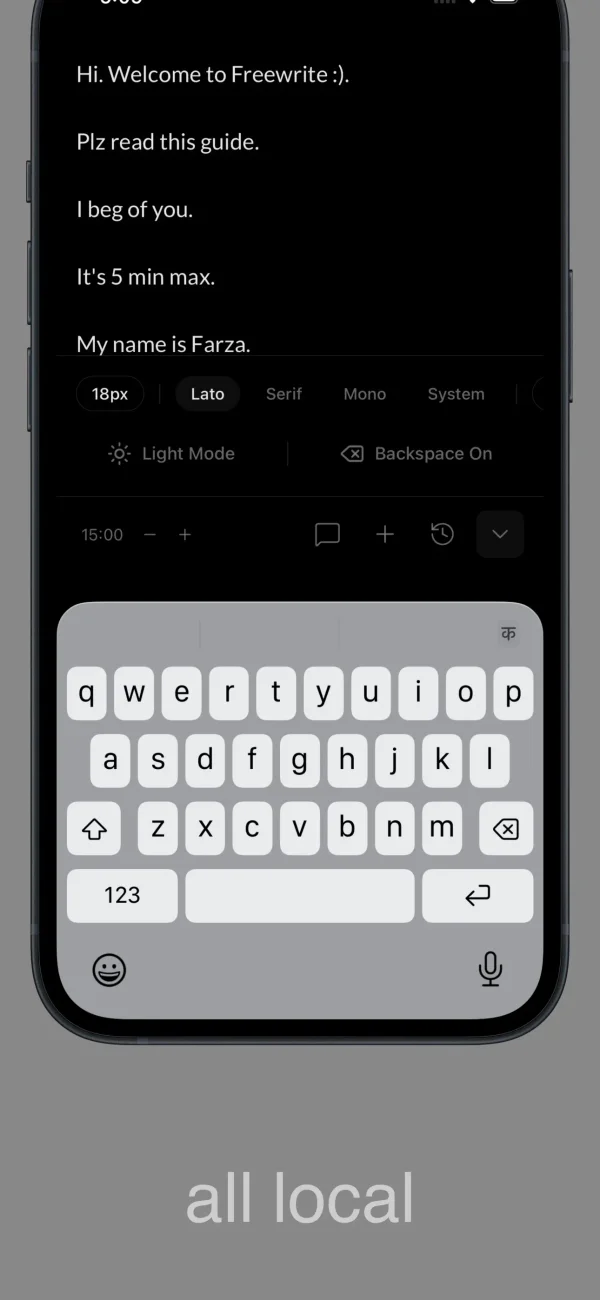
3. Start writing. No backspaces allowed. Don't stop writing.
Once the timer is done, it'll fade back in — and you'll know to stop.
That's it.
Some basic rules:
- Again, no backspaces
- No fixing spelling
- Little 5–10s breaks are fine, but try to not stop typing
- No need to stay on the topic you started with — let your mind wander
- No judgment — trust your mind!
It's like your brain is GPT and you just exhaust all the tokens in your head around a particular topic — and by the end, you'll likely feel clearer about whatever it was you were writing about.
I know 15m can sound scary for some. What do you even write about.
If you're new to writing, try this:
Before you start your working day, open this app and do a 15m session answering this simple question: "What am I working on today? Why is that the most important thing for me to work on?"
And don't stop writing for 15 minutes.
This little session is how I planned and prioritized my days for many years.
Do this for 3-days straight.
I find this is an easy way to get into writing.
Once you finish a freewrite session, click "Chat".
It'll push your entry to any of your favourite ai assistant of your choice by copy pasting the prompt to it to help you reflect. I also baked in my custom prompt I've been using for months. This little thing has helped me so much. AI is really good at helping make connections you might not see. I hope it helps you too.
Freewriting is the most important skill I picked up in the last 10 years.
It's helped me think through my most difficult life decisions.
It's helped me think through startups in a more thorough way.
It's made me a better partner and friend (I like communicating with letters).
It's helped me be happier (on my down days, I write it all out and feel better).
So that's it! That's the app. I hope freewriting helps you.
– Farza
What’s new
Version 1.2 · Apr 27, 2026
- update dark/light mode on keyboard
App privacy
What Mohammad Farseen Manekhan declares on the App Store about how this app handles data.
-
Data not collected
The developer does not collect any data from this app.
Privacy practices may vary, for example with the features you use or your age.
Information
- Seller
- Mohammad Farseen Manekhan
- Category
- Productivity
- Version
- 1.2
- Updated
- Apr 27, 2026
- Released
- Jan 12, 2026
- Size
- 29.6 MB
- Requires
- iOS 15.1 or later
- Age rating
- 4+
- Price
- Free
- Languages
- English
- Copyright
- © Mohammed Farseen Manekhan
You might also like
-
 Vondel: Writing AppWrite novels, stories & books
-
 Novalist - Novel WritingThe workspace for novelists
-
 BYOK StudioDraft, plan, and organize
-
 pensiv: Writing app for novelsWrite novels and screenplays.
-
 Minimal | NotesWrite with focus.
-
 Sublime InternetCollect anything interesting
-
 EllipsusProductivity
-
 Campfire – Write Your BookStorytelling and worldbuilding
-
 Just Write - App For WriterMinimal TXT and RTF Editor
-
 Left: Widgets for Time LeftCountdown, Habits, Streaks