Friction°: App Blocker & Focus
Block Apps. Build Discipline.
Designed for iPhone
Free · In-app purchases
- Age rating4+
- CategoryProductivity
- DeveloperMatthew Harder
- LanguagesEnglish
- Size26.4 MB
Links to the official App Store page
Download.org hosts no file of Friction°: App Blocker & Focus. The button opens its official App Store page, published by Matthew Harder. Listing last checked on Nov 18, 2026.
Screenshots

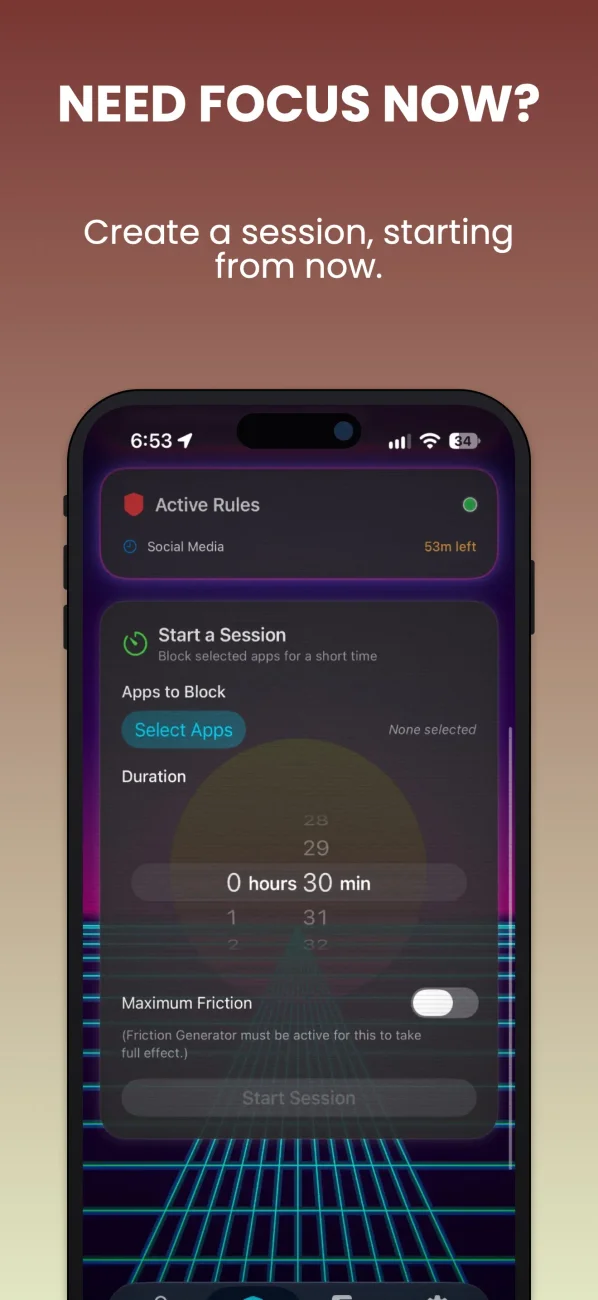
About
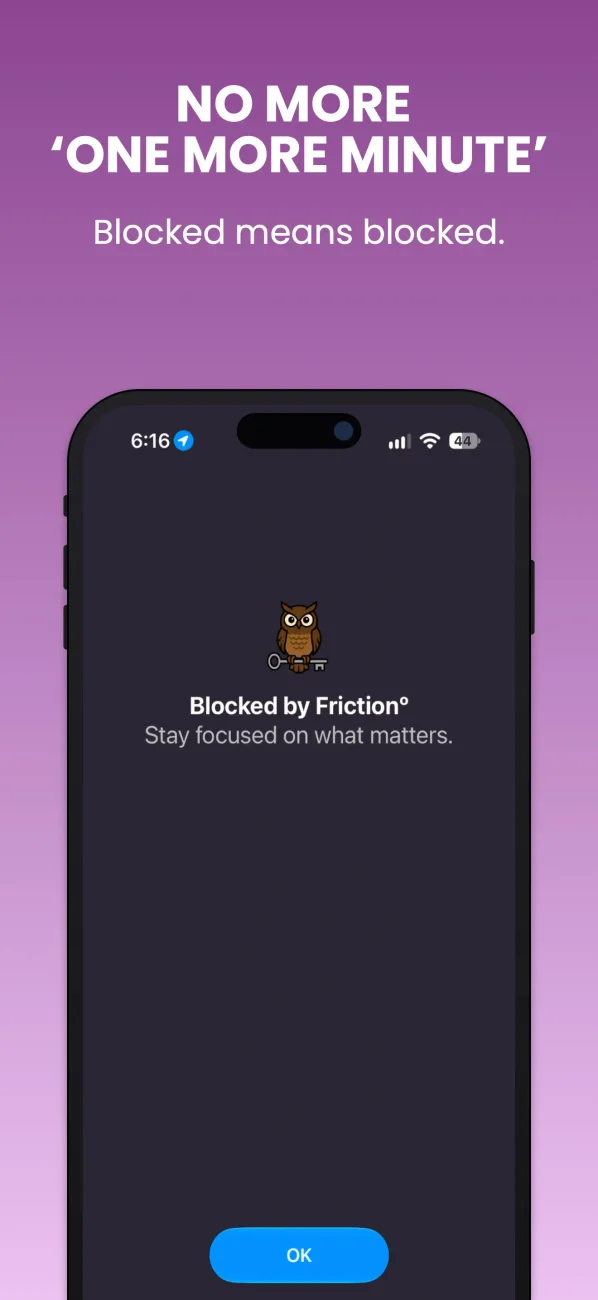
Friction blocks the apps you choose — and makes it genuinely hard to change your mind.
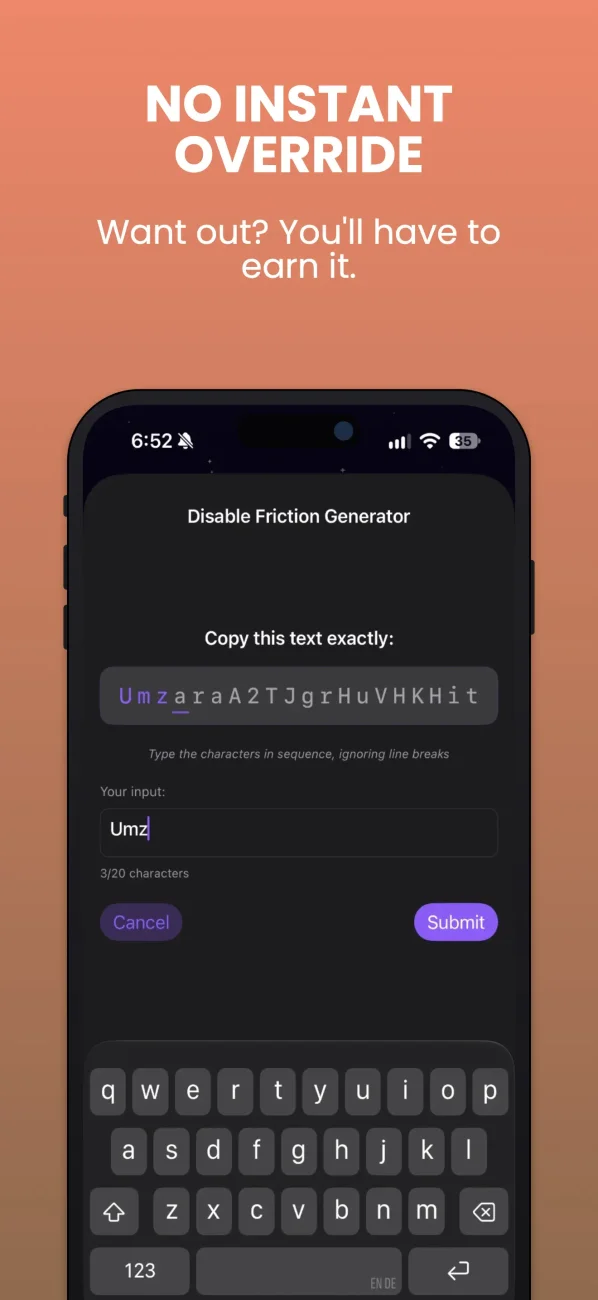
Other screen time apps let you tap "ignore" in one second. Friction doesn't. When you try to disable a block, you'll face a randomized challenge string you have to type out perfectly: 20 characters free, up to 80 with Premium. By the time you could finish, the impulse has passed. That's the whole idea.
SET YOUR OWN RULES
Create blocking rules that fit your life:
• Schedule — block apps on specific days and times (e.g. no Instagram on weekdays 9–5)
• Multi-Time — multiple blocking windows in a single rule
• Session — start an immediate focus block for a set duration
• Location — automatically block apps when you arrive at or leave a place
THE FRICTION GENERATOR
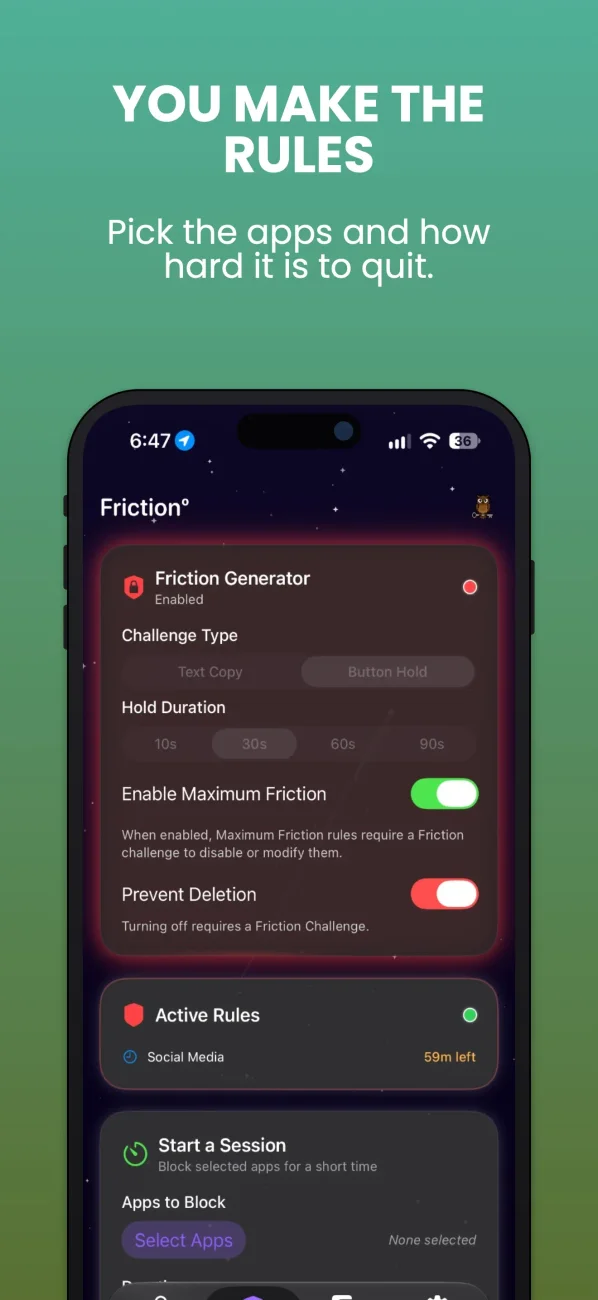
This is what makes Friction different. When you try to disable your own rules, you face a challenge:
• Type a randomly-generated string of characters (adjustable length with Premium)
• Or hold a button for up to 90 seconds
• Maximum Friction mode requires the challenge to even edit or delete a rule
The harder you make it, the less often you'll bother.
WEBSITE BLOCKING
Block specific domains or all adult content. Website blocks follow the same friction rules as app blocks.
PREVENT DELETION
Turn on Prevent Deletion to stop yourself from uninstalling Friction during an active session.
DESIGNED FOR SELF-CONTROL
Friction is not a parental control app. It's a tool for adults who want to set their own boundaries and actually keep them. You make the rules. Friction enforces them.
Friction Premium unlocks location-based rules, multi-time blocking, unlimited schedule rules, and more. Available as a monthly and yearly subscription.
• Frictionº Monthly: $4.99
• Frictionº Yearly: $19.99
Payment will be charged to iTunes Account at confirmation of purchase. Subscription automatically renews unless auto-renew is turned off at least 24-hours before the end of the current period.
Terms of Use: https://getfriction.app/terms
Privacy Policy: https://getfriction.app/privacy
What’s new
Version 1.5 · Sep 25, 2026
• New app icon
• Fixed an iOS 27 bug where scheduled rules could block, re-block, then unblock again at their start time
• Notifications now show the name of the rule that's turning on or off
• Improved notification reliability
• Free users can now create unlimited templates, no matter how many rules are active
• The keyboard now closes after you add a website to a rule
• Smoother animated background that stays consistent across tabs
App privacy
What Matthew Harder declares on the App Store about how this app handles data.
-
Data linked to you
May be collected and linked to your identity.
- Purchases
- Identifiers
-
Data not linked to you
May be collected but is not linked to your identity.
- Usage data
Privacy practices may vary, for example with the features you use or your age.
Information
- Seller
- Matthew Harder
- Category
- Productivity
- Version
- 1.5
- Updated
- Sep 25, 2026
- Released
- Mar 23, 2026
- Size
- 26.4 MB
- Requires
- iOS 18.2 or later
- Age rating
- 4+
- Price
- Free
- In-app purchases
- Yes
- Languages
- English
- Copyright
- © Matthew Harder, 2026
You might also like
-
 MindLock: Quiz App BlockerLimit Screen Time & Focus
-
 Trio - Habit TrackerThree habits. Every day.
-
 Pendolo - Interval TimerTime, beautifully organized.
-
 Detach Guardian: App BlockerFor Parents & Schools
-
 Lockin App BlockerBlock distractions fast
-
 Offscroll: Screen Time ControlPause before you scroll
-
 Math Shield - Focus & UnlockUnlock Apps with Math
-
 MinuteurXRest Reminder Timer
-
 Peace: App Blocker & FocusTap an NFC tag to block apps
-
 SnapOut : Math App BlockerBlock apps with math puzzles