- Age rating4+
- CategoryGraphics & Design
- DeveloperAngelo Bartolome
- LanguagesEnglish
- Size13.4 MB
Links to the official App Store page
Download.org hosts no file of Part2D: 2D CAD simplified. The button opens its official App Store page, published by Angelo Bartolome. Listing last checked on Nov 13, 2026.
Screenshots


About
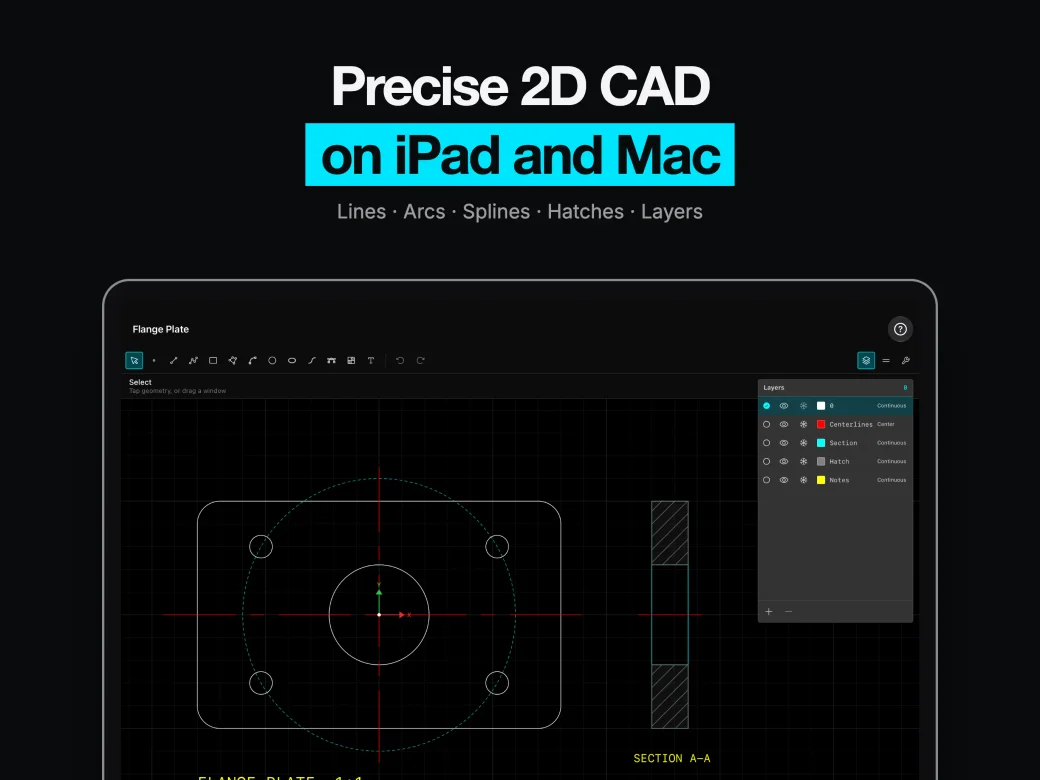
Part2D is a modern 2D CAD editor built for making precise drawings without the complexity of traditional CAD software.
Brought to you by the creator of Part3D
Create technical drawings, layouts, plans, and sketches with a clean, focused workspace.
Draw lines, circles, arcs, polylines, and other CAD geometry, then edit and refine your designs with familiar tools.
Work with real CAD geometry instead of pixels. Snap to endpoints, intersections, centers, midpoints, and other useful locations to create accurate drawings.
Whether you're preparing a drawing for laser cutting, CNC machining, fabrication, woodworking, electronics, 3D printing, or simply exploring an idea, Part2D is designed to make precise 2D CAD accessible and enjoyable.
From a quick sketch to a detailed technical drawing, Part2D gives you a simple way to create, edit, and work with 2D CAD.
Terms of use: https://www.apple.com/legal/internet-services/itunes/dev/stdeula/
Privacy Policy: https://part3d.app/privacy
What’s new
Version 1.2.1 · Oct 28, 2026
Part2D 1.2 brings parametric constraints, an on-canvas transform gizmo, image export and a new Settings window. iPad gets full finger drawing.
NEW IN 1.2.1
- Example drawings open again on iPad: tap Open an Example on the launch screen and pick one from a chooser that previews each drawing
- Settings on iPad: the Canvas title is no longer hidden behind the Grid and Colors tabs, and the sheet no longer shows stray back buttons
- Part2D now requires iPadOS 27 and macOS 27
CONSTRAINTS AND DIMENSIONS
- Geometric relations: coincident, horizontal, vertical, parallel, perpendicular, collinear, tangent, concentric, equal, midpoint, point on curve and more
- Dimensions for length, distance, radius, diameter and angle
- Fix any object in place so the rest of the drawing moves around it
- Right-click, or use the selection menu on iPad, for a Constraints menu that offers only what fits your selection
- Select picks endpoints, vertices, centers and segments, so you constrain exactly the part you mean
- Dimensions appear on the canvas. Drag them to move them, or click one to type a new value
- New dimensions keep the size already drawn, so nothing jumps
- The drawing follows its constraints live while you drag
- Constraints that would conflict are refused instead of breaking the drawing
- The Constraints panel edits values, enables, disables and deletes constraints
TRANSFORM GIZMO
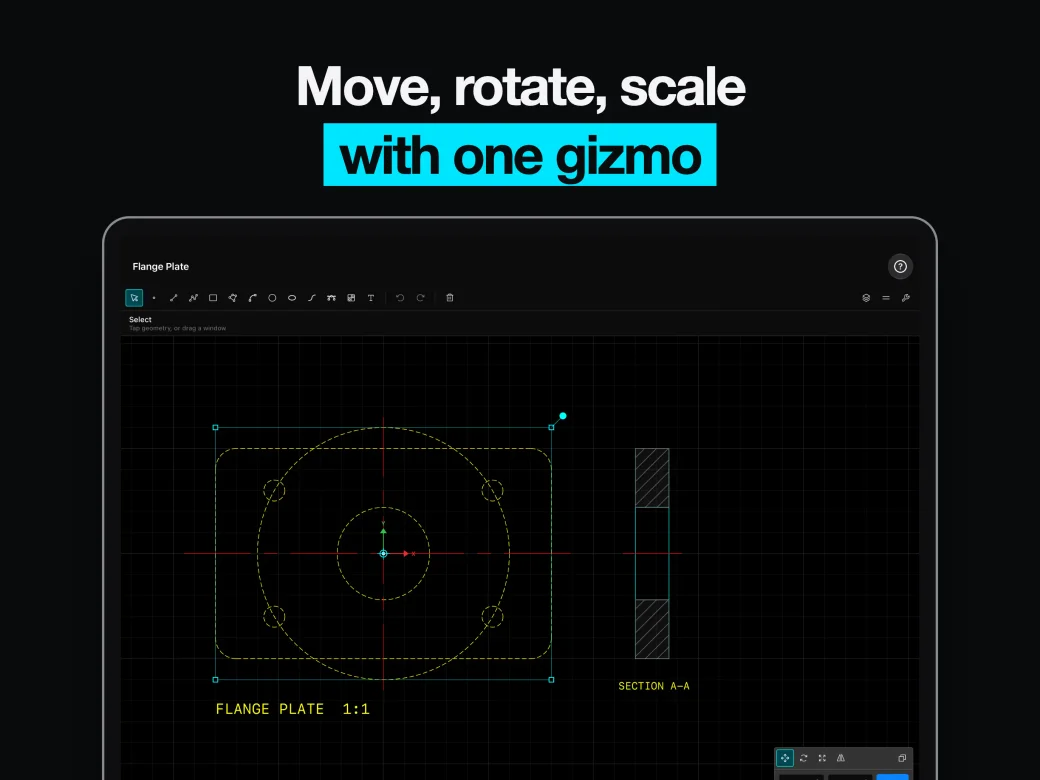
- Select something to move, rotate and scale it with handles on the canvas
- Rotation snaps to objects when SNAP is on, otherwise to 15 degree steps. Hold Shift to flip SNAP for a drag
- Drag the pivot to set the center of rotation and scale
- Offset arrows on a single line, arc, circle or polyline: tap for an exact distance, or drag through a point
- The Transform panel takes exact values and has a Copy mode
- Dragging unselected geometry now selects and moves it
EXPORT
- Export PNG and JPEG alongside SVG
- Exports look like a plotted sheet: PNG is transparent, JPEG is white, and white layers print black
LAYER COLORS
- 21 presets, the system color picker and hex entry
SETTINGS
- A new Settings window, also opened with Command-comma or the wrench in the ribbon
- Grid style, separate X and Y spacing, divisions and fractional values
- Customize canvas colors for the background, grid, selection, preview, dimensions and more
- Choose which object snaps are active, with one switch for all of them
- SNAP is now on by default
IPAD
- Draw with your finger as well as Apple Pencil
- The TOUCH / PENCIL chip in the status bar chooses whether fingers draw
- Palm rejection ignores fingers during a Pencil stroke
- A ••• button by the selection opens the selection menu
- MULTI-SELECT is on by default
MAC
- Scroll to pan, Command-scroll or pinch to zoom, and Space-drag to pan
- Right-click opens the native context menu
GETTING STARTED
- Three example drawings, available from the launch screen
- A Getting Started guide in the Help menu
App privacy
What Angelo Bartolome declares on the App Store about how this app handles data.
-
Data not collected
The developer does not collect any data from this app.
Privacy practices may vary, for example with the features you use or your age.
Information
- Seller
- Angelo Bartolome
- Category
- Graphics & Design
- Version
- 1.2.1
- Updated
- Oct 28, 2026
- Released
- Aug 19, 2026
- Size
- 13.4 MB
- Requires
- iOS 27.0 or later
- Age rating
- 4+
- Languages
- English
- Copyright
- © 2026 Angelo Bartolome
You might also like
-
 Cogwright: 2D & 3D Design CADParametric Drafting & Modeling
-
 Pencil to Part: iPad CADDraw it, then 3D print it
-
 Zenve3DParametric CAD for Makers
-
 Garment Pattern MakerPattern Drafting Tool
-
 DrafterPro 2D CAD & DWG EditorDesktop CAD experience
-
 MorphinGraphics & Design
-
 Solid EngineerVisual Programming in 3D
-
 Modelify: AI 3D Model MakerImage to 3D Model Generator
-
 Paintstorm StudioProfessional drawing
-
 CAD Studio: DWG Viewer&EditorDraw,edit & view DWG DXF files