
GeekScan
Scan, Recognize & Create Codes
Designed for iPhone, iPad, Mac
Free · In-app purchases
- Age rating4+
- CategoryProductivity
- Developer非 吴
- LanguagesEnglish+ 3 more
- Size101.7 MB
Links to the official App Store page
Download.org hosts no file of GeekScan. The button opens its official App Store page, published by 非 吴. Listing last checked on Nov 12, 2026.
Screenshots

About
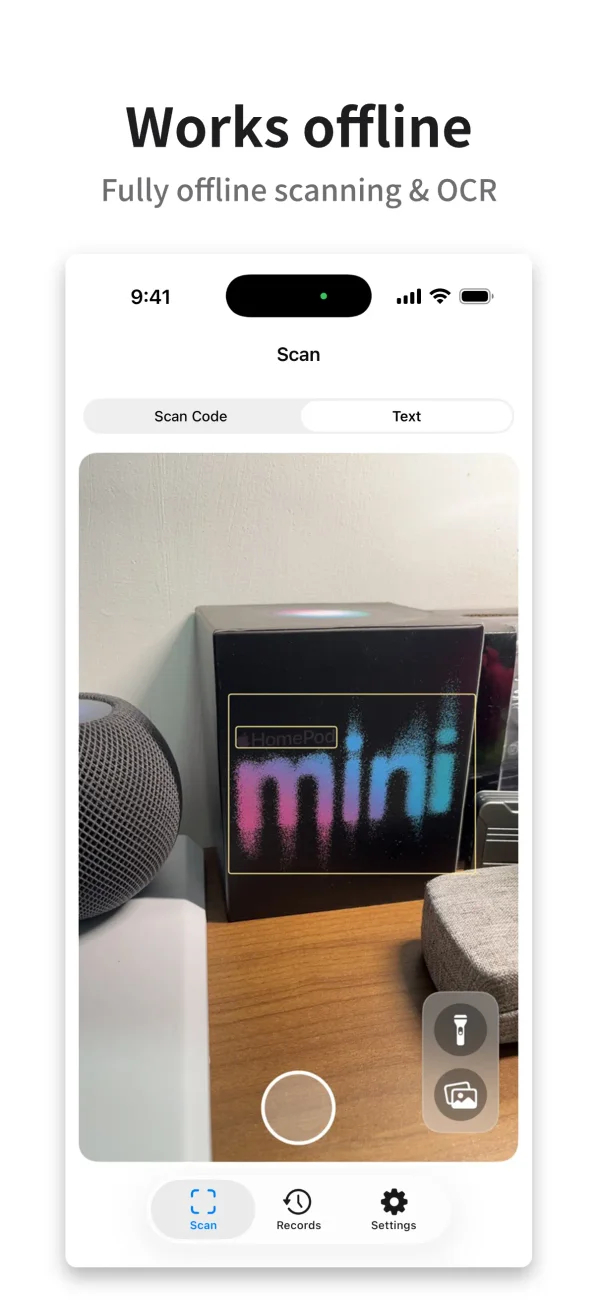
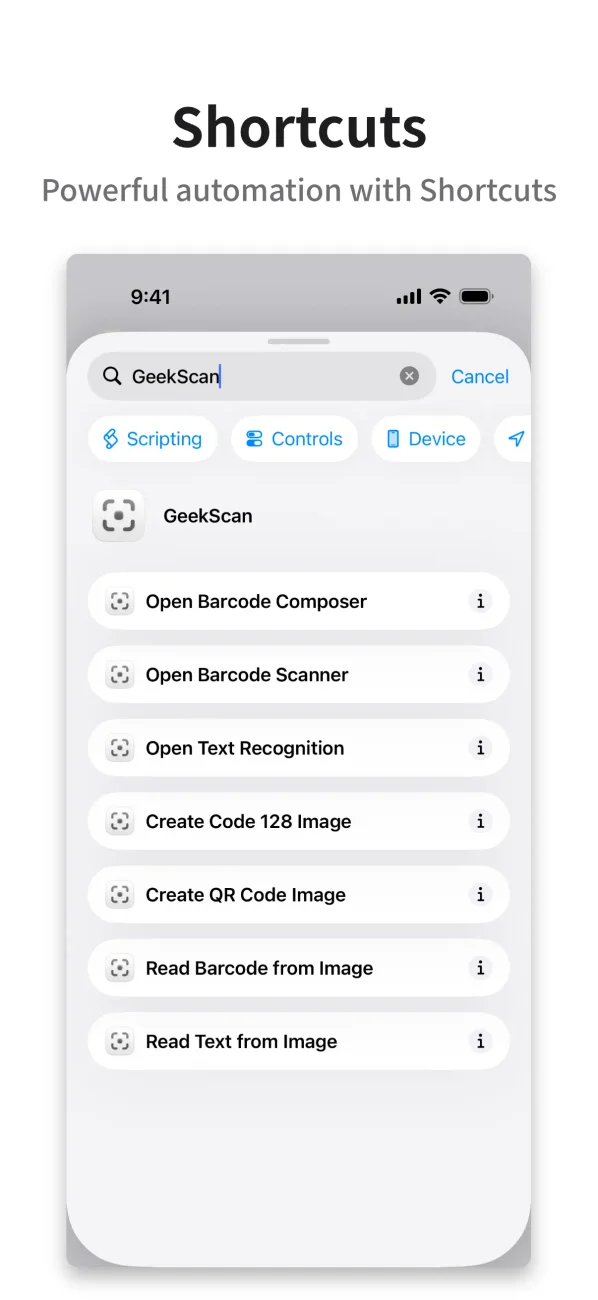
GeekScan is a fast, offline-first tool for barcode scanning, text recognition, and barcode generation, designed for users who value accuracy, control, and structured data processing.
All features run locally on the device with no internet connection required, no tracking, and no ads.
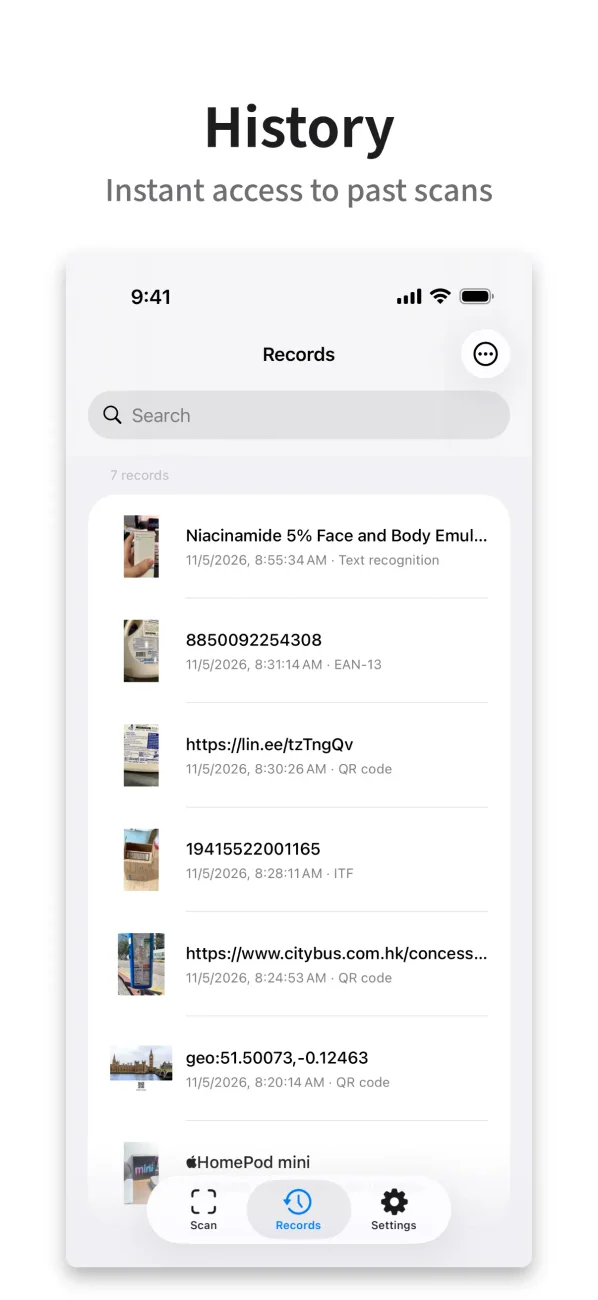
Supports scanning a wide range of common barcode and QR code formats, including QR, Aztec, Data Matrix, PDF417, Micro QR, Code 128, Code 39, Code 93, Codabar, EAN-13, EAN-8, UPC-E, ITF, GS1 DataBar series, MSI Plessey, and more.
Supported barcode formats and recognition performance may vary depending on the device and system version.
Also supports generating QR, Aztec, PDF417, Data Matrix, Micro QR, Code 128, Code 39, Code 93, Codabar, EAN-13, EAN-8, UPC-E, ITF, MSI, and GS1 DataBar series barcodes.
Text recognition runs fully offline and supports multiple languages, including English (US), Simplified Chinese, Traditional Chinese, Japanese, Korean, French, German, Spanish, Italian, Portuguese (Brazil), Russian, Thai, Ukrainian, and Vietnamese.
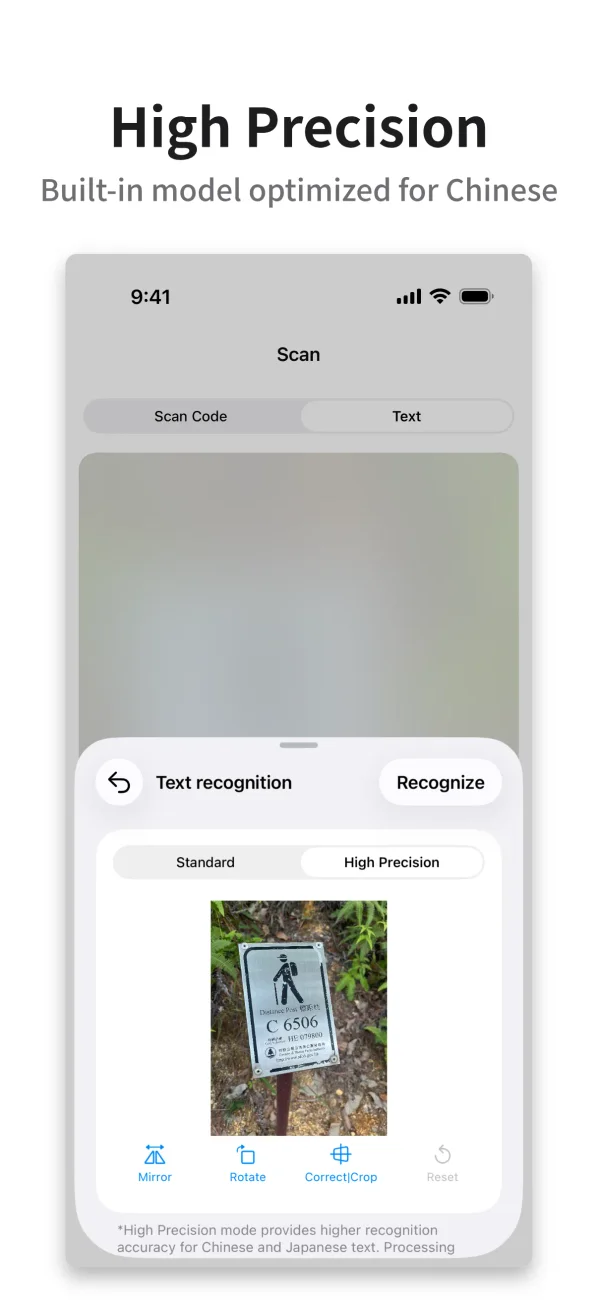
- Standard Mode: Uses the system built-in text recognition capability, suitable for everyday text extraction.
- High Precision Mode: Includes an optimized model designed for Chinese and Japanese scenarios, ideal for extracting text from screenshots or long screenshots with higher recognition accuracy.
All results are stored locally for quick access and reuse.
What’s new
Version 1.8.1 · Oct 15, 2026
In this update:
1. Easier access to your verification codes: Double-tap the Records tab to quickly switch between your scan history and verification codes.
2. Improved verification code autofill: If a website doesn’t automatically show verification code suggestions, long-press the input field and select “AutoFill” → “Passwords” → “GeekScan” to choose a verification code.
App privacy
What 非 吴 declares on the App Store about how this app handles data.
-
Data not collected
The developer does not collect any data from this app.
Privacy practices may vary, for example with the features you use or your age.
Information
- Seller
- 非 吴
- Category
- Productivity
- Version
- 1.8.1
- Updated
- Oct 15, 2026
- Released
- May 13, 2026
- Size
- 101.7 MB
- Requires
- iOS 17.6 or later
- Age rating
- 4+
- Price
- Free
- In-app purchases
- Yes
- Languages
- English, Japanese, Simplified Chinese, Traditional Chinese
- Copyright
- © 2026 WUFEI
You might also like
-
 ReminderOS – Smart RemindersCustom repeats, sync & snooze.
-
 DigWords - Image-to-TextOffline Image-to-Text tool
-
 Pocket Goals: Save Up EasierOrganize Goals & Track Savings
-
 ROBODOROProductivity
-
 Yore - AI Notes & RemindersNotes, To-Dos, Tickets & More
-
 One Dot - Lock Screen CalendarWallpaper Maker & Day Counter
-
 Things take time: Life trackerProgress & habit journal
-
 Special DatesMinimalist countdown widgets
-
 Did I Do? - ADHD & OCD HelpDaily Task Tracker
-
 Google AI Edge GalleryPrivate, Fast, Offline AI