
Glade
Home for everything you save
Designed for iPhone, iPad, Mac
Free · In-app purchases
- Age rating4+
- CategoryProductivity
- DeveloperVitalii Tomchyshak
- LanguagesEnglish+ 1 more
- Size42.3 MB
Links to the official App Store page
Download.org hosts no file of Glade. The button opens its official App Store page, published by Vitalii Tomchyshak. Listing last checked on Nov 24, 2026.
Screenshots


About
Glade is a quiet home for everything you save.
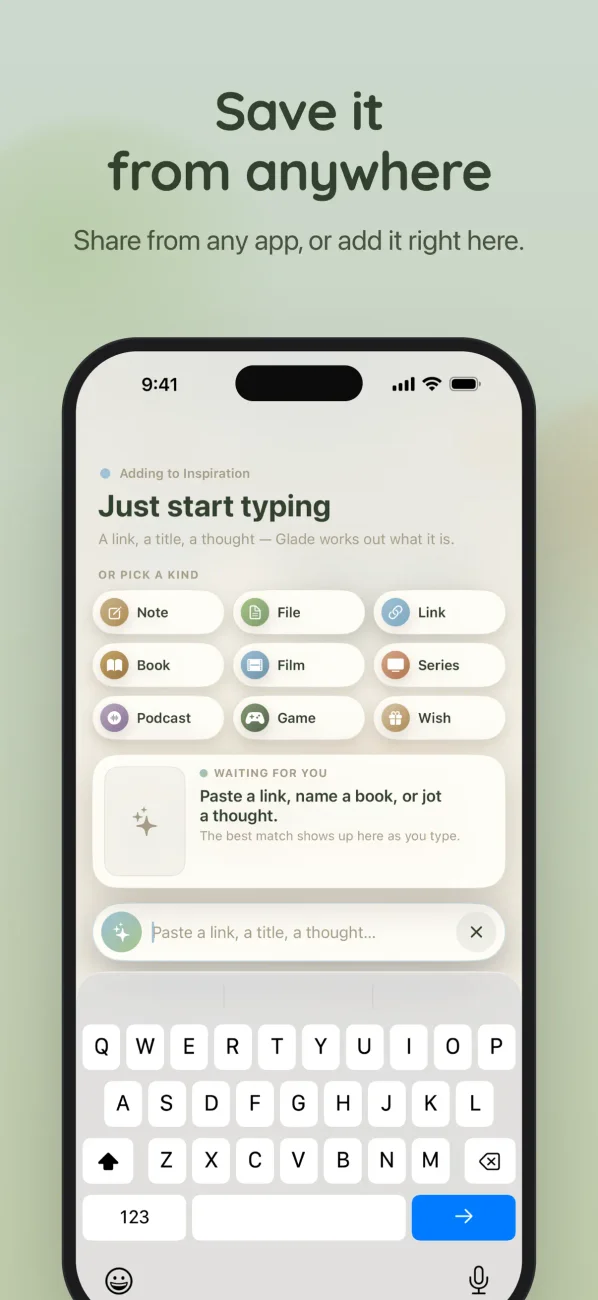
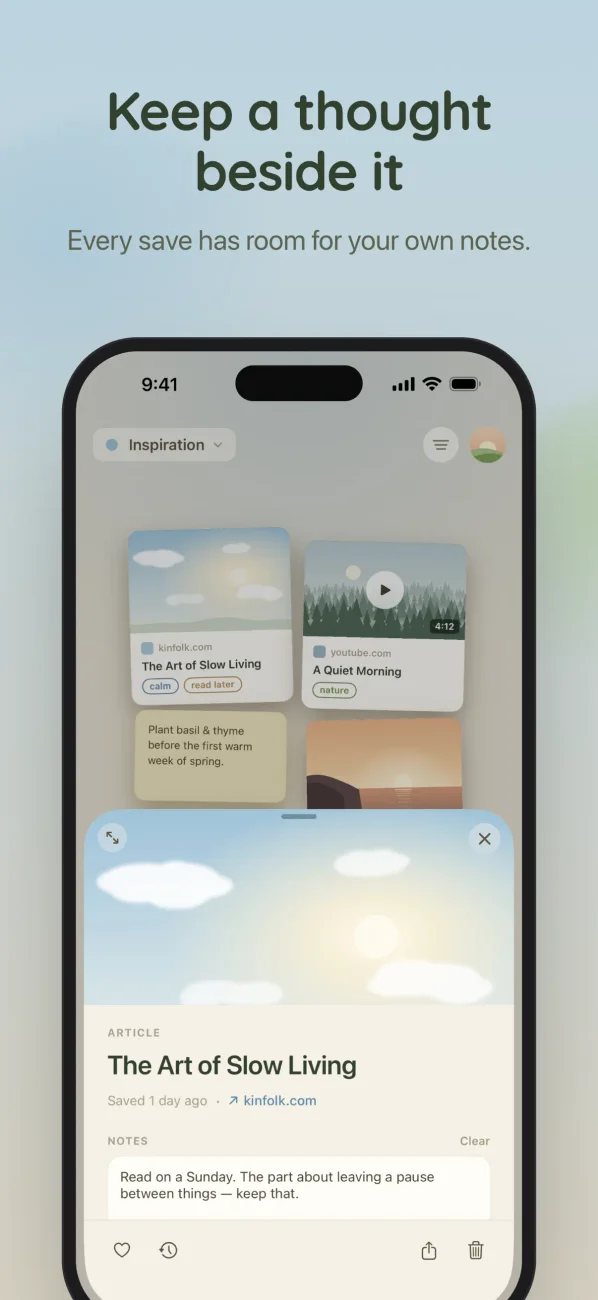
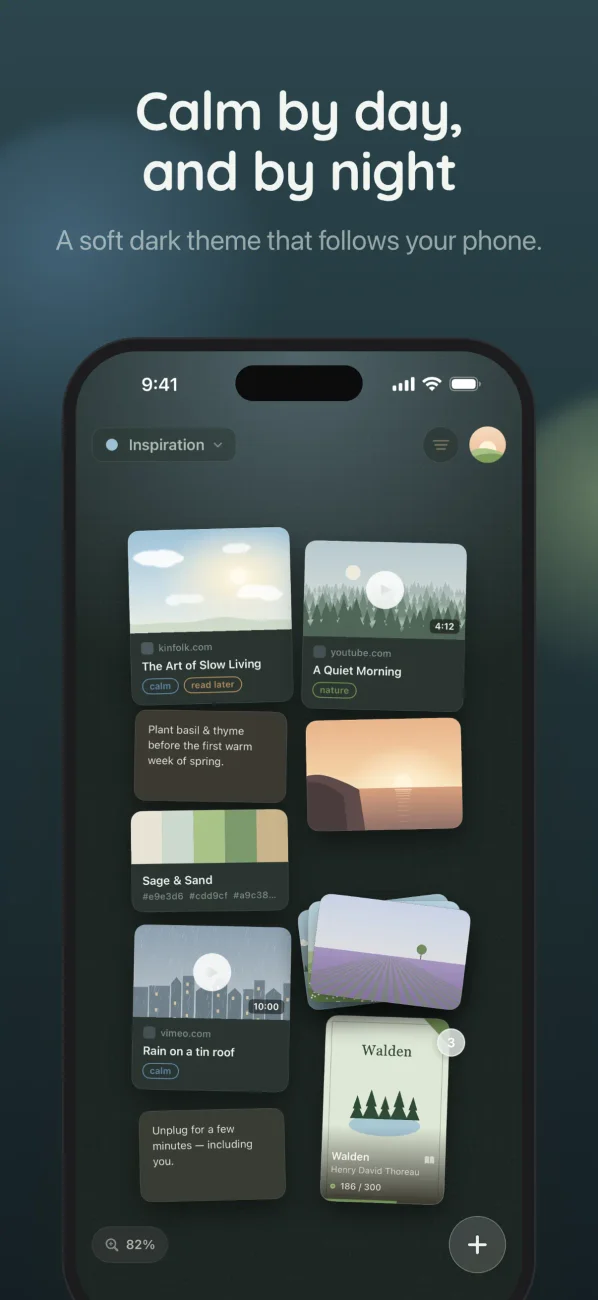
Most of what we save ends up in a list nobody scrolls. Glade puts it somewhere you'll actually look: one calm canvas where links, images, videos, notes and files sit side by side, and you can drag, stack, connect and arrange them however you like.
SAVE IT IN A HEARTBEAT
• Press ⌘⇧M anywhere on your Mac: a preview appears, add a tag, done
• Share from any app on iPhone and iPad, or use the Safari extension
• Links land as what they are: YouTube videos, Reels and TikToks, posts from X, Bluesky and Reddit, songs from Spotify and Apple Music, films from IMDb, places from Apple Maps and Google Maps
• Articles keep a readable copy, so they're still there when the page changes or disappears
• New saves sort themselves into the right grove, with the tags you already use
GATHER IT INTO GROVES
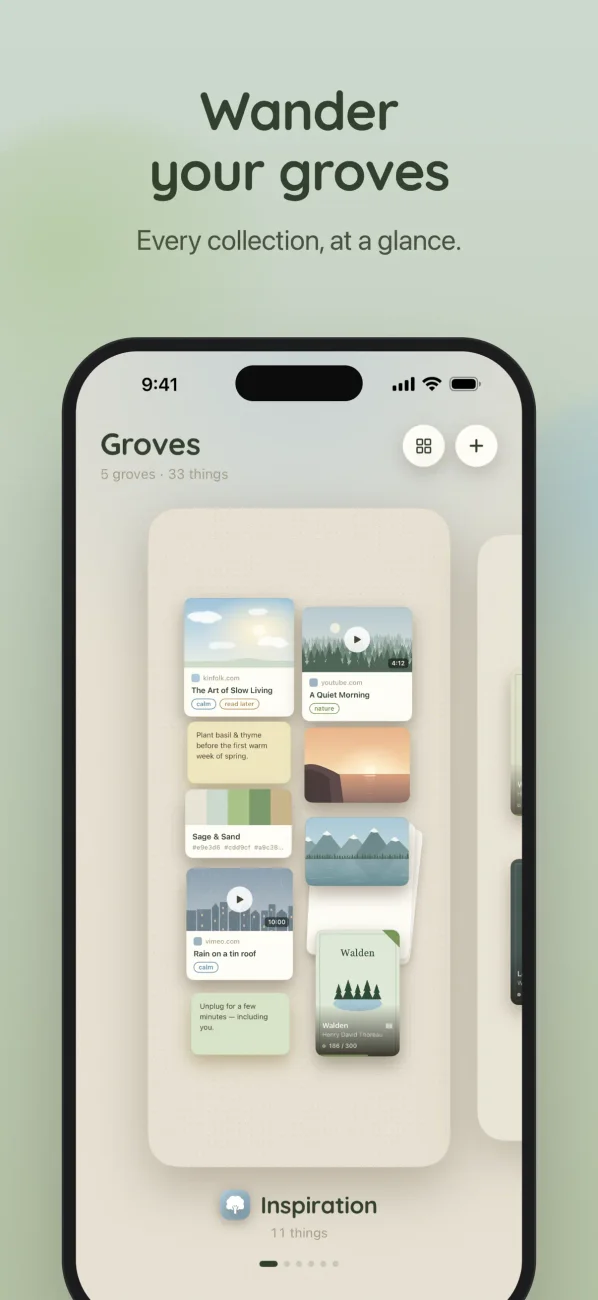
• Every interest gets its own grove, as a free canvas or a tidy grid
• Drag cards anywhere, stack them, gather them into containers
• Flip through your groves like a deck of cards, or see them all at once
CONNECT YOUR IDEAS
• Draw a thread from one card to another, with a word, an arrow or a colour
• Grow branches into a mind map, and lay it out in one go
• Arrange a grove in a moment: in a grid, a row or by colour, or grouped by kind, status, year, creator, tag, genre or topic, with Apple Intelligence working out genres and topics on your device
READ, WATCH, COME BACK
• A calm reader that remembers where you stopped, on all your devices
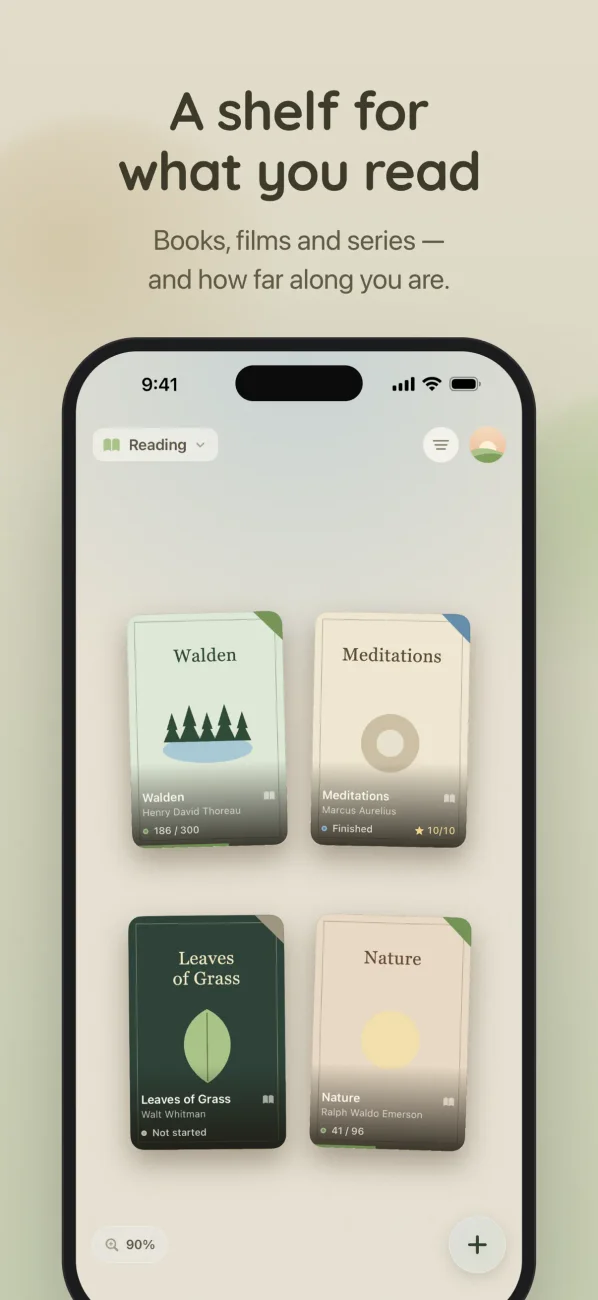
• A shelf for books, films, series, podcasts and games, with progress, ratings and genres
• Recipes with a cook mode, places with directions, notes with checklists, sketches and voice memos
• On this day: what you saved a year, a month or a week ago
FIND IT THE MOMENT YOU NEED IT
• Search every title, note, link and kept article, and even the words in your photos, read privately on your device
• Filter by tag, kind, site or favourite
• Find saves from Spotlight without opening Glade
AND A LITTLE MORE
• Widgets for the Home Screen, Lock Screen and Mac desktop
• Bring in bookmarks from Safari, Chrome and Firefox, or your reading list from Readwise Reader, GoodLinks, Instapaper, Raindrop, Pocket or Pinboard
• Export everything as readable Markdown pages or plain data
• Share a grove as a read-only link anyone can open, or publish it to Discover
• A calm dark, with true black or deep green if you like
• Face ID / Touch ID lock
• Made for iPhone, iPad and Mac
PRIVATE BY DESIGN
There is no Glade server. Your groves live on your devices and sync through your own private iCloud database, so we have no copy and no way to read them — unless you choose to share or publish a grove. No analytics, no tracking, no ads. You don't even need an account: start as a guest and sign in with Apple later if you want sync.
FREE TO START
Keep up to 100 things in 3 groves for free, with sync and view links. Grove unlocks unlimited saves and groves and publishing to Discover, monthly or yearly. Wildwood is the same plan at a supporter price, with supporter app icons and canvas colours as a thank-you, and Evergreen is everything in Wildwood, paid once.
Payment is charged to your Apple ID. Subscriptions renew automatically unless cancelled at least 24 hours before the end of the period; manage them in your App Store account settings.
Terms: https://tryglade.app/terms · Privacy: https://tryglade.app/privacy
What’s new
Version 1.0.6 · Nov 23, 2026
Connect your ideas. Select a card and drag the + on its edge to another card to draw a line between them, with a word, an arrow or a colour. Tap the + to grow a branch and build a mind map, and Lay out map tidies it at once. Let go on empty canvas to start a new card that's already joined.
Arrange in a moment. Arrange, in the View menu, puts a grove in a grid, a row or a column, or by colour, or groups it by kind, status, year, creator, tag, genre or topic. Apple Intelligence works out genres and topics on your device. Cards in a container stay in it, locked or not, and the container fits itself to them. One Undo puts everything back.
Your own order in the grid. Drag cards where you want them. Each grove keeps its own order: by hand, recently saved, oldest first, by title or by colour.
• Search finds the words in your photos: screenshots, receipts, signs. They're read on your device and never leave it
• Links from sites that check for a browser first now save with their real title, picture and article
• Saving from Safari brings the page as you see it, even an article you're signed in to read
• Your profile photo now reaches all your devices
• Glade now starts with a calm ensō, drawn in one stroke, that opens out onto your grove
App privacy
What Vitalii Tomchyshak declares on the App Store about how this app handles data.
-
Data not collected
The developer does not collect any data from this app.
Privacy practices may vary, for example with the features you use or your age.
Information
- Seller
- Vitalii Tomchyshak
- Category
- Productivity
- Version
- 1.0.6
- Updated
- Nov 23, 2026
- Released
- Nov 2, 2026
- Size
- 42.3 MB
- Requires
- iOS 17.0 or later
- Age rating
- 4+
- Price
- Free
- In-app purchases
- Yes
- Languages
- English, Ukrainian
- Copyright
- © 2026 Vitalii Tomchyshak
You might also like
-
 Epitome: AI Page SummarizerSummarize pages & videos
-
 Alarm StacksRoutine Alarm Clock
-
 Habit Pocket: Habit TrackerLog sleep, mood, energy & time
-
 Ago: Days Since TrackerAnswer when did I last...
-
 Pomodoro Timer & Focus・pomoWork & Break Timer・Session Fow
-
 Memori — Quotes & WisdomShuffle, swipe & review notes
-
 Catch: Reels & Link OrganizerFast Save & Search Videos
-
 Whispr: Voice to Text KeyboardPrivate AI Dictation, Offline
-
 Ranok: Alarm ClockSolve a task to switch it off
-
 Bookmark & Link Saver - TraceScreenshot Organizer & Notes