
Good Enough - Speed Test
WiFi & cellular, remote work
Designed for iPhone
Free · In-app purchases
- Age rating4+
- CategoryUtilities
- DeveloperNg Zhong Wei
- LanguagesEnglish
- Size5.9 MB
Links to the official App Store page
Download.org hosts no file of Good Enough - Speed Test. The button opens its official App Store page, published by Ng Zhong Wei. Listing last checked on Nov 20, 2026.
Screenshots

About
The network at this cafe — is it good enough?
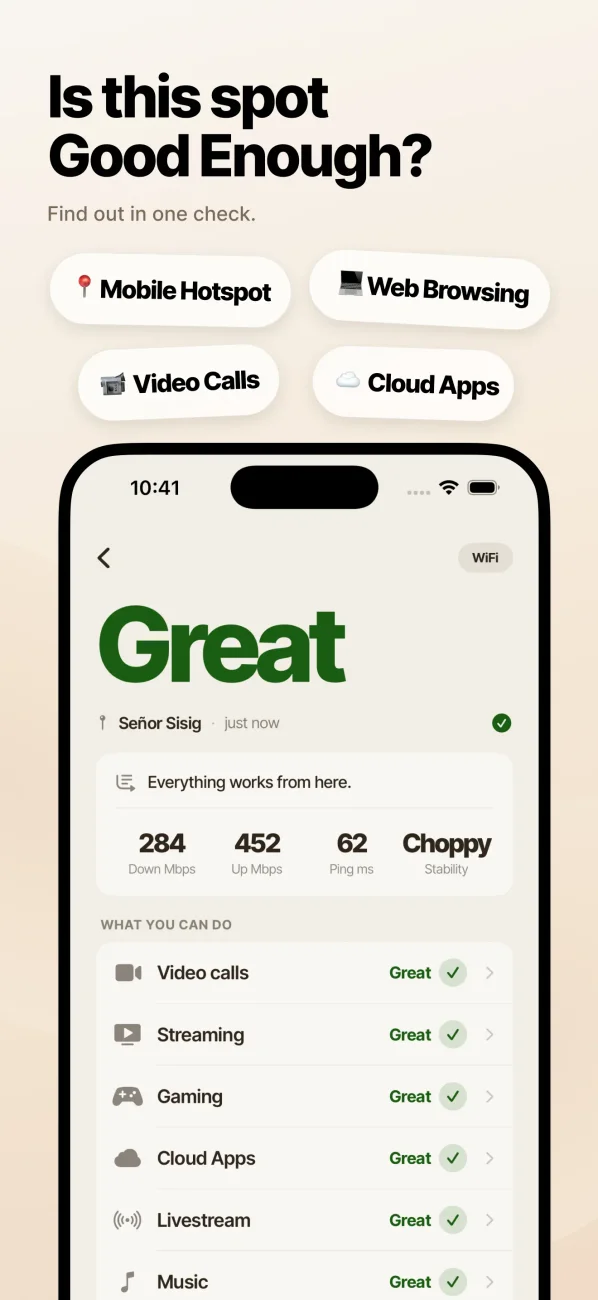
Tap once. Ten seconds later you have a verdict. Great, Good, OK, Slow, or Very Slow, with per-activity guidance for video calls, cloud apps, streaming, and uploads. WiFi or cellular, whatever you're on.
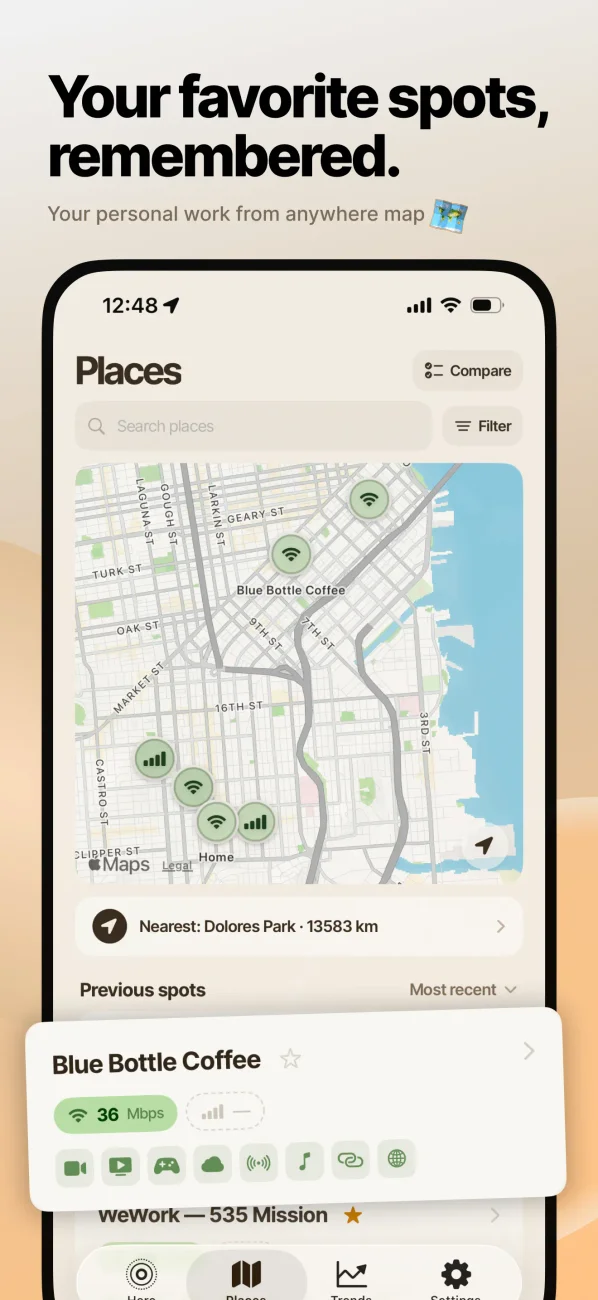
YOUR PERSONAL WORK-FROM-ANYWHERE MAP
Save the places that pass. Skip the ones that don't.
Over time you build a private map of the cafes, coworking spaces, and hotel lobbies you've actually tested. Leaving the house with your laptop? Open the app. The good spots are already there.
The longer you use it, the better it gets at telling you where to go.
GOOD ENOUGH IS FOR YOU IF
— You take calls from places that aren't your desk
— You've walked into a cafe and walked back out because the WiFi and cellular connection couldn't hold a call
— You've given up on the WiFi and hotspotted off your phone for the rest of the afternoon
— You've wished you'd written down which spot worked and which didn't
NOT ANOTHER SPEED TEST
Most speed tests give you a number. 247 Mbps. Cool — what does that mean? Can you take the call? Will Figma or Google Docs save? Or do you need to give up and switch to hotspot?
Good Enough makes sense of the number, and remembers the spots worth coming back to. Built for remote workers, freelancers, and people who enjoy working from anywhere.
WHAT'S INCLUDED
— Unlimited connection checks on WiFi and cellular
— Plain-English verdicts and per-activity guidance
— Save up to 3 places
— Check history with export
BETTER ($2.99, ONE-TIME)
For people whose list outgrew three spots a long time ago.
— Save unlimited places
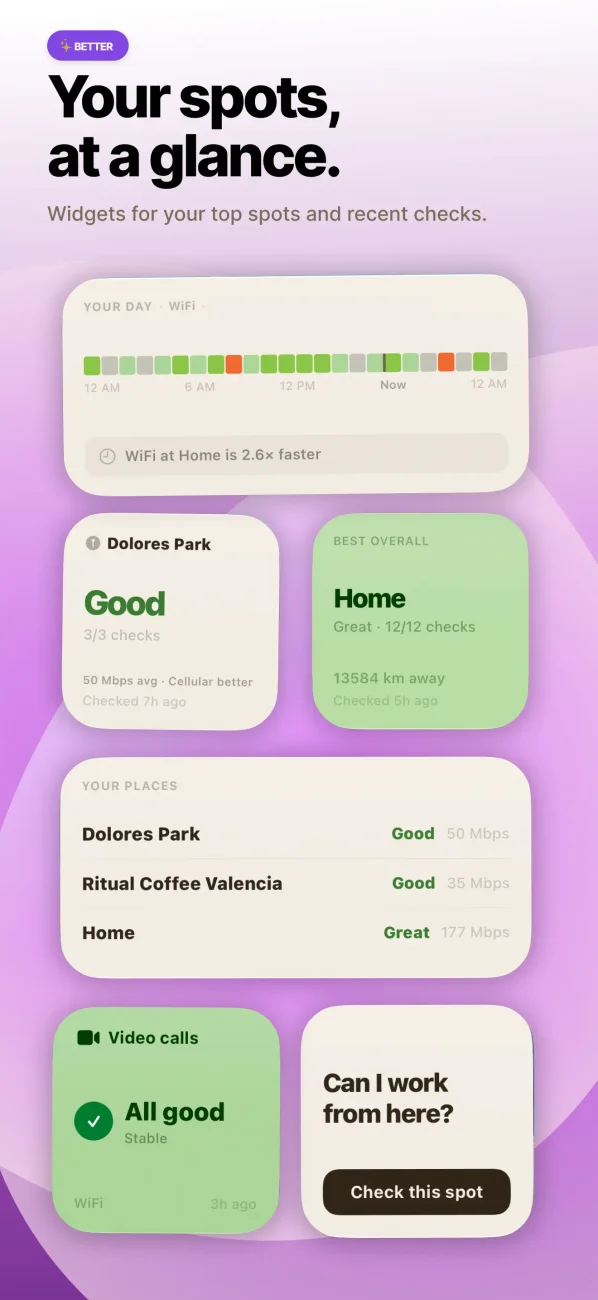
— Home screen widgets — your map and your latest check, at a glance
— Compare each check to your last visit
— Share results
WAY BETTER ($2.99/mo or $14.99/yr)
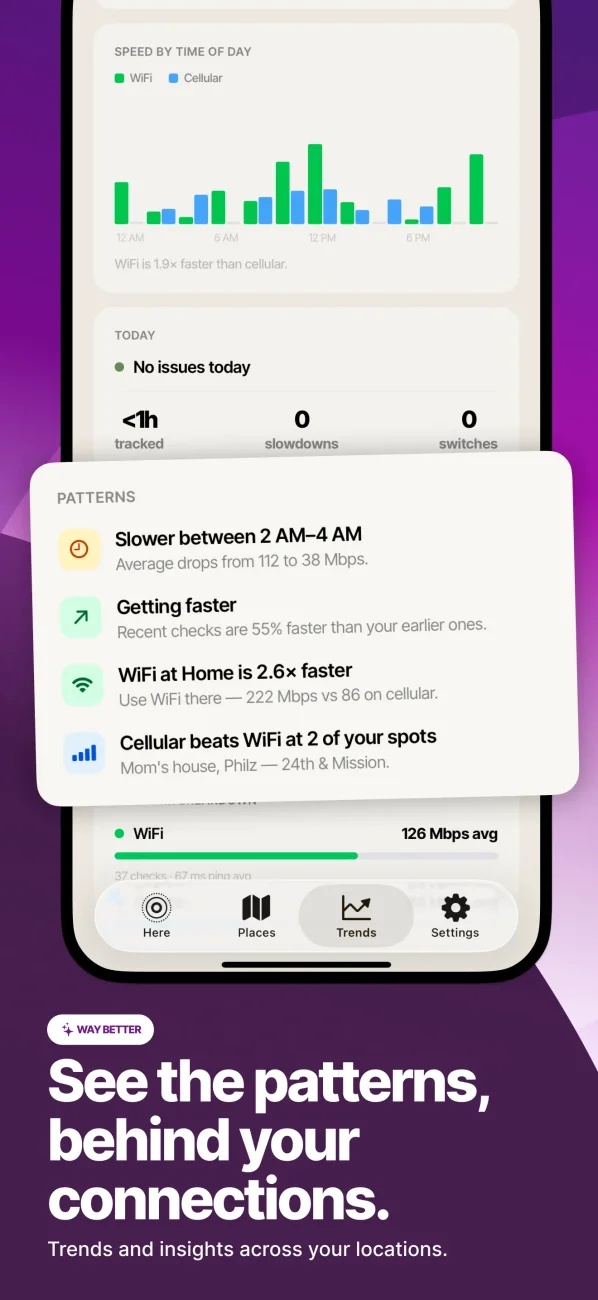
The longer you use Good Enough, the more it learns. Patterns by spot, by time, by network. The slow hour at your favourite cafe. The cellular dead zone you keep forgetting about.
— Pattern Intelligence — your places, surfaced through your own data
— Trends across hours, days, and weeks
— Side-by-side place comparison
— Smart alerts for slowdowns, recoveries, and network switches
— Cellular quality alerts (iOS 26)
— Live monitoring during work sessions
— Monthly report cards
PRIVATE BY DEFAULT
No accounts. No tracking. Your checks, your places, your patterns — all stored locally on your phone. iCloud sync is optional, and only ever syncs to your other Apple devices.
If you want to help others find good work spots, there's one opt-in setting that contributes anonymous test results — public venues only, no user identifiers, no exact location. Off by default. Your map is yours either way.
Available for iPhone, iOS 18 or later. Some features require iOS 26.
Terms of Use (EULA): https://www.apple.com/legal/internet-services/itunes/dev/stdeula
App privacy
What Ng Zhong Wei declares on the App Store about how this app handles data.
-
Data not linked to you
May be collected but is not linked to your identity.
- Location
- Diagnostics
Privacy practices may vary, for example with the features you use or your age.
Information
- Seller
- Ng Zhong Wei
- Category
- Utilities
- Version
- 1.0
- Updated
- May 16, 2026
- Released
- May 16, 2026
- Size
- 5.9 MB
- Requires
- iOS 18.6 or later
- Age rating
- 4+
- Price
- Free
- In-app purchases
- Yes
- Languages
- English
- Copyright
- © 2026 Ng Zhong Wei
You might also like
-
 PacketPuffinPrivate speed test & tools
-
 WiFi Sucks - Speed TestSpeed Test, Scan & Fix WiFi
-
 Aloud Speed TesterMeasure Your Streaming Speed
-
 SpeedScope: WiFi Speed TestInternet, Ping & Latency Check
-
 BufferSpeedSpeed test with bufferbloat
-
 TrueSpeed: Internet Speed TestWiFi, Ping, Jitter & DNS
-
 Speedtest Tracker AppMonitor your speed tests
-
 NetCheck - WiFi & LANSee if LAN or internet is down
-
 Wifi Check UtilityWiFi Quality Monitor
-
 Flair WiFi AnalyzerWiFi & Network Analysis