
GoScript: AI Teleprompter
Video Script & Auto Scroll
Designed for iPhone
Free · In-app purchases
- Age rating4+
- CategoryPhoto & Video
- DeveloperTyrian Horton
- LanguagesEnglish+ 43 more
- Size45.6 MB
Links to the official App Store page
Download.org hosts no file of GoScript: AI Teleprompter. The button opens its official App Store page, published by Tyrian Horton. Listing last checked on Nov 23, 2026.
Screenshots
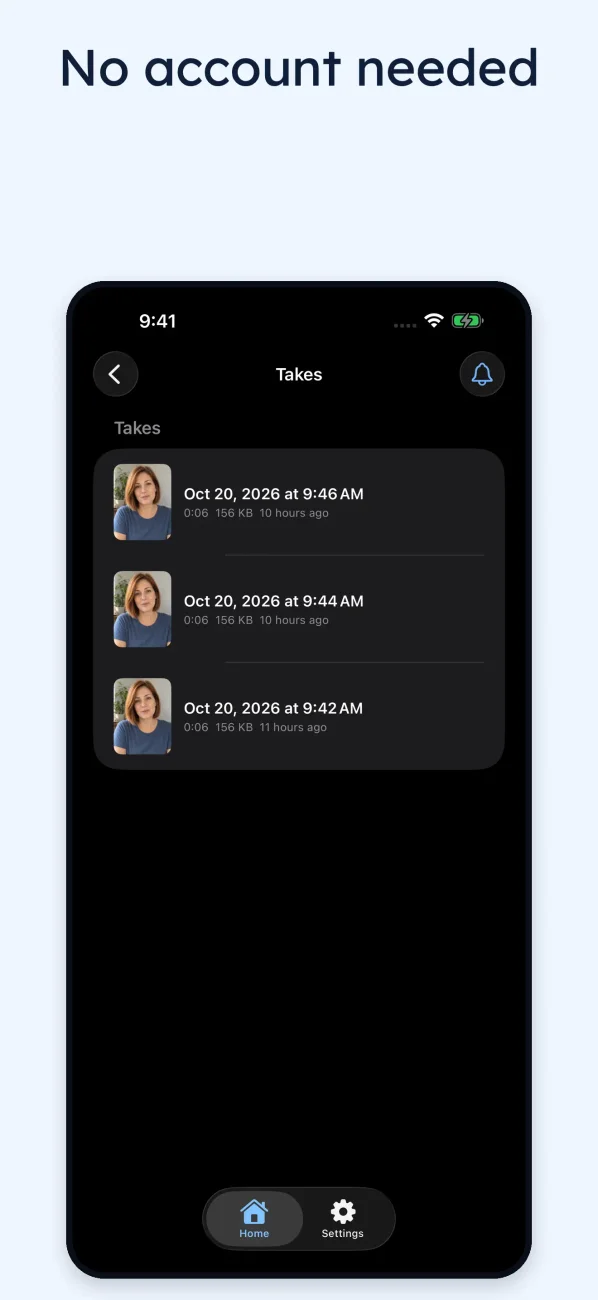
About
A free teleprompter that records — unlimited scripts, unlimited auto-scroll, built-in camera. No account needed.
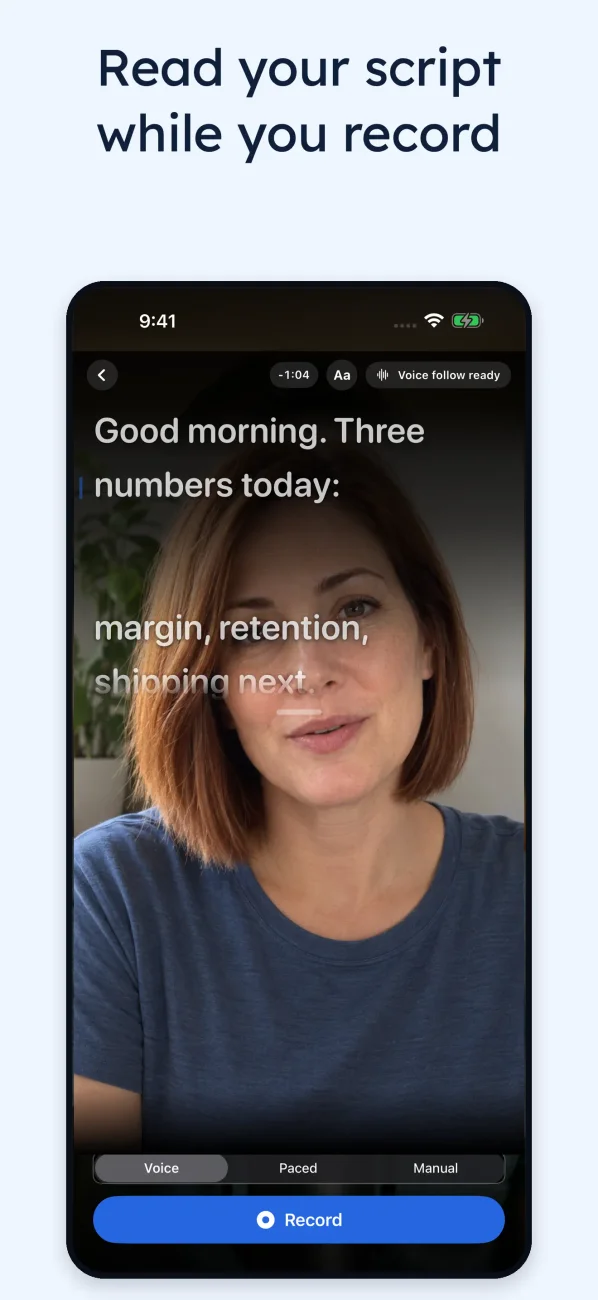
Record video while reading your script, then export it for free with a small “Made with GoScript” mark. Pro removes the mark. Use scripts in your language; speech recognition availability depends on the language and device.
FREE, UNLIMITED: write as many scripts as you want · unlimited auto-scroll prompting · record with the camera while you read · voice-follow that scrolls as you speak. No sign-up, no ads.
Studio
Your first eligible own project exports for free with “Made with GoScript”. After its first export, adding takes or making a new assembly requires Pro. Deleting the project does not reset the allowance. That free project keeps the mark on every export, even after you upgrade to Pro or lifetime; projects you create with Pro, a trial or lifetime export without it. Projects created with Pro or a trial retain clean basic caption, trim, style, recovery and export access after entitlement ends. New projects and advanced work need active Pro. Refunded or revoked access is subject to verification.
GoScript helps you prepare and deliver your words on camera. Write or paste a script, rehearse at your own pace, then read from the screen while recording. Keep your talking points close for lessons, presentations, social videos or a message you want to get right.
READ COMFORTABLY
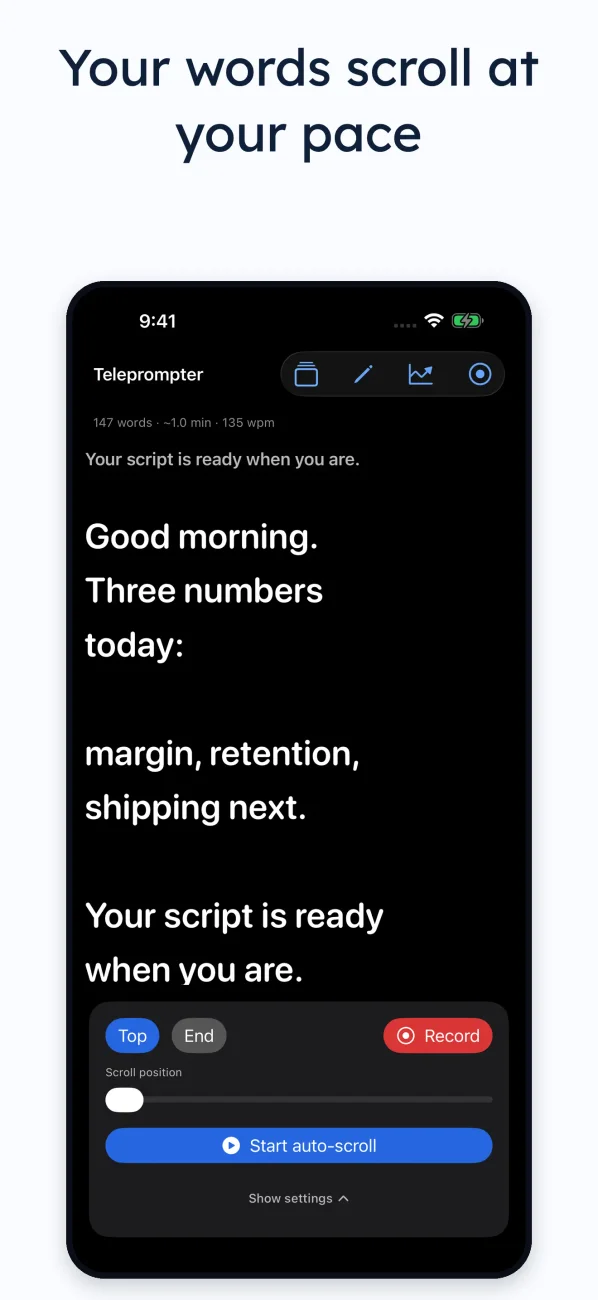
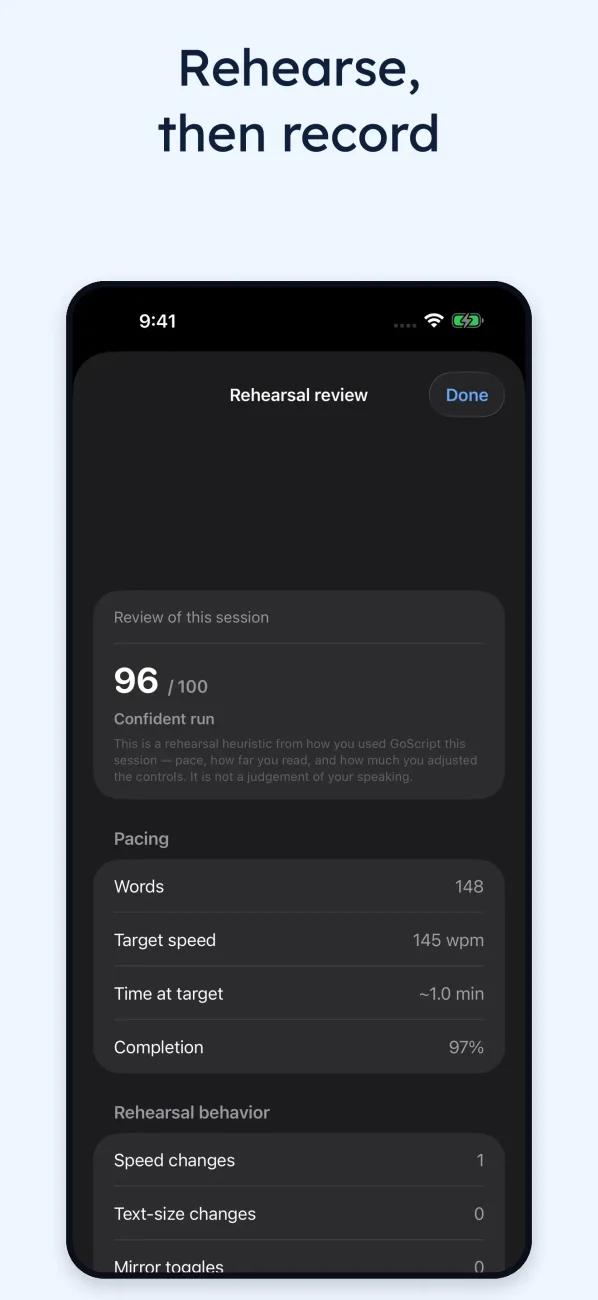
Adjust text size, line spacing and scrolling speed. Choose readability fonts and high contrast to suit your setup. Use automatic scrolling or move through the script manually. Mirror mode supports teleprompter rigs. Rehearse before recording so you can settle into a natural pace.
RECORD AND SHARE
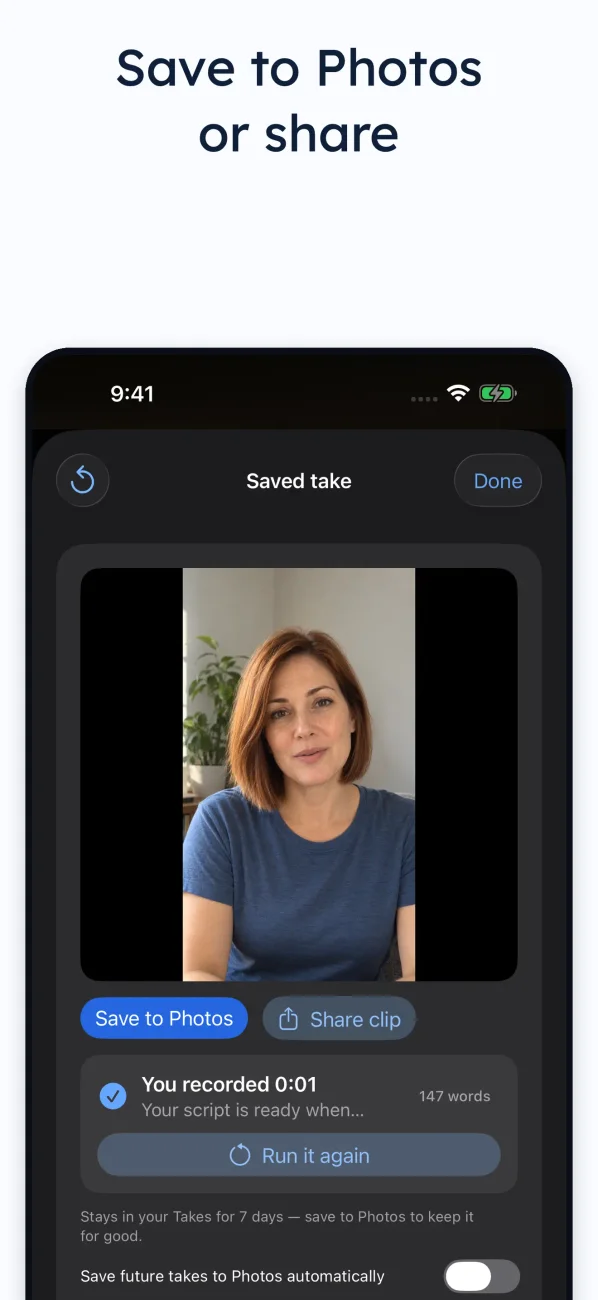
The integrated camera displays your script while you record. Save your video to Photos or share it after export. Free recordings carry the small “Made with GoScript” mark; Pro removes it. Save an export you want to keep before the take’s seven-day library period ends.
MAKE ROOM FOR YOUR MESSAGE
Vlog: keep your introduction and main points in view while recording a personal update.
Sermon: prepare your opening, references and closing, then rehearse the delivery before recording.
Pitch: put the problem, proposal and next step in one script so your camera take follows your outline.
Class: turn lesson notes into a script and practise explaining each idea at your own pace.
Start with the words you already have. Paste a draft, adjust its size and spacing, and try the scrolling speed before you record. You can revise the script between takes. Allow the camera to record video and the microphone to include sound. Photos access is requested when saving there. Export and share when your take is ready.
PRIVACY AND CHOICE
Scripts and recordings are stored on your device. Classic voice-follow may send speech to Apple for recognition, subject to your permission. Language and device support vary. Analytics and crash reporting help identify problems; you can switch both off in Settings.
GOSCRIPT PRO
Pro removes the watermark and includes AI script help on supported devices. AI help without Pro is capped. Lifetime is a one-time purchase. Monthly and annual subscriptions renew automatically unless cancelled. Trials are available only when the App Store shows that you are eligible; check the purchase screen for the applicable terms. Manage or cancel subscriptions through Apple in Settings > Apple ID > Subscriptions.
Privacy Policy: https://getgoscript.com/privacy
Terms of Use: https://getgoscript.com/terms
What’s new
Version 1.5.6 · Nov 21, 2026
Studio keeps your title and script when you check plans. In Classic, we fixed sharing original recordings without a watermark for Pro users. Classic now shows when your take is saved. Open the latest take from its script or record another.
App privacy
What Tyrian Horton declares on the App Store about how this app handles data.
-
Data linked to you
May be collected and linked to your identity.
- Purchases
- Location
- Identifiers
- Usage data
- Diagnostics
Privacy practices may vary, for example with the features you use or your age.
Information
- Seller
- Tyrian Horton
- Category
- Photo & Video
- Version
- 1.5.6
- Updated
- Nov 21, 2026
- Released
- Apr 8, 2026
- Size
- 45.6 MB
- Requires
- iOS 17.0 or later
- Age rating
- 4+
- Price
- Free
- In-app purchases
- Yes
- Languages
- English, Arabic, Bengali, Catalan, Croatian, Czech, Danish, Dutch, Finnish, French, German, Greek + 32 more
- Copyright
- © 2026 Tyrian Horton
You might also like
-
 Simple Video TeleprompterRead Scripts on Camera
-
 Teleprompter: Video & AutocueScript Reader & Voice Scroll
-
 CutStory: Teleprompter VideoScript Reader for Creators
-
 Rolltake Teleprompter & CameraRead your lines & record video
-
 Offcue: Teleprompter for VideoScript Reader & Video Recorder
-
 Teleprompt OverlayRead scripts over your camera
-
 Teleo: Teleprompter for VideoVoice-Activated Script Reader
-
 Teleprompter: Camera OverlayScript follows your voice · 4K
-
 Teleprompter: Record and ShareScripts Scroll With Your Voice
-
 Teleprompter AI & Video-CueRead to camera, record video