
Rolltake Teleprompter & Camera
Read your lines & record video
Designed for iPhone
Free
- Age rating4+
- CategoryPhoto & Video
- DeveloperGRIFFIN MICHAEL WOOLDRIDGE
- LanguagesEnglish+ 6 more
- Size8.1 MB
Links to the official App Store page
Download.org hosts no file of Rolltake Teleprompter & Camera. The button opens its official App Store page, published by GRIFFIN MICHAEL WOOLDRIDGE. Listing last checked on Nov 23, 2026.
Screenshots

About
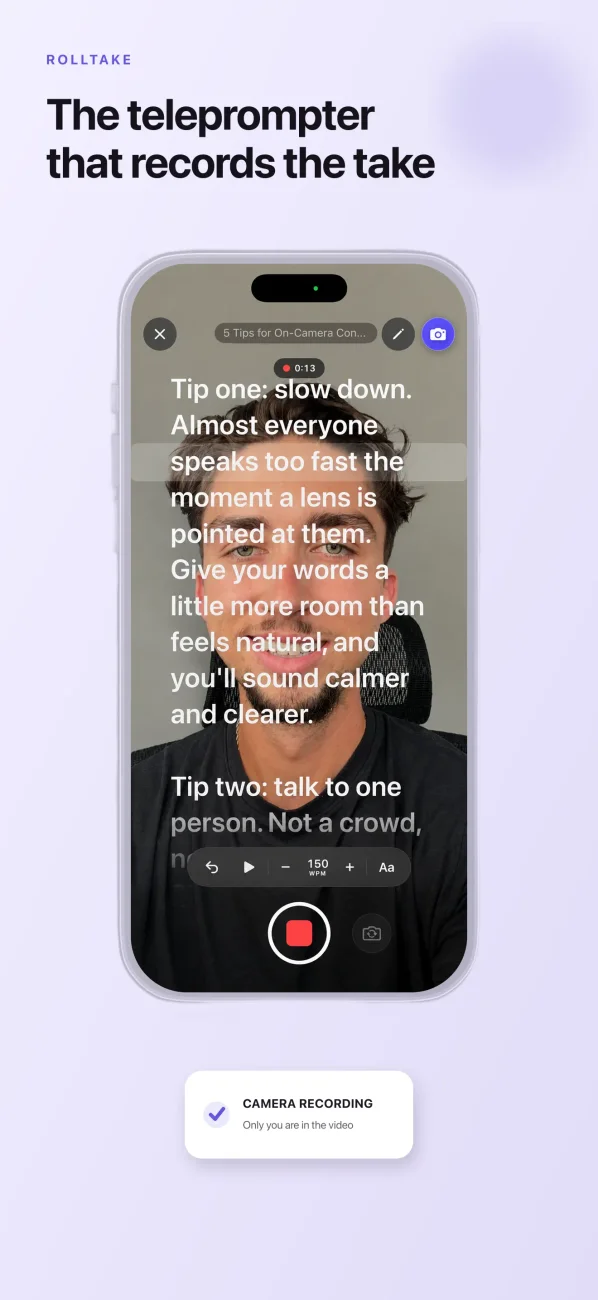
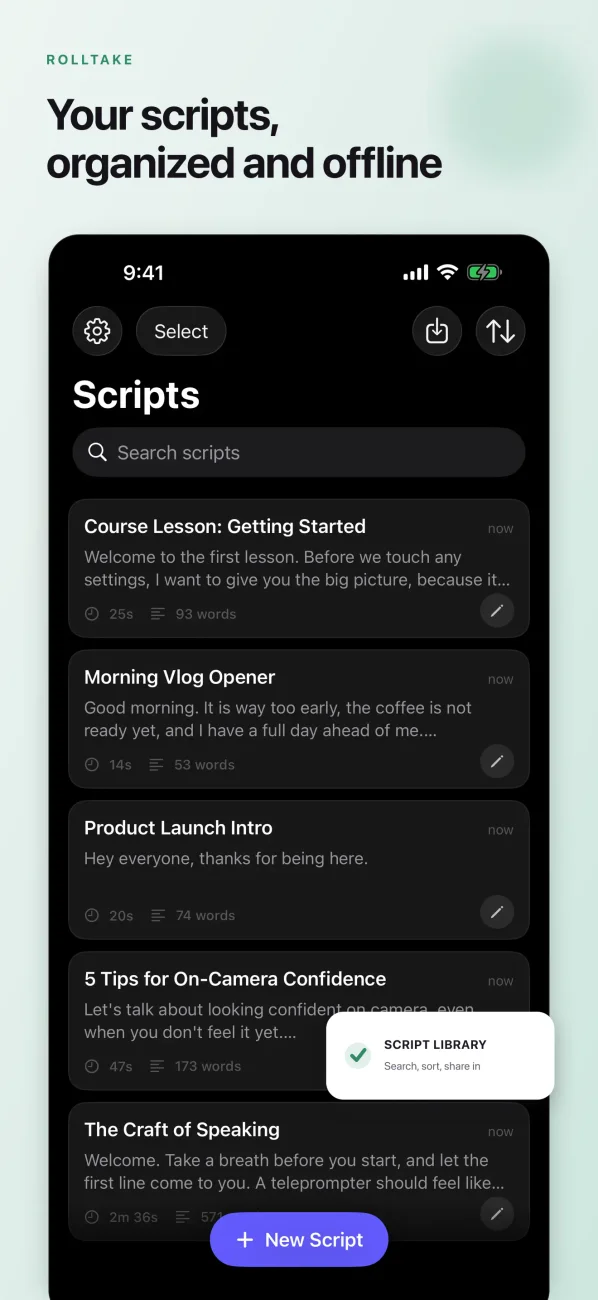
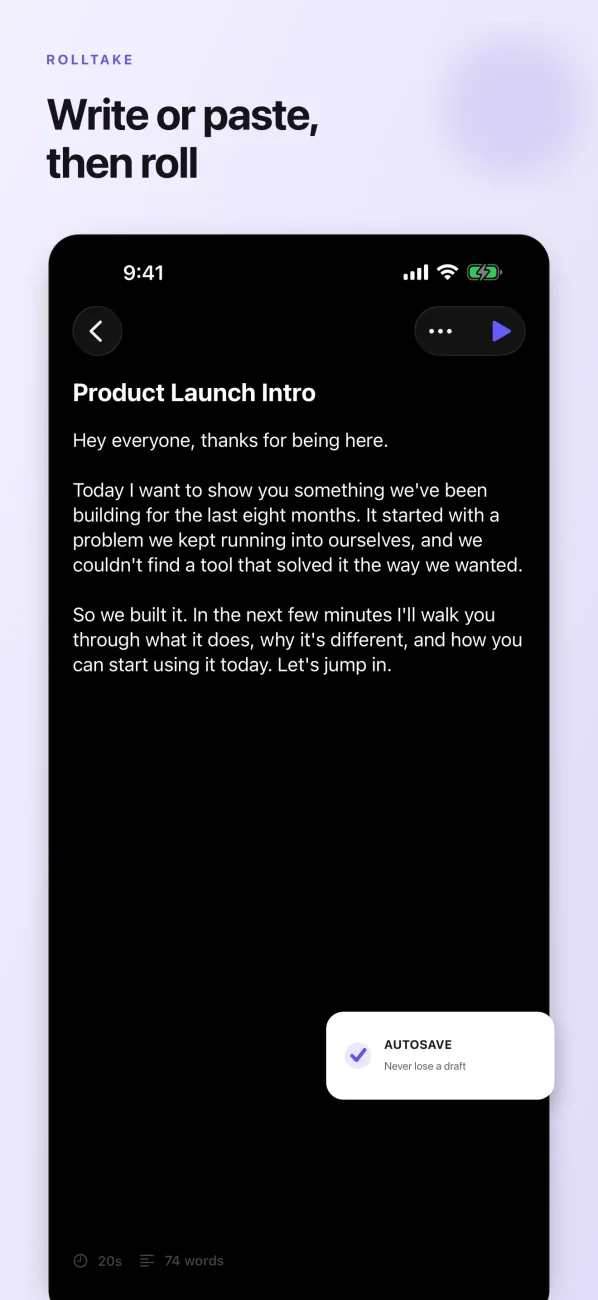
Rolltake is a free teleprompter for iPhone that records the take. Write or import a script, hit play, and read straight down the lens: smooth scrolling, a fixed reading line under the front camera, and controls that fade until you need them.
Free. No ads, no account, no subscription, no internet required. Your scripts and your videos stay on your phone.
READ AND RECORD IN ONE TAKE
- Record from the front camera while the script scrolls over the lens
- The text and reading line are never in the video; only you are
- Full-resolution recordings with no watermark, saved straight to Photos
- Keep recording or leave the app while a take saves in the background
- Camera on and camera off keep their own layout: reading line, text width, position, and size
READ WITHOUT LOSING YOUR PLACE
- Ten speed levels instead of a vague slider, remembered per script
- Drag to scrub anywhere in the script, with flick momentum
- Flubbed a line? One tap jumps back a sentence
- Countdown before scrolling starts: Off, 3, 5, or 10 seconds
- Elapsed and remaining time while you read
- Reading line at the top, center, or eye line, so your eyes stay near the lens
- Screen stays awake for the whole take
HANDS-FREE CONTROL
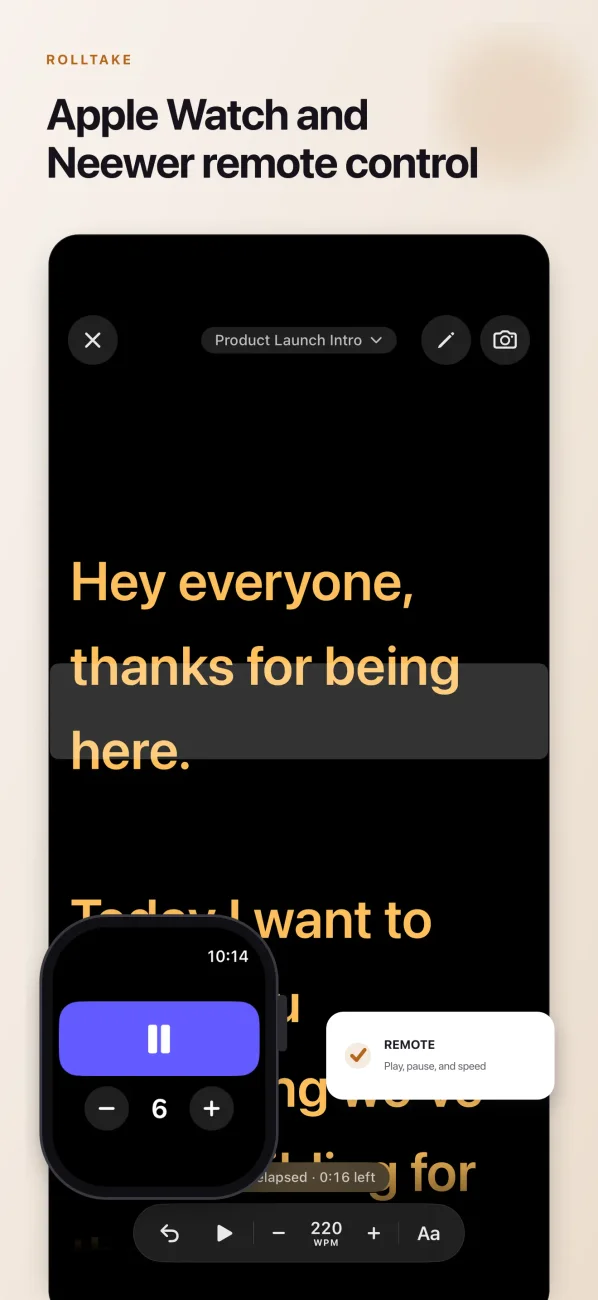
- Apple Watch app: play, pause, faster, slower, from your wrist
- Neewer teleprompter remotes over Bluetooth: play/pause, text size, and nudge
- Presentation clickers, page-turner rings and pedals, Bluetooth keyboards, and game controllers
- Speed changes and back-a-sentence while the camera is rolling
MADE FOR REAL RIGS
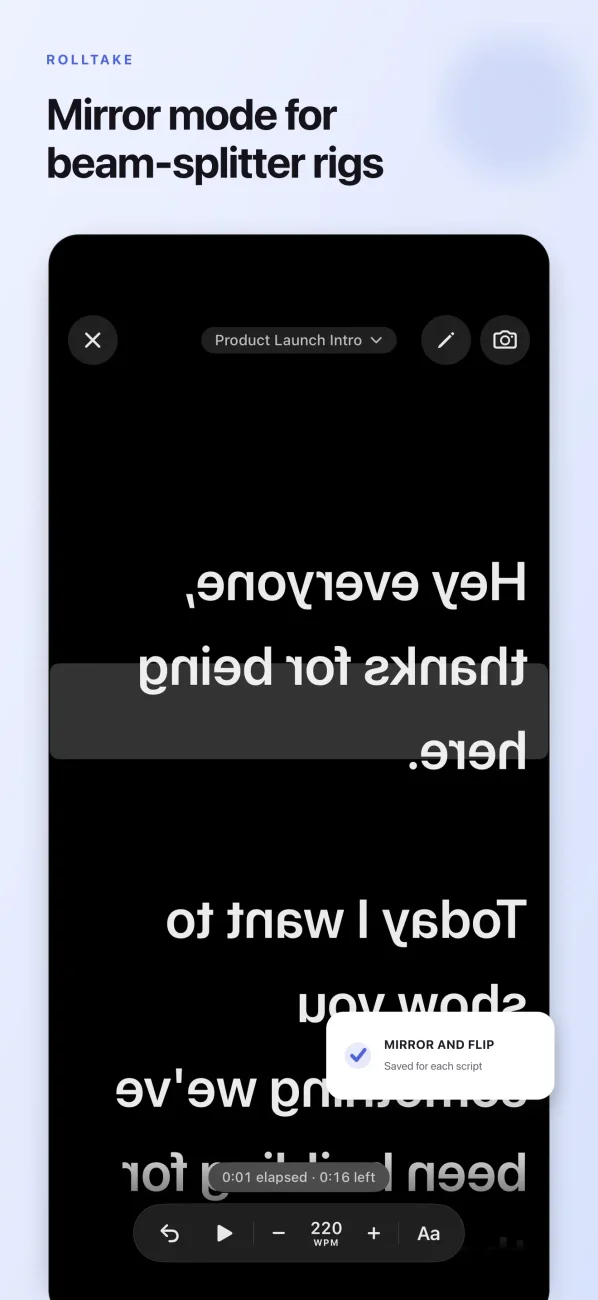
- Mirror and vertical flip for beam-splitter teleprompters
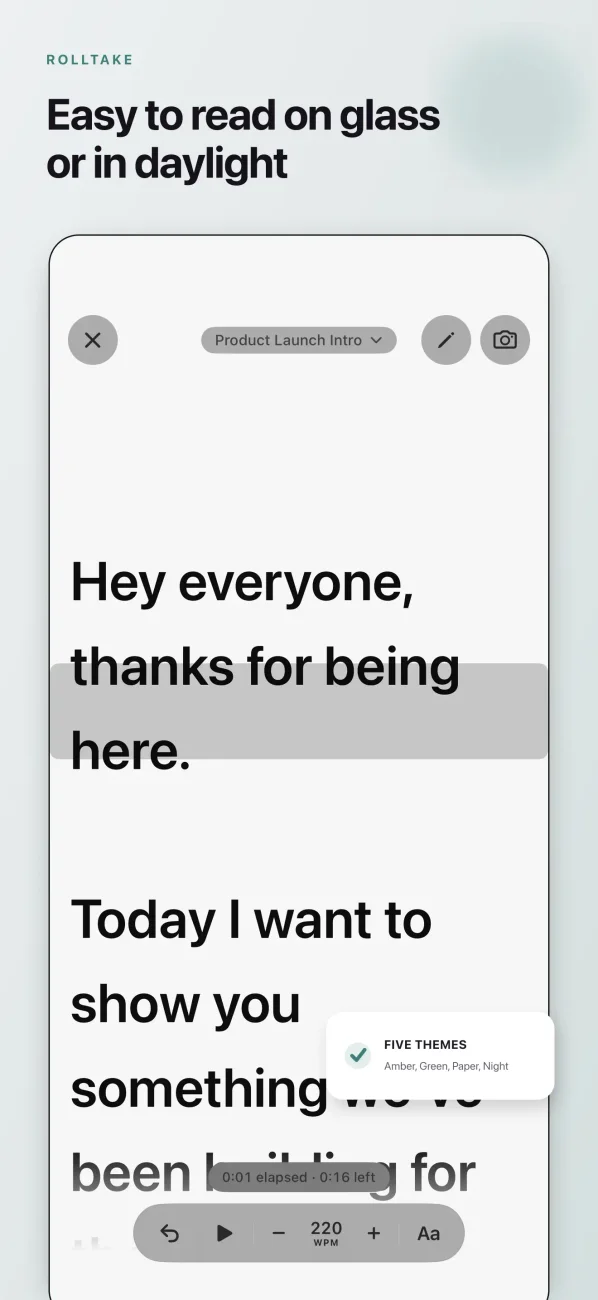
- Amber and Green themes for classic glass, Paper for bright rooms, Night for dim ones
- Four typefaces tuned for reading at a distance: Sans, Serif, Rounded, Mono
SCRIPTS, HANDLED
- Share text from Notes, Mail, Safari, or any app straight into a new script
- Create scripts from Shortcuts, Siri, and Spotlight
- Import .txt and Markdown files from the Files app
- Export to Notes, Mail, Messages, Files, or AirDrop
- Search, sort, and duplicate from the script list
- Switch scripts without leaving the prompter
- Editor autosaves as you type; spot a typo mid-take and fix it from the prompter
WHO IT'S FOR
YouTubers and video creators reading to camera. Podcasters and streamers. Course creators recording lessons. Speakers rehearsing a talk. Anyone recording a wedding toast, a pitch, or a eulogy who wants to sound like themselves instead of sounding read.
Rolltake does the whole job: it prompts, it records, and it stays out of the way. No watermarks, no upgrade nags, no paywall. Open it, load your words, press record.
What’s new
Version 1.1.2 · Nov 13, 2026
Rolltake is now in Spanish, Portuguese, French, German, Italian and Turkish.
• If you leave the app in the middle of a take, the take is saved instead of lost.
• In long scripts, the line you're typing stays above the keyboard.
App privacy
What GRIFFIN MICHAEL WOOLDRIDGE declares on the App Store about how this app handles data.
-
Data not linked to you
May be collected but is not linked to your identity.
- Usage data
- Diagnostics
Privacy practices may vary, for example with the features you use or your age.
Information
- Seller
- GRIFFIN MICHAEL WOOLDRIDGE
- Category
- Photo & Video
- Version
- 1.1.2
- Updated
- Nov 13, 2026
- Released
- Sep 1, 2026
- Size
- 8.1 MB
- Requires
- iOS 17.0 or later
- Age rating
- 4+
- Price
- Free
- Languages
- English, French, German, Italian, Portuguese, Spanish, Turkish
- Copyright
- © 2026 Griffin Wooldridge
You might also like
-
 OwlPrompter Video TeleprompterVoice scroll script & record
-
 Teleprompter-Scrolling ScriptsVideo Recorder & Script Reader
-
 ShareSpeak TeleprompterSimple AI Teleprompter
-
 Teleo: Teleprompter for VideoVoice-Activated Script Reader
-
 GoScript: AI TeleprompterVideo Script & Auto Scroll
-
 Orate: Video TeleprompterAutocue prompter for scripts
-
 Recito: Teleprompter for VideoScript reader, eyes on camera
-
 Teleprompter AI & Video-CueRead to camera, record video
-
 Shootsolo: Voice Video CameraVoice Controlled Video Camera
-
 Cue: TeleprompterRecord naturally, eye contact.