- Age rating4+
- CategoryPhoto & Video
- DeveloperBin Gu
- LanguagesEnglish
- Size52.4 MB
Links to the official App Store page
Download.org hosts no file of Griday. The button opens its official App Store page, published by Bin Gu. Listing last checked on Nov 20, 2026.
Screenshots
About
Griday is an elegant photo collage maker that helps you create beautiful photo grids effortlessly.
【Features】
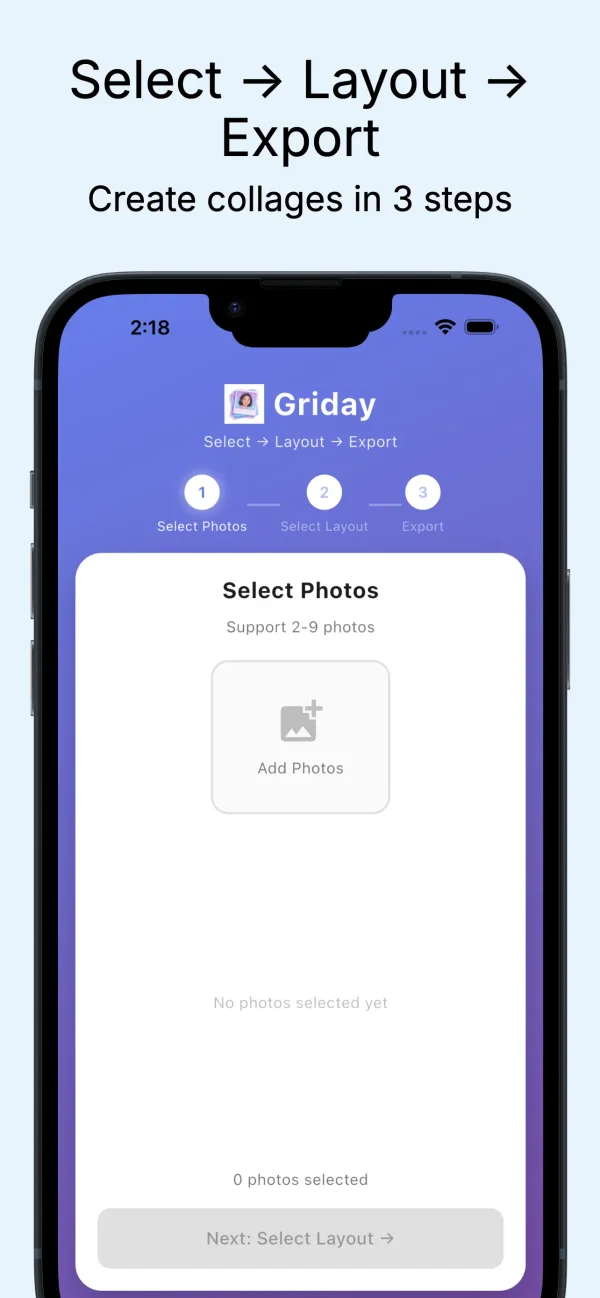
• 3-step workflow: Select → Layout → Export
• Support 2-9 photos
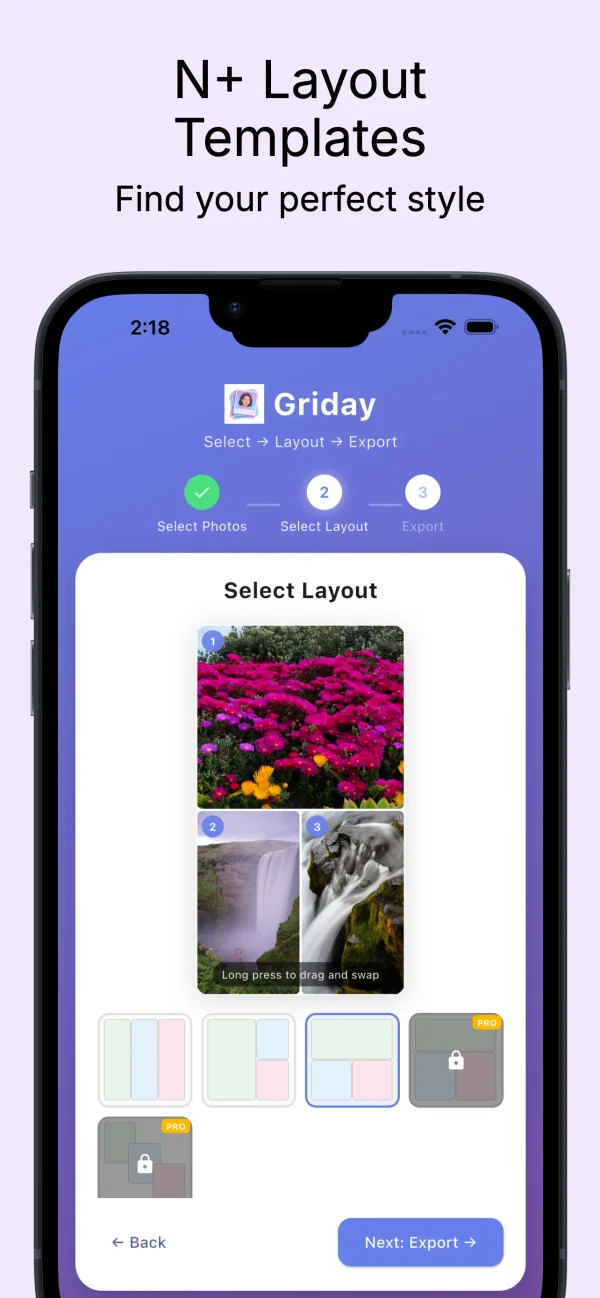
• 40+ beautifully designed layouts
• Drag to swap photo positions
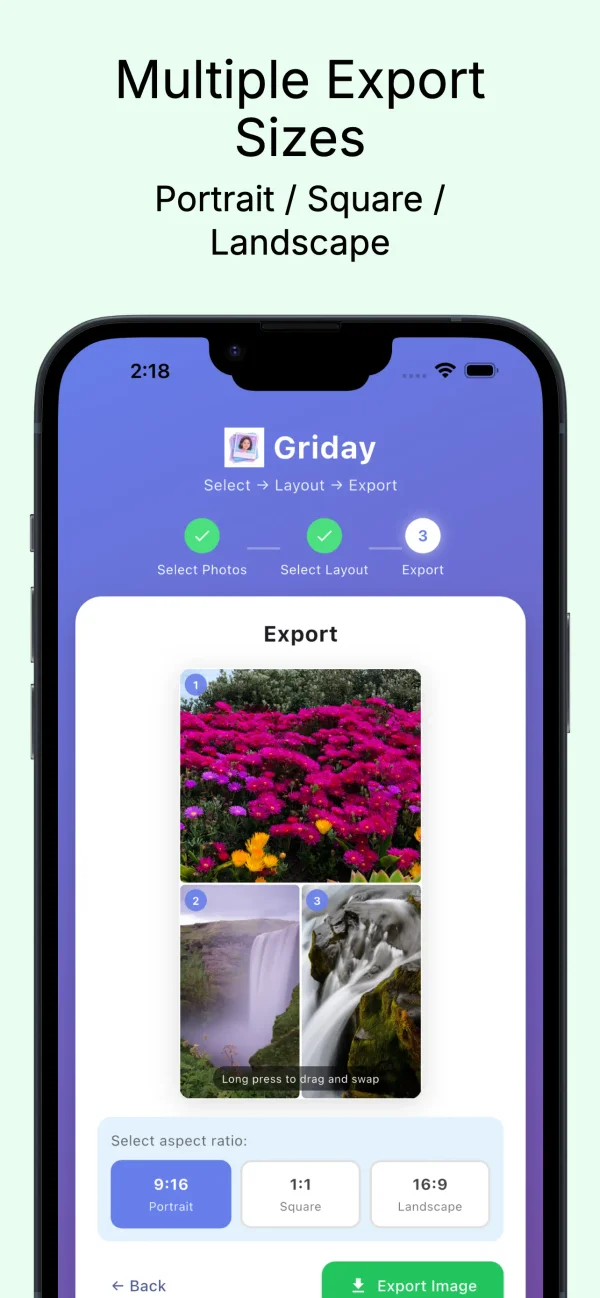
• 3 export ratios: 9:16, 1:1, 16:9
【Highlights】
• Real-time preview
• High-quality export
• Clean interface, no ads
• 10 languages supported
Download Griday and make every photo shine!
App privacy
What Bin Gu declares on the App Store about how this app handles data.
-
Data used to track you
May be used to track you across apps and websites owned by other companies.
- Identifiers
- Usage data
-
Data not linked to you
May be collected but is not linked to your identity.
- Purchases
- Identifiers
- Usage data
Privacy practices may vary, for example with the features you use or your age.
Information
- Seller
- Bin Gu
- Category
- Photo & Video
- Version
- 0.0.1
- Updated
- Jan 7, 2026
- Released
- Jan 7, 2026
- Size
- 52.4 MB
- Requires
- iOS 13.0 or later
- Age rating
- 4+
- Price
- Free
- In-app purchases
- Yes
- Languages
- English
- Copyright
- © 2025 AJJ
You might also like
-
 Tilework: Photo Video CollageGrid maker, layouts & frames
-
 SnapStack: Grid & CollagePhoto Layout Maker & Editor
-
 PictGrid - Simple CollageMake photo memory frame layout
-
 Layout for Instagram: CollagesSquare Photo Grids
-
 Simple Collage - No AdsCombine up to 9 photos
-
 Pic Collage Maker - Photo EditPicture Grid Frames Making App
-
 i Watermark + Lite Photo&VideoWatermark Protect Photos&Video
-
 Tall Grid Maker: 9 Photo SplitVertical Profile Image
-
 Sun Surveyor (Sun & Moon)Your Personal Sun & Moon Guide
-
 Baby Invitation Card MakerCherish Baby