PictGrid - Simple Collage
Make photo memory frame layout
Designed for iPhone, iPad
In-app purchases
- Age rating4+
- CategoryPhoto & Video
- DeveloperUnlypt
- LanguagesJapanese
- Size16.5 MB
Links to the official App Store page
Download.org hosts no file of PictGrid - Simple Collage. The button opens its official App Store page, published by Unlypt. Listing last checked on Nov 12, 2026.
Screenshots
About
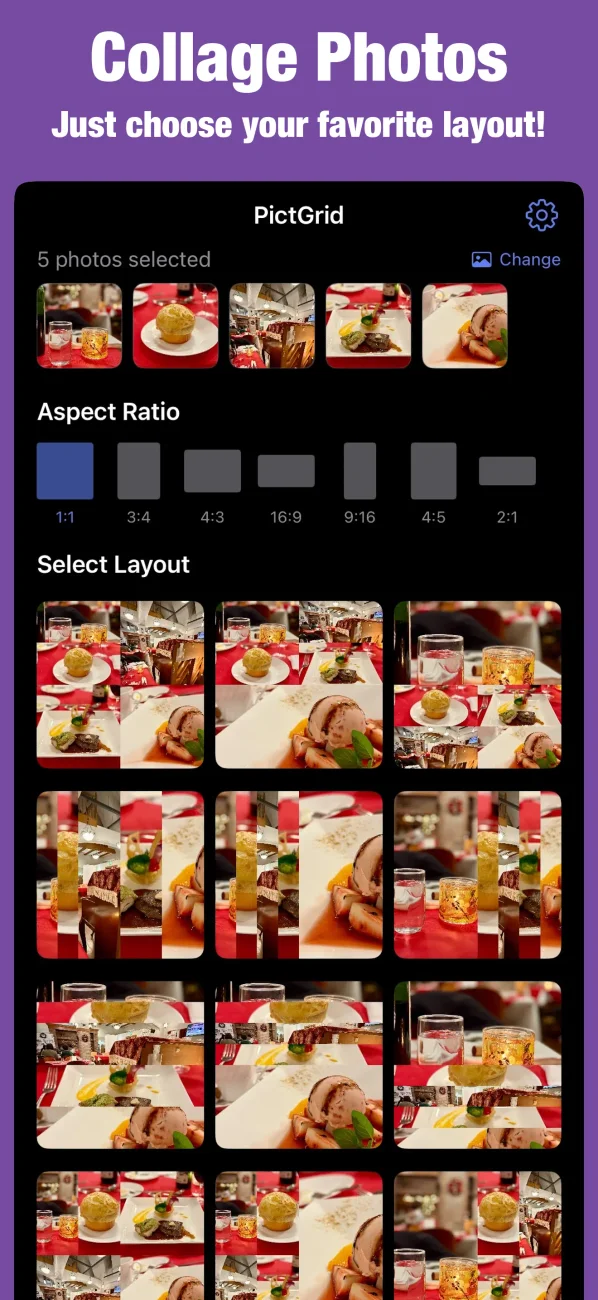
Transform your favorite photos into stunning collages with PictGrid – the intelligent photo collage creator. PictGrid generates unique and beautiful layouts that make your memories shine.
Key Features:
• SMART LAYOUTS – Choose from dozens of unique layouts generated by our intelligent algorithm. Each layout is carefully crafted to showcase your photos perfectly.
• 7 ASPECT RATIOS – Create collages in Square (1:1), Portrait (3:4), Landscape (4:3), Wide (16:9), Tall (9:16), Instagram (4:5), or Letterbox (2:1) formats.
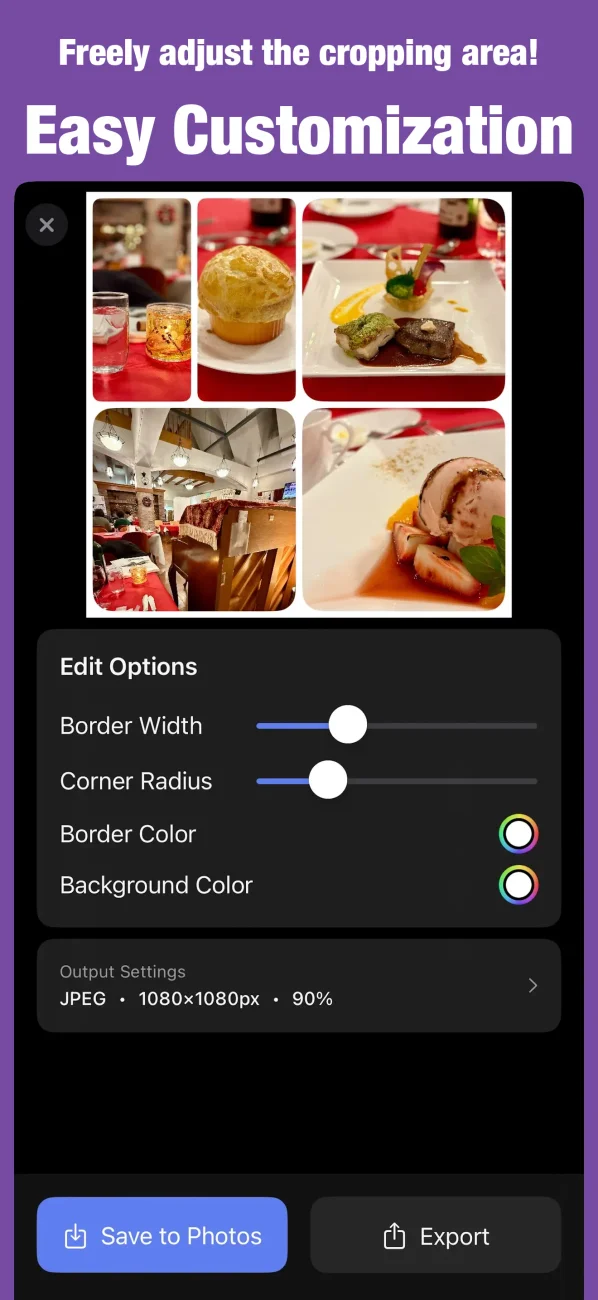
• REAL-TIME PREVIEW – See your changes instantly as you adjust borders, colors, and corner radius. No waiting for renders!
• CUSTOMIZABLE STYLE – Personalize your collage with adjustable border thickness, custom border colors, background colors, and rounded corners.
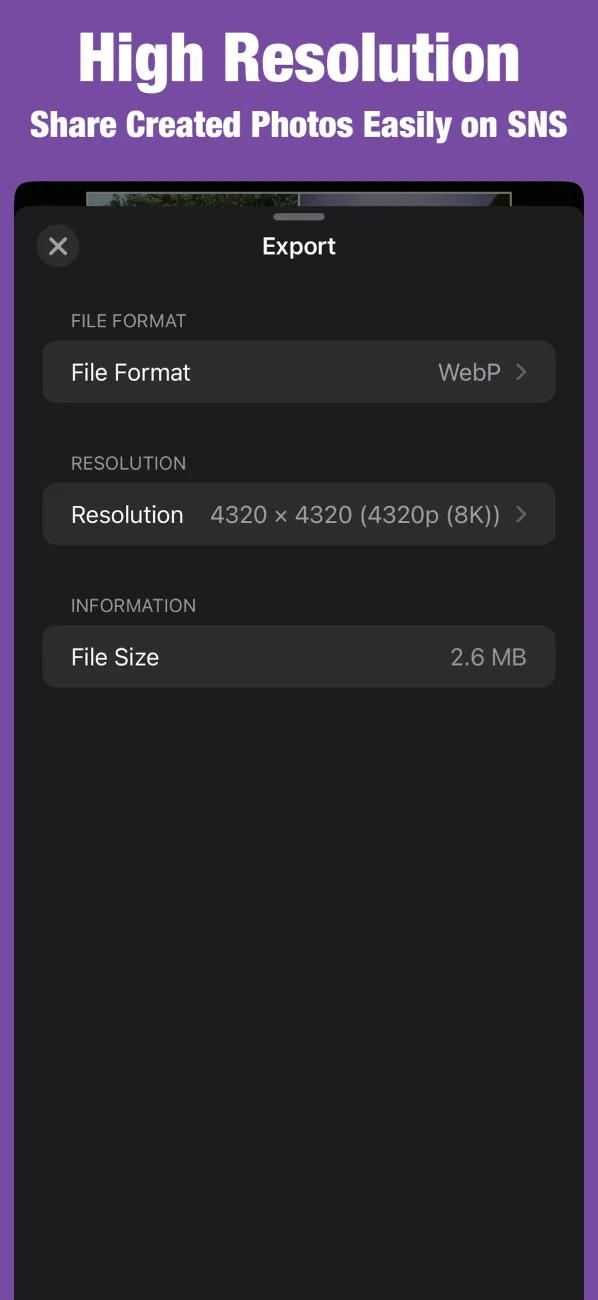
• HIGH-RESOLUTION EXPORT – Export your creations in resolutions up to 8K (4320p). Perfect for printing or sharing on social media.
• FLEXIBLE OUTPUT – Save as JPEG with adjustable quality or PNG for maximum quality. File size estimation helps you choose the perfect settings.
Perfect for:
- Creating Instagram posts and stories
- Making photo memories for special occasions
- Designing custom wallpapers
- Crafting unique photo gifts
- Building portfolio presentations
PictGrid combines powerful technology with elegant design to help you create photo collages that stand out. Whether you're a casual user or a creative professional, PictGrid gives you the tools to bring your vision to life.
Start creating beautiful photo collages in seconds!
===========================
Pro Feature Subscriptions
===========================
We offer the following subscription plans
1-month subscription (prices vary by country and region)
Payment will be charged to your Apple account upon confirmation of purchase. Subscriptions will automatically renew unless auto-renewal is turned off at least 24 hours before the end of the current subscription period. Auto-renewal can be turned off in your account settings after purchase. During an active subscription period, you cannot cancel your current subscription.
Terms and Conditions of Service:
http://bit.ly/2uy8DL4
Privacy Policy:
http://bit.ly/2t7bFFK
What’s new
Version 1.1.1 · Sep 1, 2025
• Fixed some bugs
App privacy
What Unlypt declares on the App Store about how this app handles data.
-
Data used to track you
May be used to track you across apps and websites owned by other companies.
- Identifiers
-
Data not linked to you
May be collected but is not linked to your identity.
- Identifiers
- Usage data
- Diagnostics
Privacy practices may vary, for example with the features you use or your age.
Information
- Seller
- Unlypt
- Category
- Photo & Video
- Version
- 1.1.1
- Updated
- Sep 1, 2025
- Released
- Aug 6, 2025
- Size
- 16.5 MB
- Requires
- iOS 18.0 or later
- Age rating
- 4+
- In-app purchases
- Yes
- Languages
- Japanese
- Copyright
- © 2025 Unlypt
You might also like
-
 Tilework: Photo Video CollageGrid maker, layouts & frames
-
 Simple Collage - No AdsCombine up to 9 photos
-
 CollageMaster: Photo CollagePhoto Collages & Templates
-
 PhotoLayout – Photo CollagesCollages from up to 9 photos
-
 Memori Daily Selfie JournalTrack Changes & See Progress
-
 CollageImage – Photo CollagePhoto collage, no watermark
-
 GridayPhoto & Video
-
 Collage Maker | Photo Editor *Collage Photo Maker & Editor
-
 ImgFrame - Border & StackAdd borders & combine photos
-
 ACE: Aesthetic Carousel EditorPanorama & Photo Collage Maker