
- Age rating4+
- CategoryGraphics & Design
- DeveloperAchim Braml
- LanguagesEnglish+ 3 more
- Size4.7 MB
Links to the official App Store page
Download.org hosts no file of Sketchline. The button opens its official App Store page, published by Achim Braml. Listing last checked on Nov 13, 2026.
Screenshots

About
Sketchline is a drawing app that makes your iPad feel like real paper — and every detail shows it.
Pressure, tilt, azimuth, barrel roll, and hover distance flow directly into each brushstroke. The result is a drawing experience that feels analogue, not digital: your pencil behaves like a real pencil, your watercolor like real watercolor, your crayon like a real crayon.
NINE BRUSHES, EACH UNIQUE
Sketchline ships with nine carefully tuned brushes: pencil, pen, marker, monoline, fountain pen, watercolor, crayon, eraser, and selection. Each one translates the physical properties of your Apple Pencil into a distinct stroke character — not just a different texture applied on top of a generic line.
APPLE PENCIL PRO, FULLY SUPPORTED
Hover previews the cursor before ink touches the screen. Barrel roll rotates the brush angle in real time, making calligraphy and hatching feel natural. Double-tap switches tools instantly. Squeeze activates the eraser. Haptic feedback confirms every path completion and tool change, closing the gap between digital and physical.
YOUR DRAWINGS, YOUR FORMAT
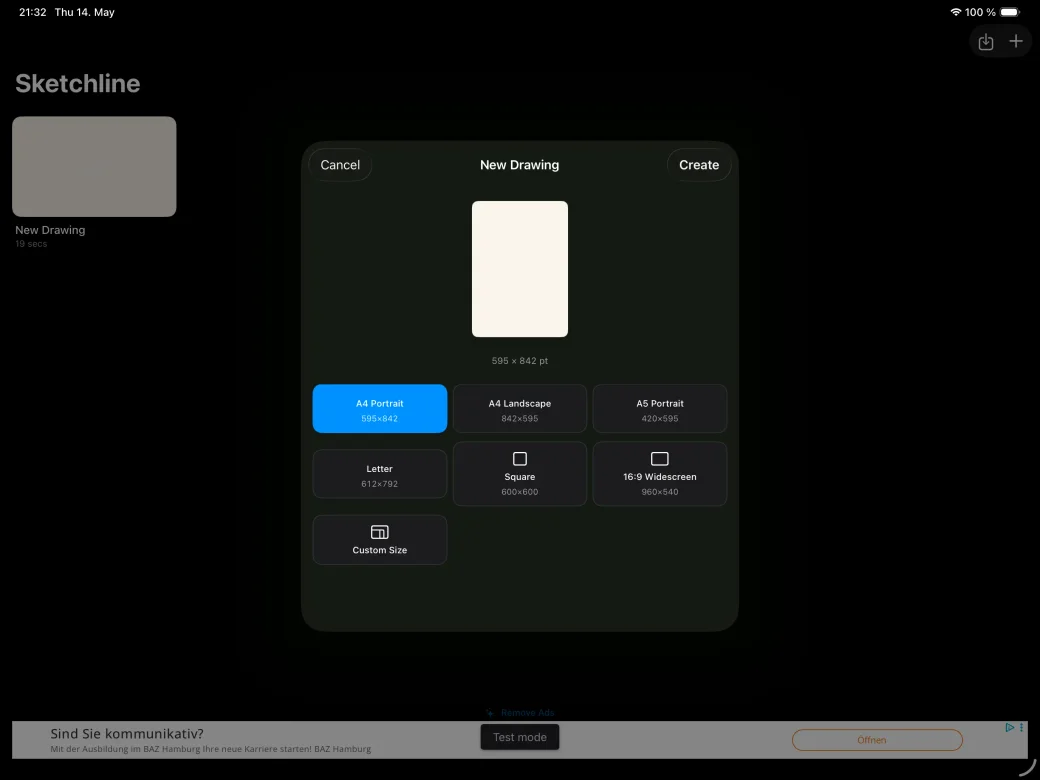
Create canvases in any size — portrait, landscape, square, or custom dimensions. The paper is a warm cream tone that reduces eye strain and makes colors read more accurately. Pinch to zoom up to 5× for fine detail work.
BRING YOUR PHOTOS IN
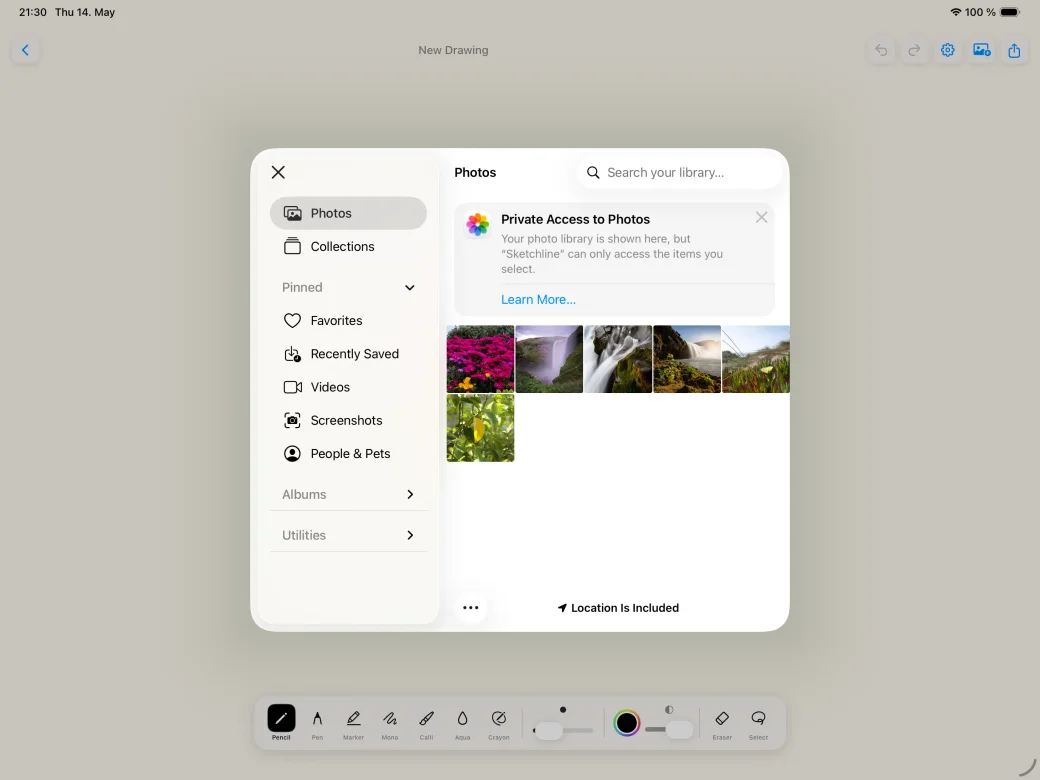
Import any photo from your library and place it on the canvas. Sketchline uses on-device machine learning to remove the background with one tap — no account, no cloud, no subscription required for this feature.
SAVE AND EXPORT EVERYWHERE
Every stroke is saved automatically. Export your work as PNG or PDF, or save it directly to your Photos library. Sketchline also uses a native .sketchline file format that preserves full drawing fidelity, background images, and canvas settings — open it from Files, share it with collaborators, or archive it for later.
GALLERY THAT GROWS WITH YOU
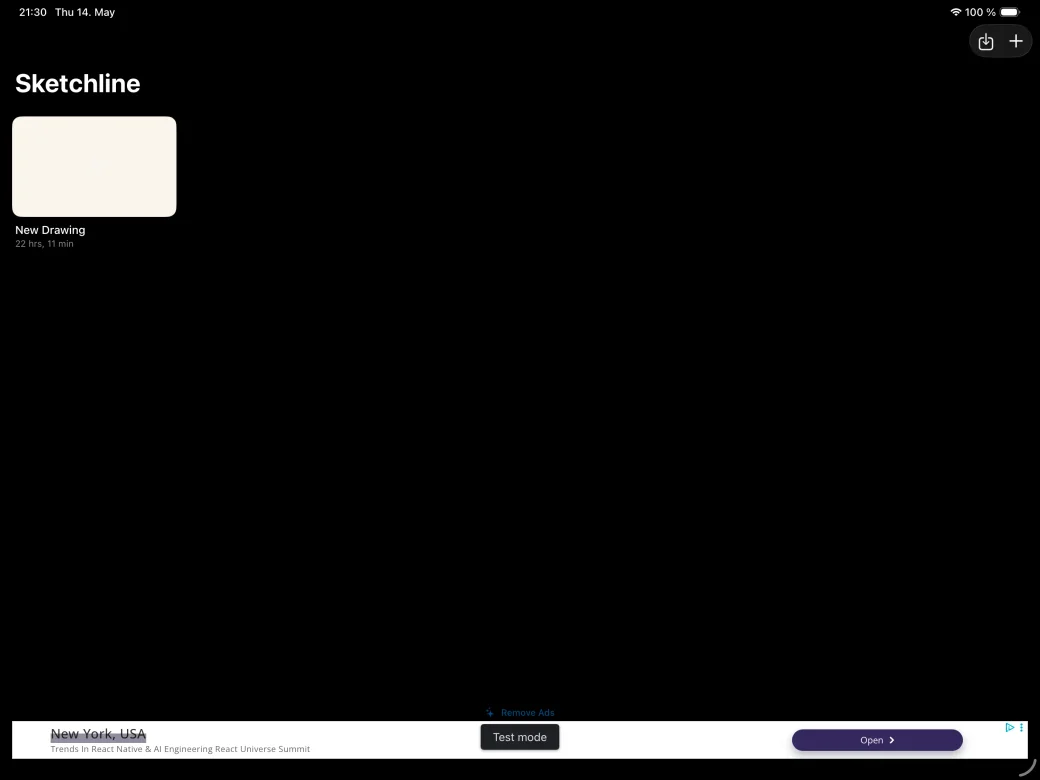
All your drawings live in a clean grid gallery sorted by last modified. Rename, duplicate, or delete with a long press. Everything is stored on-device with SwiftData — fast, private, no account needed.
FREE TO USE
Sketchline is free. A small banner ad appears at the bottom of the canvas. Once per day, a brief interstitial may appear when returning to the gallery. A one-time subscription removes all ads permanently — no other features are locked.
Sketchline requires iPadOS 17 or later. Apple Pencil Pro, Apple Pencil (2nd generation), or Apple Pencil (USB-C) recommended.
Terms of Use (EULA): https://www.apple.com/legal/internet-services/itunes/dev/stdeula/
App privacy
What Achim Braml declares on the App Store about how this app handles data.
-
Data used to track you
May be used to track you across apps and websites owned by other companies.
- Location
- Identifiers
- Usage data
-
Data not linked to you
May be collected but is not linked to your identity.
- Location
- Identifiers
- Usage data
- Diagnostics
Privacy practices may vary, for example with the features you use or your age.
Information
- Seller
- Achim Braml
- Category
- Graphics & Design
- Version
- 1.2.3
- Updated
- May 30, 2026
- Released
- May 30, 2026
- Size
- 4.7 MB
- Requires
- iOS 26.0 or later
- Age rating
- 4+
- In-app purchases
- Yes
- Languages
- English, French, German, Spanish
- Copyright
- © 2025–2026 Achim Braml. All rights reserved.
You might also like
-
 Gridline: Grid & Value StudyDrawing Grid & Notan for Art
-
 Studio Grid: Drawing GridGrid photos to your paper size
-
 Drawing Grid Maker: GridValueArt Photos Reference Tool App
-
 refs.draw with references
-
 Chiser: Photo to Sketch AICreate Art & Coloring Books
-
 Artivate — Draw with FriendsCollaborative Drawing
-
 Grid Maker: Drawing ReferenceAdd grid to image & sketch
-
 Exsto: Concept Art SketchingCharacter & environment design
-
 Das BrushDraw in 3D!
-
 AR Drawing: Trace, Draw SketchLearn to Draw Sketch & Paint