
HALOVIA: Disposable Camera
27 Frames of Film Nostalgia
Designed for iPhone
Free · In-app purchases
- Age rating4+
- CategoryPhoto & Video
- Developer峥吉 马
- LanguagesEnglish+ 3 more
- Size63.4 MB
Links to the official App Store page
Download.org hosts no file of HALOVIA: Disposable Camera. The button opens its official App Store page, published by 峥吉 马. Listing last checked on Nov 26, 2026.
Screenshots

About
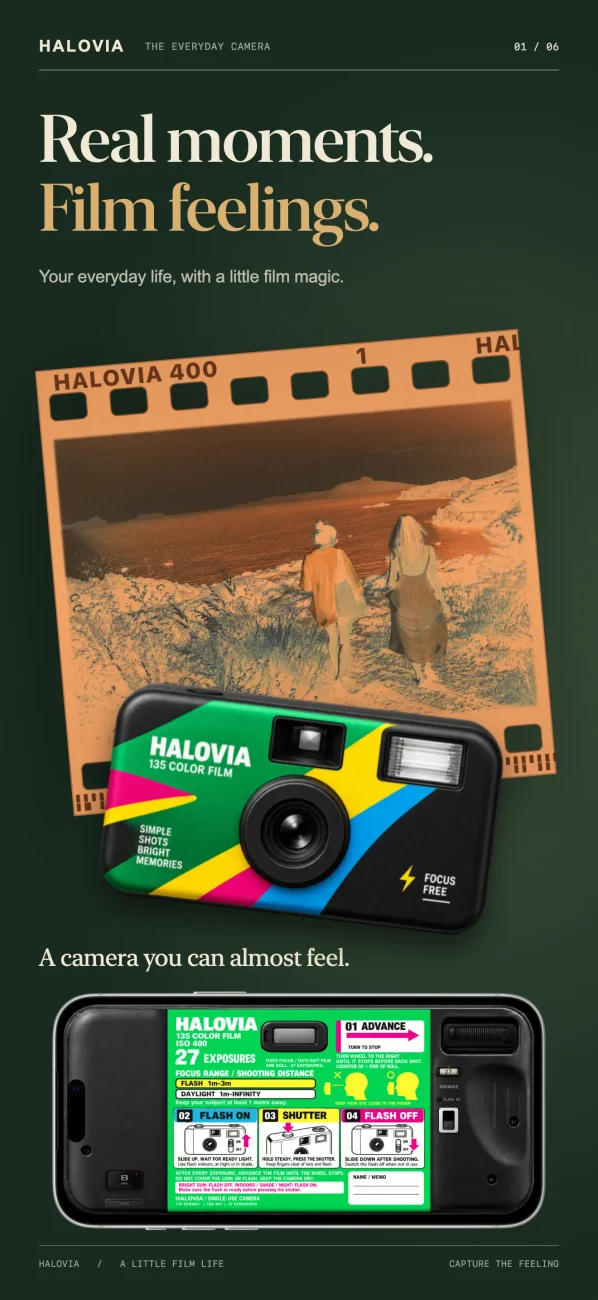
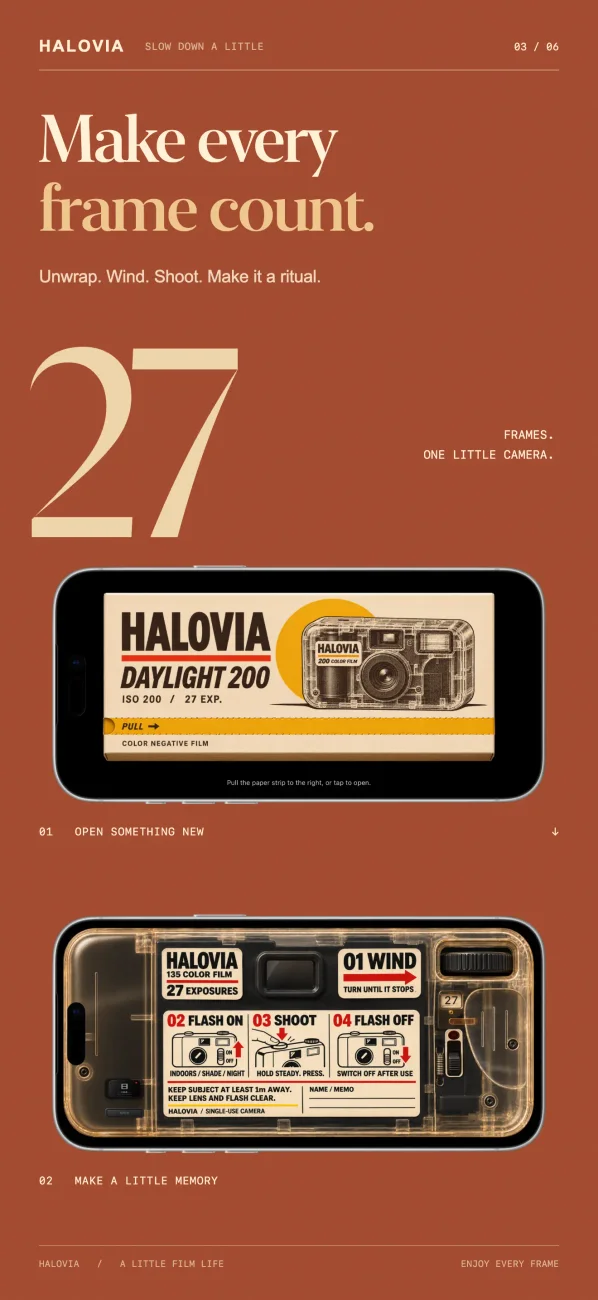
HALOVIA brings the ritual of a disposable film camera to your iPhone. Unwrap a camera, advance the film, and capture everyday moments one frame at a time. Finish the roll to discover your photos.
ONE ROLL, 27 FRAMES
Each camera holds up to 27 photos. Advance before each shot, watch the counter, and use the flash when the moment calls for it. You can finish a roll early whenever you are ready to see your photos.
A CAMERA FOR EVERY MOOD
Every camera has its own film, lens, and shutter sound. Some are free; others are bought once and yours to keep, with a fresh camera after every roll. Try one roll before you buy.
FILM-INSPIRED COLOR AND GRAIN
Give everyday scenes a film-inspired look with textured grain, distinctive color, and lens character. From a sunny walk to an evening with friends, keep a roll of moments in your own way.
FROM CAMERA TO FILM CASE
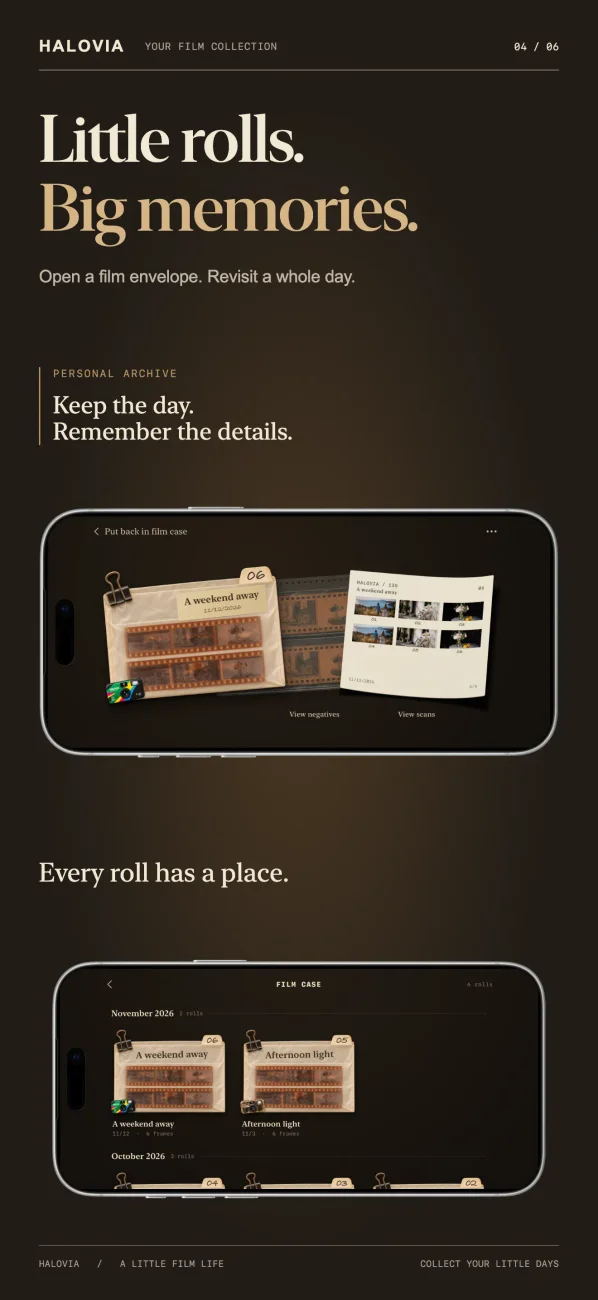
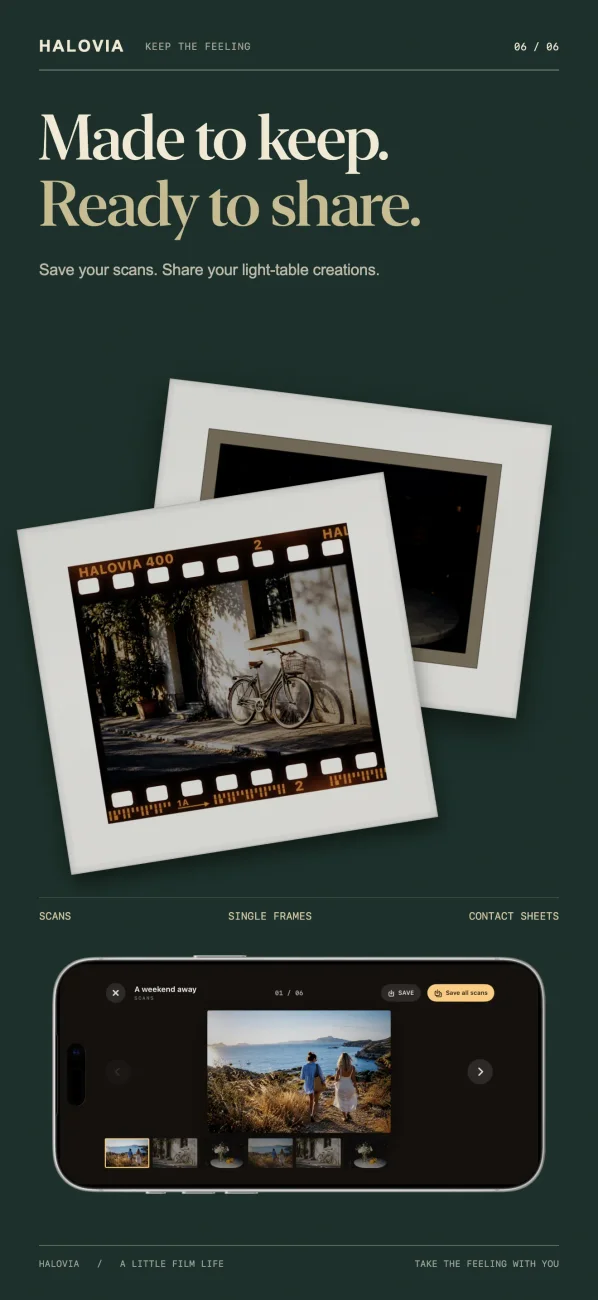
Wind the film, open the camera, and take out the roll. Your finished rolls wait on a shelf in Film Case. Tap a canister, pull out the film leader, and lay the whole roll on a darkroom light table. Name each roll on its tape label, and unwrap a new camera when you are ready to shoot again.
ON THE LIGHT TABLE
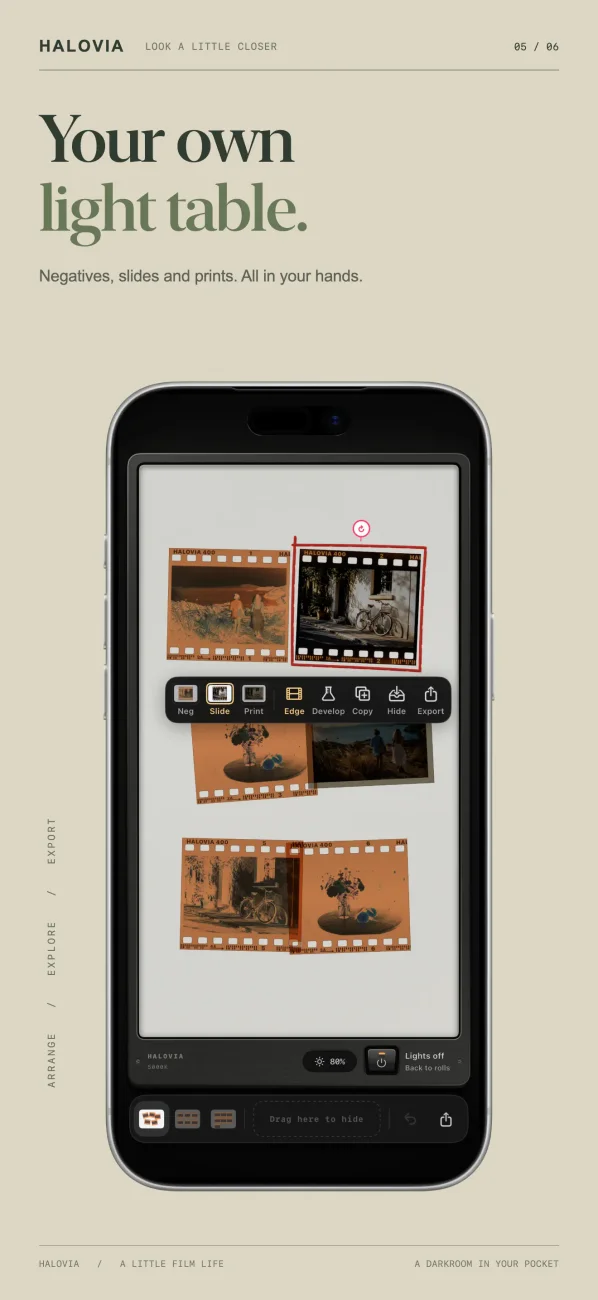
Move, rotate, and stack your frames, or arrange them in a grid or contact sheet. View any frame as a negative, a slide, or a print, keep the perforated film edge or a thin rebate, and try push or pull development. Adjust the lamp, then export the whole table, a contact sheet, or a single frame. Light table looks are created as separate copies, leaving your original photos unchanged.
YOUR ORIGINALS, ALWAYS
Double-tap a frame to see the original photo, or browse a whole roll and save one photo or all of them to Photos.
YOUR PHOTOS STAY WITH YOU
No account is required. Shooting and film development work offline, and your rolls and photos are stored on your device.
What’s new
Version 1.2.3 · Nov 25, 2026
What's new:
- When a new version is available, the workbench lets you know. You can also check for updates in Settings.
- On the workbench, unlock or try a camera with a single tap. No more press and hold.
- Prices now appear on the workbench without opening the Camera shop first.
- Simpler film description for SILVER 400.
App privacy
What 峥吉 马 declares on the App Store about how this app handles data.
-
Data not collected
The developer does not collect any data from this app.
Privacy practices may vary, for example with the features you use or your age.
Information
- Seller
- 峥吉 马
- Category
- Photo & Video
- Version
- 1.2.3
- Updated
- Nov 25, 2026
- Released
- Oct 22, 2026
- Size
- 63.4 MB
- Requires
- iOS 18.0 or later
- Age rating
- 4+
- Price
- Free
- In-app purchases
- Yes
- Languages
- English, Japanese, Korean, Simplified Chinese
- Copyright
- © 2026 ZhengJi Ma
You might also like
-
 PoLabScan & Organize Instant Photos
-
 RawlitRAW Photo Editor with Masks
-
 Oqra CamHybrid film cam
-
 PreReel: Pre-Record CameraRecord moments before you tap
-
 VisionCut: Pro Video Editor4K multitrack, no watermark
-
 PolacardInstant photos in your Wallet
-
 ImagePress: Local CompressOn-device photo compression
-
 xMosaique - Preset+LUT CameraLive Film Looks, Manual + RAW
-
 Parallel: Dual Video CameraPortrait & Landscape at Once
-
 Ocre: Photo to PaintingOil Paint & Brush Effects