- Age rating4+
- CategoryPhoto & Video
- Developer俊尧 周
- LanguagesEnglish+ 3 more
- Size8.7 MB
Links to the official App Store page
Download.org hosts no file of Rawlit. The button opens its official App Store page, published by 俊尧 周. Listing last checked on Nov 17, 2026.
Screenshots


About
Make light, color and detail your own.
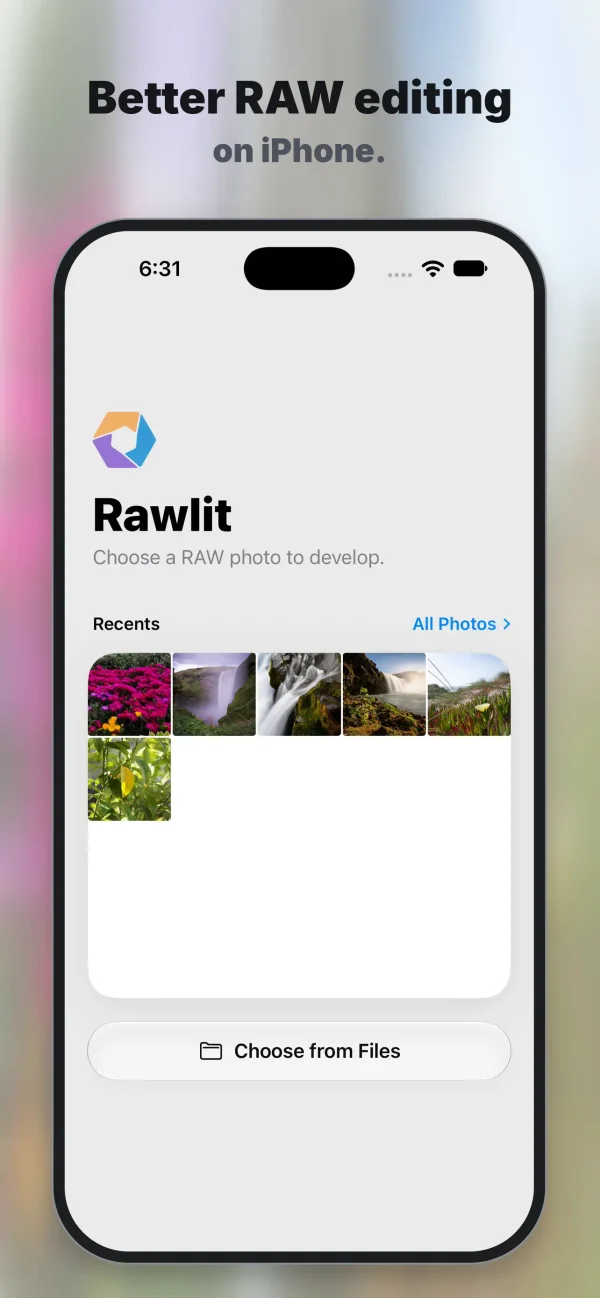
Rawlit is a RAW photo editor for iPhone and iPad. Choose a RAW photo from Photos or Files and focus on editing one image at a time.
NATURAL COLOR FROM THE START
Every photo opens in the Natural Color Pipeline, with balanced color and film-like tones. Choose the Standard, Nature, Portrait or Product look, add Extra Contrast, Lighten or Saturated, switch to black and white with color filters, or add film grain.
SHAPE LIGHT AND COLOR
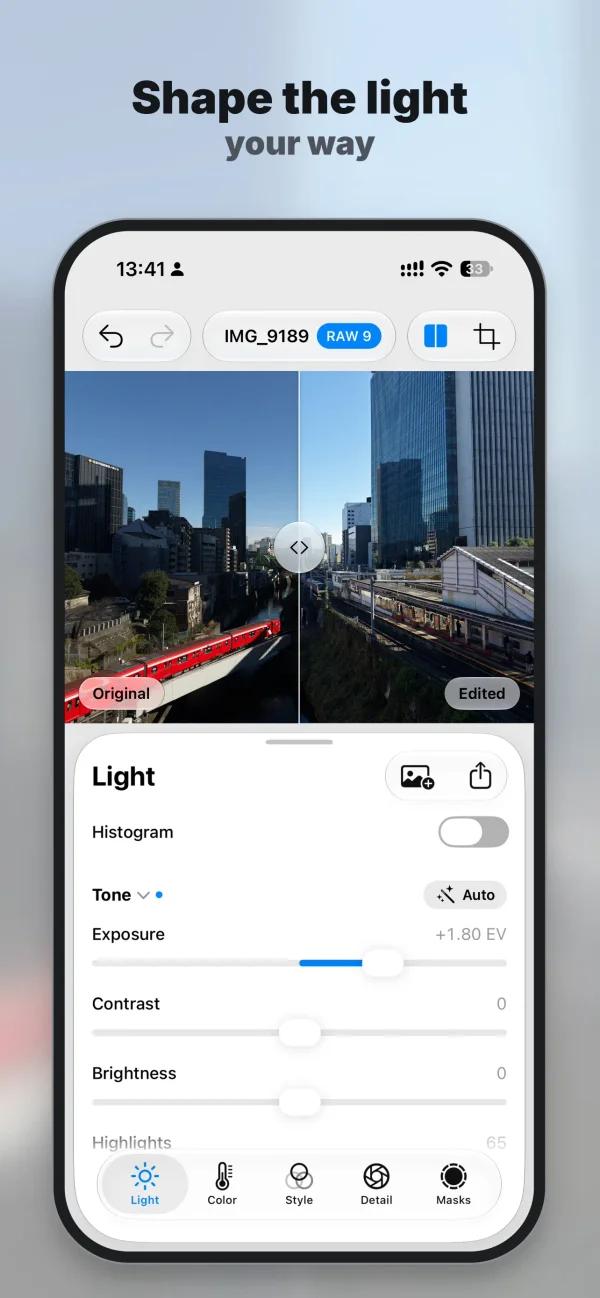
Adjust exposure, highlights, shadows and contrast, or start from Auto Tone. Set white balance with temperature, tint or the eyedropper, and fine-tune saturation and vibrance. Shape tones with levels and RGB, color-channel and luminance curves. With Color Mix, change the hue, saturation and luminance of eight colors, or pick a color right on the photo. Color grading tints the shadows, midtones and highlights with color wheels.
CROP, STRAIGHTEN AND CORRECT PERSPECTIVE
Crop freely or to a common aspect ratio, rotate, and straighten by hand or automatically. Correct vertical and horizontal perspective to bring converging lines back into line.
REFINE SELECTED AREAS WITH MASKS
Select the subject or individual people, tap to select an object, or use the sky, skin and hair masks in Apple ProRAW photos. Paint a mask with the brush, or draw linear and radial gradients right on the photo. Add to or subtract from a selection, invert and feather it, and give each mask its own light, color and detail adjustments.
REMOVE SPOTS
Tap or brush over dust and small distractions to heal them. Rawlit takes texture from a nearby area and matches it to the spot's surroundings, and your later adjustments apply to the healed areas too.
BRING OUT DETAIL
Sharpen, add clarity, reduce noise, apply lens correction and add a vignette that follows your crop.
SEE EVERY CHANGE
Check the live RGB histogram, compare your edit with the original, zoom to a true 100% view and look up the photo's capture details. Copy your edits and paste them onto the next photo.
EXPORT AT FULL RESOLUTION
Export at the full resolution of your edited photo, without additional downsizing. Choose 10-bit HEIC, JPEG or 16-bit TIFF for sharing or further editing, and leave out the location when you share. HDR HEIC is also available; availability and appearance depend on the system, photo and viewing device.
Print with Printax sends a print-sized copy straight to the Printax app, to print on instax mini film.
EDIT ON YOUR DEVICE
No account required. Photos are decoded and edited on your device. The system may download RAW decoding resources as needed, and Photos or Files providers may require network access. Export your finished photo to keep the result.
RAW support depends on the file, camera model and system. Some features, such as object selection and lens correction, depend on the system, device and photo.
What’s new
Version 2.0 · Nov 8, 2026
Brush masks: paint the part of the photo you want with your finger, then adjust it like any other mask.
Remove Spots: tap or brush over dust and small distractions to heal them.
Color Grading: tint the shadows, midtones and highlights with color wheels.
Redesigned tools: each tab shows its adjustments in groups, all at once, with nothing to unfold or scroll through.
Print with Printax: send a photo straight to Printax and print it on instax mini film.
On iOS 27, photos you save carry the keyword "Rawlit", so a search in Photos finds them all.
Flick the histogram off the side of the screen to tuck it away. The curve now shows levels on both axes.
App privacy
What 俊尧 周 declares on the App Store about how this app handles data.
-
Data not collected
The developer does not collect any data from this app.
Privacy practices may vary, for example with the features you use or your age.
Information
- Seller
- 俊尧 周
- Category
- Photo & Video
- Version
- 2.0
- Updated
- Nov 8, 2026
- Released
- Oct 14, 2026
- Size
- 8.7 MB
- Requires
- iOS 17.0 or later
- Age rating
- 4+
- Price
- $0.99
- Languages
- English, Japanese, Simplified Chinese, Traditional Chinese
- Copyright
- © 2026 Rawlit Team. All Rights Reserved.
You might also like
-
 Tilt-ShiftMiniature Photo & Video Camera
-
 myGPS Map CameraStamp location on photos
-
 VisionCut: Pro Video Editor4K multitrack, no watermark
-
 TV Watch S: Video ComplicationPlay your own clips on Watch
-
 HALOVIA: Disposable Camera27 Frames of Film Nostalgia
-
 Four Keeps: Photo BoothRetro strips, filters & prints
-
 RAW Camera: HiFi CamRAW Photo, ISO & Shutter Cam
-
 Only the Best PhotosClean your gallery
-
 PoLabScan & Organize Instant Photos
-
 xMosaique - Preset+LUT CameraLive Film Looks, Manual + RAW