
Handwriting Keyboard
Handwrite in apps—even offline
Designed for iPhone, iPad, iPod touch
$3.99
- Age rating4+
- CategoryUtilities
- DeveloperCatalystwo
- LanguagesEnglish+ 1 more
- Size77.2 MB
Links to the official App Store page
Download.org hosts no file of Handwriting Keyboard. The button opens its official App Store page, published by Catalystwo. Listing last checked on Nov 19, 2026.
Screenshots
About
Write by hand. Type in your apps.
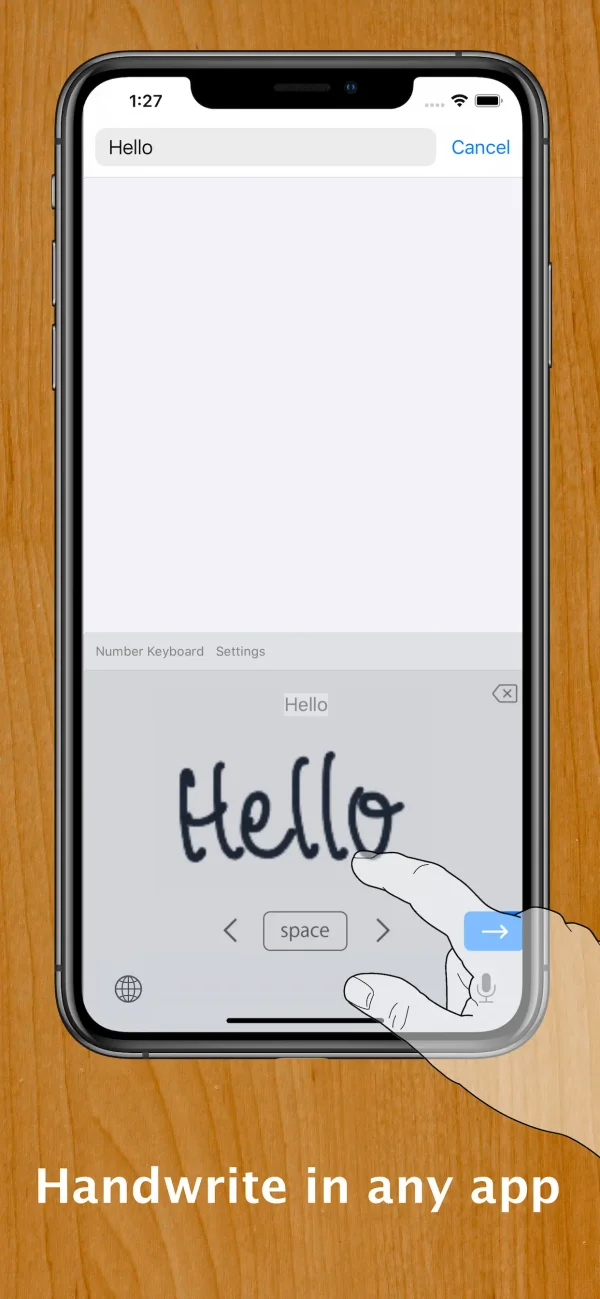
Handwriting Keyboard lets you enter text with your finger or Apple Pencil in apps such as Messages, Mail, Safari, and Notes.
Recognition runs entirely on your device, so the keyboard works offline. Full Access is not required. Your input is not transmitted, and the app does not collect data.
IMPORTANT — SUPPORTED LANGUAGES
Handwriting recognition supports U.S. English and Japanese only. Other languages, including British English, are not supported.
HOW TO GET STARTED
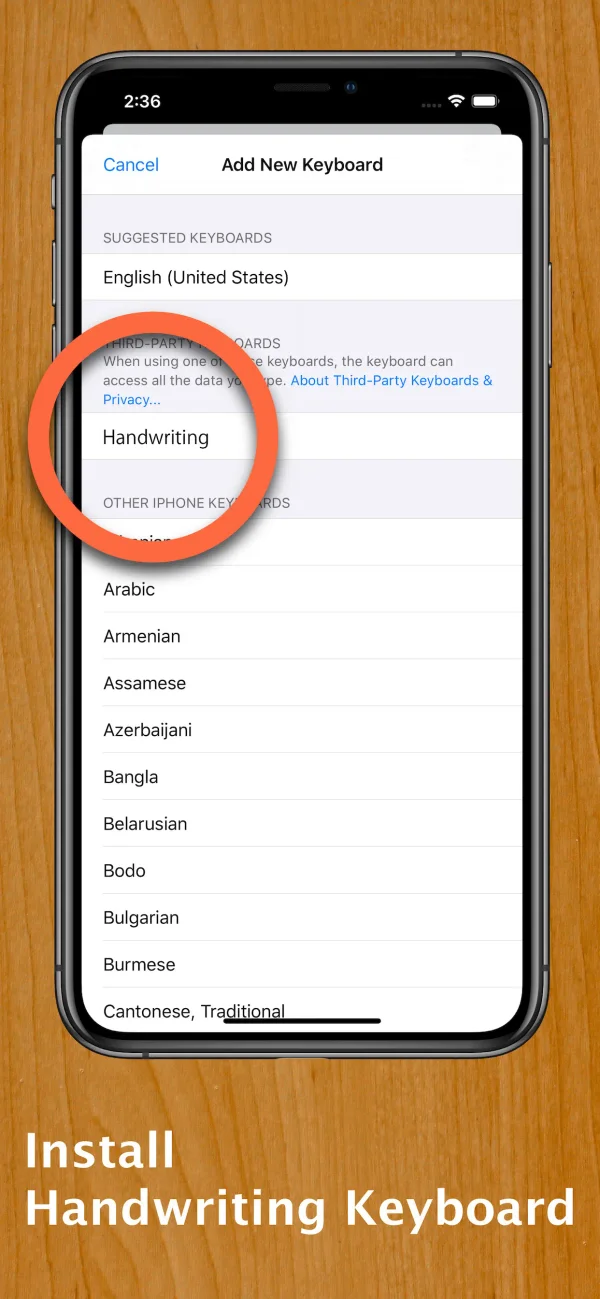
1. Open the Handwriting Keyboard app and tap “Open Settings.”
2. Tap “Keyboards,” then enable English (US), Japanese, or both. Full Access is not required.
3. In a text field, touch and hold the keyboard switch key, then select Handwriting.
When entering a password, iOS automatically switches to the system keyboard.
If text is duplicated or does not appear correctly in an app with a custom text field, turn off Inline Input in Handwriting Keyboard settings.
FEATURES
• Three writing layouts: Free, Rows, and Boxes
• U.S. English handwriting recognition
• Japanese handwriting recognition with hiragana-to-kanji conversion
• Write with your finger or Apple Pencil
• Palm rejection when using Apple Pencil
• Works entirely offline
• No Full Access required
• Scribble over part of your handwriting to erase it
• Strike through handwriting to erase it together
• Drag recognition candidates together to combine them
• Adjustable auto-enter delay
• Three writing-area sizes
• Customizable Return key position
• Two-finger scrolling or cursor movement
• Adjustable line width and background color
• Text Replacement support
• Dark Mode and floating keyboard support
• Quick Notes home screen widget
SUPPORTED RECOGNITION LANGUAGES
• U.S. English
• Japanese
British English and all other languages are not supported.
Deutsch wird nicht unterstützt.
El español no es compatible.
O português não é compatível.
Svenska stöds inte.
Le français n’est pas pris en charge.
한국어는 지원되지 않습니다.
MyScript® is a trademark of MyScript.
What’s new
Version 2.8 · Nov 9, 2026
- Added an emoji keyboard.
- Tap the single-kanji or katakana button again to return to normal conversion mode.
- Improved the settings layout.
- Fixed the delete button’s position on iPad when the Return key is set to the left.
App privacy
What Catalystwo declares on the App Store about how this app handles data.
-
Data not collected
The developer does not collect any data from this app.
Privacy practices may vary, for example with the features you use or your age.
Information
- Seller
- Catalystwo, LLC
- Category
- Utilities
- Version
- 2.8
- Updated
- Nov 9, 2026
- Released
- Oct 12, 2014
- Size
- 77.2 MB
- Requires
- iOS 13.6 or later
- Age rating
- 4+
- Price
- $3.99
- Languages
- English, Japanese
- Copyright
- © Catalystwo Ltd
You might also like
-
 Handwriting Keyboard ™Write to Text · 100+ Languages
-
 mazecHandwriting input method
-
 DeepPad: Korean KeyboardThe keyboard that learns you
-
 TypingTalk AACText-to-speech communication
-
 AI Actions for ShortcutsAI-powered Shortcuts
-
 Nautilus: Web, Word, AnnotateWeb browser, PDF, AI Assistant
-
 Clicks KeyboardSet up your typing experience
-
 Typewise Custom KeyboardPrivate & Large Big Keys Type
-
 Just Press RecordRecord. Transcribe. Sync.
-
 Clipboard Manager - OneTapCopy Paste History & Shortcuts