- Age rating4+
- CategoryBusiness
- DeveloperPanasonic Holdings Corporation
- Size40.5 MB
Links to the official App Store page
Download.org hosts no file of HC ROP. The button opens its official App Store page, published by Panasonic Holdings Corporation. Listing last checked on Nov 15, 2026.
Screenshots
About
=== Name of App ===
HC ROP (HC series memory camera recorder Remote Operation Panel)
=== Description ===
HC ROP is a control program that enables the wireless remote control of the memory camera recorder "Panasonic HC-X series" and "Panasonic AG-CX series"(excluding some models).
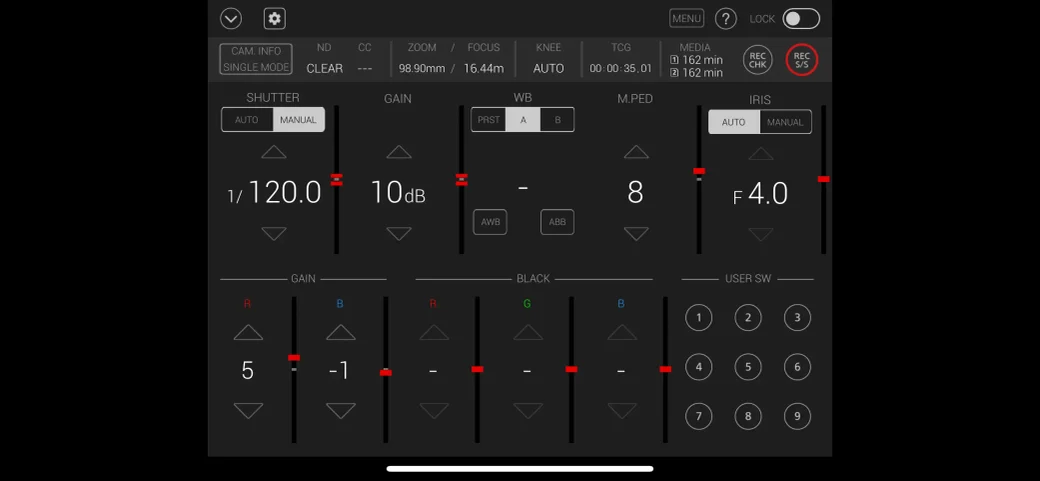
It provides a GUI that displays status information, settings and user switch status in a single screen and the ability to change camera settings intuitively using a screen touch.
Buttons such as user buttons and REC S/S button in screen can manipulate camera recorder.
HC ROP cam manipulate one memory camera reorder by switching up to eight memory camera reorders. Please tap a "?" button to see a hint for usage of this app.
=== Applicable Model ===
HC-X1500, HC-X2000、HC-X1200、HC-X1600、HC-X1800、HC-X2100、HC-X2、HC-X20
AG-CX7, AG-CX8, AG-CX10, AG-CX98、AG-CX20、AG-CX100、AG-CX18
=== Supported OS ===
iOS 15 or later
iPadOS 15 or later
=== Features ===
1. Camera status display
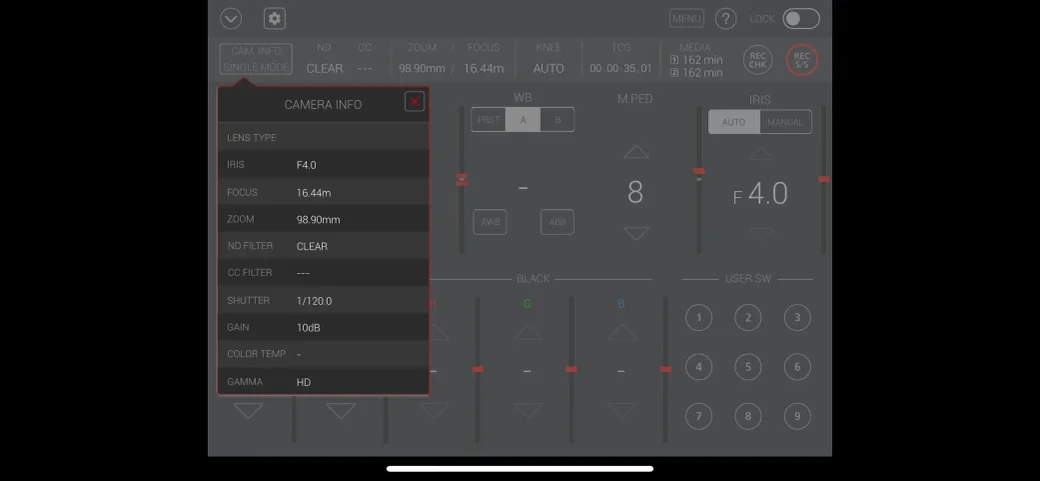
- List of camera information
- ND/CC FILTER
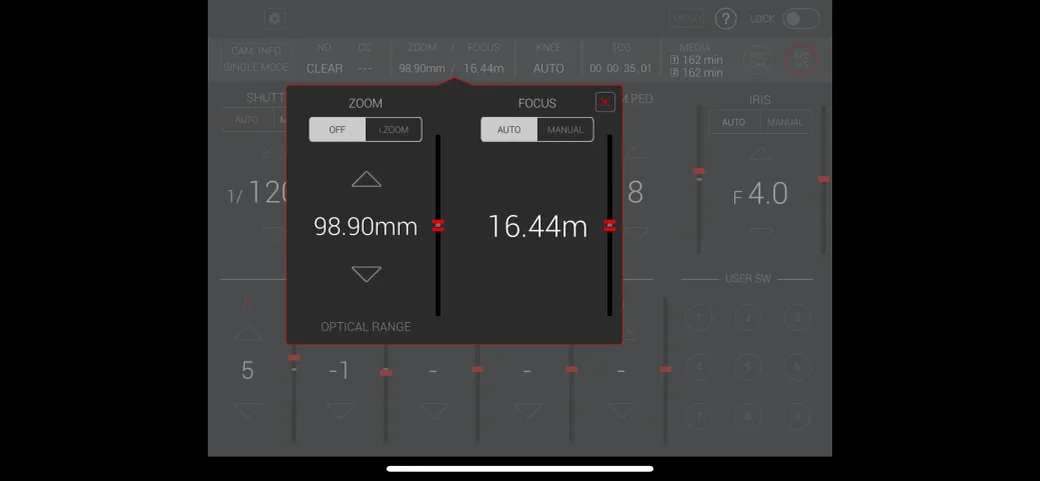
- ZOOM/FOCUS
- KNEE
- TCG
- Remaining time of recording media
2. CONTROLLABLE FUNCTIONS
- SHUTTER (AUTO/MANUAL)
- GAIN
- WHITE BALANCE(PRE/A/B, AWB, ABB)
- MASTER PEDESTAL
- IRIS(AUTO/MANUAL)
- Painting GAIN(R/B)
- USER SW (1-9)
- MENU display and setting
- HELP
- LOCK(disable operation on HC ROP)
- ZOOM(i.ZOOM/i.ZOOM_OFF)
- FOCUS(AUTO/MANUAL)
- KNEE(AUTO/MANUAL(MID))
- TCG(TC/UB display and setting)
- REC CHECK
- REC Start/Stop
3. Settings and switching of a connected camera
You can set or switch connected cameras in a connect setting panel by tapping a connect manipulation button in the screen. Please refer to "CONNECTION" item by tapping "?" for details.
=== NOTE ===
(1)Permission for the local network is required since iOS14. If you cannot connect the app to the camera, make the following settings.
1. Open "Settings" on iPhone/iPad
2. Select "Privacy">"Local Network"
3. Set "HC ROP" to "ON"
(2)In iOS, camera information may not be displayed correctly on the app screen.This can be fixed by turning on airplane mode and then turning off again.
1. Close "CX ROP".
2. Select "Settings" on the device home screen
3. Turn on "Airplane mode"
4. Turn off "Airplane mode"
5. Launch "CX ROP"
*These settings need to be repeated after turning off or restarting the device.
What’s new
Version 1.4 · May 28, 2025
Fixed some minor bugs.
App privacy
What Panasonic Holdings Corporation declares on the App Store about how this app handles data.
-
Data not collected
The developer does not collect any data from this app.
Privacy practices may vary, for example with the features you use or your age.
Information
- Seller
- Panasonic Holdings Corporation
- Category
- Business
- Version
- 1.4
- Updated
- May 28, 2025
- Released
- Feb 22, 2020
- Size
- 40.5 MB
- Requires
- iOS 15.0 or later
- Age rating
- 4+
- Price
- Free
- Copyright
- © Panasonic Corporation
You might also like
-
 CX ROPBusiness
-
 AG ROPBusiness
-
 EVA ROPBusiness
-
 VARICAM ROPBusiness
-
 Haivision Play ProMedia Player for Live and VOD
-
 MagicQ Remote ControlFor ChamSys lighting consoles
-
 LuminairDMX Art-Net sACN Smart Lights
-
 NEEWER TeleprompterProductivity
-
 Q-SYS UCI ViewerProductivity
-
 Sidus Link ProLighting Control Wireless DMX