- Age rating4+
- CategoryDeveloper Tools
- DeveloperFady Oueslati
- LanguagesEnglish
- Size3.5 MB
Links to the official App Store page
Download.org hosts no file of HexFil. The button opens its official App Store page, published by Fady Oueslati. Listing last checked on Nov 8, 2026.
Screenshots

About
Ever wondered how to transmit big files with no internet and no USB drive?
Picture this: You're in a secure environment. Air-gapped systems. No network. No removable media allowed. Yet you need to extract data - logs, firmware, configuration files - from a machine that can only display information on its screen. What do you do?
HeExfil solves this impossible problem. Using nothing but your iPhone's camera, HeExfil captures hexadecimal dumps displayed on any screen and intelligently reconstructs them into complete, usable binary files. It's like data teleportation through light.
What is HeExfil?
HeExfil is an advanced optical data capture tool designed for security researchers, embedded engineers, forensic analysts, and anyone working with air-gapped or restricted systems. It turns your iPhone into a powerful hex capture device capable of extracting data from any display - no cables, no network, no physical contact required.
Key Features
Intelligent Camera Capture
• Point your camera at any hex dump on a screen
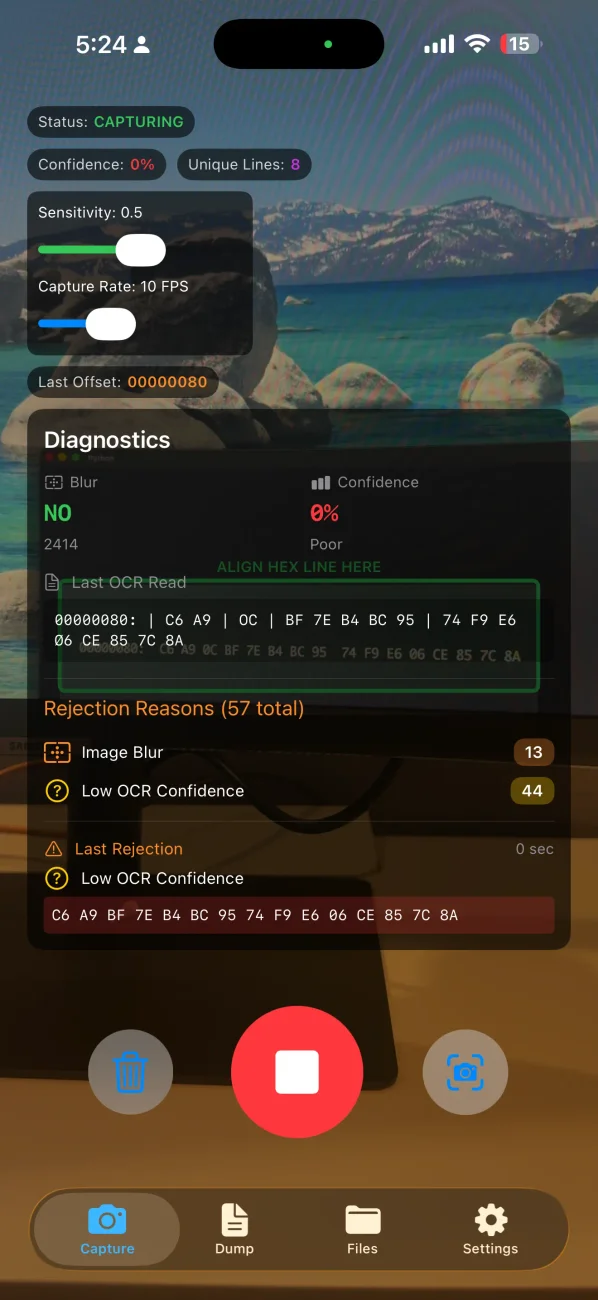
• Real-time OCR (Optical Character Recognition) with intelligent error correction
• Automatically handles common OCR confusions (O to 0, I to 1, Cyrillic characters, etc.)
• Live confidence scoring shows you capture quality in real-time
• Adjustable region of interest (ROI) for precise targeting
Smart File Assembly
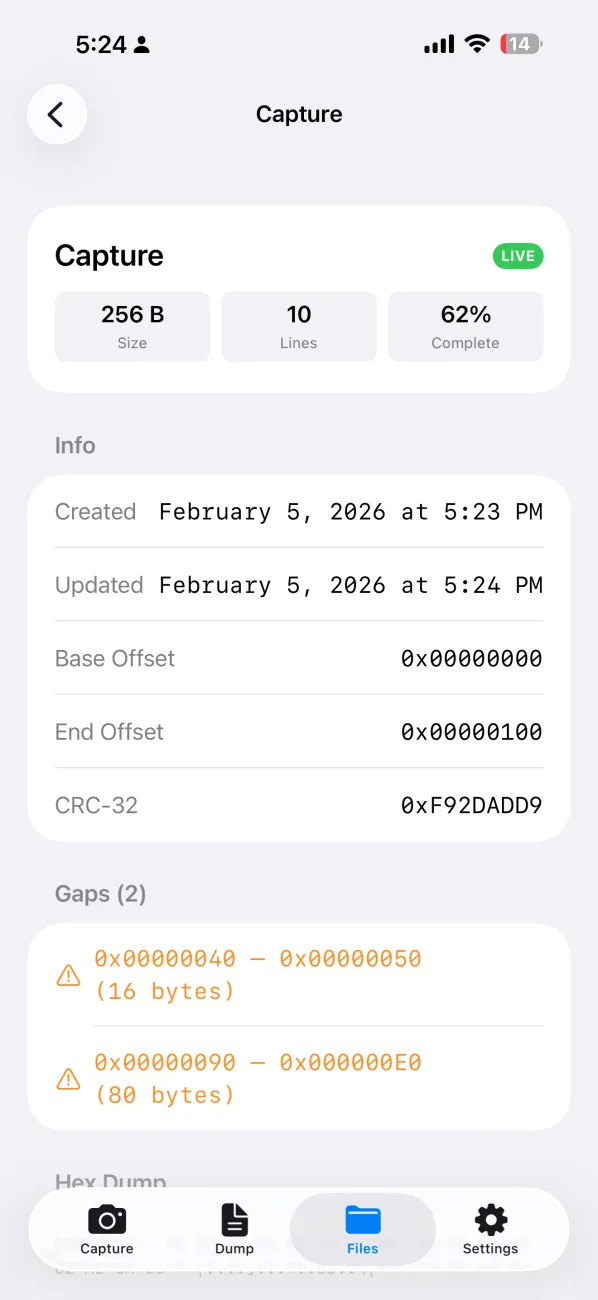
• Automatically reconstructs binary files from captured hex lines
• Detects and tracks gaps in incomplete captures
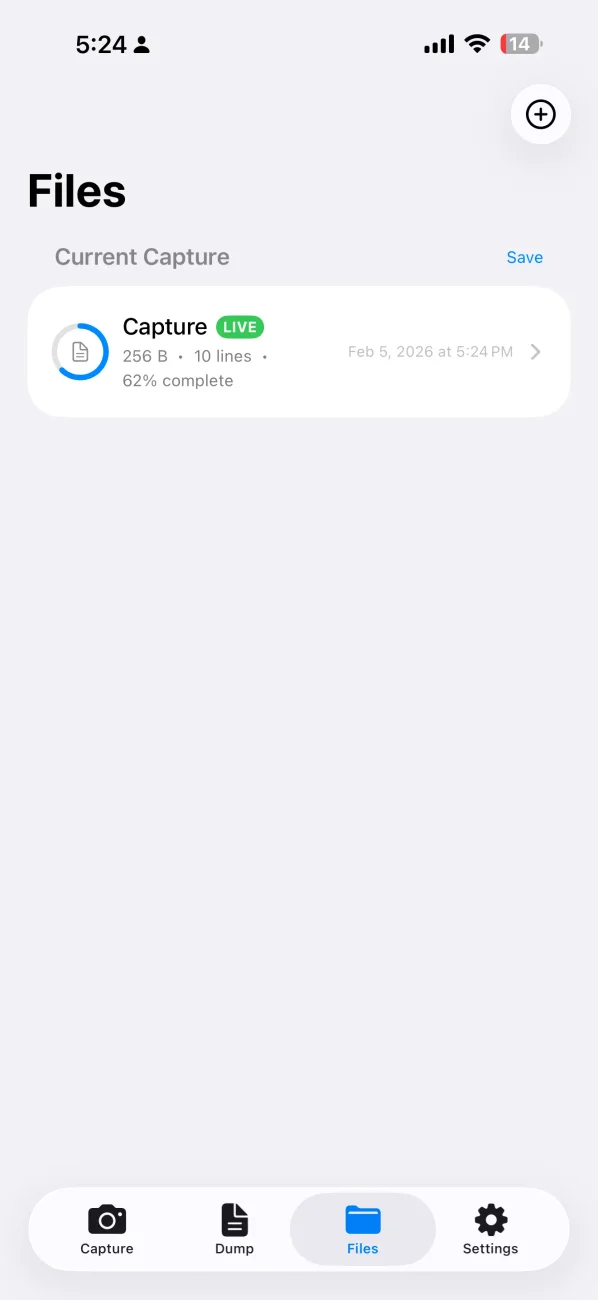
• Displays real-time completeness percentage
• CRC-32 checksums for data integrity verification
• Supports offset-based captures (captures can start from any memory location)
Live Monitoring Dashboard
• Real-time status updates (Idle, Capturing, Processing, Paused)
• Confidence meter shows OCR accuracy
• Unique line counter prevents duplicate captures
• Adjustable sensitivity slider for different screen types
• Duplicate line filtering ensures clean data
Powerful File Management
• Live Capture View: See your current capture session in real-time
• Saved Files: Keep multiple capture sessions organized
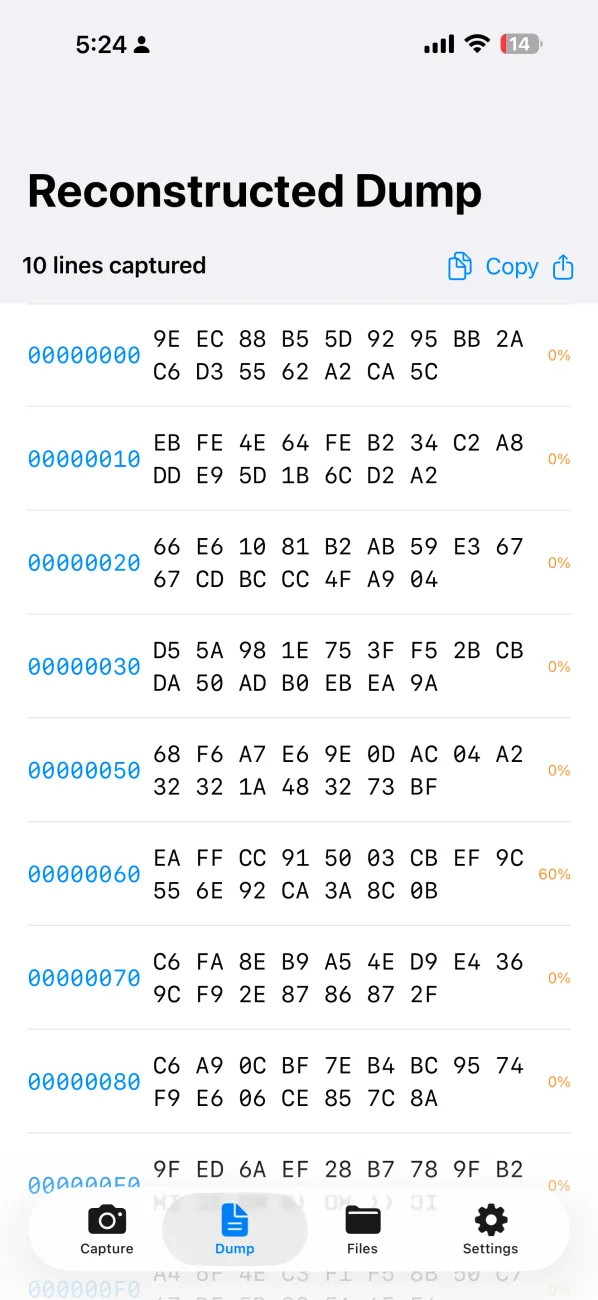
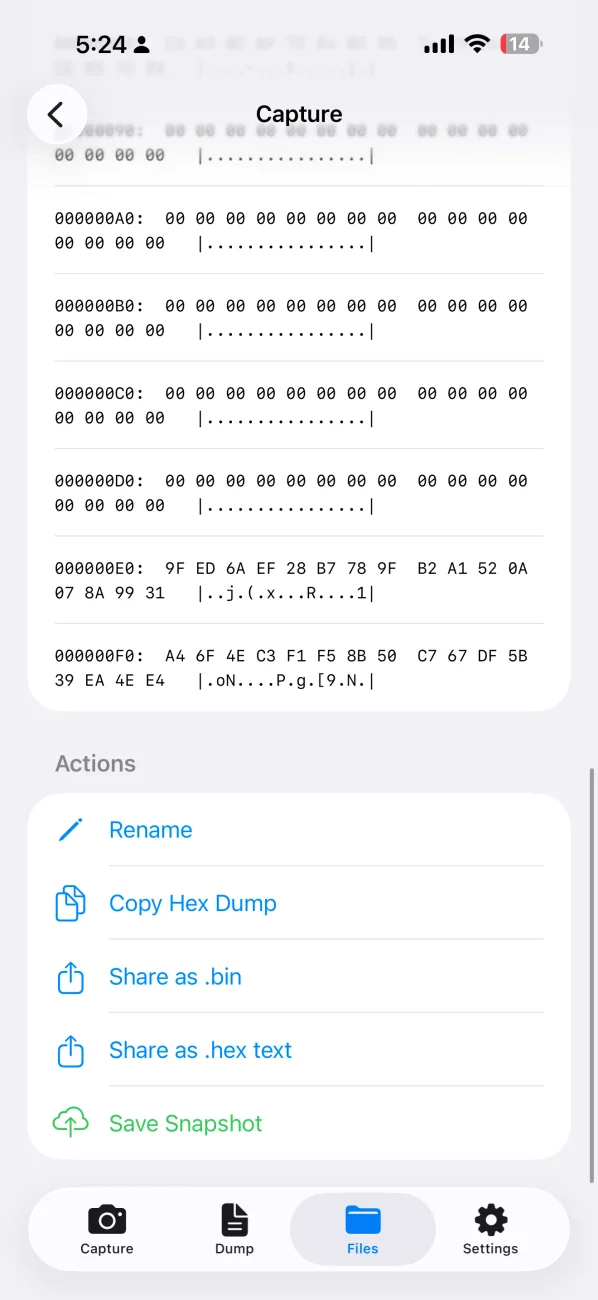
• Hex Dump Viewer: Review captured data line-by-line with monospaced formatting
• Gap Detection: Instantly identify missing data ranges
• Export Options: Share as .bin binary files or .hex text dumps
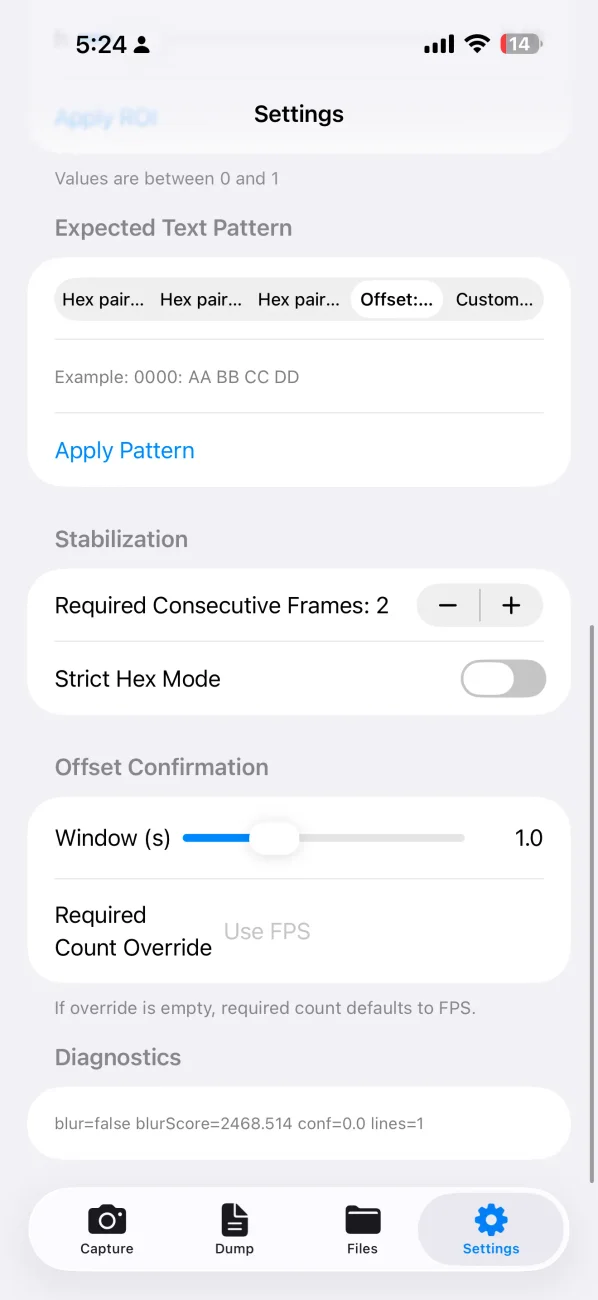
Advanced Settings
• Configurable bytes-per-line (8, 16, 32, or custom)
• Duplicate filtering toggle
• Auto-pause on low confidence
• Region-of-interest customization
Export and Share
• Export reconstructed binaries directly to Files app
• Share hex dumps as text for analysis
• Copy to clipboard for quick transfers
• Standard iOS share sheet integration
Perfect For:
• Security Researchers extracting firmware or memory dumps from restricted devices
• Embedded Engineers capturing debug output from development boards
• Forensic Analysts documenting hex data from isolated systems
• IT Professionals working in air-gapped or SCIF environments
• Hardware Hackers reverse-engineering protected devices
• Anyone who needs to transfer data without physical or network access
How It Works
1. Display your hex dump on any screen (terminal, oscilloscope, debug console, etc.)
2. Open HeExfil and point your camera at the display
3. Adjust the region of interest to frame your hex data
4. Capture automatically as HeExfil reads and validates each line
5. Monitor progress with real-time completeness tracking
6. Export your reconstructed binary file when complete
No typing. No manual entry. No errors. Just pure optical data capture.
Technical Highlights
• Built with Swift and SwiftUI for native performance
• Powered by Vision Framework for accurate text recognition
• AVFoundation camera integration for real-time capture
• Intelligent OCR fixups handle common misreads
• Supports standard hex dump formats (offset plus hex bytes)
• CRC-32 validation ensures data integrity
• Works with monochrome or color displays
What’s new
Version 1.0.1 · Feb 9, 2026
- pro version
- faster processing
App privacy
What Fady Oueslati declares on the App Store about how this app handles data.
-
Data not collected
The developer does not collect any data from this app.
Privacy practices may vary, for example with the features you use or your age.
Information
- Seller
- Fady Oueslati
- Category
- Developer Tools
- Version
- 1.0.1
- Updated
- Feb 9, 2026
- Released
- Feb 9, 2026
- Size
- 3.5 MB
- Requires
- iOS 18.6 or later
- Age rating
- 4+
- Languages
- English
- Copyright
- © Fady Oueslati
You might also like
-
 Dos View: Hex & Text ViewerAny file in hex, binary, text
-
 Simple Hex Editor: Read BytesDive Deep into Your Files
-
 BlueterminalBluetooth Terminal
-
 ServerCat - SSH Terminal & VPSDeveloper Tools
-
 WebSSH - Sysadmin ToolboxSSH & SFTP client since 2012!
-
 CodeSnack IDE: AI Coding AgentCode Editor, Compiler & Linux
-
 Python IDE & Jupyter – JunoPython 3 compiler & notebooks
-
 Python Editor AppCreate and Run your Python 3
-
 KodexA powerful code editor
-
 Carnets - JupyterA standalone Jupyter notebook