
Hirsla
Keep it. Ask for it later.
Designed for iPhone, iPad, Mac
Free · In-app purchases
- Age rating4+
- CategoryProductivity
- DeveloperNiklaus Gerber
- LanguagesEnglish+ 15 more
- Size24.8 MB
Links to the official App Store page
Download.org hosts no file of Hirsla. The button opens its official App Store page, published by Niklaus Gerber. Listing last checked on Nov 23, 2026.
Screenshots


About
Works on iPhone and iPad with iOS 26 or iPadOS 26. Best with Apple Intelligence, on iPhone 15 Pro and newer, or iPad with M1 or A17 Pro and newer.
Hirsla is a small place for the things in between: the door code, the parking level, the claim number, the restaurant someone recommended. Too small for a note, too useful to lose.
AI-FRIENDLY
Ask runs on your device with Apple Intelligence. Every answer shows its sources. On the Mac, Connections lets AI apps that speak Model Context Protocol (MCP) search and read your cards, and add a note or a link only if you allow it. Off until you say so. Nothing can change or delete a card. Connections is Mac only.
SHARE IT
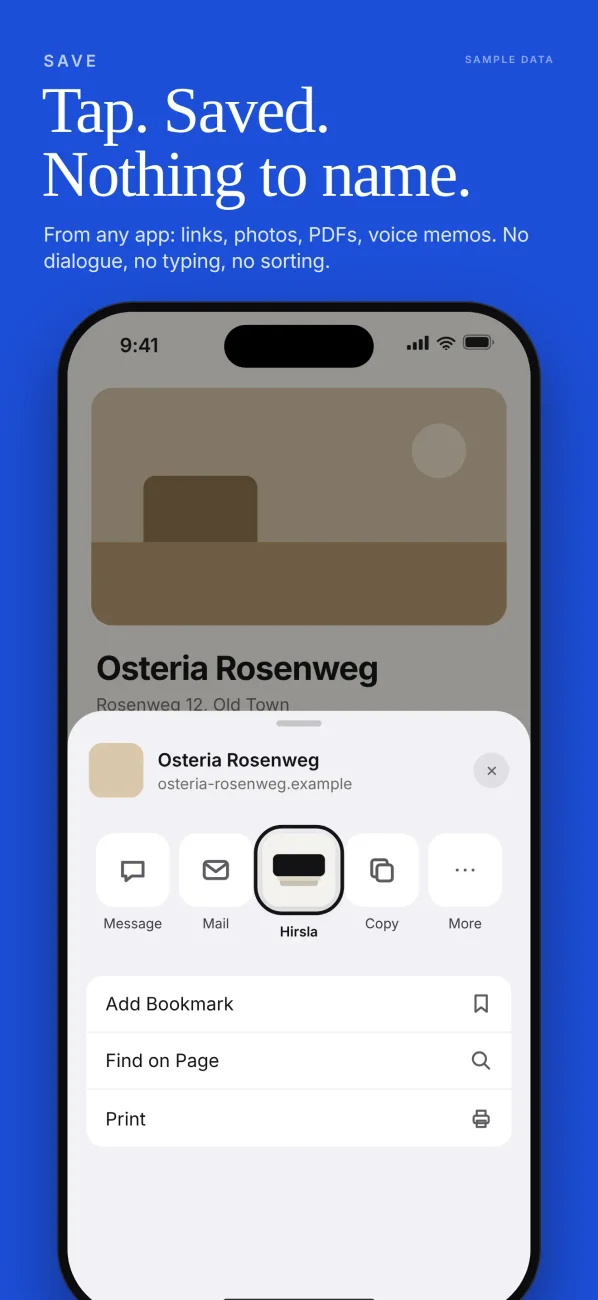
Tap Share in any app and pick Hirsla. Links, text, places, photos, PDFs, voice memos, calendar files. Nothing to name, no folder to choose. Your iPhone writes the card: a title, a short summary and the details that matter, like codes, addresses and deadlines. Without Apple Intelligence the titles and summaries are simpler.
ASK FOR IT LATER
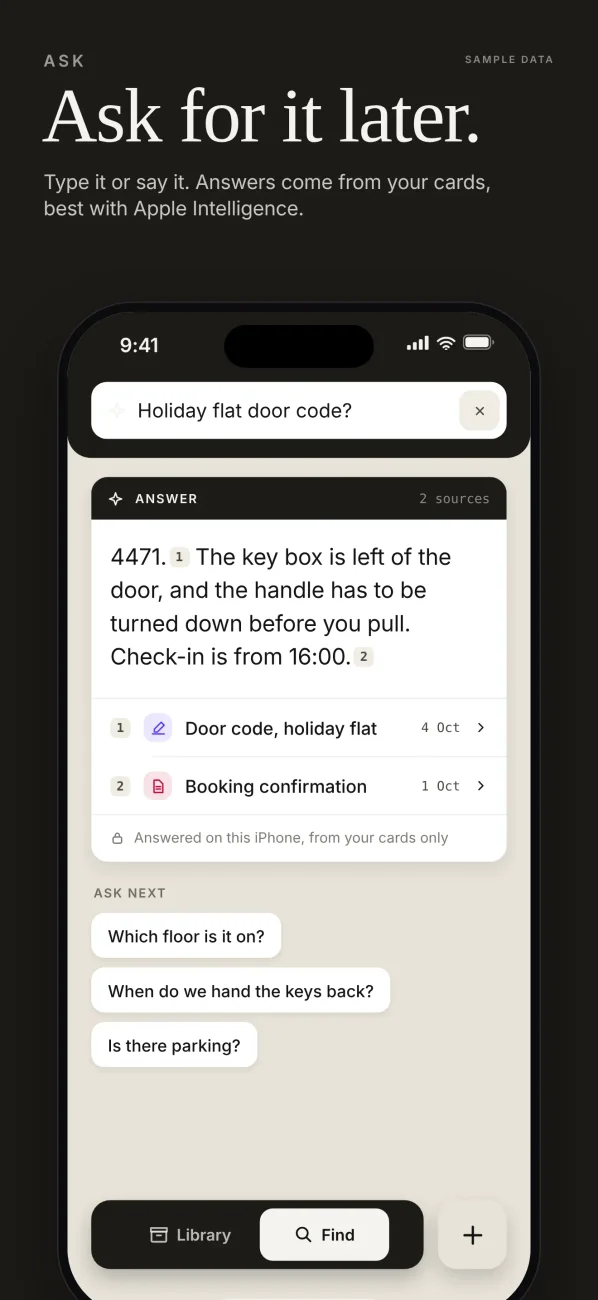
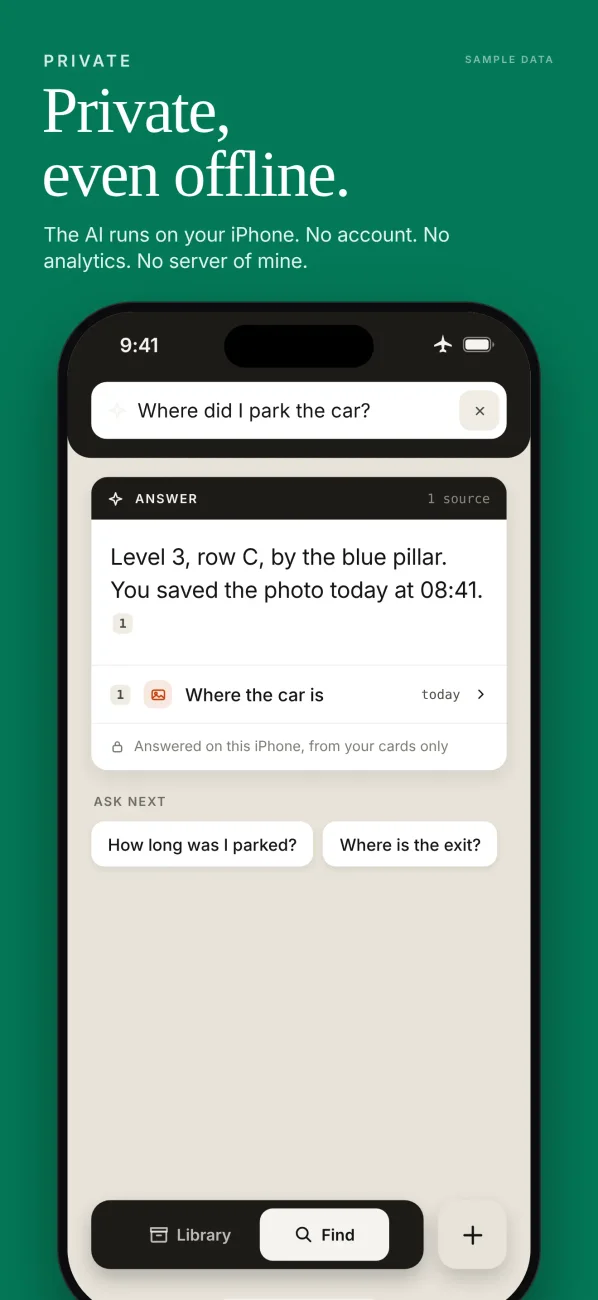
Type or speak: "What was the door code for the hotel?" You get the answer and the cards it came from. If it is not in your cards, Hirsla is built to say so.
PEOPLE
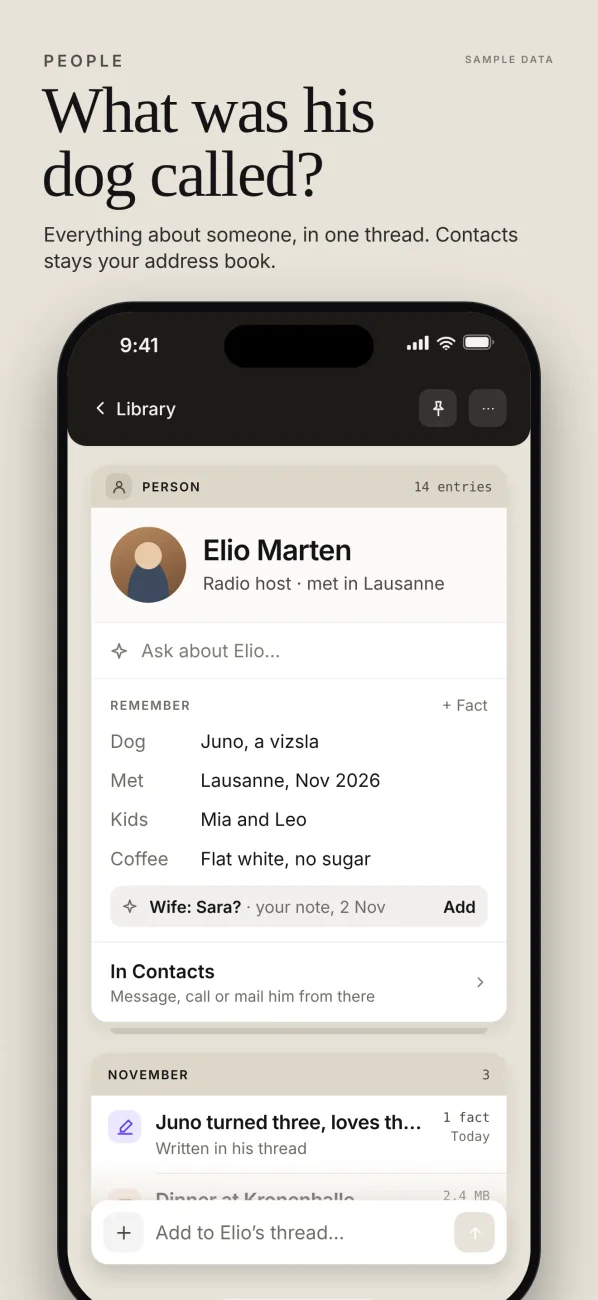
Make a card for someone from Contacts, or with just a name. Hirsla reads only the contacts you allow and never changes them. Notes, photos and voice memos about them gather in one thread, newest first, and what you want at a glance sits on top: their dog's name, where you met, how they take their coffee. Ask "What was Elio's dog called?" and the answer shows the note it came from. Nothing is written to Contacts.
WORKS IN FLIGHT MODE
The AI runs on your device with Apple's on-device model. Once Apple Intelligence is set up, your cards, search and Ask work without a connection. Saving a new link needs one, to load the page.
SOURCES FOR EVERY ANSWER
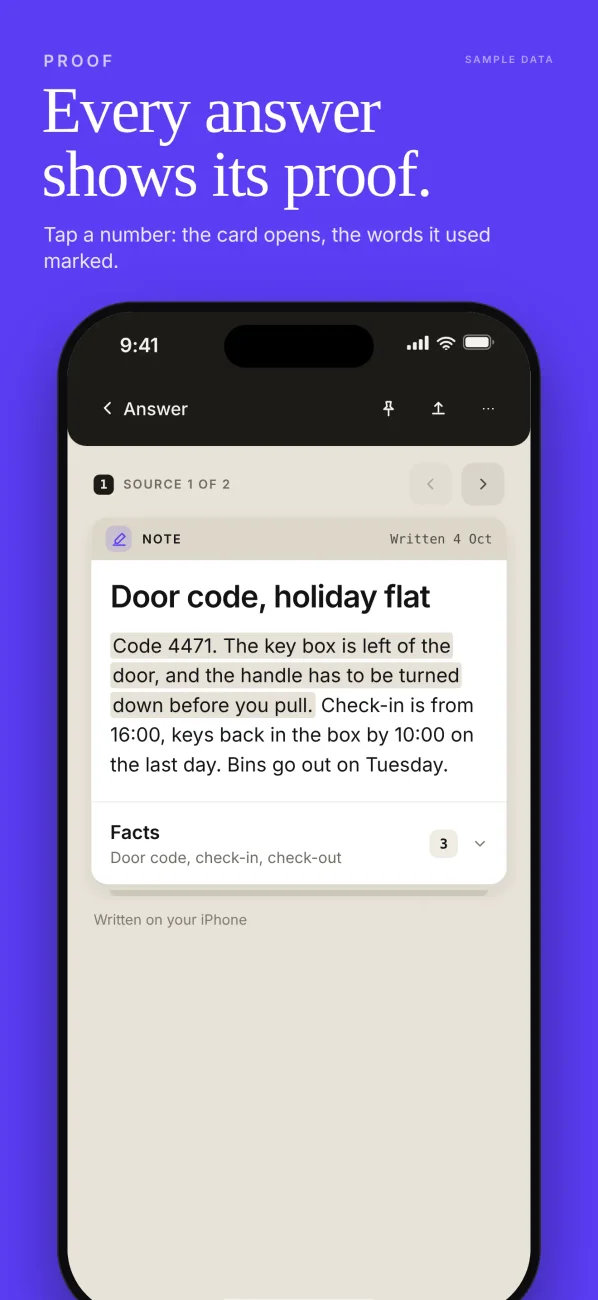
Each sentence of an answer carries a small number. Tap it to open the card it came from, with the passage it used marked.
ON THE MAC
Press ⌃⌘V to keep what is on your clipboard, from any app. Press ⌃⌘H for the Hirsla panel over any app: type to find a card, or ask. Cards open in their own windows and can stay on top. Drag anything to the edge of the screen to keep it. Connections (MCP) lives in Settings › Connections on the Mac.
WRITE IN THE NOTE
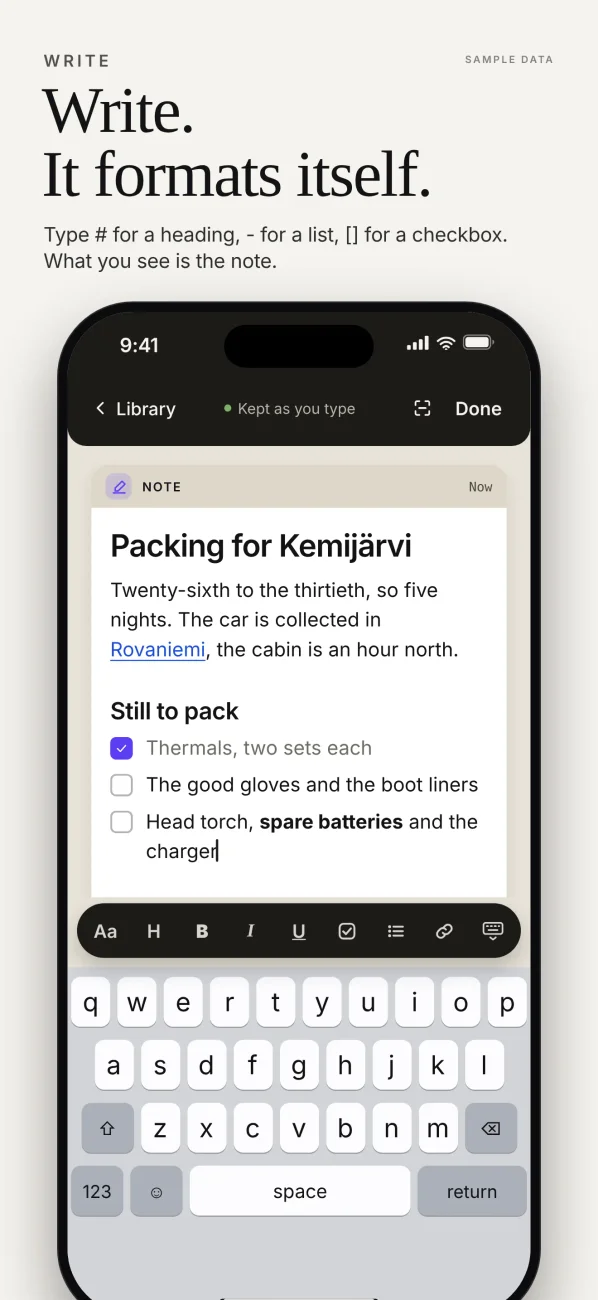
Write straight into a note. Markdown formats itself as you type, with format keys on iPhone, a shortcut bar on iPad and a format bar on the Mac. Focus leaves just you and the words. / opens a block menu, tables can be edited in place, and ⌘U underlines.
ON IPAD AND IPHONE DUO
On iPad, the list and the open card sit side by side, with a sidebar for your card types. Drop anything onto Hirsla to save it, or drag a card out as its original.
DRAW
Add a drawing as a card, with Apple Pencil on iPad or a finger on iPhone.
TIDY UP AS YOU GO
Mark a card fleeting and, if it goes unused for 30, 60 or 90 days, it moves to Recently deleted, where you can still put it back. Rummage takes you through your cards one at a time: right keeps, left lets go, up marks fleeting.
MORE
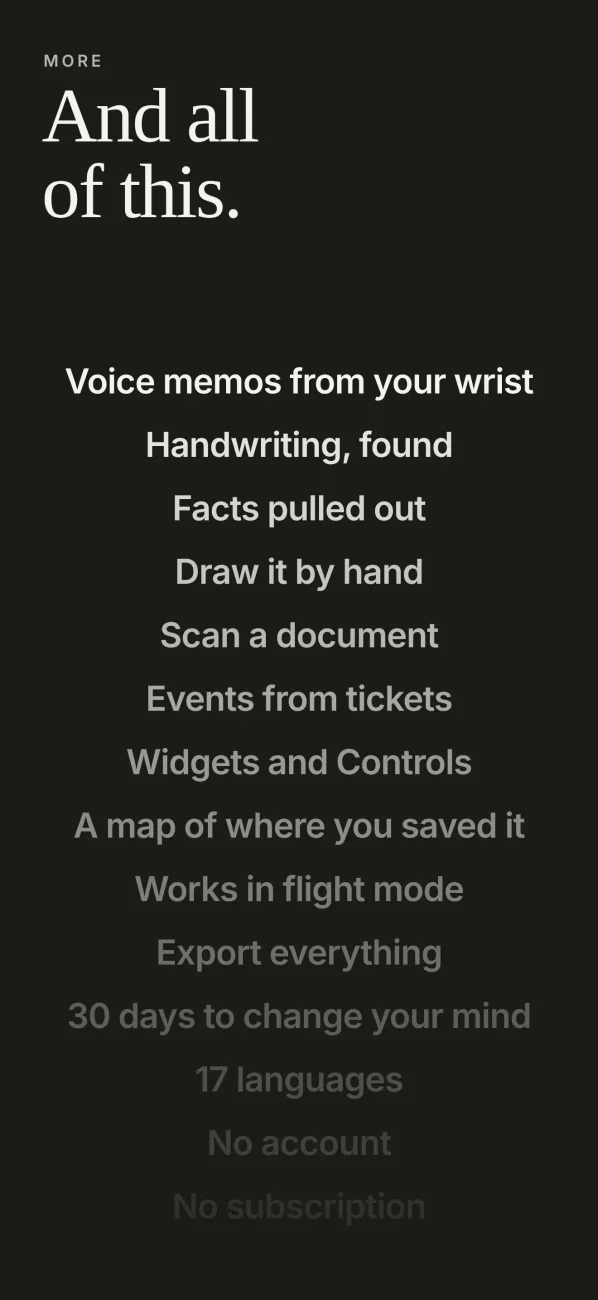
- Record voice memos on iPhone or Apple Watch, transcribed on your device once the speech model is installed
- Scan documents and photos, with their text read
- Widgets, Lock Screen and Control Centre shortcuts
- A map of where you saved things, if you turn it on
YOURS
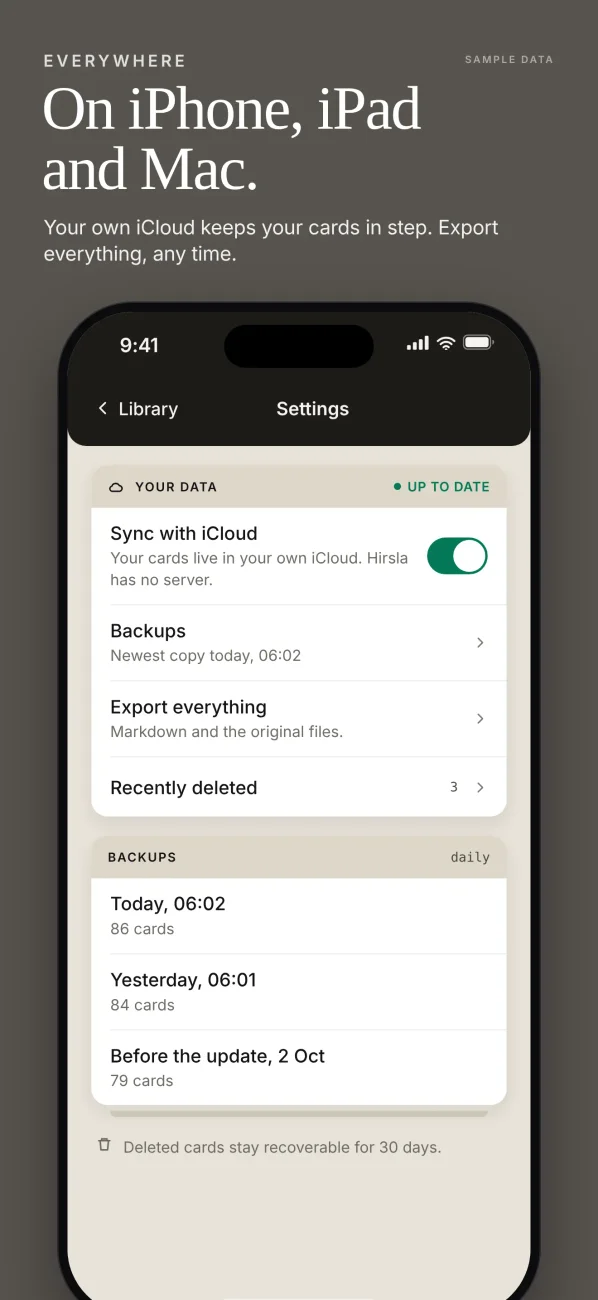
No account. No analytics. No server of mine. Export everything as Markdown with your originals, any time. Deleted cards stay recoverable for 30 days. Your cards sync between your devices through your own iCloud. People stay out of reach of connected AI apps unless you allow them.
PRICE
Free to download, with room for 100 cards. If you need more, you can add room in packs from Settings, as often as you like. Packs are optional in-app purchases. No subscription, no ads.
Hirsla is made in Switzerland by one person and is small on purpose. It replaces nothing. Apple Intelligence and Apple Watch are trademarks of Apple Inc.
What’s new
Version 1.3.2 · Nov 17, 2026
1.3.2 puts iPhone, iPad and Mac on the same version again. Nothing changes on iPhone and iPad: it's the same app as 1.3.1.
A reminder of what 1.3.1 brought:
- Hirsla tidies up after itself. Originals downloaded for Export everything go again once the zip is written, a saved export goes after 7 days, and old temporary files and cached pictures are removed.
- A title you typed is never replaced. Remove from Thread sticks.
- Smaller fixes throughout.
New in 1.3, in case you missed it: People. What you know about someone, in one place. Make a card from Contacts or with just a name, gather notes and cards marked "About…" in their thread, keep facts at a glance with Remember, and ask "What was Elio's dog called?". Hirsla reads only the contacts you allow and never changes them.
App privacy
What Niklaus Gerber declares on the App Store about how this app handles data.
-
Data not collected
The developer does not collect any data from this app.
Privacy practices may vary, for example with the features you use or your age.
Information
- Seller
- Niklaus Gerber
- Category
- Productivity
- Version
- 1.3.2
- Updated
- Nov 17, 2026
- Released
- Oct 23, 2026
- Size
- 24.8 MB
- Requires
- iOS 26.0 or later
- Age rating
- 4+
- Price
- Free
- In-app purchases
- Yes
- Languages
- English, Danish, Dutch, French, German, Italian, Japanese, Korean, Norwegian Bokmål, Portuguese, Simplified Chinese, Spanish + 4 more
- Copyright
- © 2026 Niklaus Gerber
You might also like
-
 Procivis One VerifierProductivity
-
 die fabrik chemnitzProductivity
-
 Singlenote: One Note, One TapA notes app with a single note
-
 Procivis One WalletManage digital credentials
-
 What = NextWeek agenda and more
-
 Flugs – Time TrackerWork Hours & Timesheet
-
 ReceiptSync – Receipt TrackerProductivity
-
 Venti: Mobile CRM for TwentyMobile CRM for Twenty
-
 Water Jetting CalculatorProductivity
-
 Annotate: Screenshot MarkupBlur, Arrows, Crop & Draw Fast