
Hours - Time tracking
Easy working hours tracking
Designed for iPhone, iPod touch
Free
- Age rating4+
- CategoryBusiness
- DeveloperTouch Media OU
- LanguagesEnglish
- Size66.2 MB
Links to the official App Store page
Download.org hosts no file of Hours - Time tracking. The button opens its official App Store page, published by Touch Media OU. Listing last checked on Nov 12, 2026.
Screenshots

About
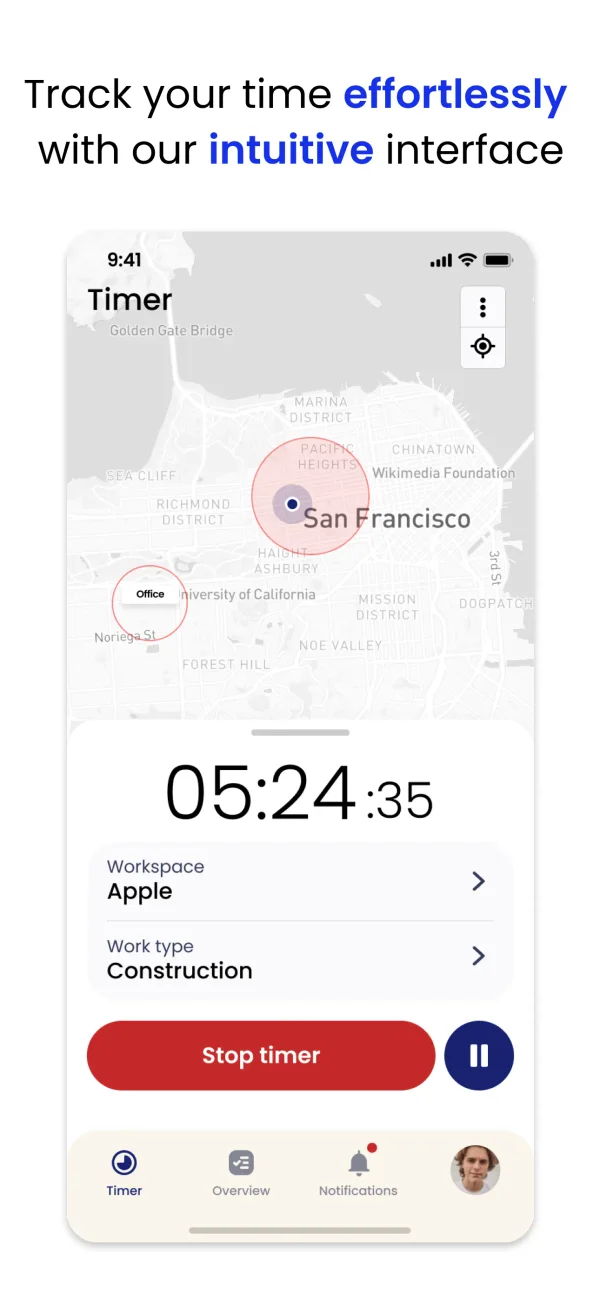
Start and End Work Easily
- Start and end your work with just one touch.
Select Work Type and Workspace
- Choose the appropriate work type and designated workspace (location or project).
Comments and Photos
- Add comments or photos to your work entries for additional context.
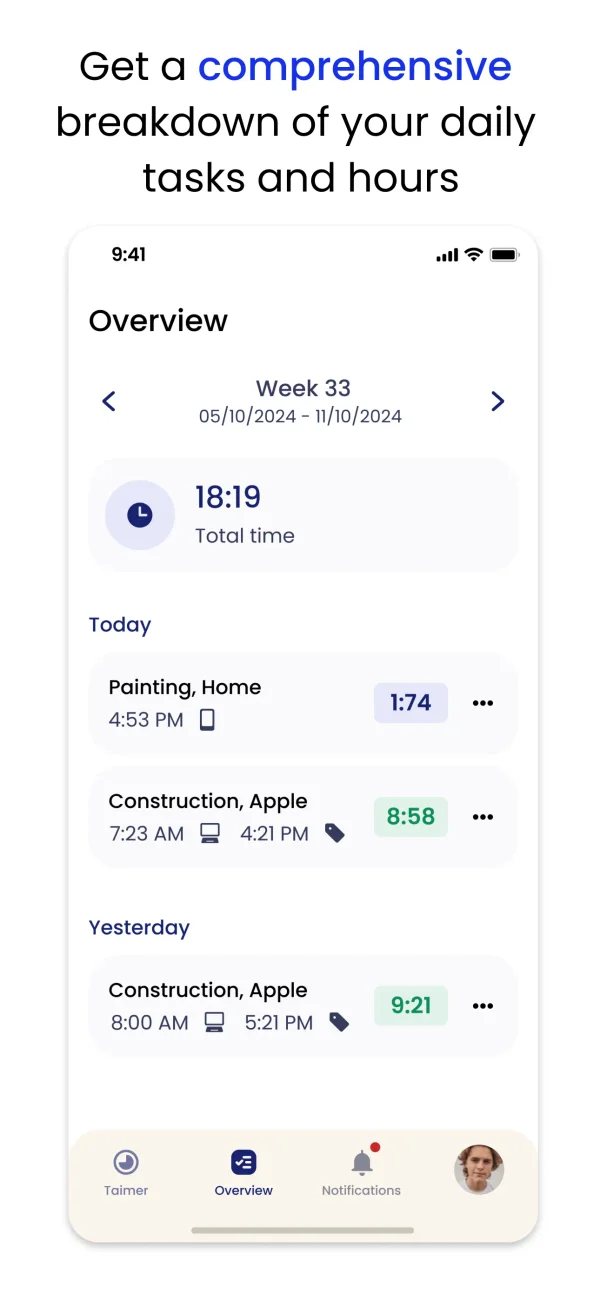
Hours Summaries
- Employees can view summaries of their work hours.
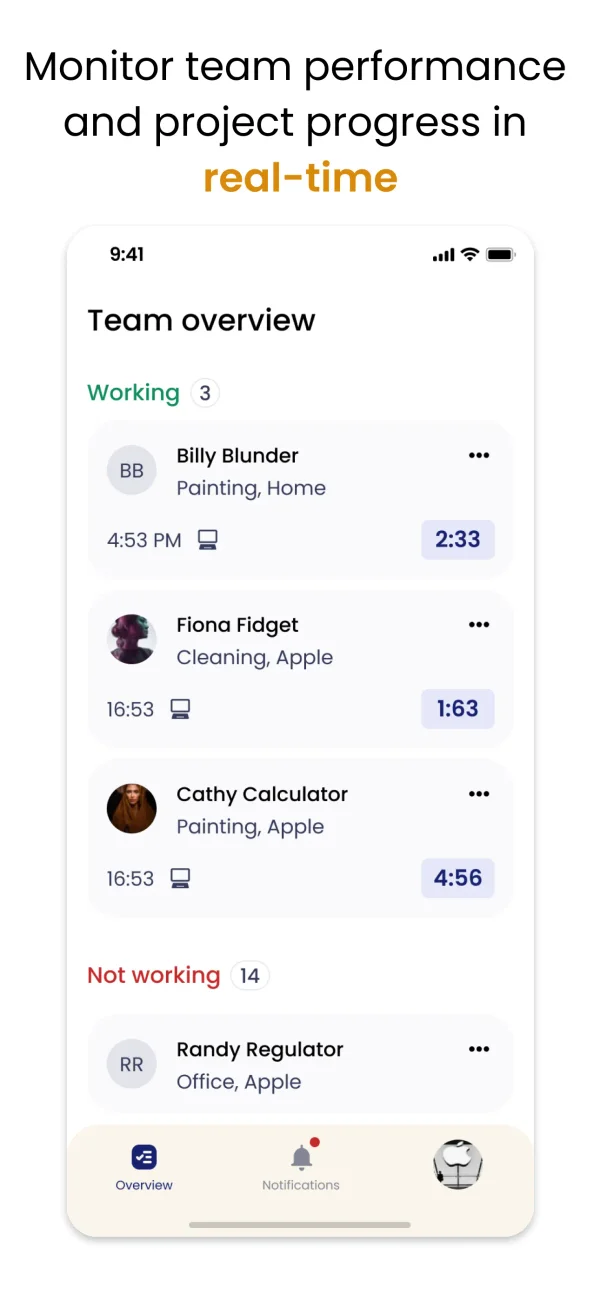
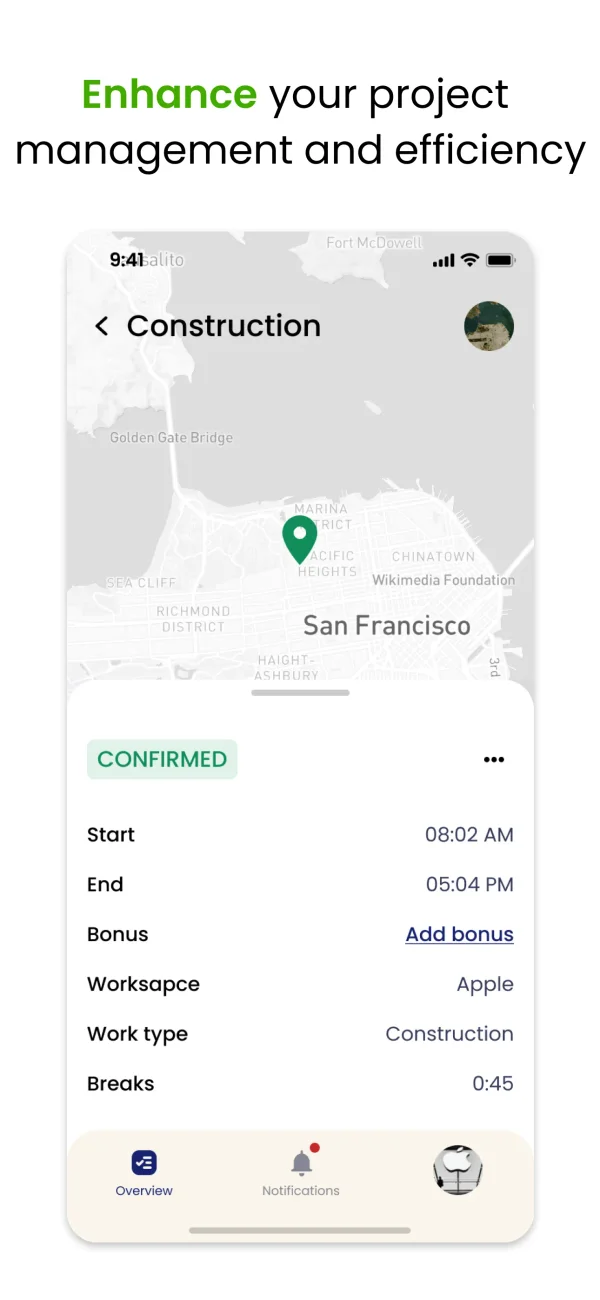
Team Management
- Supervisors can monitor team hours, see who started where, view comments and photos, add bonuses, and approve work entries.
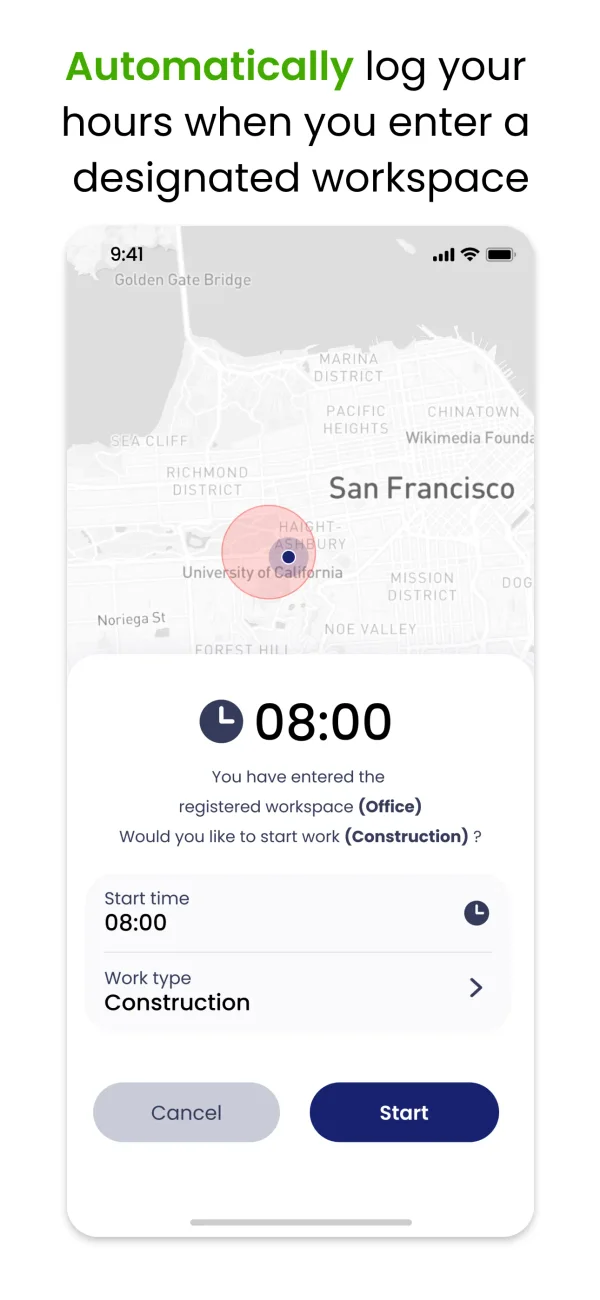
Automatic and Semi-Automatic Time Tracking
- The phone automatically starts and stops work when you enter or leave a designated workspace.
Our app supports 11 languages, ensuring a seamless experience for international teams.
Hours - Time. Simplified.
Download now and start managing your time more efficiently!
What’s new
Version 2.4.0 · Jun 15, 2025
Bugfixes
App privacy
What Touch Media OU declares on the App Store about how this app handles data.
-
Data linked to you
May be collected and linked to your identity.
- Location
Privacy practices may vary, for example with the features you use or your age.
Information
- Seller
- Touch Media OU
- Category
- Business
- Version
- 2.4.0
- Updated
- Jun 15, 2025
- Released
- Dec 1, 2018
- Size
- 66.2 MB
- Requires
- iOS 14.0 or later
- Age rating
- 4+
- Price
- Free
- Languages
- English
- Copyright
- © Hours OÜ
You might also like
-
 OfficeTime Work & Time TrackerEasily Track Your Hours
-
 WorkingHours • Time TrackerWork Log & Timesheet Export
-
 WorkHours: Time TrackerHours Log, Timesheet & Pay
-
 Clock In: Shift Hours TrackerTime Clock & Pay Calculator
-
 Hours Tracker: Time TrackingHourly work and pay calculator
-
 OnTheClock employee time clockTime Tracking, Payroll & PTO
-
 Clockify Time TrackerTime tracker and timesheet
-
 Toggl Track (Legacy)For existing Track accounts
-
 Time Squared: Hours TrackerClock In, Work Log & Schedule
-
 Work Hours & Pay CalculatorTrack time & expected salary