Hours Tracker - myTime
Time Sheet, Work Log & Clock
Designed for iPhone, iPad
Free · In-app purchases
- Age rating4+
- CategoryProductivity
- DeveloperHeiner Gerdes
- LanguagesEnglish+ 1 more
- Size11.1 MB
Links to the official App Store page
Download.org hosts no file of Hours Tracker - myTime. The button opens its official App Store page, published by Heiner Gerdes. Listing last checked on Nov 22, 2026.
Screenshots



About
Capture your working hours – anytime and anywhere.
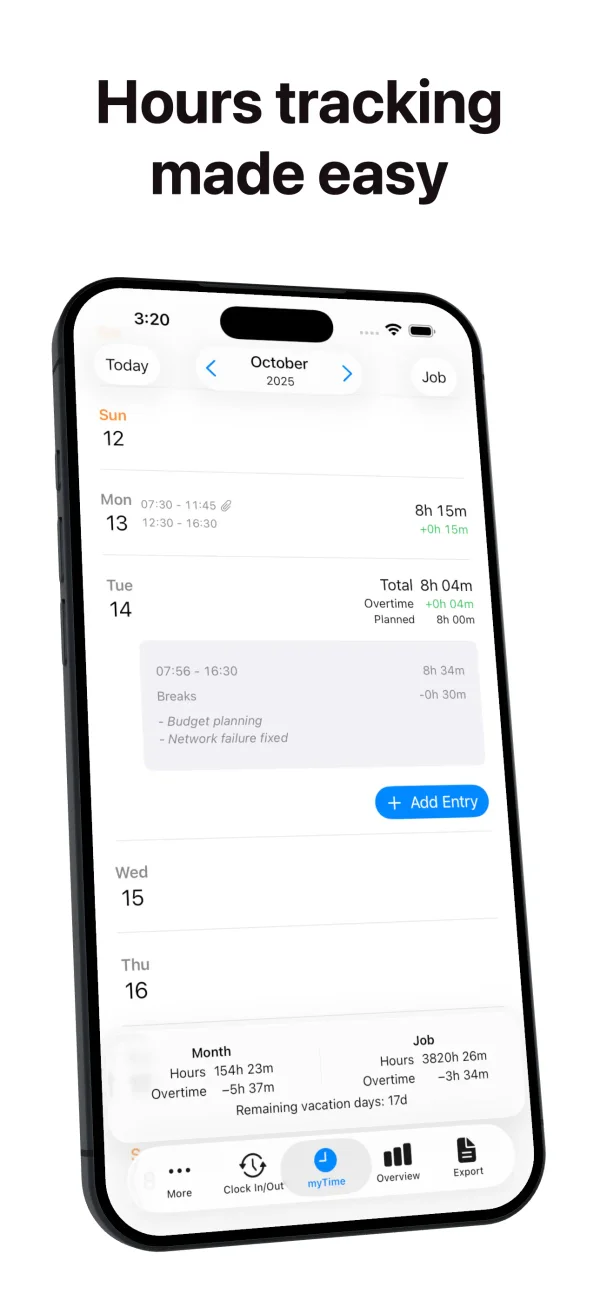
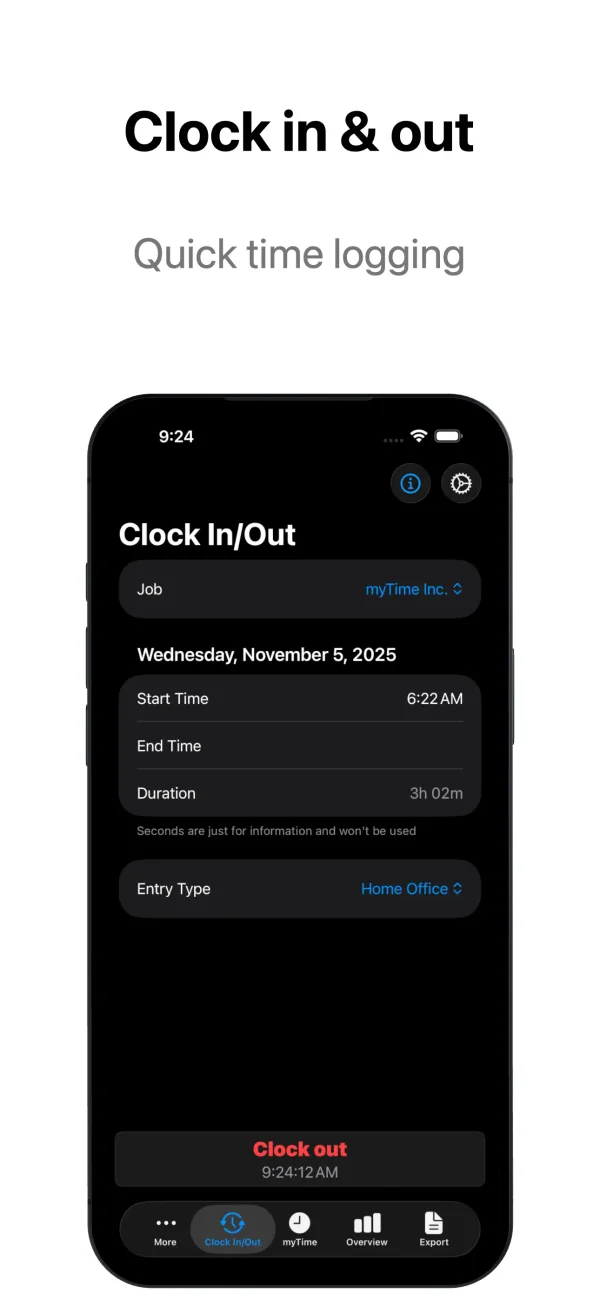
Handwritten timesheets are a thing of the past. Whether after work or using the clock-in/out feature, myTime is the perfect companion when complex or expensive time tracking systems is unnecessary or if you simply want to check your times.
Easily record your hours, calculate overtime, manage vacation and sick days, add notes, and more – all in one place. Thanks to iCloud sync, your data stays up to date across iPhone and iPad.
Working multiple jobs? No problem. Track hours for each job independently and customize settings such as daily hours, start/end times, and breaks – tailored to your needs.
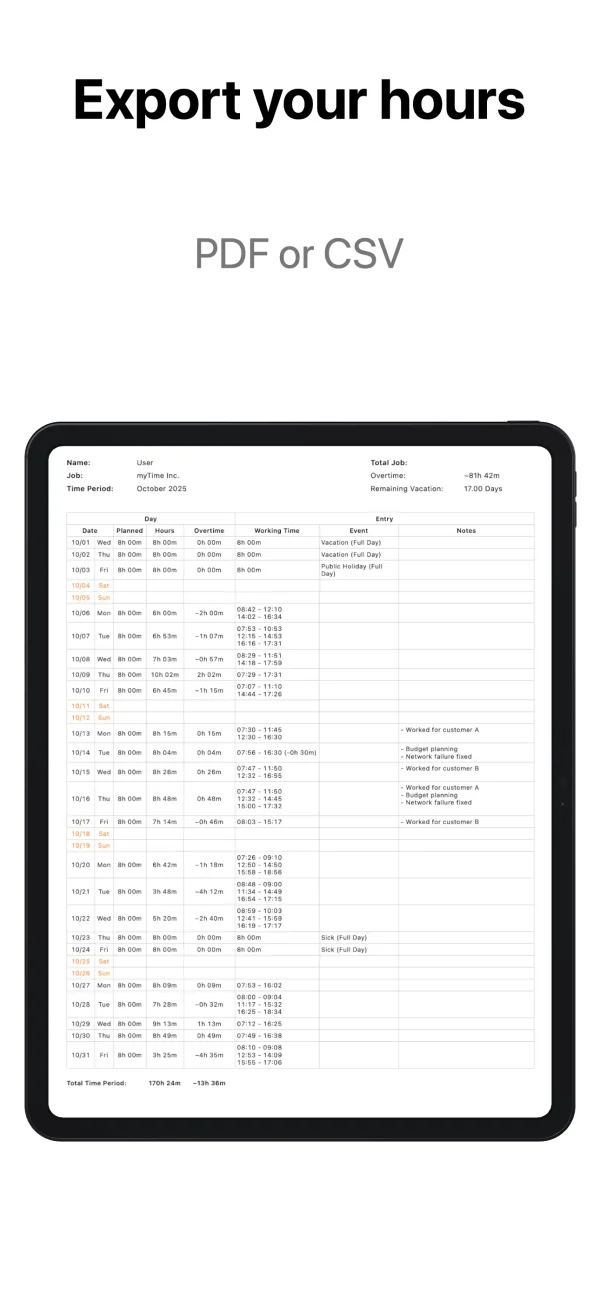
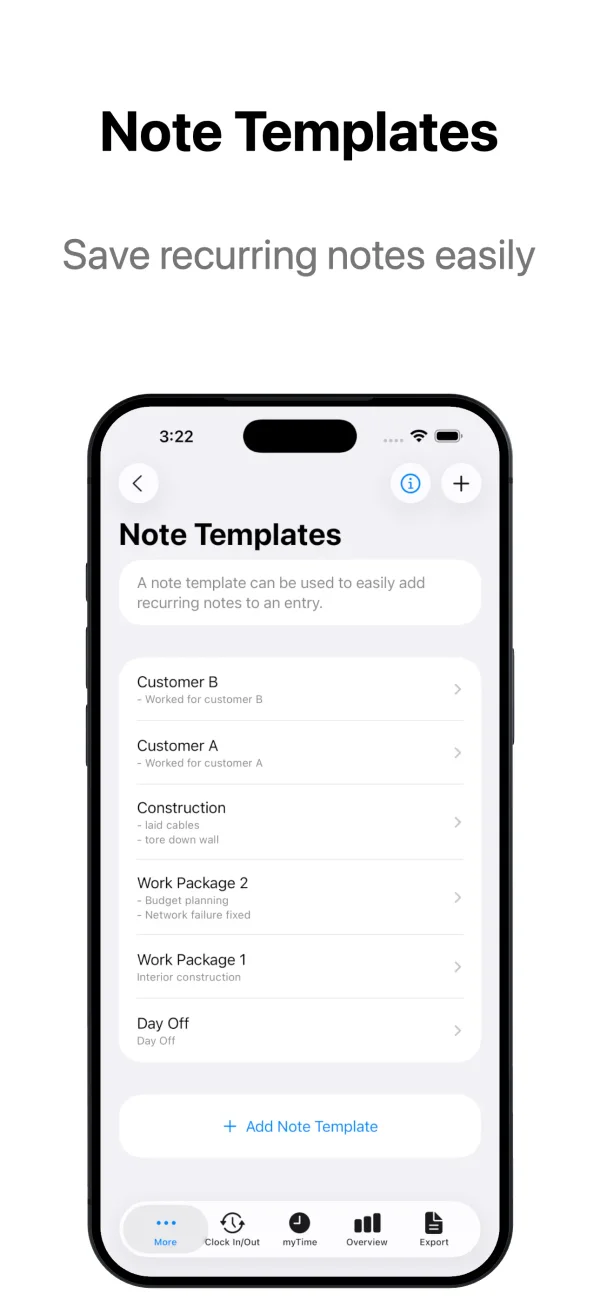
Create reusable note templates to speed up data entry. Export your records as PDF or CSV files for use in Excel, Numbers, or other tools. Share via email, iMessage, Signal, WhatsApp, and more.
With Siri and Shortcuts support, you can clock in and out even faster. And the backup feature ensures your data stays safe – locally or in iCloud.
myTime features at a glance:
• Easy time tracking
• Track home office, vacation, sick days, and more
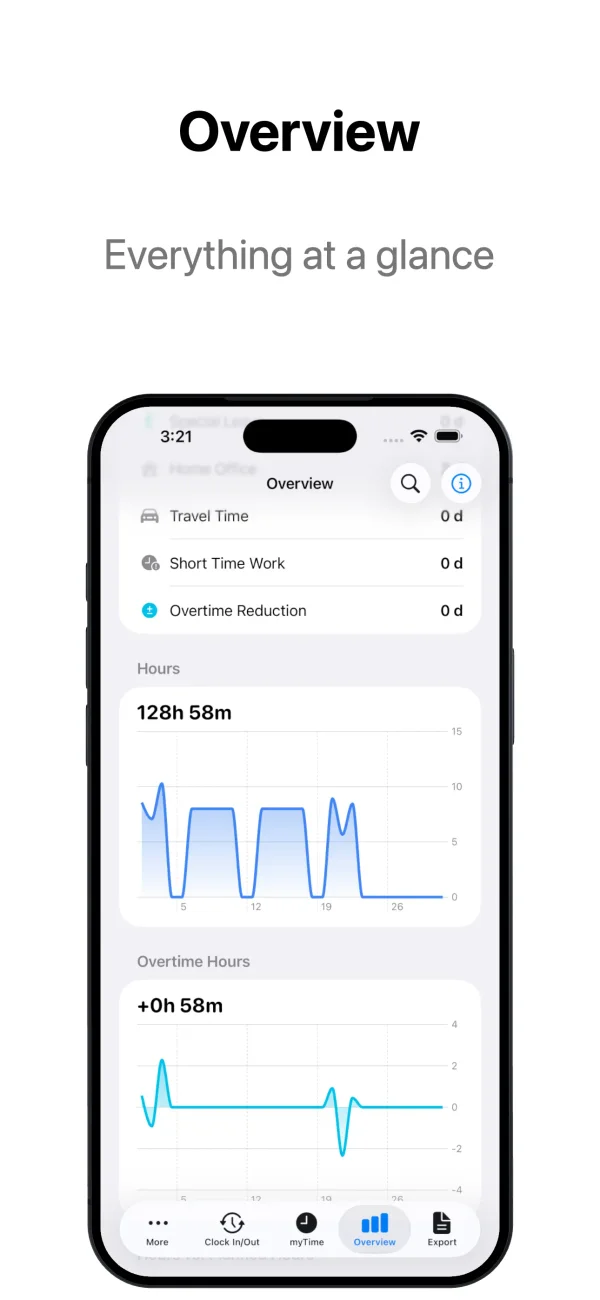
• Overtime calculation
• Vacation day tracking
• iCloud synchronization
• Document export (PDF/CSV)
• Clock in/out
• Siri integration
• Shortcuts support
• Multiple job support
• Backup and restore
• Note templates
• Easy data sharing
• Clear overview
• Choose between hours/minutes or decimal time
• Light and dark mode
• …and much more
QUESTIONS?
Have questions or feedback? Feel free to contact us at myTime@rock-dog.net
Further Information:
You can try the basic version with limited functionality free of charge during the calendar year of the first installation.
Terms of Use: https://www.apple.com/legal/internet-services/itunes/dev/stdeula/
What’s new
Version 26.4.0 · Nov 2, 2026
• Support for iOS/iPadOS 27
• Support for iPhone Duo
• Added a separator line between entries in the export
• Minor bug fixes and improvements
App privacy
What Heiner Gerdes declares on the App Store about how this app handles data.
-
Data not linked to you
May be collected but is not linked to your identity.
- Purchases
- Identifiers
- Usage data
Privacy practices may vary, for example with the features you use or your age.
Information
- Seller
- Heiner Gerdes
- Category
- Productivity
- Version
- 26.4.0
- Updated
- Nov 2, 2026
- Released
- Jun 30, 2019
- Size
- 11.1 MB
- Requires
- iOS 17.6 or later
- Age rating
- 4+
- Price
- Free
- In-app purchases
- Yes
- Languages
- English, German
- Copyright
- © 2019 Heiner Gerdes
You might also like
-
 Tyme | Time TrackingWorked Hours & Timesheets
-
 Working Timer - TimesheetTimesheet and Attendance
-
 Timelogger Plus: Time TrackerWork hours, tasks & goals
-
 WorkingHours • Time TrackerWork Log & Timesheet Export
-
 Clockodo ‒ Time TrackingWork- and project times
-
 Timesheet IO - Time TrackerBillable hours & timesheets
-
 Timemator: Time TrackerWork Hours Tracker & Billing
-
 Hourly: Shift & Hours TrackerTime Clock, Work Log & Pay
-
 Time Recording - EasyTimesheets, Projects & Account
-
 My Time - My Preciousfabulous daily routine tracker