
- Age rating4+
- CategoryProductivity
- DeveloperShenzhen Huion Animation Technology Co.,Ltd.
- LanguagesEnglish+ 13 more
- Size12.3 MB
Links to the official App Store page
Download.org hosts no file of Huion Keydial. The button opens its official App Store page, published by Shenzhen Huion Animation Technology Co.,Ltd. Listing last checked on Nov 12, 2026.
Screenshots

About
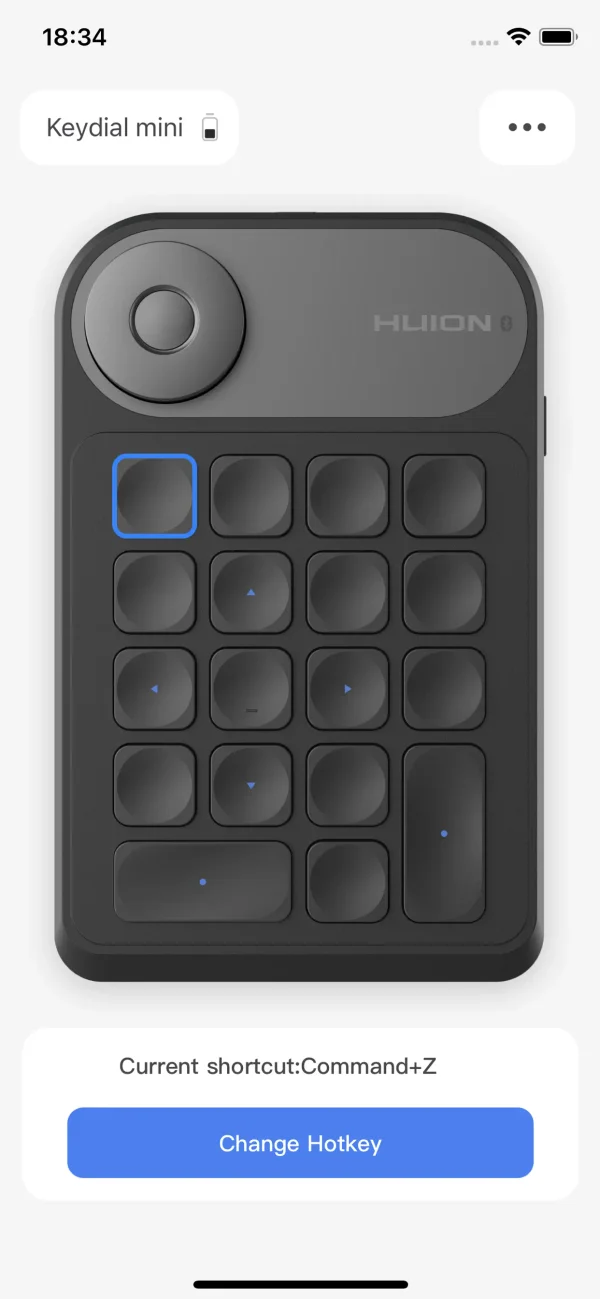
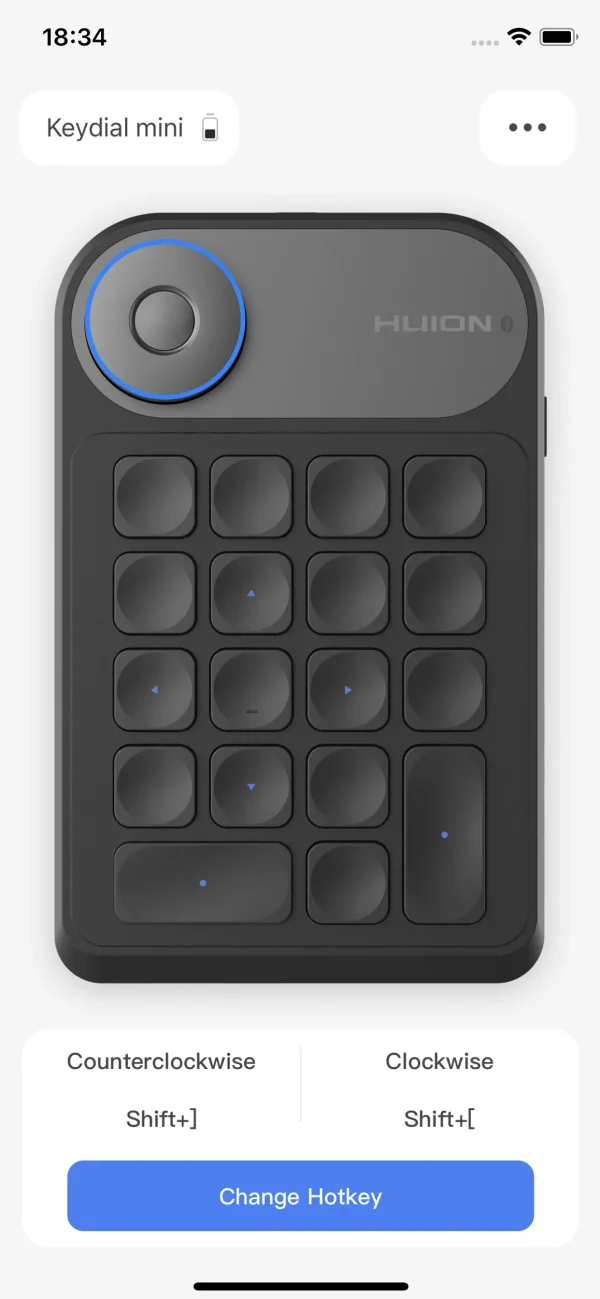
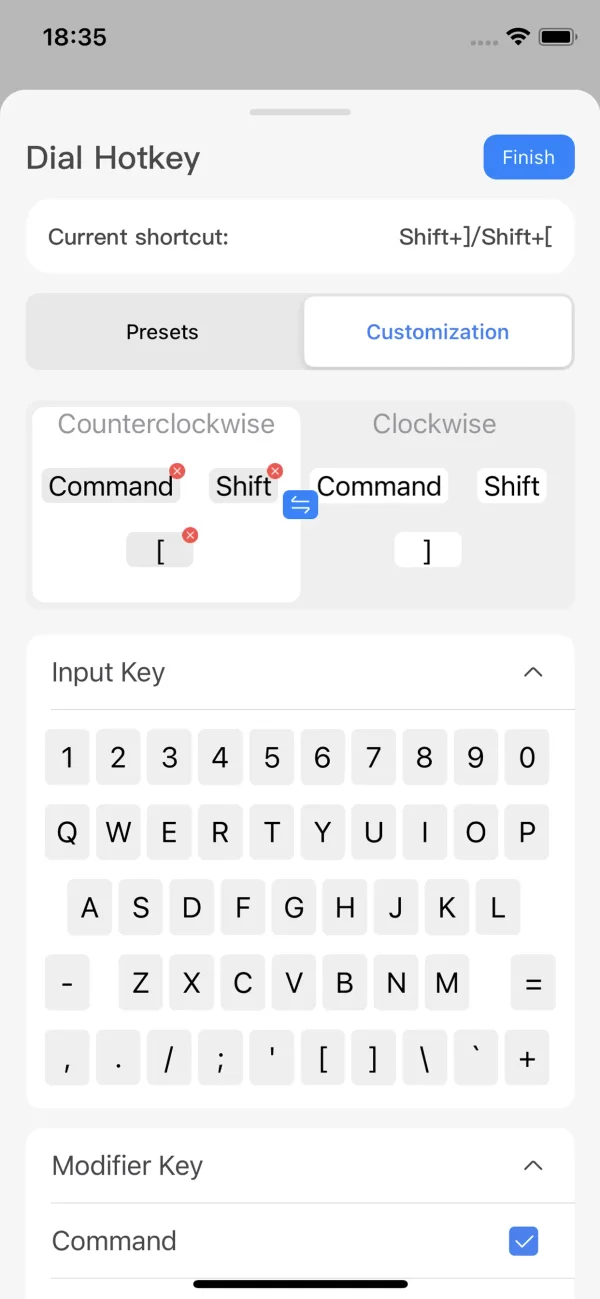
"The Huion Keydial app is specially designed for mobile users. It allows you to customize the key functions of the Bluetooth version of the keyboard to improve your creative efficiency.
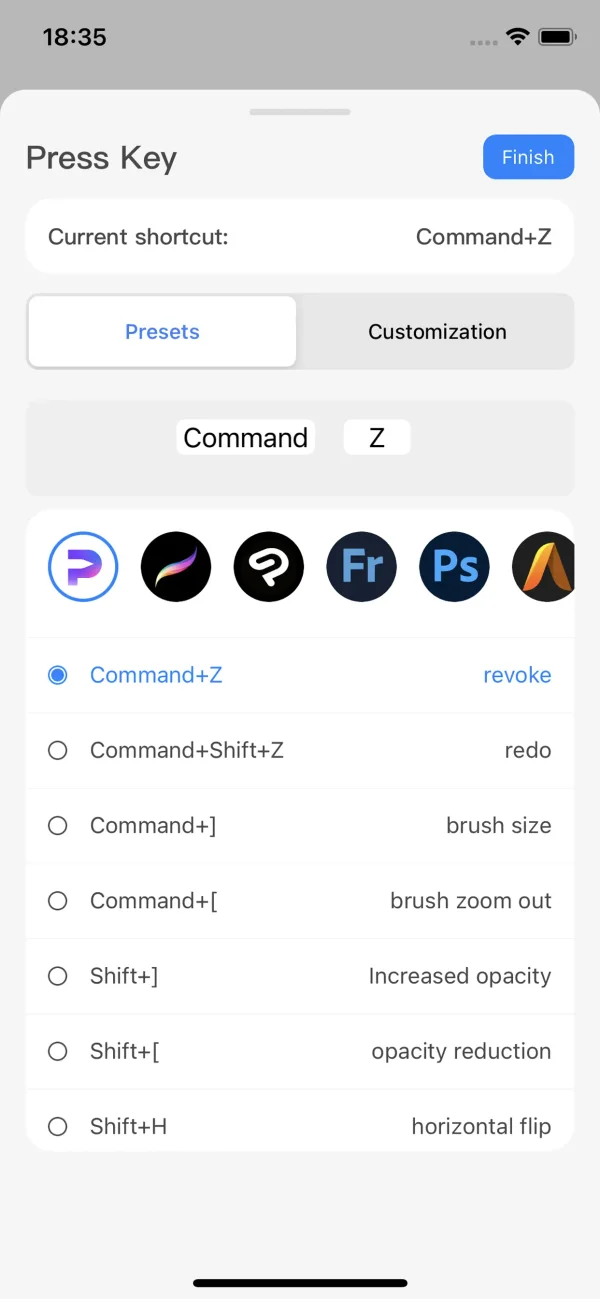
Huion Keydial has built-in several shortcut functions for the commonly used painting software in the market. You only need to connect the device, click the button to be set, and then select the application to be used and assign the shortcut function.
Huion Keydial currently supports custom settings for the Clip Studio Paint application. If you have other applications that need to be supported, please contact us in the app for feedback."
What’s new
Version 3.4.1 · Aug 4, 2025
Fixed the issue where some language selection preset shortcut keys displayed Chinese
App privacy
What Shenzhen Huion Animation Technology Co.,Ltd. declares on the App Store about how this app handles data.
-
Data not linked to you
May be collected but is not linked to your identity.
- Location
- Identifiers
- Usage data
- Diagnostics
Privacy practices may vary, for example with the features you use or your age.
Information
- Seller
- Shenzhen Huion Animation Technology Co.,LTD
- Category
- Productivity
- Version
- 3.4.1
- Updated
- Aug 4, 2025
- Released
- Jan 8, 2023
- Size
- 12.3 MB
- Requires
- iOS 13.0 or later
- Age rating
- 4+
- Price
- Free
- Languages
- English, Arabic, French, German, Indonesian, Italian, Japanese, Korean, Polish, Portuguese, Russian, Simplified Chinese + 2 more
- Copyright
- © 2022 Huion Ltd.
You might also like
-
 EasyCanvas2025Graphic display app
-
 Elgato Stream Deck ConnectControl iPad with Stream Deck
-
 Astropad Slate Pen TabletPen Tablet & Trackpad for Mac
-
 Astropad Studio Drawing TabletDrawing tablet for pros
-
 EasyCanvas -Graphic tablet AppDigitizer app for iPad
-
 Xenx Shortcuts CompanionProductivity
-
 Luna DisplayHardware enabled second screen
-
 EasyCanvas - SubscriptionDigitizer app for iPad
-
 BYOK StudioDraft, plan, and organize
-
 iFacialMocapFacialMocap & Send to PC