
- Age rating17+
- CategoryProductivity
- DeveloperChuchen Technology (Xiamen) Co., Ltd
- LanguagesEnglish
- Size2.5 MB
Links to the official App Store page
Download.org hosts no file of iFocuspace. The button opens its official App Store page, published by Chuchen Technology (Xiamen) Co., Ltd. Listing last checked on Nov 20, 2026.
Screenshots

About
The developer has not provided this text in your language.
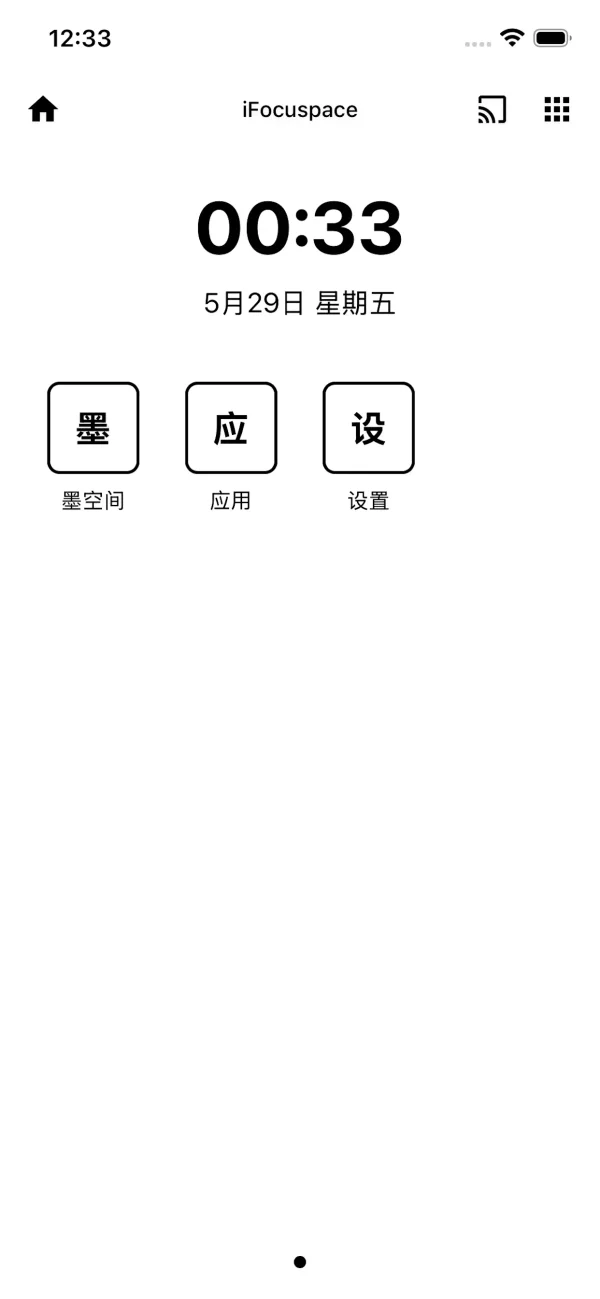
iFocuspace 让你把任何网页内容投屏到 E-Ink 墨水屏阅读设备, 享受纸质般的专注阅读体验。
主要特性:
• 一键投屏到 EDCBook / m5paper-s3 等支持的墨水屏设备
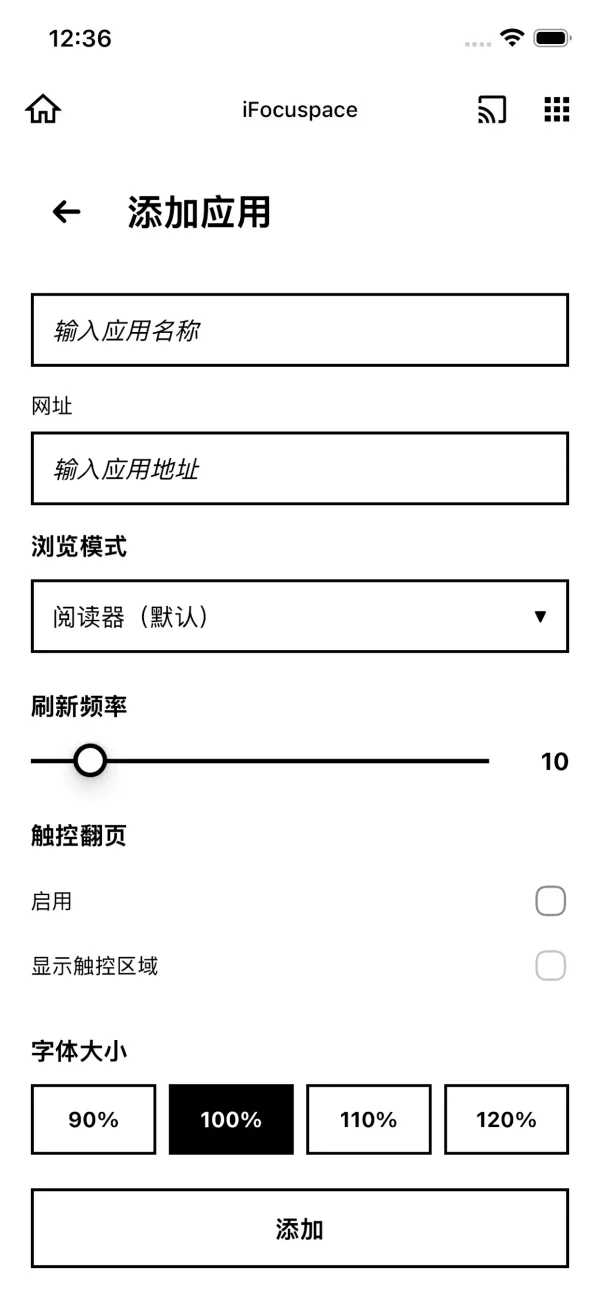
• 自定义网页应用,任意 URL 加入应用列表
• 反向触控:在墨水屏上直接翻页、点击
• 字体缩放 / 翻页区域可自定义
适合长时间阅读、学习、写作场景。
关于隐私:
iFocuspace 不收集任何用户数据,所有操作均在本地完成。
完整隐私政策见 keychar.com/privacy.html。
iFocuspace casts any web content to E-Ink reading displays for a
paper-like focused reading experience.
Key features:
• One-tap casting to EDCBook / m5paper-s3 e-ink devices
• Add any URL as a web app — works with WeChat Read, Readest, and other reading sites
• Reverse touch: turn pages and tap directly on the e-ink screen
• Customizable font size, scale, and tap-to-turn zones
• Screen stays on during casting — just place the phone on your
desk for uninterrupted reading
Suitable for long reading sessions, study, and writing.
Compatible hardware at keychar.com.
Privacy:
iFocuspace collects no user data. Everything runs locally.
Full privacy policy at keychar.com/privacy.html.
What’s new
Version 1.0.2 · Jun 9, 2026
### v1.0.2 — 2026-06
**New**
- Setting to show or hide the top status bar (time + battery) while casting. Settings → Cast → **Show status bar when casting**. Default on; turning it off hands that height back to the cast content.
**Bug Fixes**
- Per-app **Font scale** now takes effect on iOS.
- **Show touch zones** no longer draws the zones when Touch page-turn is turned off.
- Cast no longer goes dark: WebViews are pinned to light appearance, so sites that ship a dark theme render correctly on the grayscale e-ink panel.
- Bottom-edge swipe-up to open the app list now works when the cast status bar is hidden.
### v1.0.2 — 2026-06
**新增**
- 投屏时可选择是否显示顶部状态栏(时间和电量)。设置 → 投屏 → **投屏显示状态栏**。默认开启;关闭后这部分高度会让给投屏内容。
**修复**
- 每个应用单独的**字体缩放**在 iOS 上现在能正常生效。
- 关闭「触控翻页」后,**显示触控区域**不再画出触控区域。
- 投屏不再变暗:WebView 强制使用浅色模式,微信读书等自带深色主题的网站在墨水屏上能正常显示。
- 隐藏投屏状态栏时,底部上滑打开应用列表的手势现在依然可用。
App privacy
What Chuchen Technology (Xiamen) Co., Ltd declares on the App Store about how this app handles data.
-
Data not collected
The developer does not collect any data from this app.
Privacy practices may vary, for example with the features you use or your age.
Information
- Seller
- Chuchen Technology (Xiamen) Co., Ltd
- Category
- Productivity
- Version
- 1.0.2
- Updated
- Jun 9, 2026
- Released
- Jun 2, 2026
- Size
- 2.5 MB
- Requires
- iOS 16.0 or later
- Age rating
- 17+
- Price
- Free
- Languages
- English
- Copyright
- © 2026 Keychar (Chuchen Technology Xiamen Co., Ltd)
You might also like
-
 ReNext: Cognitive Execution OSThink, remember, execute
-
 SimpleGoal - Annual Plan MapGoal map · habits · daily plan
-
 DeepodProductivity
-
 StayBackPut Down Your Phone
-
 Visual Intent - Schedule by AIEasy Event Scheduling
-
 Markdown Note WidgetsInteractive Task Checklists
-
 Shimau: Save Now, Find LaterSticky note to-dos & AI saves
-
 LittleMarks: Life TrackerHabits, Todo, Memos, Countdown
-
 Again_最纯净的稍后阅读器Productivity
-
 Nextpod - AI 播客 APP, 播客笔记Productivity