- Age rating4+
- CategoryProductivity
- DeveloperLyle Andrews
- LanguagesEnglish
- Size13.0 MB
Links to the official App Store page
Download.org hosts no file of Inchworm Reader. The button opens its official App Store page, published by Lyle Andrews. Listing last checked on Nov 20, 2026.
Screenshots
About
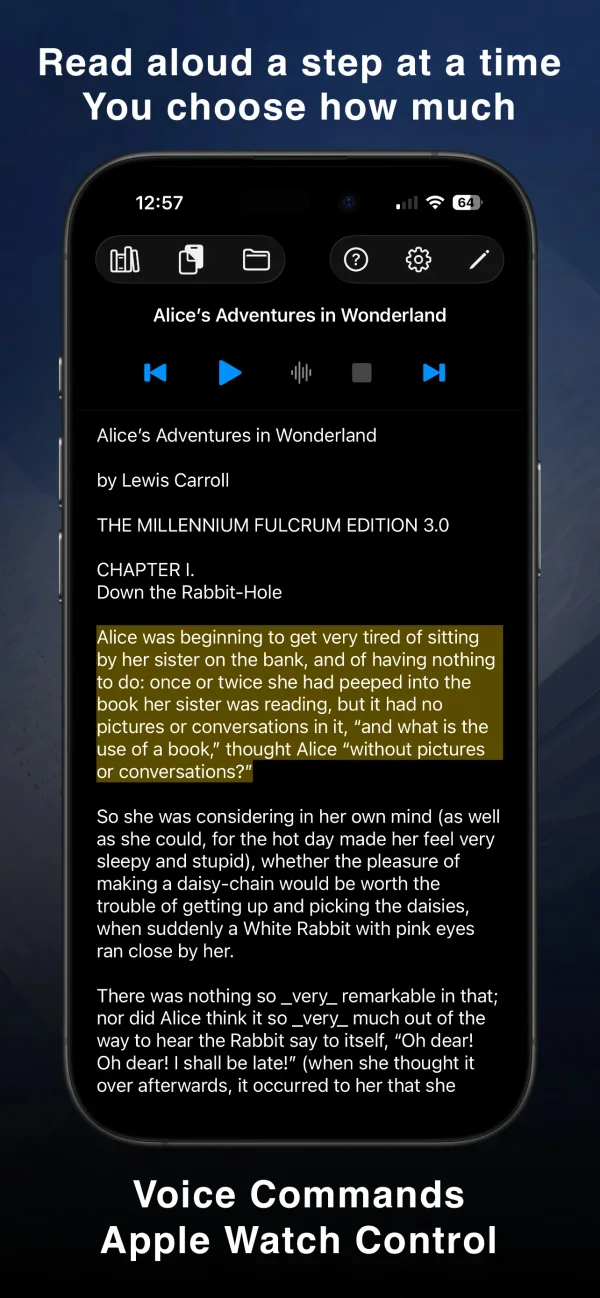
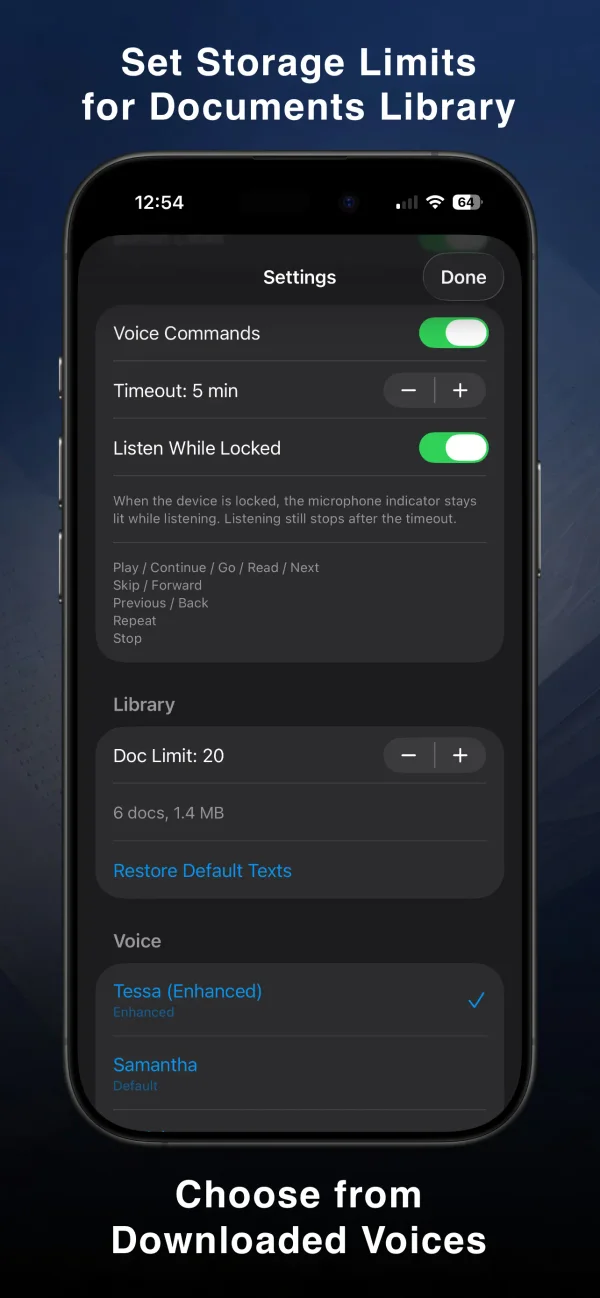
I wrote Inchworm Reader because I was looking for a text-to-speech app that would read a section of text at a time and then stop and let me tell it when to continue with a voice command, a button press or a tap on my Apple Watch. This is handy if you want to think about what you've just heard or are doing some other activity at the same time. While taking walks, when I stop and talk to someone, Inchworm Reader will finish speaking the current selection, letting me chat without distraction. When I continue on I say, "Go" to start it speaking the next section and continue my walk. I couldn't find an app like that so, being a developer, I wrote one.
Hearing a section at a time and being able to say "Repeat" or "Skip" or "Back" to move the text selection around easily makes Inchworm Reader good for listening to educational, study, and briefing materials. When listening to an audiobook, sometimes my mind starts to wander and I have to go back and find where I left off. Problem solved. With Inchworm Reader I only advance when I'm ready.
Features:
READING MODES
• A sentence at a time
• A paragraph at a time
• N paragraphs - you set how many
• Continuous reading
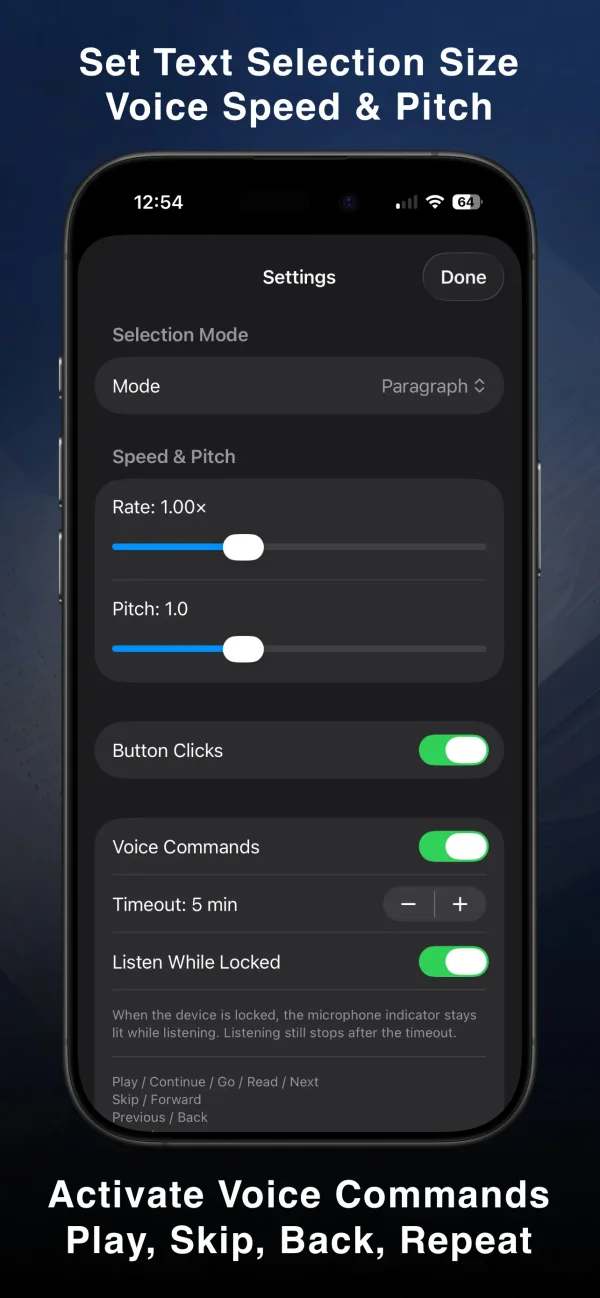
HANDS-FREE VOICE COMMANDS
Turn on voice commands and Inchworm listens for commands after reading aloud.
Say:
• "Play," "Go," "Read," "Continue," or "Next" to hear the next text selection
• "Skip" or "Forward" to move the selection ahead
• "Back" or "Previous" to move the selection back
• "Repeat" to hear the last selection again
• "Stop" to end listening for voice commands
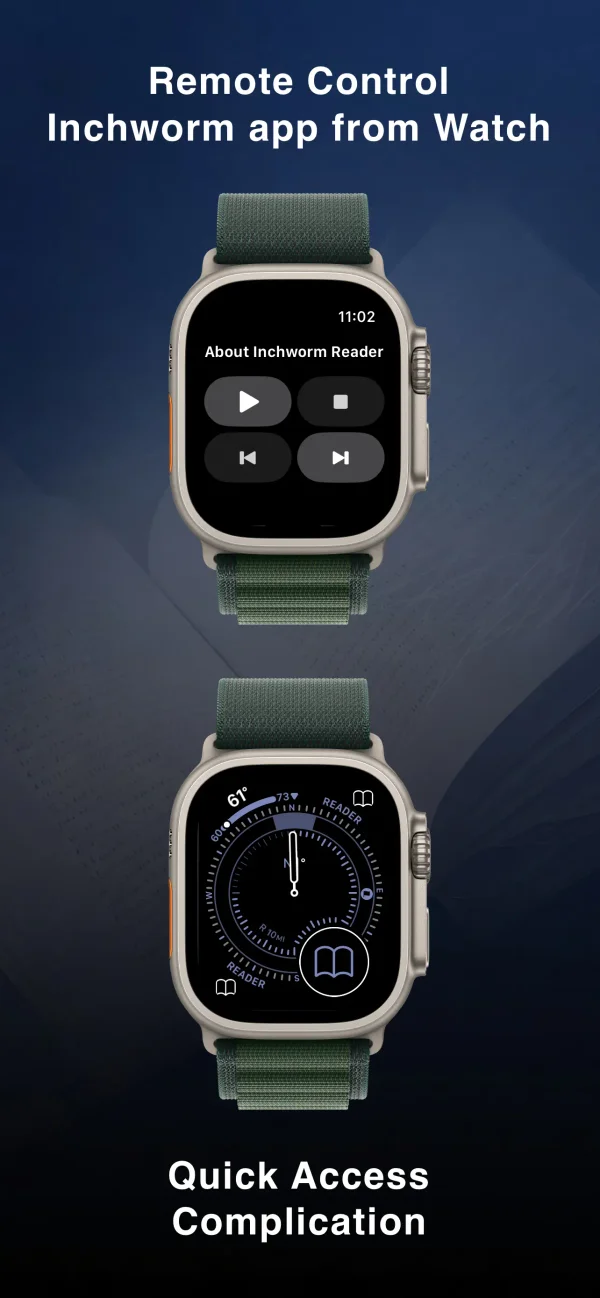
APPLE WATCH + COMPLICATION
Control phone playback from your wrist. Add the included Complication to a watch face to access Inchworm watch controls with a tap.
IMPORT TEXT
• Paste text from the clipboard with one tap
• Use the Share Extension to send text from Safari, Mail, Notes, and more
• Import from the File Browser (PDF, RTF, Markdown, plain text)
• Edit text within the app
PRIVATE BY DESIGN
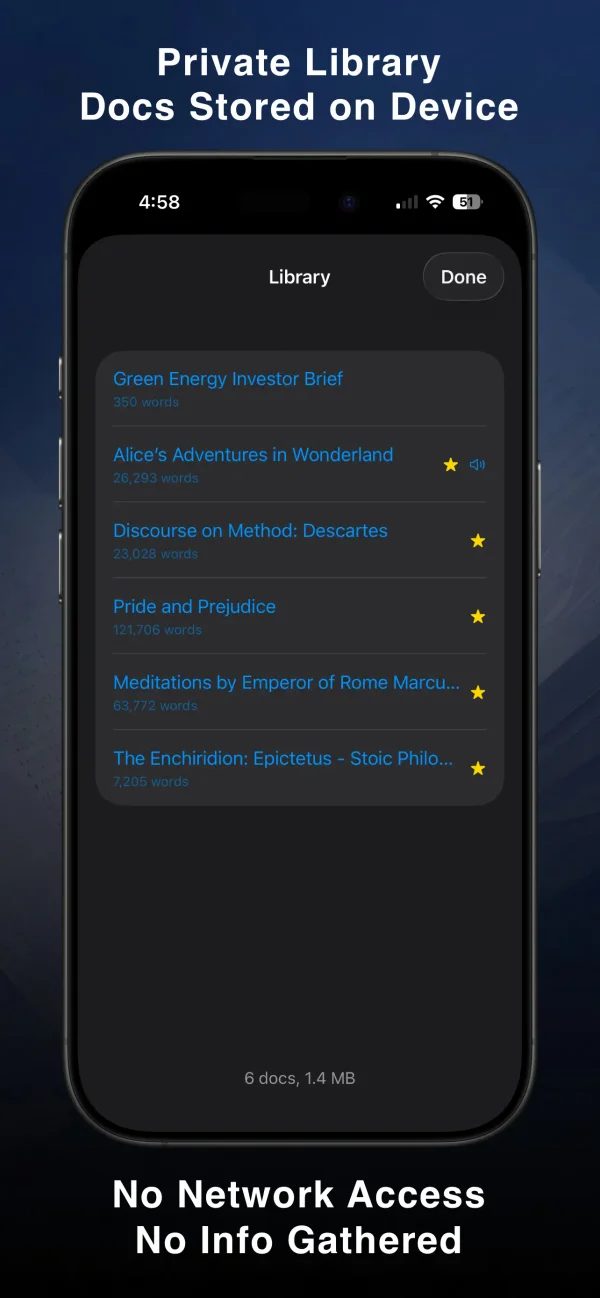
Your documents stay on your device. No metrics are gathered. Inchworm Reader has no iOS network entitlement; it cannot reach the internet, and it doesn't try to.
Inchworm Reader includes a few classic public domain texts to get you started. I'll frequently have an AI survey a topic or generate a report or a brief and hit Copy, then Paste it into Inchworm Reader, and listen to it a section at a time, with more control than the speech feature in AI apps, repeating sections as needed to really absorb it. It's a great way to help move away from low quality Internet distractions and feed your mind high quality information.
Inch your way through key texts with Inchworm!
App privacy
What Lyle Andrews declares on the App Store about how this app handles data.
-
Data not collected
The developer does not collect any data from this app.
Privacy practices may vary, for example with the features you use or your age.
Information
- Seller
- Lyle Andrews
- Category
- Productivity
- Version
- 1.0
- Updated
- Aug 7, 2026
- Released
- Aug 7, 2026
- Size
- 13.0 MB
- Requires
- iOS 18.0 or later
- Age rating
- 4+
- Languages
- English
- Copyright
- © 2026 Lyle Andrews
You might also like
-
 Text+Your text home base.
-
 MeetDone -Every meeting countsAI Meeting Notes & Translator
-
 Animation Maker SchoolEducation Version
-
 Clarity Reader for SafariRemove clutter in one tap
-
 Keepr: Vault with a DecoySecure Files & Multiple Vaults
-
 CleanStreak HomeA cleaner home every day.
-
 Local AI Assistant: PocketMindLocal On Device AI Assistant
-
 DomA - Agent for SafariConversation is action
-
 To Do List: Productivity GameGoal Tracker &Habit Tracker
-
 Nottely: Voice TranscriptionAI Note Taker & Memo Recorder