
Indent
Write Markdown, see the page
Designed for iPhone, iPad, Mac
Free · In-app purchases
- Age rating4+
- CategoryProductivity
- DeveloperMerano Studio Limited
- LanguagesEnglish+ 32 more
- Size5.2 MB
Links to the official App Store page
Download.org hosts no file of Indent. The button opens its official App Store page, published by Merano Studio Limited. Listing last checked on Nov 18, 2026.
Screenshots
About
Write Markdown on one side. See the page on the other.
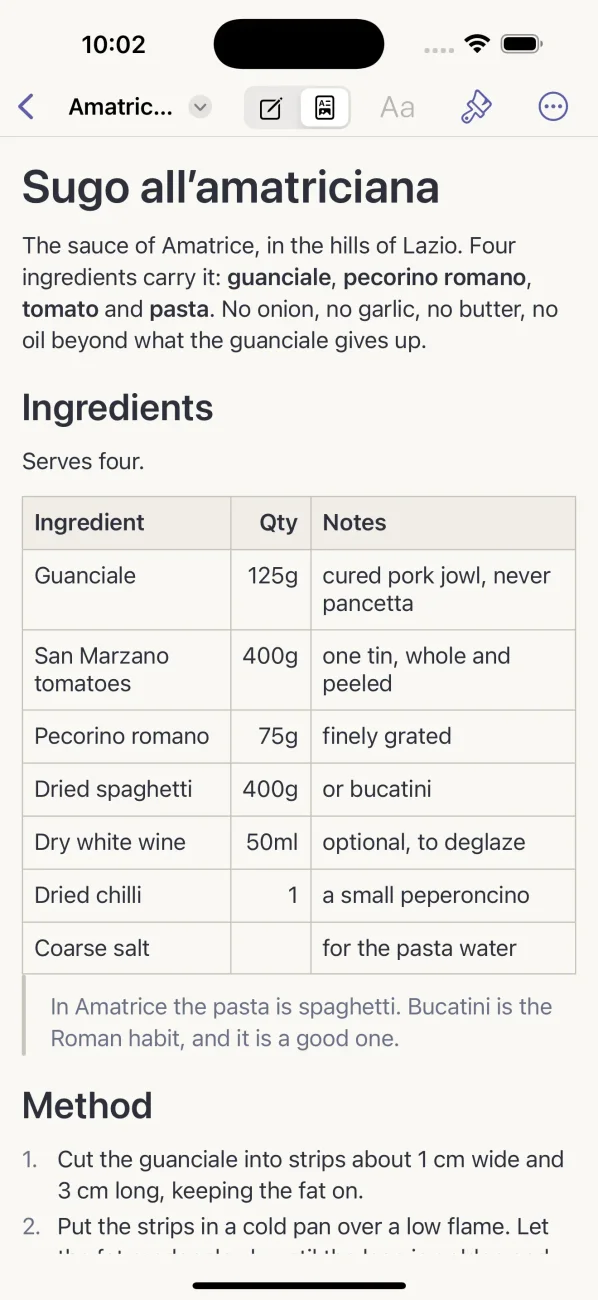
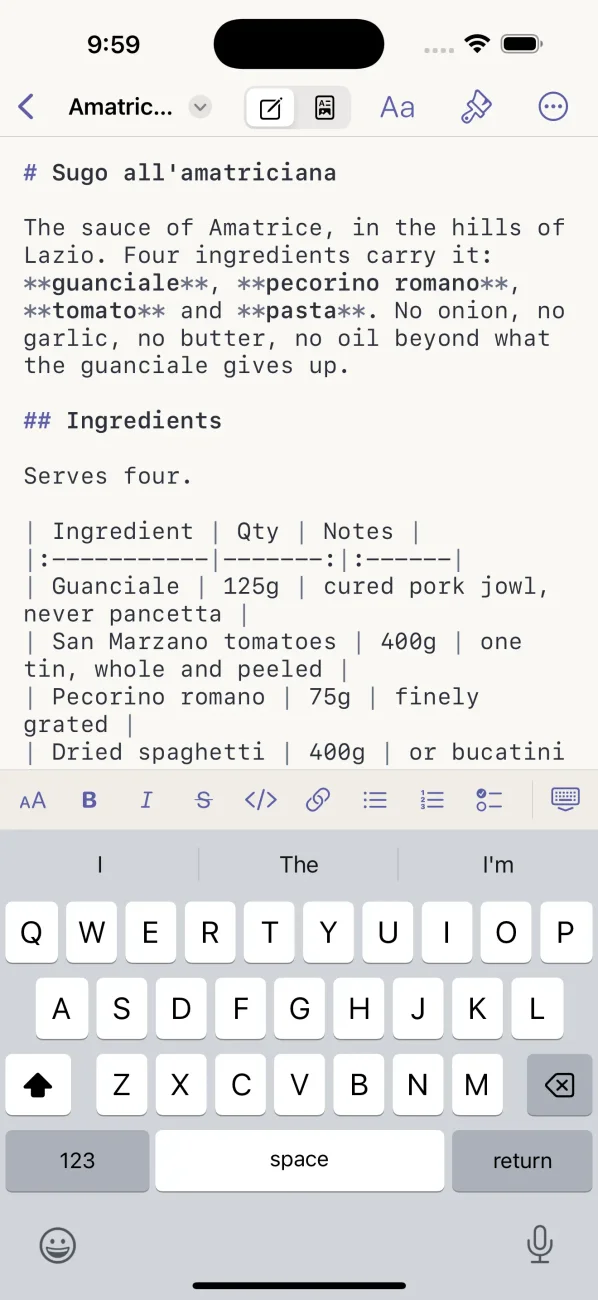
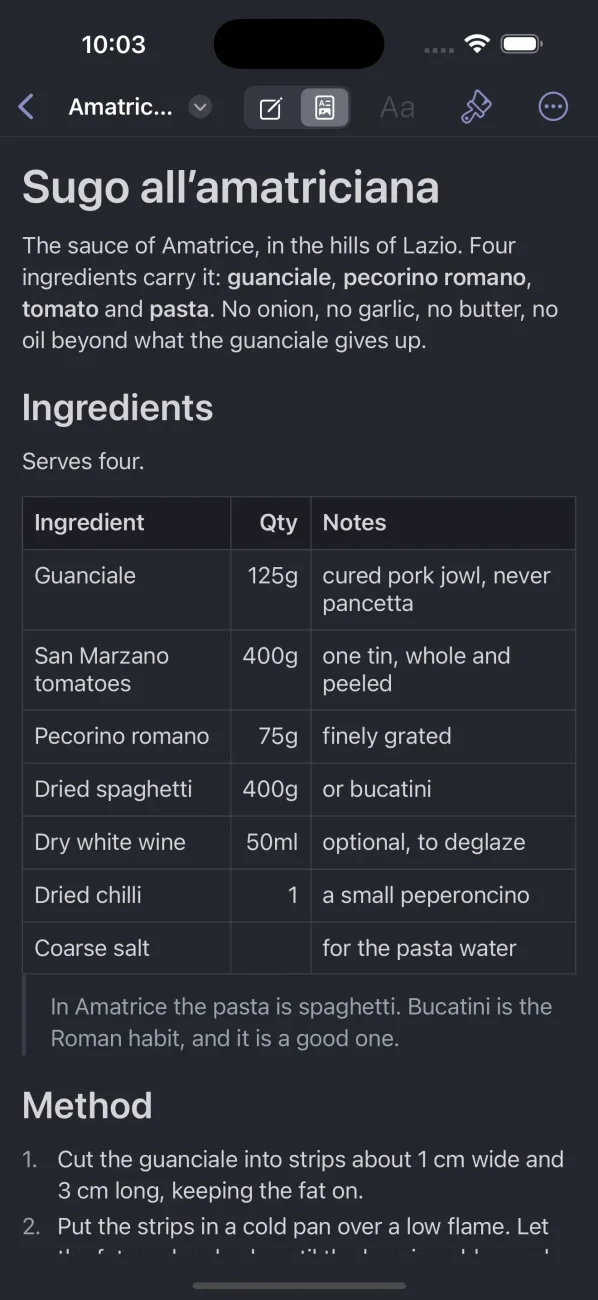
Indent is a Markdown editor. You write the way Markdown is written, a hash for a heading, stars for bold, a dash for a list, and the preview beside you turns those marks into the finished page: headings, tables, code, the checklist you will actually tick off. Indent does not format for you. It shows you what your Markdown means, as you type it.
Your notes are ordinary Markdown files. Indent opens them where they already live: in Files, in iCloud Drive, in a folder on your Mac, or in the folder another notes app keeps them in, such as an Obsidian vault. It saves them back as the same text. Nothing is imported and nothing is locked in. If you stop using Indent tomorrow, every word is still yours, readable in any editor.
It is the same app on iPhone, iPad and Mac. Write on the phone in the queue, open the split view on the iPad at the kitchen table, finish on the Mac with the outline open beside you. An Indent folder in iCloud Drive keeps the file in step.
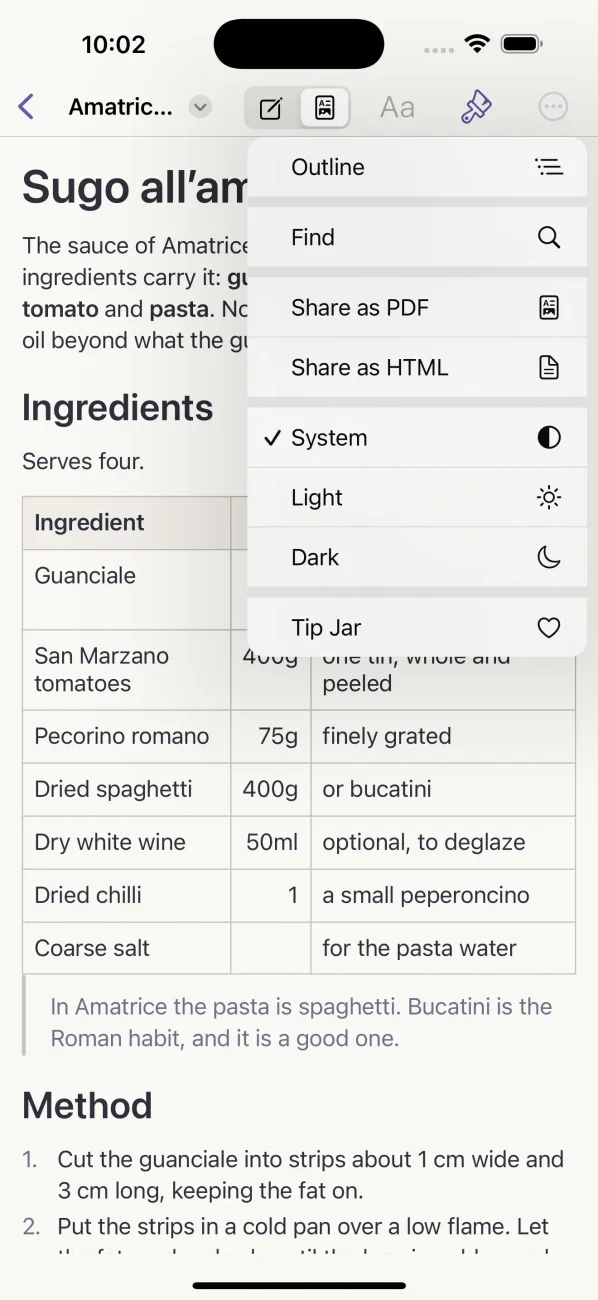
When the piece is done, share it as a PDF or HTML, or print it from the Mac, on A4 or Letter depending on where you are.
Choose a look that suits the writing. Seven themes, each with a light and a dark face, from warm paper to plain black on white.
There is no account to create and nothing to sign in to. No ads, no analytics, no tracking. A note never leaves your device unless you share it. Indent is free, and if it earns a place in your day there is a tip jar inside.
What you get
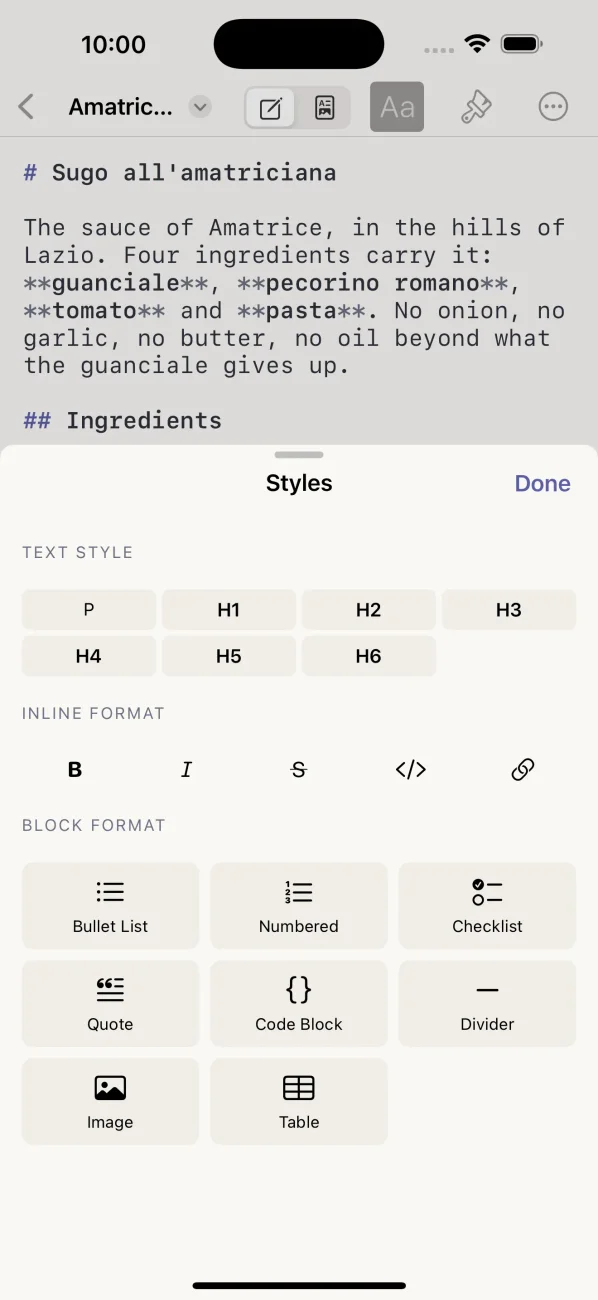
• Markdown highlighting as you type, a formatting bar above the keyboard, a Styles panel, keyboard shortcuts
• A live preview with real tables, checklists, nested lists, quotes, images and coloured code in more than forty languages
• Split view on iPad and Mac, with the preview following as you scroll
• An outline of your headings, and Find in both the editor and the page
• Files from Obsidian, Jekyll and Hugo open cleanly, front matter included
• Saves as UTF-8, opens most older text encodings
• Standard CommonMark with tables, strikethrough and task lists
App privacy
What Merano Studio Limited declares on the App Store about how this app handles data.
-
Data not collected
The developer does not collect any data from this app.
Privacy practices may vary, for example with the features you use or your age.
Information
- Seller
- Merano Studio Limited
- Category
- Productivity
- Version
- 1.0
- Updated
- Sep 15, 2026
- Released
- Sep 11, 2026
- Size
- 5.2 MB
- Requires
- iOS 18.0 or later
- Age rating
- 4+
- Price
- Free
- In-app purchases
- Yes
- Languages
- English, Arabic, Catalan, Croatian, Czech, Danish, Dutch, Finnish, French, German, Greek, Hebrew + 21 more
- Copyright
- © 2026 Merano Studio
You might also like
-
 Levity Markdown NotesPlain text notes, cloud sync
-
 MarkyProductivity
-
 Goodline: Markdown WriterA calmer place to write
-
 SingleTextOne note on every device
-
 MPP Project WizardCreate & Edit Projects with AI
-
 Filepad MarkdownYour files, where they live
-
 Onplana Schedule: MPP ViewerXER Files and Gantt Editor
-
 Easy MD: Markdown ReaderBrowse and Listen to Markdown
-
 Stilo Markdown EditorMarkdown that stays a file
-
 openote: Markdown Notes & SyncPlain .md files. No account.