
Levity Markdown Notes
Plain text notes, cloud sync
Designed for iPhone, iPad
In-app purchases
- Age rating4+
- CategoryProductivity
- DeveloperS Tan
- LanguagesEnglish
- Size5.1 MB
Links to the official App Store page
Download.org hosts no file of Levity Markdown Notes. The button opens its official App Store page, published by S Tan. Listing last checked on Nov 13, 2026.
Screenshots




About
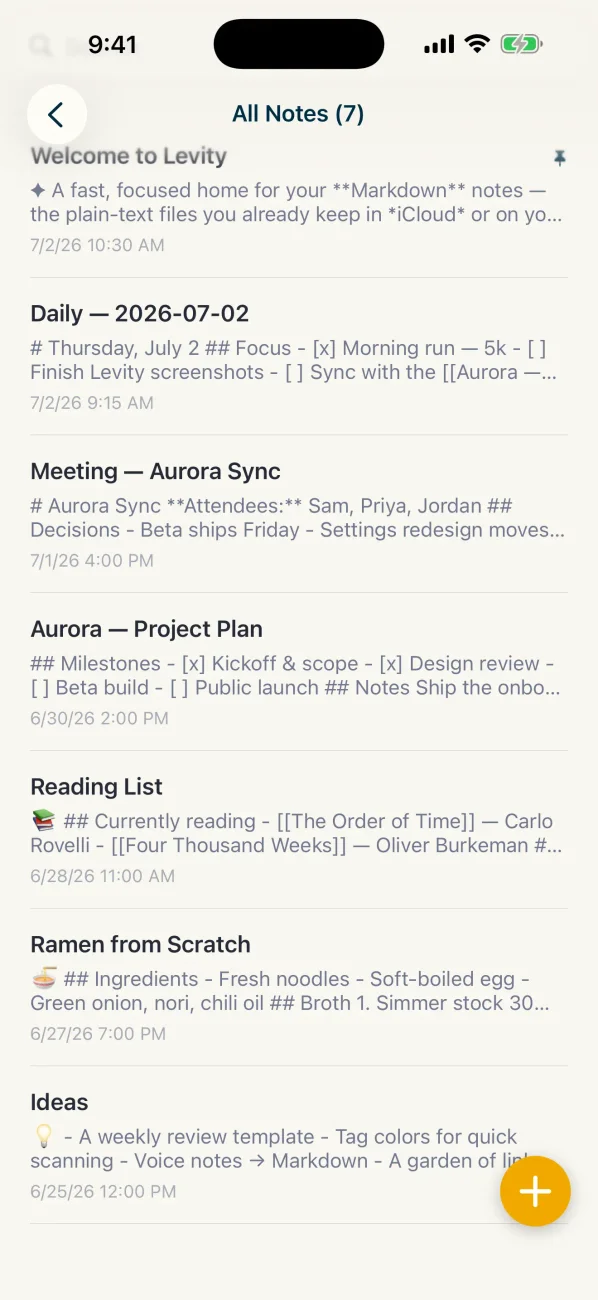
Levity is a fast Markdown editor for your own plain-text notes, based on a folder in iCloud Drive or on your device. No account, no proprietary database, no separate sync service to set up. Point Levity at a folder and it mirrors every Markdown file inside it, and keeps mirroring as they change.
Built for speed on your phone and read-compatible with Obsidian vaults. Levity opens, scrolls, and searches instantly, even in a large vault. It's tuned for mobile from the first line of code. If you already keep an Obsidian vault, Levity reads it as-is: the same files, the same folders, the same frontmatter.
Your notes are just text files. They live in your own iCloud Drive or on your device, sync through your own Apple account, and open in any other editor.
A live, clean editor:
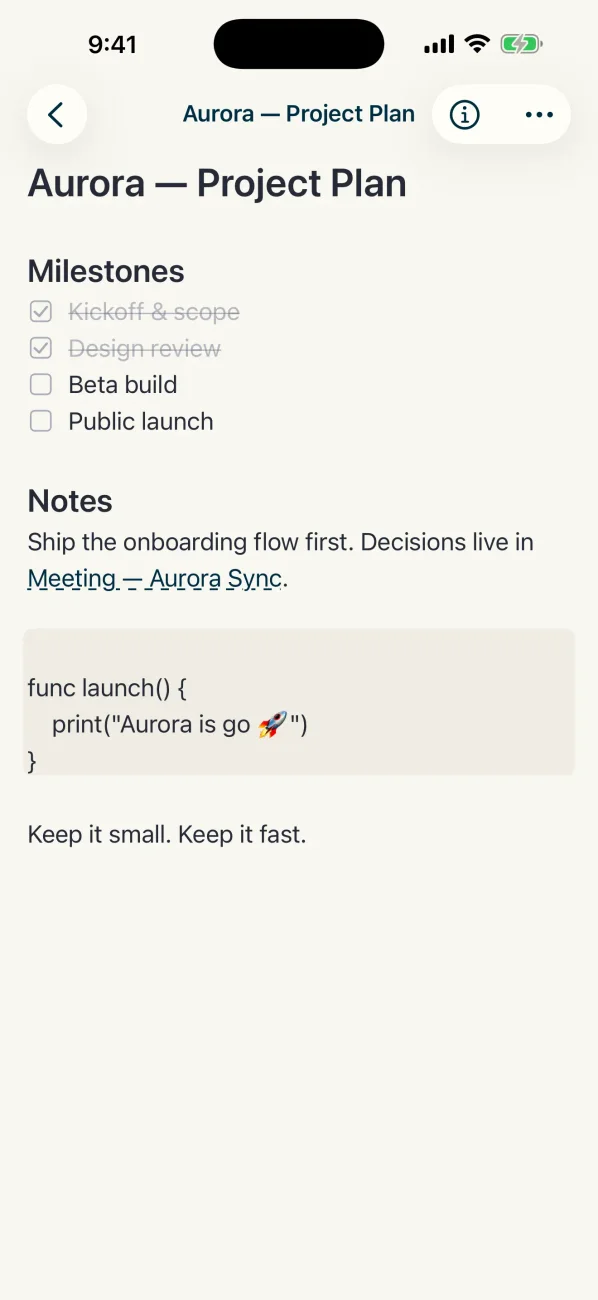
• Formatting appears as you type. The raw Markdown symbols stay out of your way, while your files stay pure Markdown on disk
• Headings, bold, italic, task lists, checkboxes, blockquotes, code blocks, and tables you can edit cell by cell
• [[Wiki-links]] between notes, with autocomplete
• Inline images
• A formatting bar, so you never have to hunt for a raw symbol
Organize without a database:
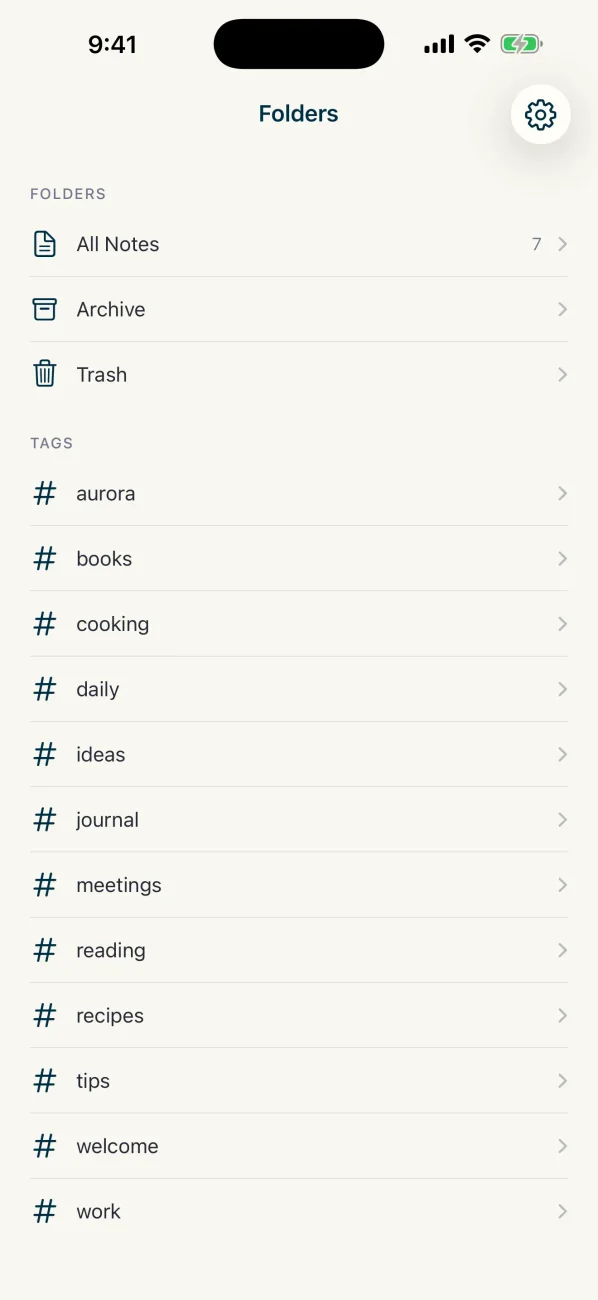
• Tag your notes and filter by tag
• YAML frontmatter — add any property you like (status, type, dates, lists) and build filtered views around it
• Folders, templates, archive, and trash
• Full-text search across every note, instantly
Made yours:
• Seven themes, plus an automatic day / night mode that follows your surroundings
• Adjustable font, size, and spacing
• Designed for both iPhone and iPad
Levity is focused and supports text, tags, and links; no graph view or plugins, just the fastest way to write and read Markdown on iOS, on top of files you already own.
Free to start. One optional yearly subscription unlocks unlimited note creation and editing; reading your notes is never limited.
Your privacy, by design: your notes stay in your own iCloud or device storage.
Levity Premium is an auto-renewing subscription billed yearly. Payment is charged to your Apple Account at confirmation of purchase. The subscription renews automatically unless it is canceled at least 24 hours before the end of the current period. Manage or cancel anytime in your Apple Account settings.
Terms of Use: https://www.apple.com/legal/internet-services/itunes/dev/stdeula/
App privacy
What S Tan declares on the App Store about how this app handles data.
-
Data not collected
The developer does not collect any data from this app.
Privacy practices may vary, for example with the features you use or your age.
Information
- Seller
- S Tan
- Category
- Productivity
- Version
- 1.0
- Updated
- Aug 18, 2026
- Released
- Aug 18, 2026
- Size
- 5.1 MB
- Requires
- iOS 17.0 or later
- Age rating
- 4+
- In-app purchases
- Yes
- Languages
- English
- Copyright
- © 2026 S Tan
You might also like
-
 Markdly - Markdown EditorWriting App, MD File & Preview
-
 IndentWrite Markdown, see the page
-
 openote: Markdown Notes & SyncPlain .md files. No account.
-
 Metis: Markdown NotesNative Markdown editor & notes
-
 Stuff: Private Content LibrarySave, find, and reuse anything
-
 SnapNote SyncMulti-page notes with images
-
 Write- Focused NotesOne thought at a time
-
 Jot - NotesFast, private notes and ideas
-
 BarPad MobileProductivity
-
 Boreal Markdown EditorPreview .md, export clean PDF