
Inscribit: Log Anything
Know the last time you did it
Designed for iPhone, iPad
Free · In-app purchases
- Age rating4+
- CategoryLifestyle
- DeveloperShoichi Mariko
- LanguagesEnglish+ 2 more
- Size3.5 MB
Links to the official App Store page
Download.org hosts no file of Inscribit: Log Anything. The button opens its official App Store page, published by Shoichi Mariko. Listing last checked on Nov 27, 2026.
Screenshots


About
Logging new records requires a monthly subscription, with a one-month free trial for new subscribers. Even without a subscription, you can always view, search, and delete your records.
"When did I last do that?" "How did I do it last time?" "When did I last buy this?"
Most of the little things we do every day are never written down anywhere, so we can't remember when they happened. With Inscribit, you record the when and how of anything you choose, so you can always look back and know when you last did it. You can also arrange and enjoy photos of your favorite things in Collections and Rankings.
ONE TAP TO LOG
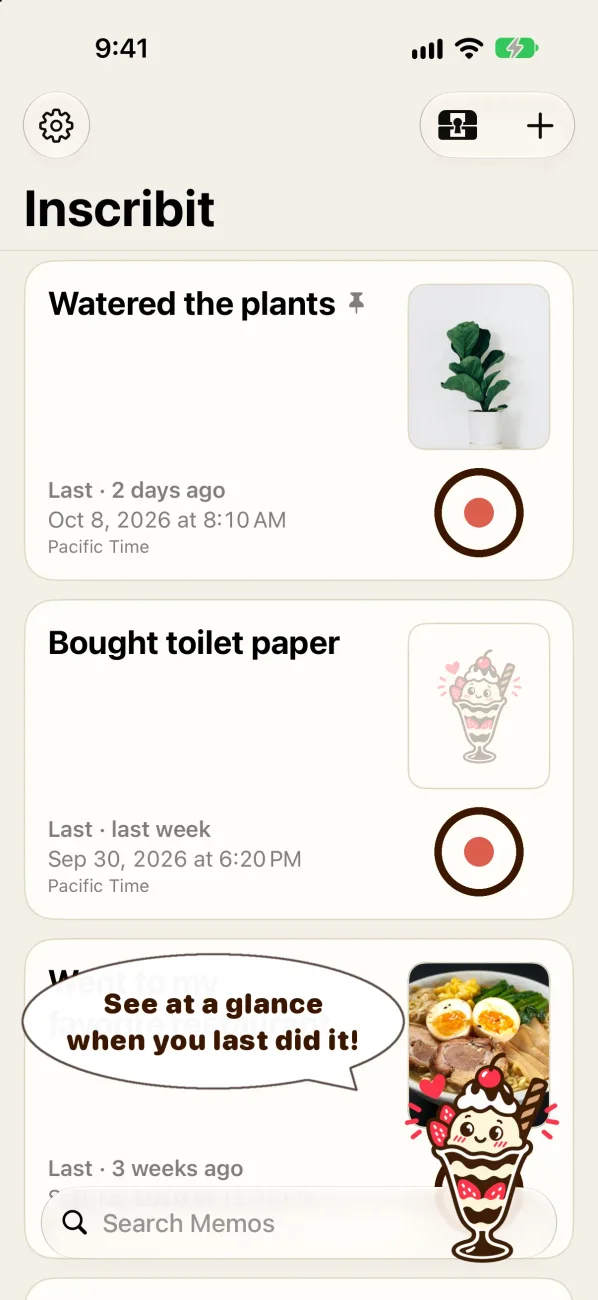
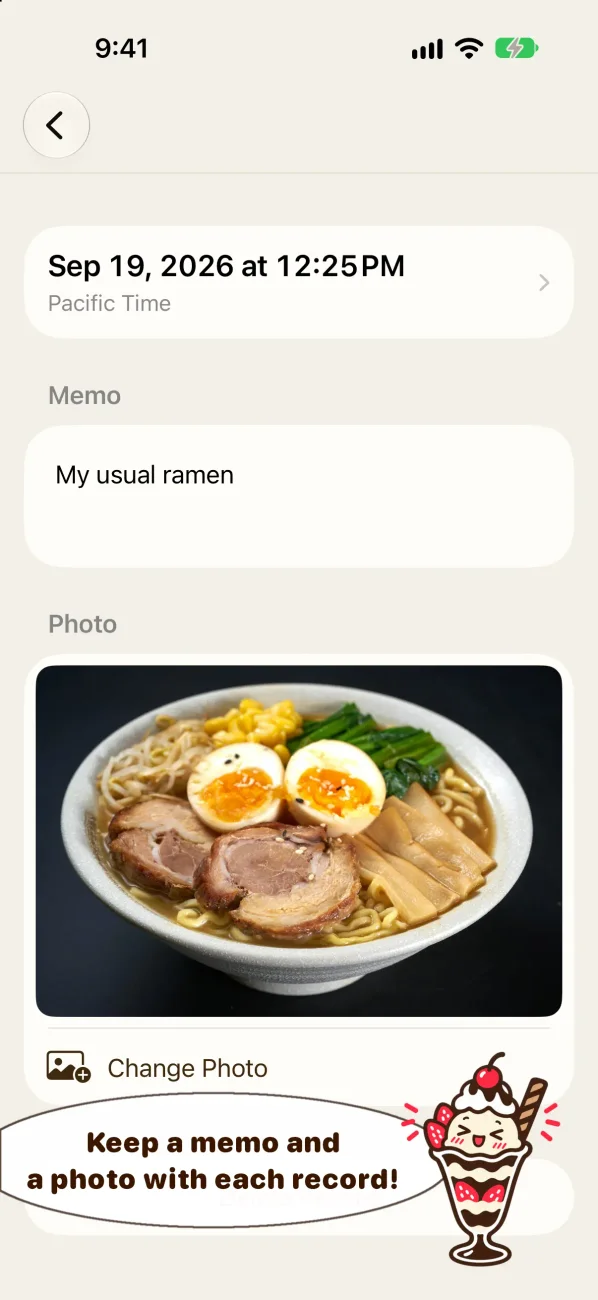
Make a card for anything you want to keep track of: taking medicine, changing a filter, visiting a favorite restaurant, buying coffee beans. Tap the record button on the card, and the date and time are saved right away. Add a memo or photo now, or later.
KNOW WHEN AT A GLANCE
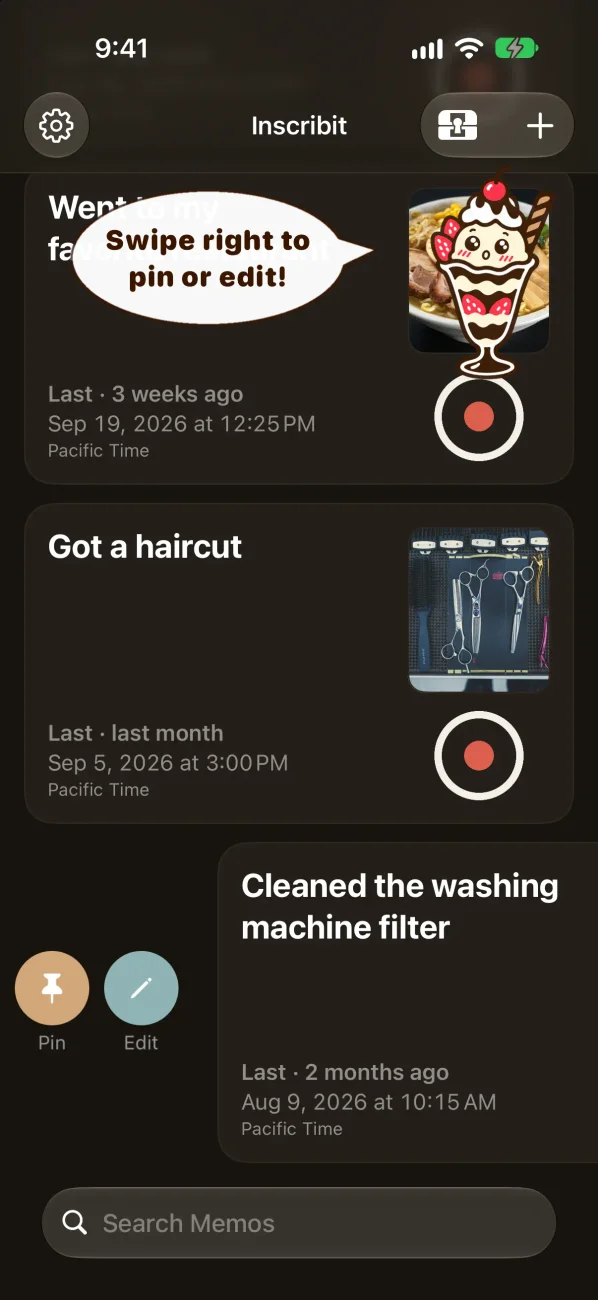
Each card shows when you last recorded it and how long ago that was, such as "3 days ago." Cards with your most recent records appear first, and you can pin up to three cards to the top.
LOOK BACK ANYTIME
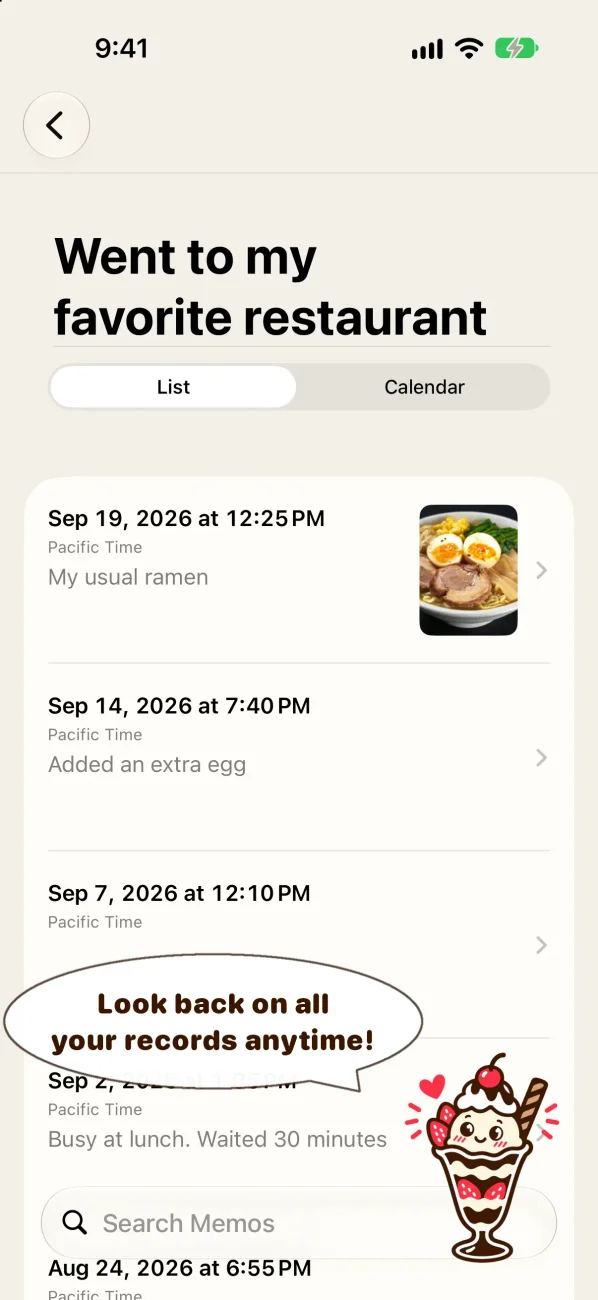
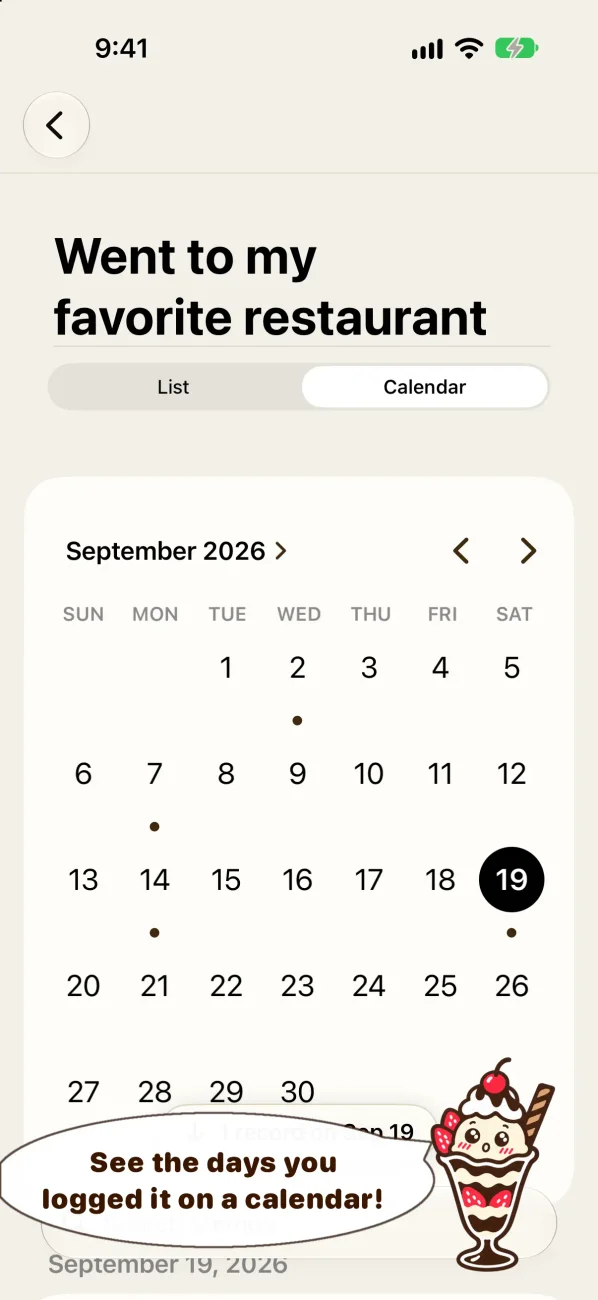
- See each card's history as a list or on a calendar
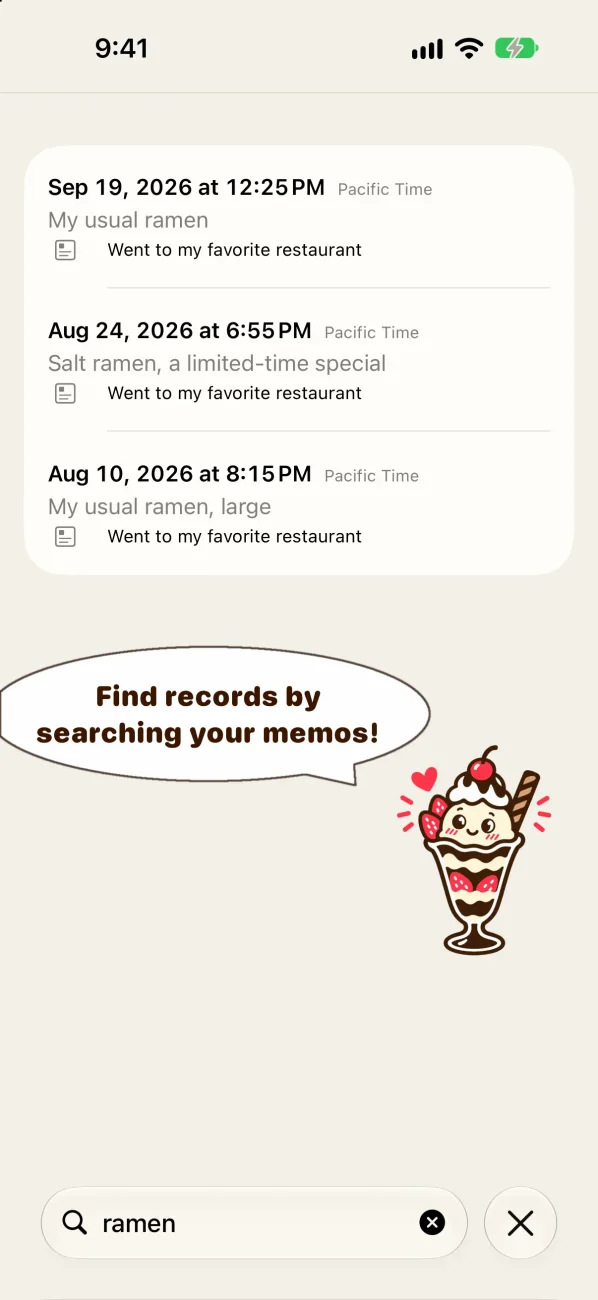
- Search the memos of all your records
- Attach a photo to each record: take one, choose one from your library, or scan a document
COLLECTIONS AND RANKINGS
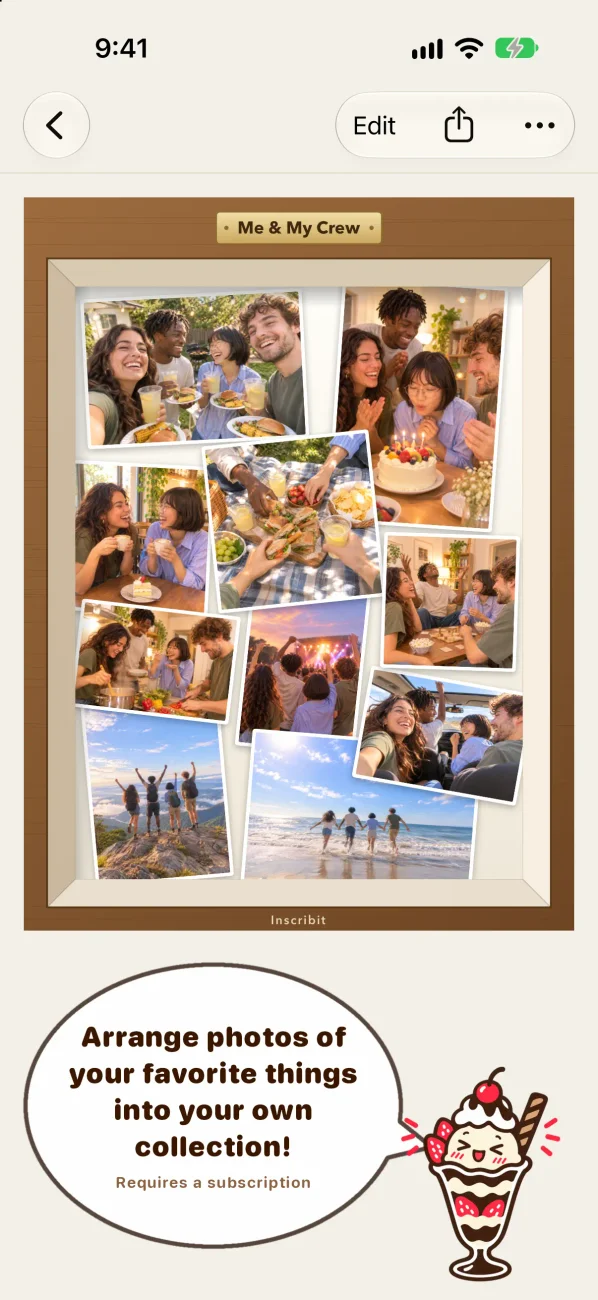
- Collections: Arrange up to 30 photos of your favorite things in a box, layering them as you like. Move, resize, rotate, and crop them
- Rankings: Place photos of your Top 3 on a podium, choosing the framing and angle of each photo
- Add photos from your records, your photo library, or the camera
- Turn a collection or ranking into a single image to share on social media and more
- A subscription is required to use Collections and Rankings
TIME ZONES DONE RIGHT
Each record is shown in the time zone where you recorded it. Something you recorded at 9:00 PM in Tokyo still shows 9:00 PM (Japan Standard Time) when you look at it in New York. You can also change a record's date, time, and time zone later.
PRIVATE BY DESIGN
- We don't collect any data. The app contains no ads, analytics, or crash reporting tools.
- Your records, collections, and rankings stay on your devices and in your own private iCloud storage. The developer can't see them.
- Lock the app with Face ID, Touch ID, or your passcode
- The screen is hidden when you switch apps
SYNC ACROSS YOUR DEVICES
Your records, collections, and rankings sync through iCloud between your iPhone and iPad signed in to the same Apple Account.
SUBSCRIPTION
- New subscribers start with a one-month free trial, followed by a monthly auto-renewing subscription
- A subscription is needed to add new records, to edit records and cards, and to use Collections and Rankings
- Even without a subscription, you can always view, search, and delete your records (photos in your collections and rankings can still be viewed as records)
- Payment is charged to your Apple Account. The subscription renews automatically unless canceled at least 24 hours before the end of the current period. You can manage or cancel it in your Apple Account settings.
Terms of Use: https://www.apple.com/legal/internet-services/itunes/dev/stdeula/
Privacy Policy: https://pandbpartners.github.io/inscribit/
What’s new
Version 2.0 · Nov 26, 2026
New: Collections and Rankings, where you can arrange and enjoy photos of your favorite things.
- Collections: Arrange up to 30 photos in a box, layering them as you like. Move, resize, rotate, and crop them
- Rankings: Place photos of your Top 3 on a podium, choosing the framing and angle of each photo
- Add photos from your records, your photo library, or the camera
- Turn a collection or ranking into a single image to share on social media and more
- Collections and Rankings are available with a subscription
Also in this update
- Changes synced through iCloud now appear on screen right away
- If your device is low on storage, the app now lets you know before saving a photo
- The subscription screen now more clearly explains the free trial and what you can do with a subscription
- Fixed an issue where, after you opened a record from search on the app's main screen and went back, canceling the search opened the item's history
App privacy
What Shoichi Mariko declares on the App Store about how this app handles data.
-
Data not collected
The developer does not collect any data from this app.
Privacy practices may vary, for example with the features you use or your age.
Information
- Seller
- Shoichi Mariko
- Category
- Lifestyle
- Version
- 2.0
- Updated
- Nov 26, 2026
- Released
- Oct 19, 2026
- Size
- 3.5 MB
- Requires
- iOS 27.0 or later
- Age rating
- 4+
- Price
- Free
- In-app purchases
- Yes
- Languages
- English, Japanese, Spanish
- Copyright
- © 2026 P&B Partners
You might also like
-
 TockLog: Focus & Time TrackerAI Work Log & Productivity
-
 TalkJournal: Voice DiaryVoice diary with transcription
-
 3D Model Viewer: STL & USDZView 3D USDZ and CAD STL, PLY
-
 RiverTodo - Simple To-Do ListDaily Planner & Task Manager
-
 Audionotes: Audio Notes AIVoice Memos, Minutes & Summary
-
 Timeline - Schedule by HourMake a schedule for each hour!
-
 3D Model Viewer - AR ViewView model in AR and 3D mode
-
 付箋メモ帳型ToDoリスト - メモ ウィジェットProductivity
-
 Cloud Bot Hosting - AI AgentEasy Deploy Personal Assistant
-
 3D Model Viewer - AR & PrintSimulate 3D Printing and AR