
履歴書 Instant
Japanese résumé maker (履歴書)
Designed for iPhone, iPad
Free · In-app purchases
- Age rating4+
- CategoryBusiness
- DeveloperLai Duc Binh
- LanguagesEnglish+ 14 more
- Size22.6 MB
Links to the official App Store page
Download.org hosts no file of 履歴書 Instant. The button opens its official App Store page, published by Lai Duc Binh. Listing last checked on Nov 23, 2026.
Screenshots
About
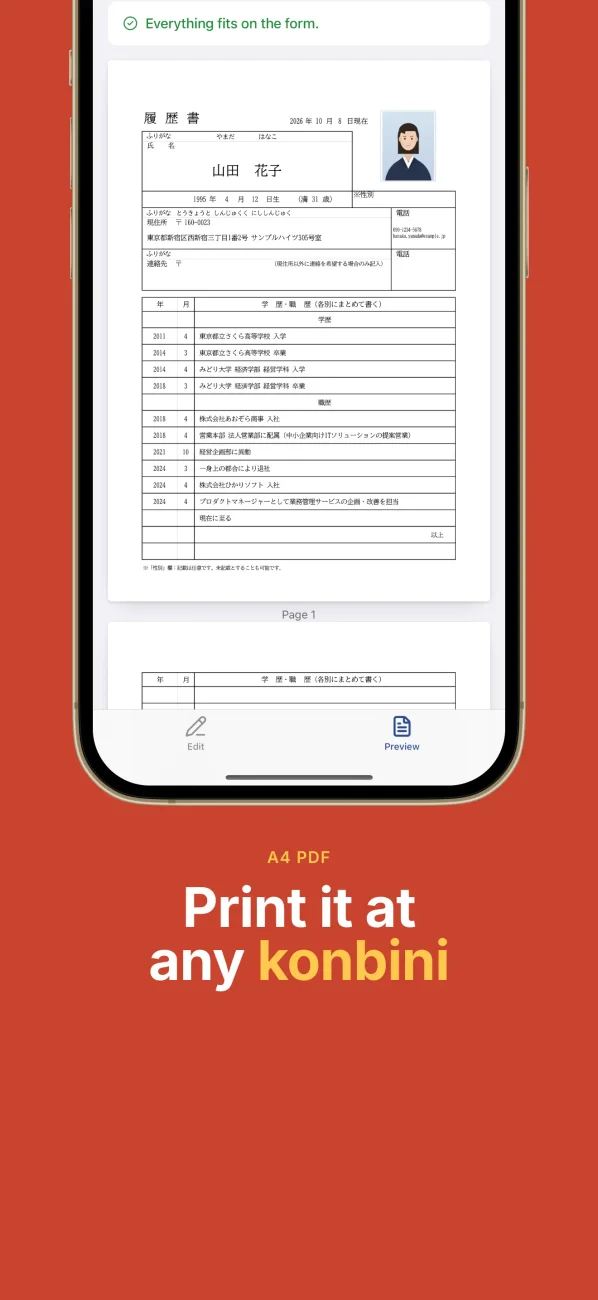
Create a Japanese résumé (履歴書, rirekisho) on the official sample form of Japan's Ministry of Health, Labour and Welfare, right on your iPhone or iPad. Save it as a two-page A4 PDF and print it at any convenience store.
FEATURES
• Layout that follows the MHLW sample résumé form (2021)
• Live preview that shows exactly what will be printed
• Instant warnings when text overflows or a section runs out of lines
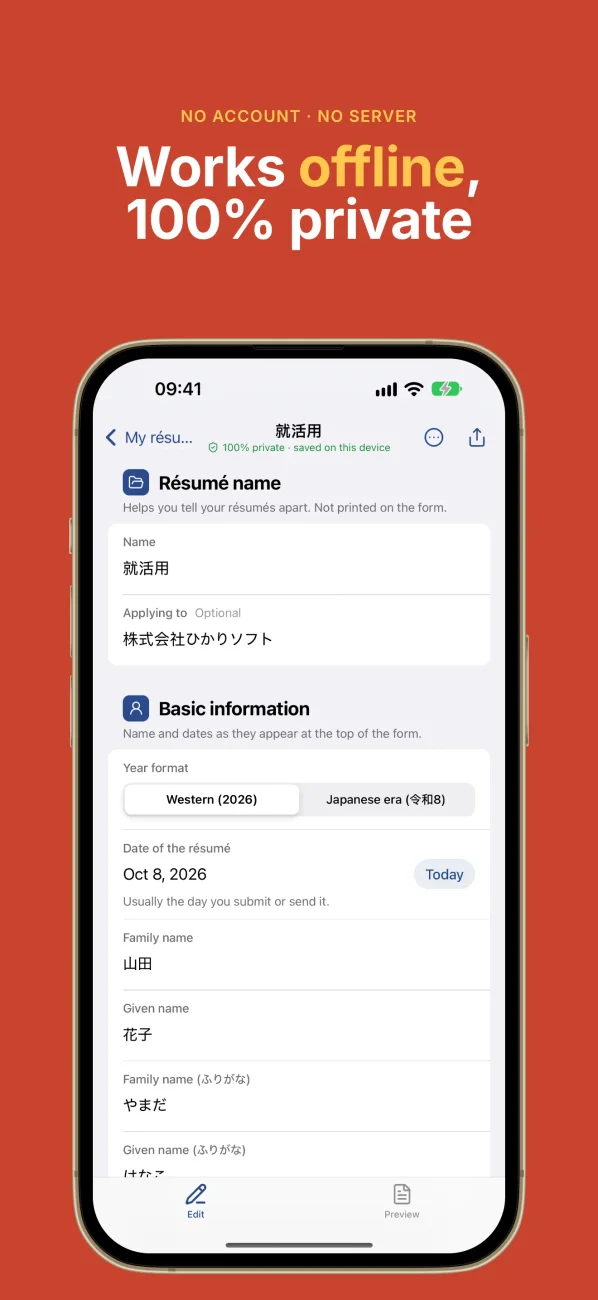
• Furigana filled in automatically when you type with a Japanese keyboard
• Address lookup from the postal code
• Western and Japanese era (和暦) years, with school entry and graduation years calculated for you
• Take your ID photo with the camera or pick one from Photos, then crop it
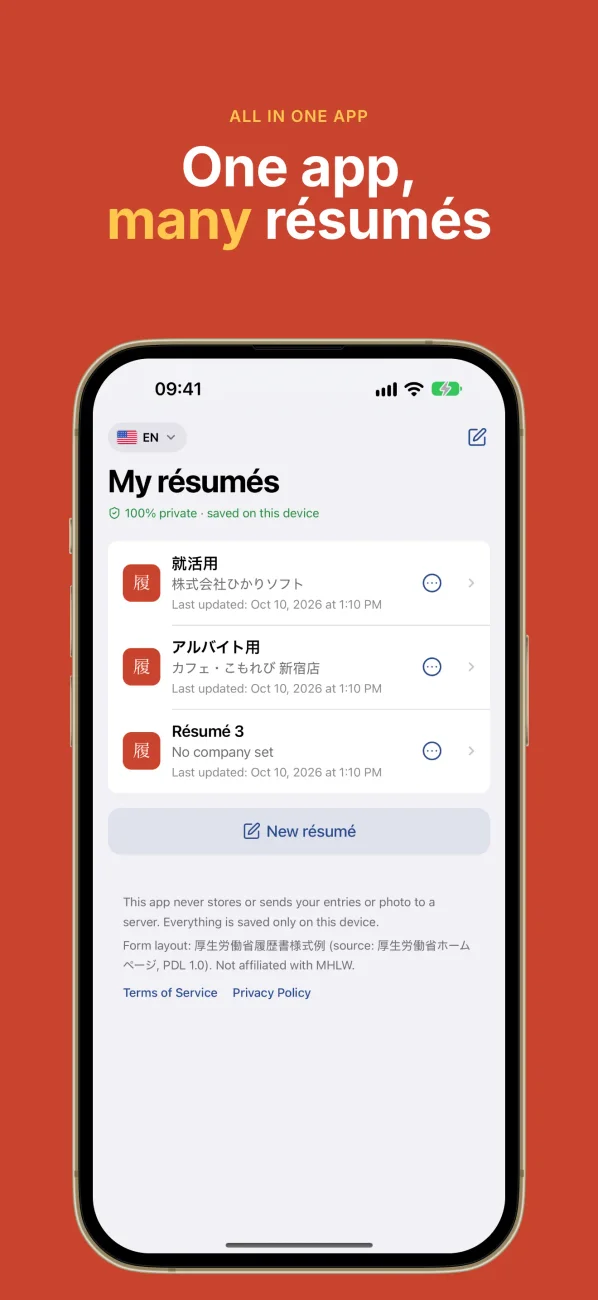
• Keep several résumés, one for each company you apply to
• Save the PDF to Files, AirDrop it, print it, or share it to a convenience-store print app
• Interface in 15 languages, including English, Chinese, Vietnamese, Korean, Nepali, Indonesian and Filipino
PRIVACY
Your entries and photo are stored only on your device. Nothing is sent to a server and no account is needed. PDFs are created on the device, so the app also works offline.
NOTE
This app is not affiliated with the Ministry of Health, Labour and Welfare. The form is based on the MHLW "履歴書様式例" (PDL 1.0).
The app is free and shows ads.
What’s new
Version 1.1 · Nov 18, 2026
Version 1.1
• New forms: choose from 5 forms when you create a document — the standard MHLW résumé, JIS-style, student (new graduates), part-time job (one A4 page), and a career summary (職務経歴書). Switch forms anytime; nothing you entered is lost.
• Backup & transfer: save all your résumés, photos included, to one file and restore them on a new iPhone or iPad.
• Remove Ads: a one-time purchase removes the banner and full-screen ads for good. Restore it anytime on devices with the same Apple Account.
• Fixes and improvements.
App privacy
What Lai Duc Binh declares on the App Store about how this app handles data.
-
Data used to track you
May be used to track you across apps and websites owned by other companies.
- Identifiers
-
Data linked to you
May be collected and linked to your identity.
- Location
- Identifiers
- Usage data
-
Data not linked to you
May be collected but is not linked to your identity.
- Diagnostics
Privacy practices may vary, for example with the features you use or your age.
Information
- Seller
- Lai Duc Binh
- Category
- Business
- Version
- 1.1
- Updated
- Nov 18, 2026
- Released
- Oct 15, 2026
- Size
- 22.6 MB
- Requires
- iOS 16.4 or later
- Age rating
- 4+
- Price
- Free
- In-app purchases
- Yes
- Languages
- English, Bengali, Burmese, Filipino, Hindi, Indonesian, Japanese, Korean, Nepali, Portuguese, Simplified Chinese, Thai + 3 more
- Copyright
- © 2026 Rubydai
You might also like
-
 KAIGOOProductivity
-
 # Simple ResumeCreate Resumes & CVs Easily
-
 Resume Maker - Auto Era DatesBirthday in, dates fill in
-
 PDF Scanner: Sign DocumentsReceipts, Photos & Search Text
-
 JPort MatchJobs in Japan.
-
 LocknLearn - Focus & StudyLearn to Earn your Screen Time
-
 working hours commuting timeBusiness
-
 Scanner App Scan PDF & DocsScan, sign & share documents
-
 Conveyxonic Wizard ®Productivity
-
 日本就職 NAKAMA|外国人エンジニア求人・転職Business