inTelePrompter
Teleprompter + Voice Commands
Designed for iPhone, iPad
Free · In-app purchases
- Age rating4+
- CategoryPhoto & Video
- DeveloperIqbal Rai
- LanguagesEnglish+ 7 more
- Size19.8 MB
Links to the official App Store page
Download.org hosts no file of inTelePrompter. The button opens its official App Store page, published by Iqbal Rai. Listing last checked on Nov 12, 2026.
Screenshots



About
Stop fighting your teleprompter. Read to camera the way you'd talk to a person, with built-in hands-free controls, on iPad and iPhone.
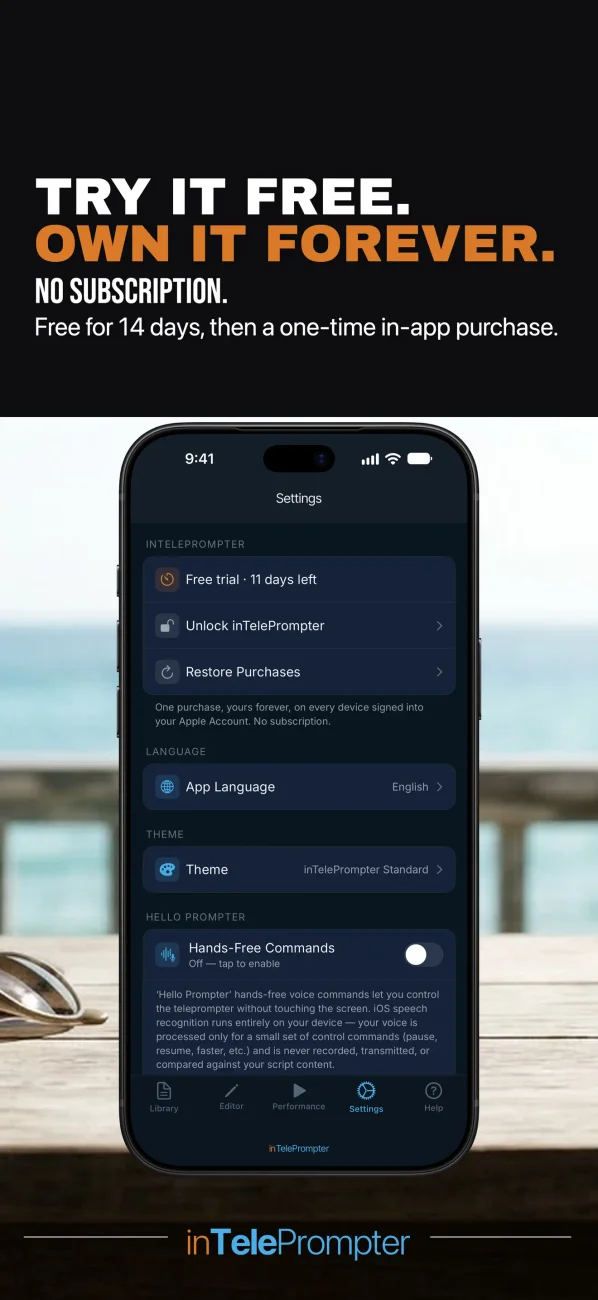
Built and reviewed by broadcast professionals who make live national television. Free for 14 days, then a one-time in-app purchase. No subscription.
Read naturally. Record confidently. Deliver like you mean it.
READS AT YOUR PACE
• Auto-scrolls at your natural reading speed — never a robotic crawl you fight
• Find Your Reading Pace — a one-time setup that learns your natural speed, so it feels right from take one
• Fine-tune live: speed buttons, a swipe, or drag the script with your finger for off-the-cuff delivery
• A Countdown gets you composed before the script rolls
HANDS-FREE — JUST SAY "HELLO PROMPTER"
• Run the whole prompter without touching the screen: "Hello Prompter, play," "pause," "next section," "rewind," and more
• Start and stop recording by voice — hands free to demonstrate a product, hold props, or grab a coffee
AUTO PAUSE
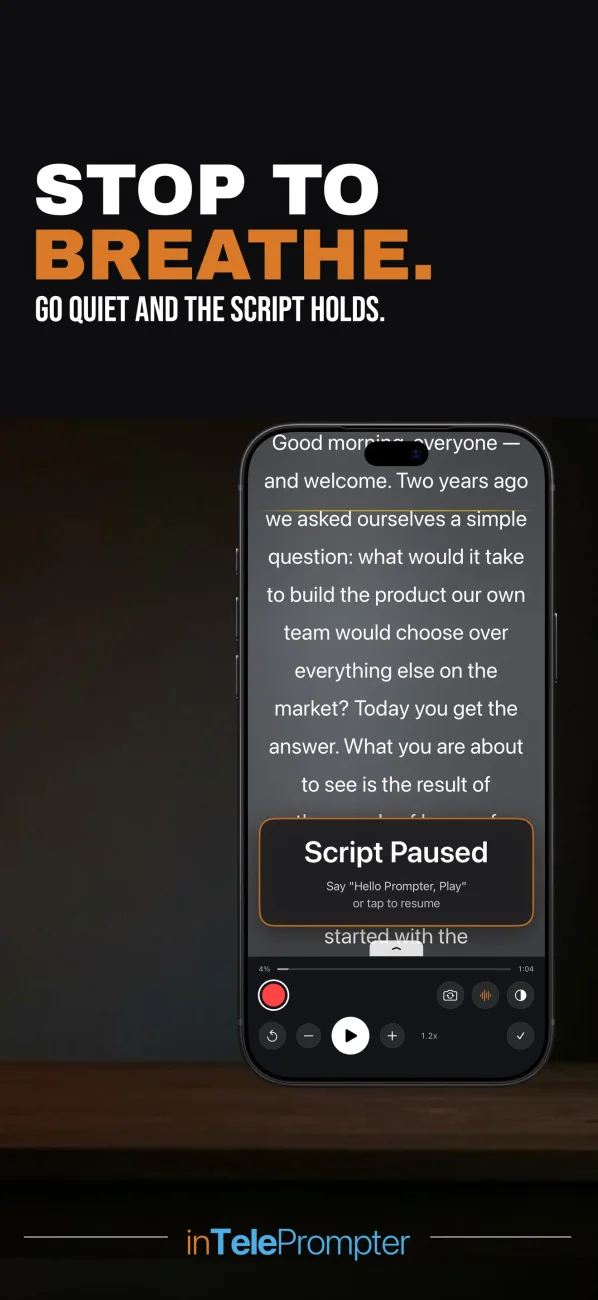
• Auto Pause hits the brakes right when you need it to: go quiet in a product demo, the script holds for you
CUSTOMIZE YOUR READ
• Fine-tune text-on-glass: scroll behavior and pace, font and size, focus line position, line spacing, column width and margins
• Write multiple hosts into scripts
• Save your setup with Display Presets and Performance Layout
• New to any of it? Built-in guides start you at the beginning
BUILT FOR STUDIO RIGS
• Mirror Mode flips your script for beam-splitter rigs and mirrorless cameras
• Drive it by voice, a Bluetooth presenter clicker or keyboard
• The screen stays awake the whole time you're rolling
RECORD WHILE YOU READ
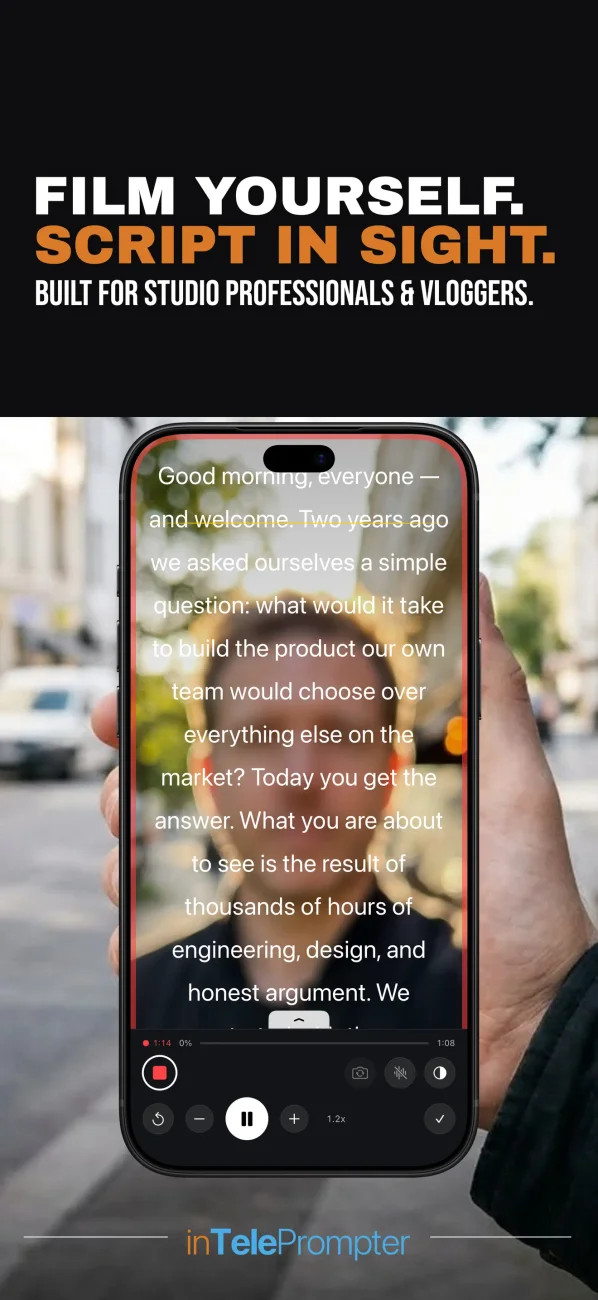
• Your live camera sits right under the script — record straight to your Photos — no second device, no rig
• Shoot portrait or landscape — pause the script anytime while the camera keeps rolling
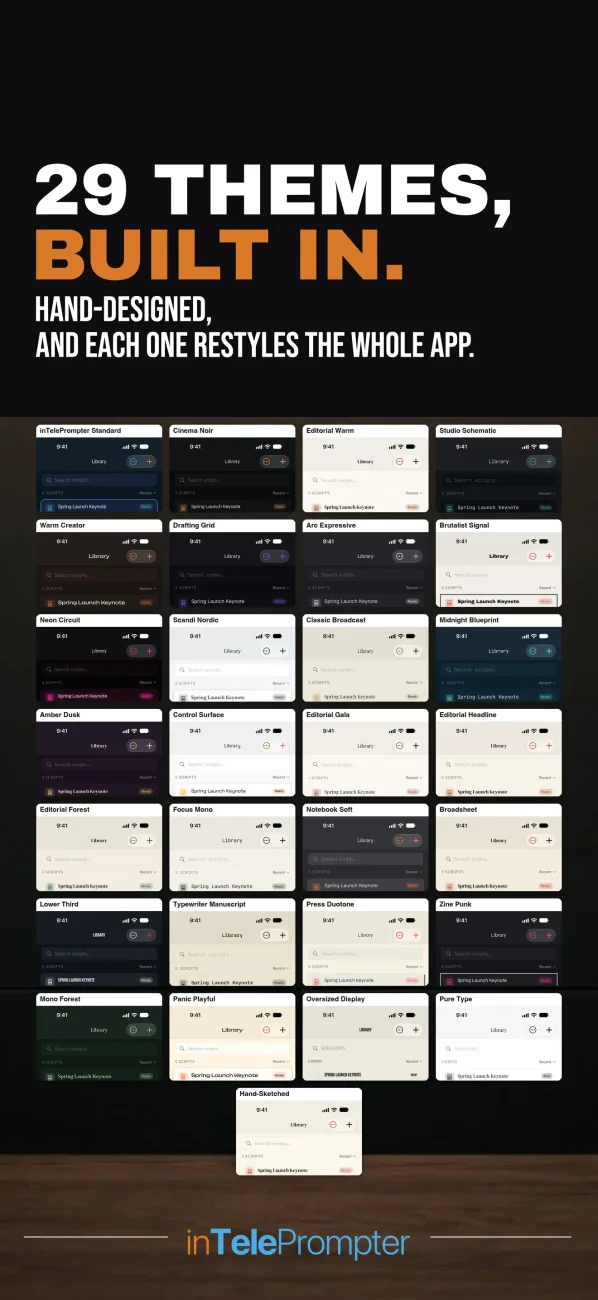
29 THEMES. ALL OF THEM YOURS.
• 29 hand-designed themes that restyle the entire app — every one included
• Pick a look you like most — broadcast-plain, or something with real personality
BRING THE SCRIPTS YOU ALREADY HAVE
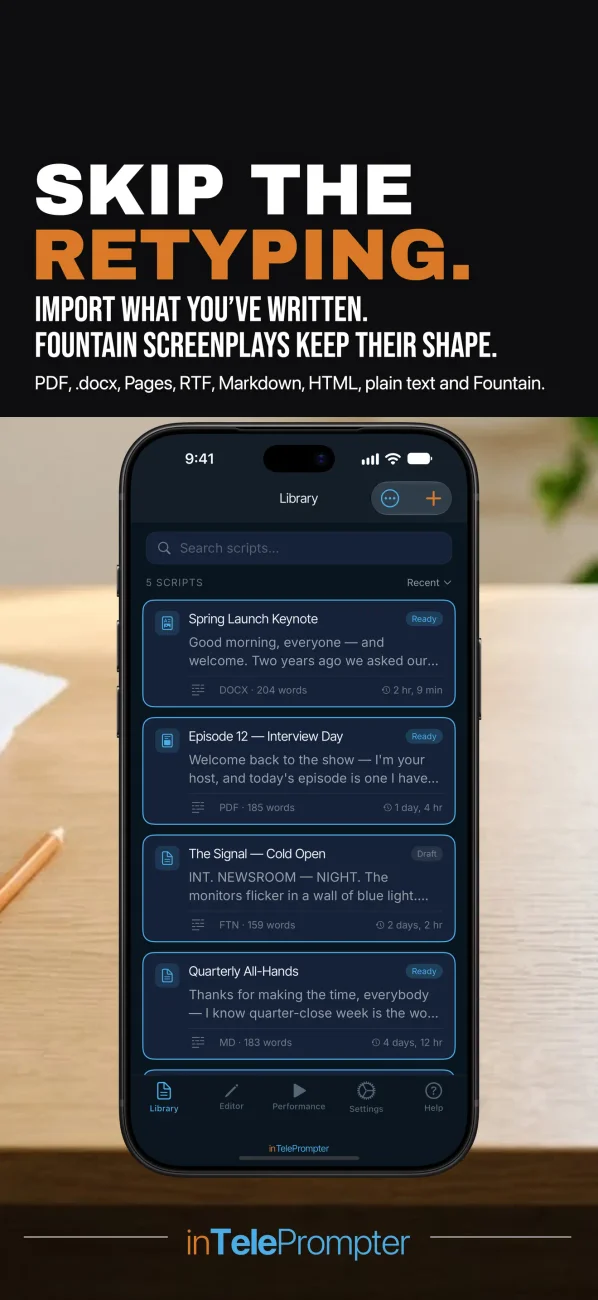
• Import PDF, Word, Pages, RTF, Markdown, HTML, plain text — and Fountain, parsed with proper screenplay structure
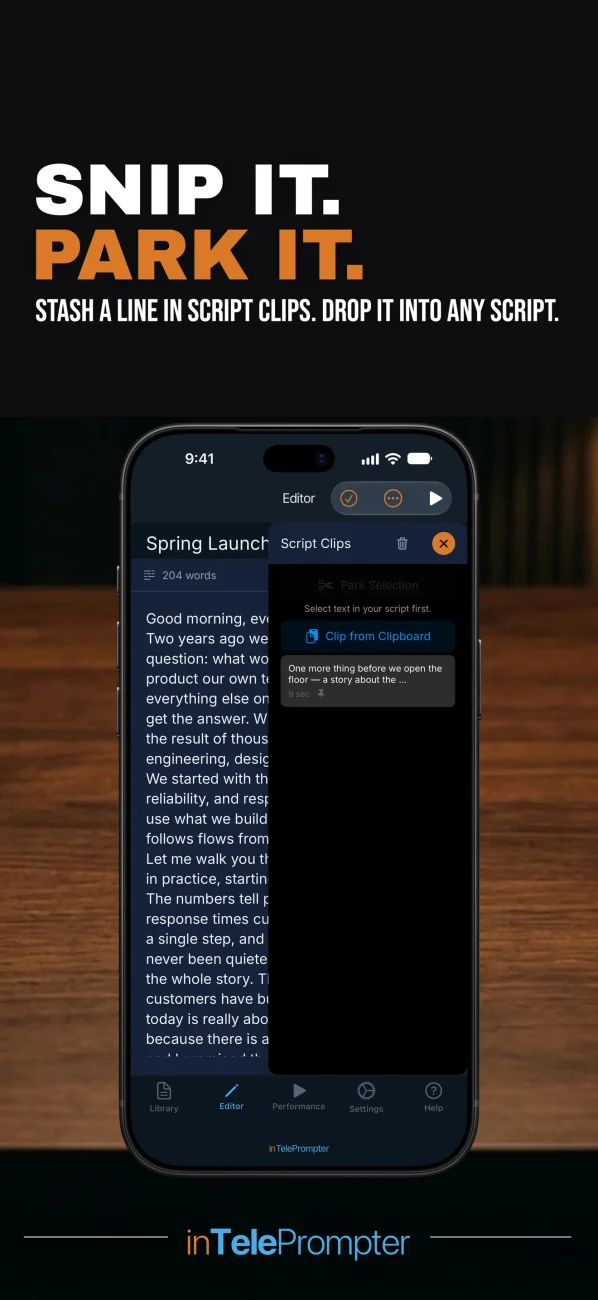
• Write from scratch, or stash snippets in Script Clips to insert into any script
HELP, BUILT IN
• Never get bounced to a website. Every guide lives on your device, in your language
PRIVATE BY ARCHITECTURE
• No account. No ads, no analytics, no tracking
• Your scripts, settings and recordings are never uploaded or synced by the app
THE SMALL STUFF THAT SAVES TAKES
• Bold, underline and highlight your script, and drop in [PAUSE 2s] beats — your emphasis lands the same way on every take
• Quick Adjust pulls out mid-take: font size, scroll speed, line spacing and margins, without leaving your script
• Two-finger tap to play or pause, swipe to nudge the pace — the controls stay out of your eyeline
• Start from Studio, Vlog, Outdoor or High Contrast, then save your own setup as a preset
• Orientation Lock freezes the frame the moment you start recording, so a stray rotation can't cost you a take
• Export your whole setup as a file — carry it to another device, or restore it after a reset
*** "Hello Prompter" and Auto Pause run entirely on your device; nothing you say is sent anywhere. inTelePrompter never compares what you say against your script. How each feature handles audio: our privacy page.
What’s new
Version 1.1 · Nov 2, 2026
inTelePrompter is now a free download: free for 14 days, then a one-time in-app purchase. No subscription. Already bought it? Everything stays yours.
App privacy
What Iqbal Rai declares on the App Store about how this app handles data.
-
Data not collected
The developer does not collect any data from this app.
Privacy practices may vary, for example with the features you use or your age.
Information
- Seller
- Iqbal Rai
- Category
- Photo & Video
- Version
- 1.1
- Updated
- Nov 2, 2026
- Released
- Oct 13, 2026
- Size
- 19.8 MB
- Requires
- iOS 17.0 or later
- Age rating
- 4+
- Price
- Free
- In-app purchases
- Yes
- Languages
- English, French, German, Italian, Japanese, Korean, Portuguese, Spanish
- Copyright
- © 2026 ThreeCode
You might also like
-
 PolacardInstant photos in your Wallet
-
 RAW Camera: HiFi CamRAW Photo, ISO & Shutter Cam
-
 Film Camera RemoteFocus & zoom controller
-
 Home Movies: Vintage CamcorderMake memories worth replaying
-
 File Monster: Photo ResizeCompress photos and PDFs
-
 DosCam: Dual Camera VideoUnlimited video. No watermark
-
 VideoBlur: Blur Faces & LogosBlur faces, logos, objects
-
 PreReel: Pre-Record CameraRecord moments before you tap
-
 FilCut: Video Highlight MakerAuto Edit Vlogs, Reels & Clips
-
 Event Photo BoothSticker camera & photo party