
Film Camera Remote
Focus & zoom controller
Designed for iPhone, iPad, Mac
Free · In-app purchases
- Age rating4+
- CategoryPhoto & Video
- DeveloperJohannes Doerr
- LanguagesEnglish
- Size4.4 MB
Links to the official App Store page
Download.org hosts no file of Film Camera Remote. The button opens its official App Store page, published by Johannes Doerr. Listing last checked on Nov 13, 2026.
Screenshots
About
Film Camera Remote lets you save camera setups for different focus positions, autofocus modes, and more — then recall them from your phone, a MIDI controller, or your Mac keyboard. You can even automate the sequence with timers, so you can focus on what you're saying instead of operating the camera.
It works over Wi-Fi with mirrorless bodies that speak CCAPI, cinema bodies that speak the XC control protocol, and bodies that speak PTP over the network.
NOTE: In order to use all features, an in-app purchase is requred. Download the app for free and test, if it is able to connect to your camera.
REMOTE CONTROL
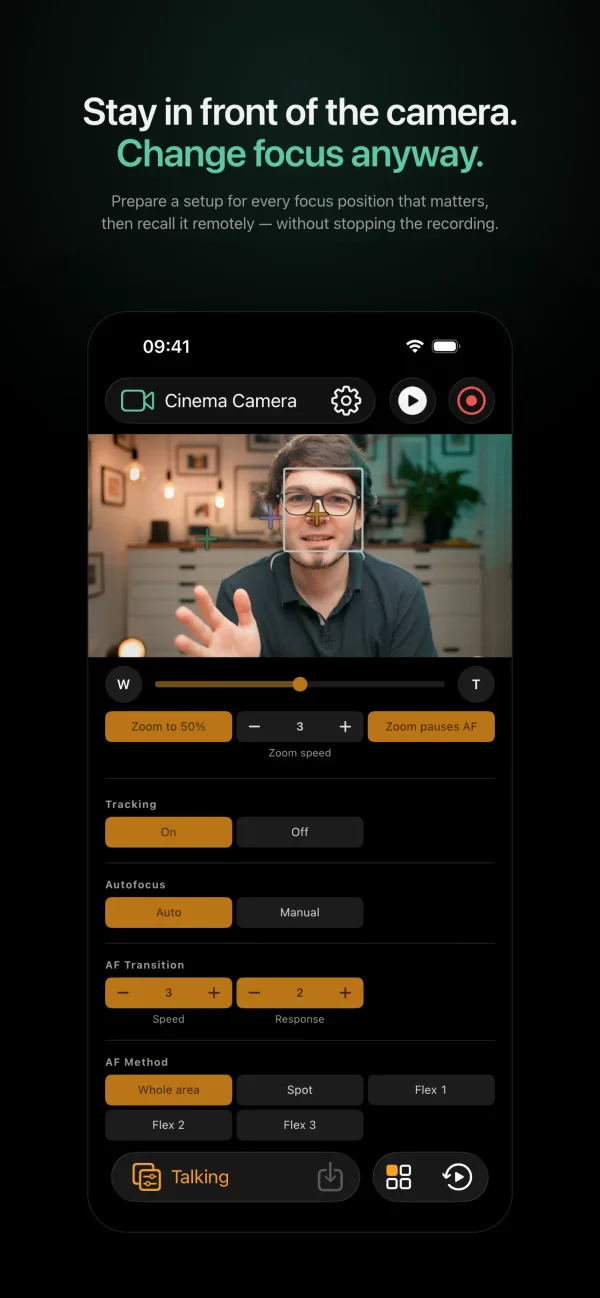
When you're recording yourself, you can't easily reach your camera to change focus. You might want to switch between your face and a product you're holding, or shift focus to something in the background. Without remote control, that means interrupting your take or hoping autofocus gets it right.
Film Camera Remote lets you prepare these setups in advance. Choose a focus position, autofocus method, subject tracking, focus speed, and other supported camera settings. Then recall the setup whenever you need it — without stopping the recording.
TRIGGERS
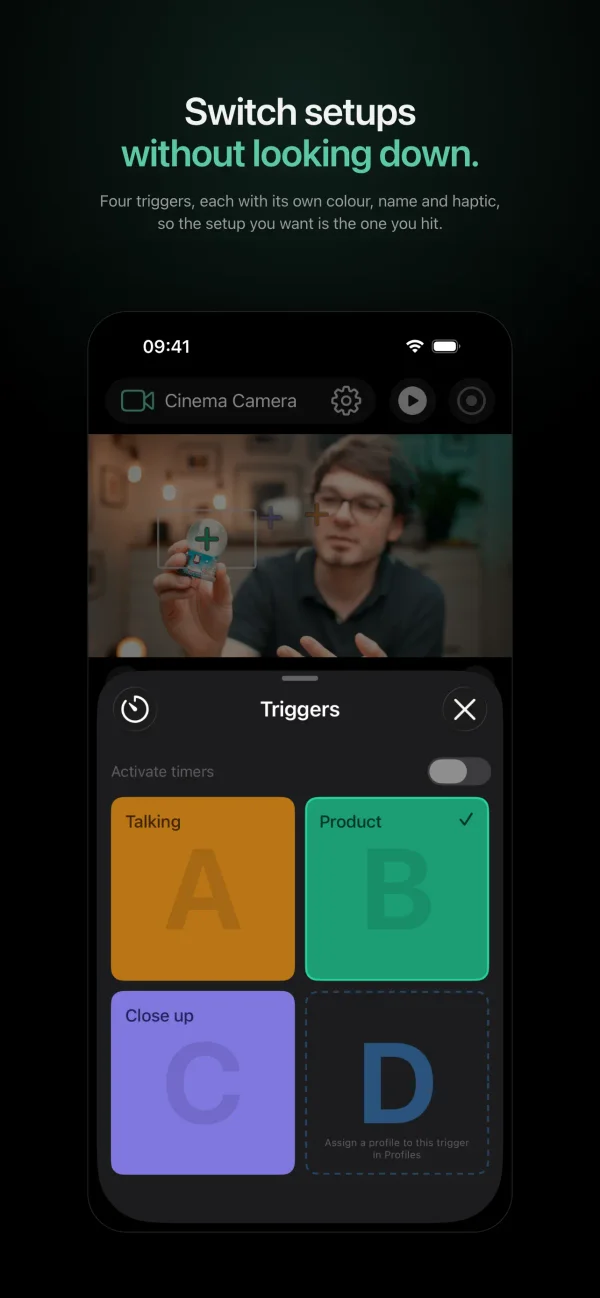
Assign your profiles to four triggers before you start recording. Each trigger gets its own color and name, making it easy to recognize the setup you want.
The large buttons and distinct haptic feedback help you trigger the right setup without looking at the screen.
MIDI
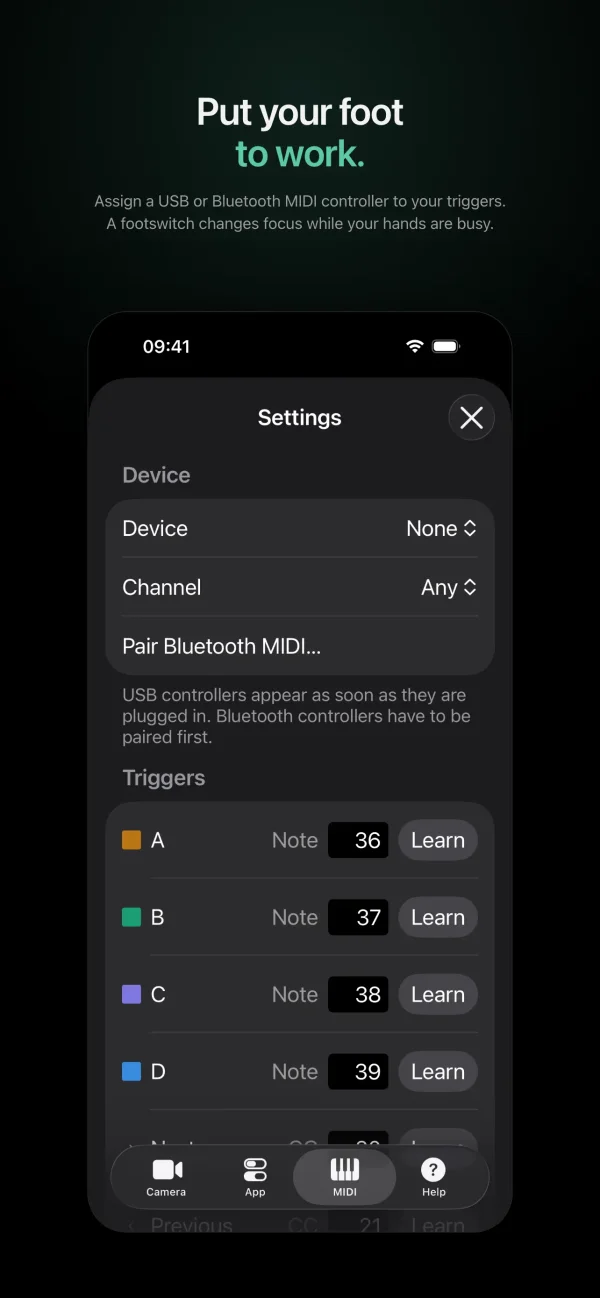
Connect a USB or Bluetooth MIDI controller and assign its buttons to your triggers. A footswitch can change focus while your hands are busy demonstrating a product, playing an instrument, or building something on camera.
You can also map MIDI commands to cycle through your triggers, or a fader or knob to a compatible power zoom lens. No controller programming required: MIDI Learn assigns whatever your controller sends.
TIMERS
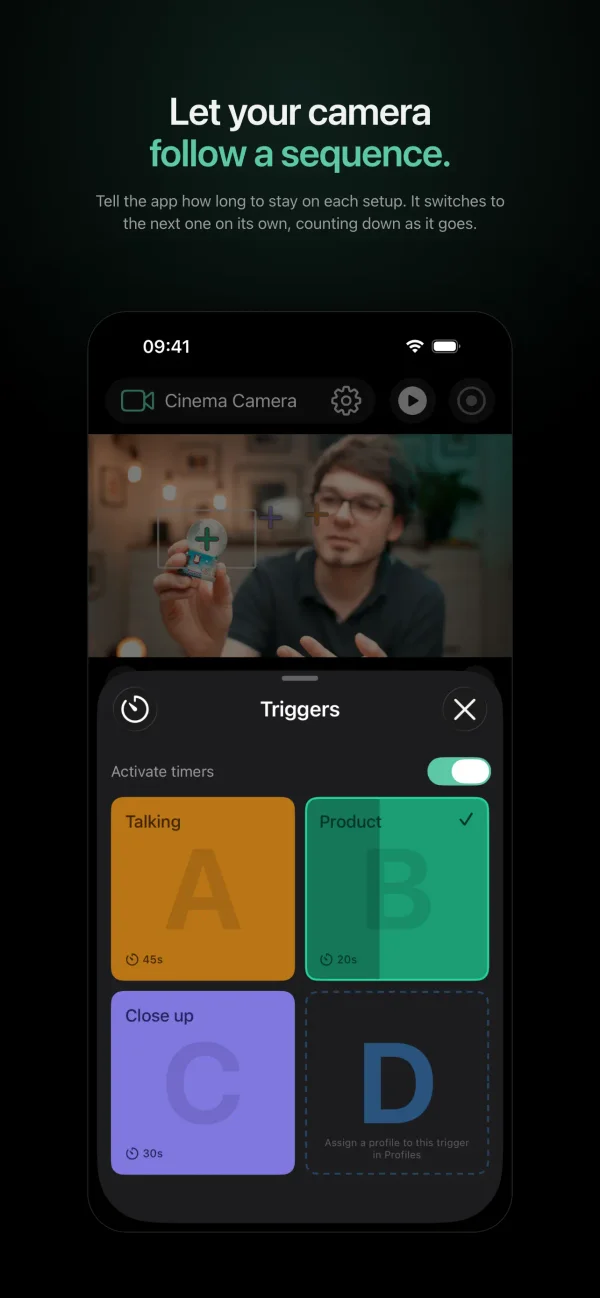
Sometimes you don't want to trigger every focus change yourself. With timers, you tell the app how long to stay on each setup before it switches to the next.
For example: your face for 30 seconds, the product in your hands for 15, then back to your face. Set up your sequence once and let it run while you talk. A countdown on each trigger shows how much time remains.
POWER ZOOM
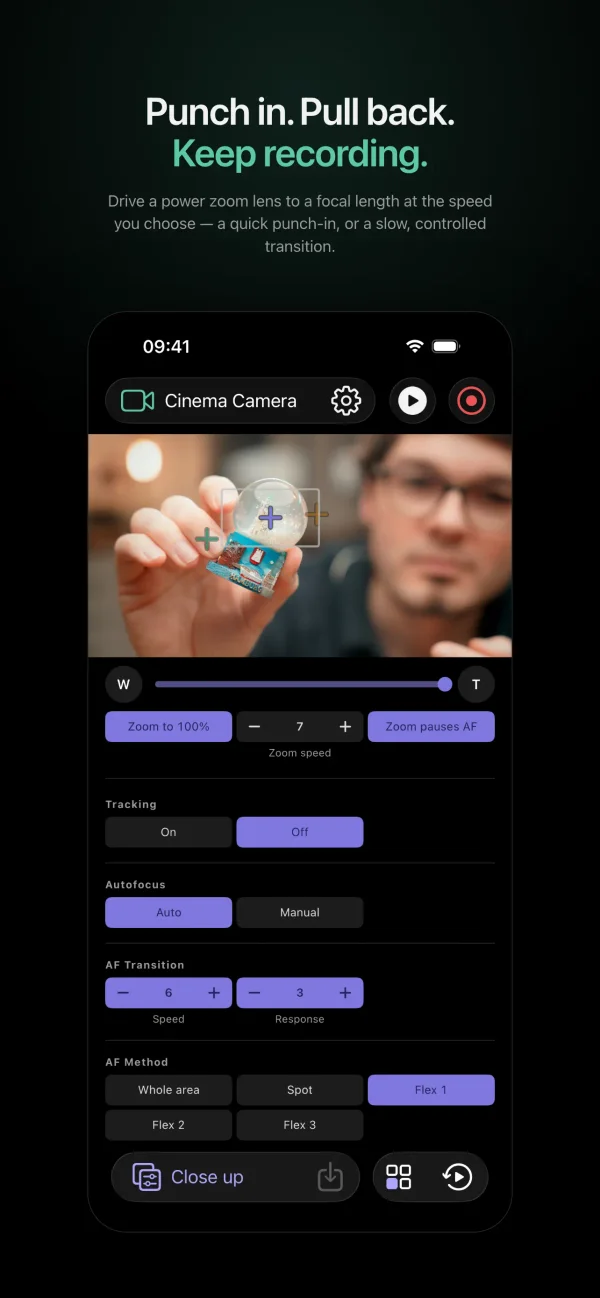
With a compatible camera and power zoom lens, Film Camera Remote can drive the lens to a specific focal length at a speed you choose. Add a quick punch-in to emphasize a product, or create a slow, controlled zoom transition.
Each profile stores its own zoom position, so switching profiles changes both focus and framing. Autofocus and face detection can be paused while the lens moves, so the camera never refocuses on an intermediate frame. Prefer manual control? Assign a MIDI fader or knob to the zoom.
BEFORE YOU START
Film Camera Remote needs your camera's remote-control protocol to be enabled before it can connect.
CCAPI cameras: Camera Control API is usually disabled by default. To enable it, register on the manufacturer's developer website and run its free activation tool once.
XC cameras: Just enable the XC protocol in your camera's network settings.
PTP cameras: Turn Remote Shooting on in the camera's network menu — older bodies call it PC Remote. With access authentication off, the camera asks once whether to allow this device: say yes on the camera, and it remembers it from then on. With it on, type that menu's user name and password into the app, which then reaches the camera through its own secure connection.
Check your camera's compatibility and complete any required activation before purchasing.
What’s new
Version 1.1.1 · Oct 26, 2026
Overall stability improvements
App privacy
What Johannes Doerr declares on the App Store about how this app handles data.
-
Data not collected
The developer does not collect any data from this app.
Privacy practices may vary, for example with the features you use or your age.
Information
- Seller
- Johannes Doerr
- Category
- Photo & Video
- Version
- 1.1.1
- Updated
- Oct 26, 2026
- Released
- Sep 28, 2026
- Size
- 4.4 MB
- Requires
- iOS 17.0 or later
- Age rating
- 4+
- Price
- Free
- In-app purchases
- Yes
- Languages
- English
- Copyright
- © 2026 Johannes Dörr
You might also like
-
 Home Movies: Vintage CamcorderMake memories worth replaying
-
 inTelePrompterTeleprompter + Voice Commands
-
 CreatorCalc: Shoot PlannerVideo, Photo & Audio Planning
-
 Sumi - Redact & Blur PhotosAuto-redact screenshots
-
 MosinePhoto memories, less clutter
-
 PolacardInstant photos in your Wallet
-
 Photo Clean: Photo OrganizerSort by size & estimated date
-
 RAW Camera: HiFi CamRAW Photo, ISO & Shutter Cam
-
 WiFi Camera - Remote iPhonesWireless viewfinder & shutter
-
 Light Meter: MiddlegrayFilm Exposure & Spot Metering