FilCut: Video Highlight Maker
Auto Edit Vlogs, Reels & Clips
Designed for iPhone
Free · In-app purchases
- Age rating4+
- CategoryPhoto & Video
- DeveloperCheol Kim
- LanguagesEnglish+ 4 more
- Size18.4 MB
Links to the official App Store page
Download.org hosts no file of FilCut: Video Highlight Maker. The button opens its official App Store page, published by Cheol Kim. Listing last checked on Nov 24, 2026.
Screenshots



About
Find the moments worth showing, and turn them into one short video.
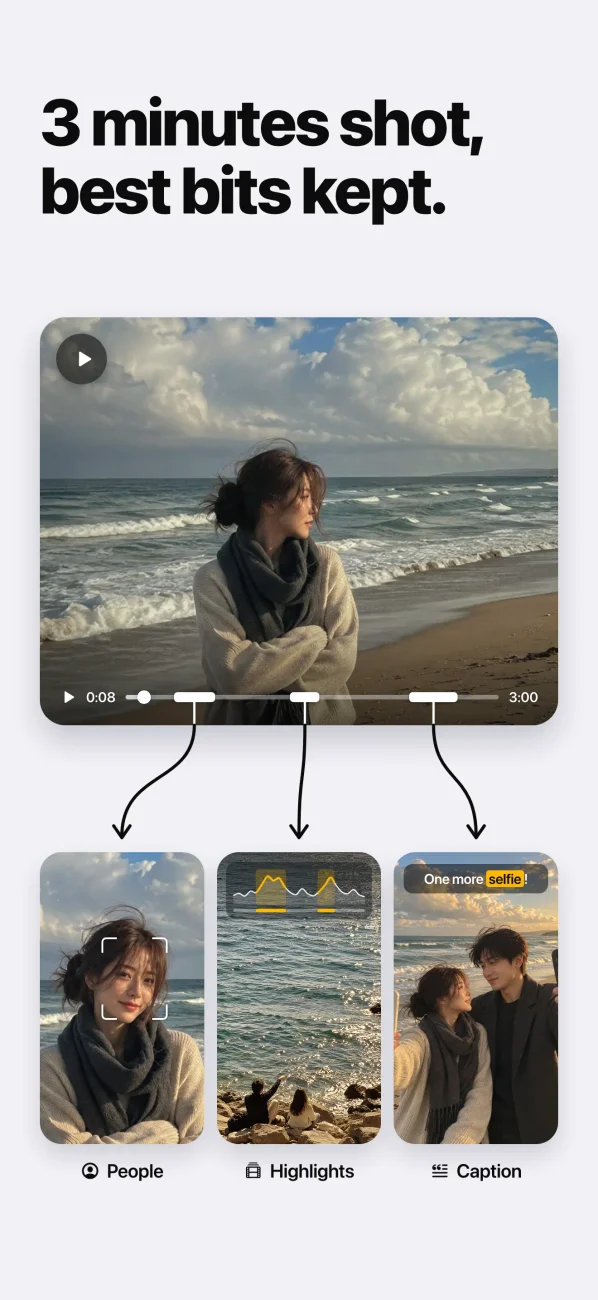
FilCut looks through the videos you choose and finds who's in them, which scenes stand out, and what was said. Then it cuts those moments together into a short video you can save and share. No editing needed.
MAKE A VIDEO
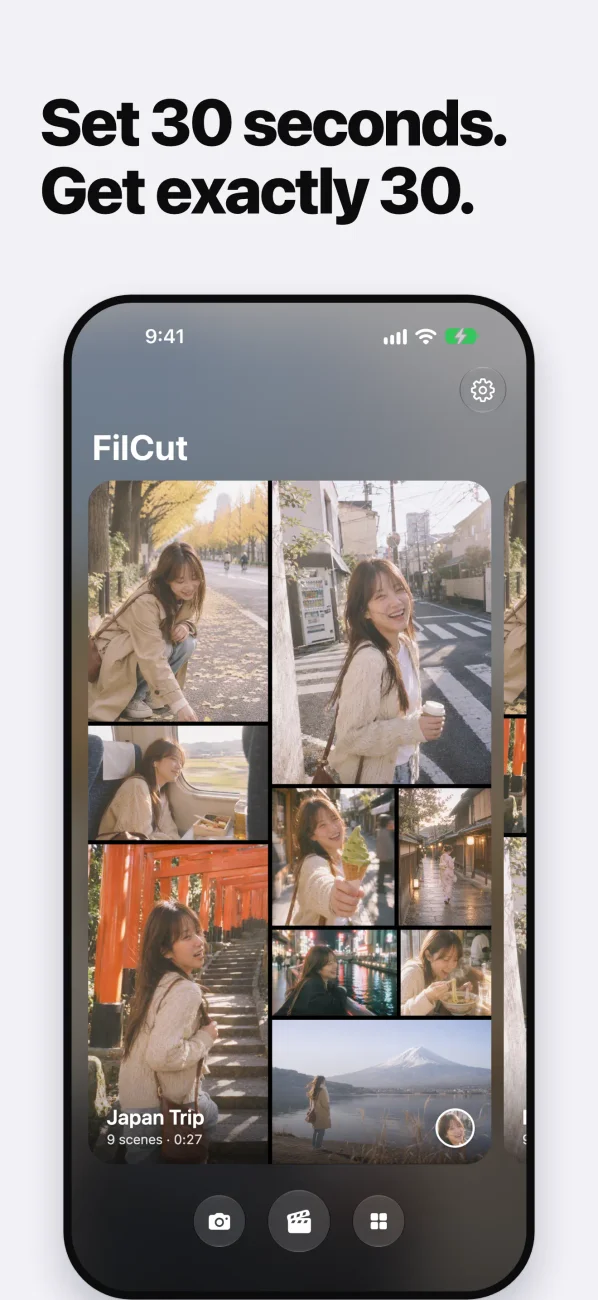
• Choose videos and FilCut cuts the best parts together
• Motion templates with animated titles and dates
• Set the total length with one slider, limit how long each clip plays, reorder the parts, add a transition
• Every video you make is kept as a version: replay, share or delete it any time
• Save to Photos or share
SHOOT WITH MUSIC
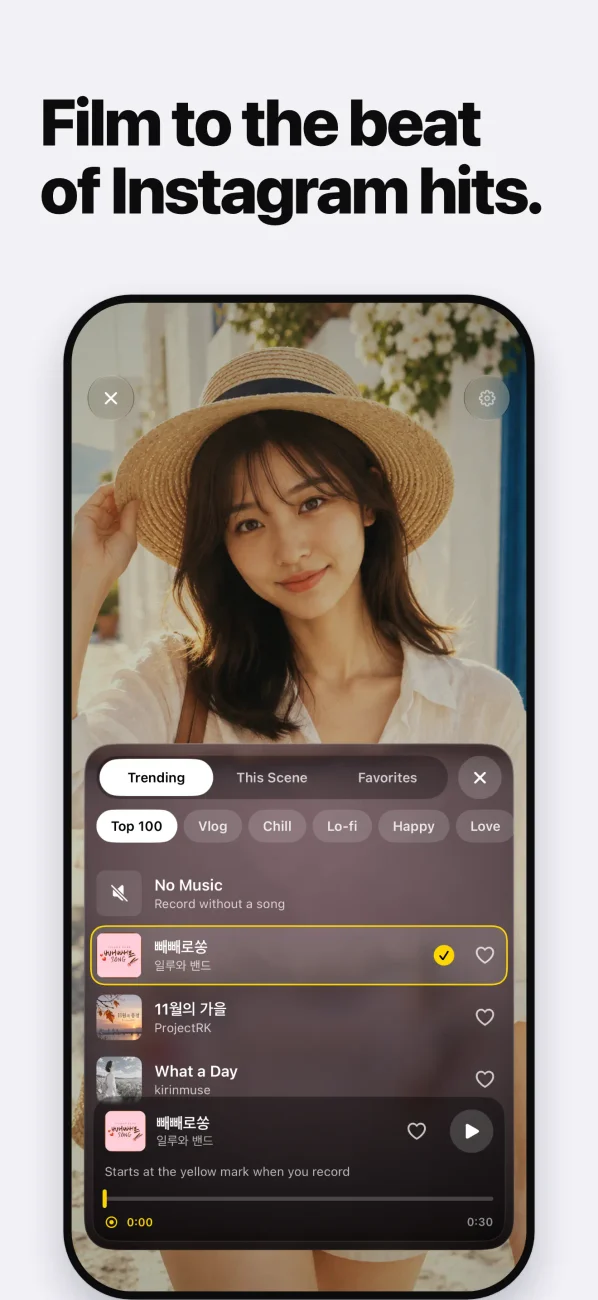
• The camera reads the scene and suggests songs from Apple Music that fit it
• Trending: songs that are popular on Instagram Reels right now
• The song keeps playing while you record
FIND ANY MOMENT
• Highlights: standout scenes chosen from the picture, even when nobody is talking
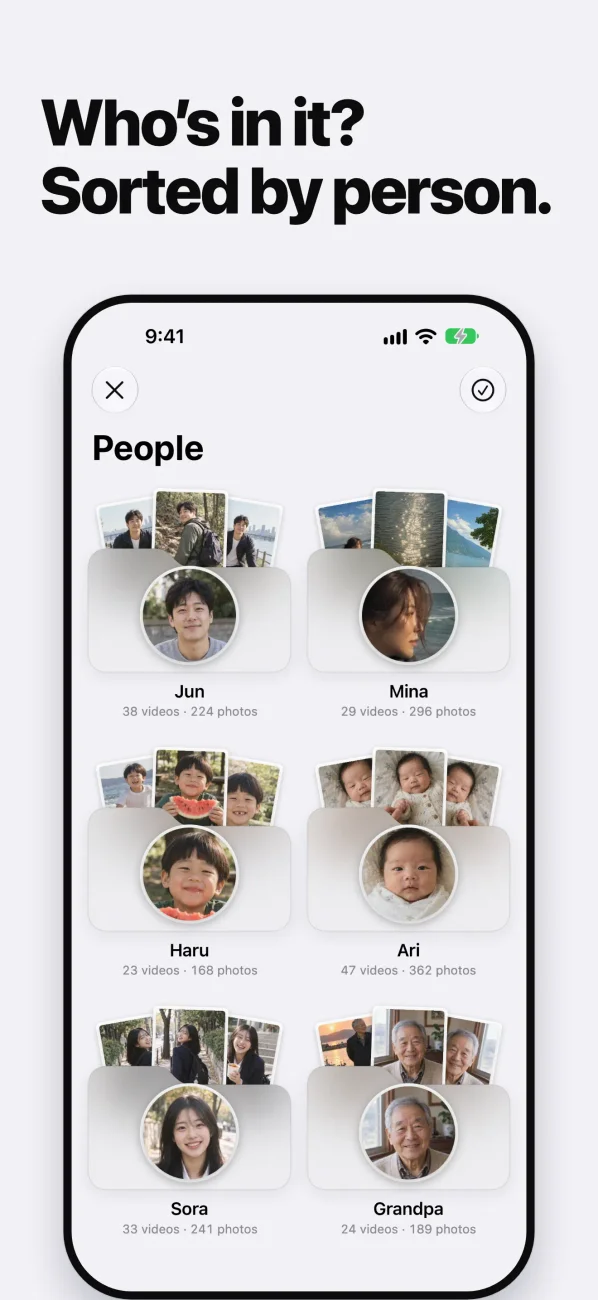
• People: photos and videos grouped by who's in them
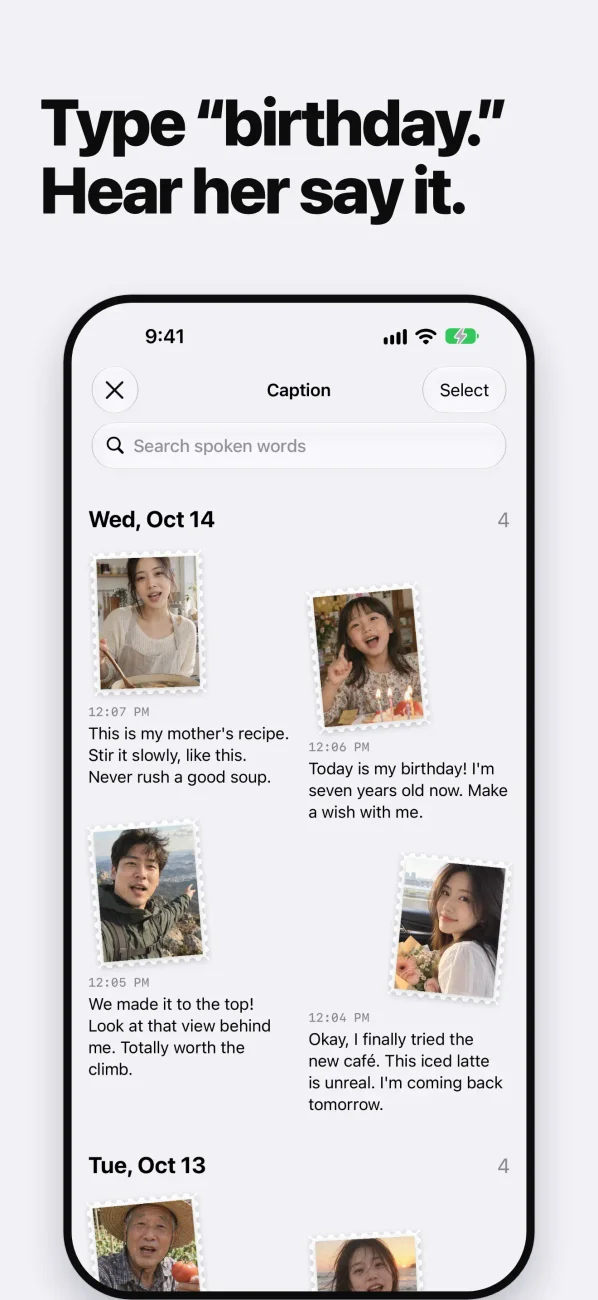
• Caption: search every video by the words spoken in it and jump to that exact moment
• Calendar: browse your videos by date
PICK WHAT YOU LIKE
• While watching, pick the parts you want: a line someone said, a highlight, or the moments one person appears
• Picked parts go straight into your next video
• Your original videos are never changed
PRIVACY
• People, scene highlights and speech-to-text are all analyzed on your device
• Your videos, photos and transcripts never leave your iPhone
• No account, no sign-up, no ads
GOOD TO KNOW
• Speech recognition supports Korean, English, Japanese and Chinese. The first time you use a language, iOS may download its speech model
• People and scene highlights require iOS 27 or later
• Songs come from Apple Music. Full songs play with an Apple Music subscription; otherwise 30-second previews play
FILCUT PRO
• Export up to 3 videos free each day in Smaller File or Standard quality. Choosing, analyzing and previewing videos and the camera stay free
• FilCut Pro includes High Quality and unlimited exports: $29.99 per year with a 3-day free trial, or $4.99 per month. Prices vary by country
• Payment is charged to your Apple Account. The subscription renews automatically unless you cancel at least 24 hours before the end of the current period. Manage or cancel it in your Apple Account settings
• Terms of Use: https://www.apple.com/legal/internet-services/itunes/dev/stdeula/
• Privacy Policy: https://docs.google.com/document/d/1S35cg5wJqBy-zzVyEoQosBkHSa57d-6Le5JQSsiNKFg/edit?usp=sharing
What’s new
Version 1.6 · Nov 23, 2026
• The FilCut Pro screen now opens faster and shows the plan price right away
App privacy
What Cheol Kim declares on the App Store about how this app handles data.
-
Data not collected
The developer does not collect any data from this app.
Privacy practices may vary, for example with the features you use or your age.
Information
- Seller
- Cheol Kim
- Category
- Photo & Video
- Version
- 1.6
- Updated
- Nov 23, 2026
- Released
- Oct 31, 2026
- Size
- 18.4 MB
- Requires
- iOS 26.0 or later
- Age rating
- 4+
- Price
- Free
- In-app purchases
- Yes
- Languages
- English, Japanese, Korean, Simplified Chinese, Traditional Chinese
- Copyright
- © 2026 Cheol Kim
You might also like
-
 DosCam: Dual Camera VideoUnlimited video. No watermark
-
 File Monster: Photo ResizeCompress photos and PDFs
-
 PhotoSSDPhoto & Video Viewer for SSD
-
 RAW Camera: HiFi CamRAW Photo, ISO & Shutter Cam
-
 PicReady: Compress & ResizePhoto size in KB, HEIC to JPG
-
 PolacardInstant photos in your Wallet
-
 Clipora - Video SaverSave, Manage & Share Videos
-
 inTelePrompterTeleprompter + Voice Commands
-
 PreReel: Pre-Record CameraRecord moments before you tap
-
 RawlitRAW Photo Editor with Masks