
iPassworder Password Manager
Easiest way to store passwords
Designed for iPhone, iPad
Free · In-app purchases
- Age rating4+
- CategoryProductivity
- DeveloperDmytro Vynokurov
- LanguagesEnglish+ 19 more
- Size2.4 MB
Links to the official App Store page
Download.org hosts no file of iPassworder Password Manager. The button opens its official App Store page, published by Dmytro Vynokurov. Listing last checked on Nov 25, 2026.
Screenshots



About
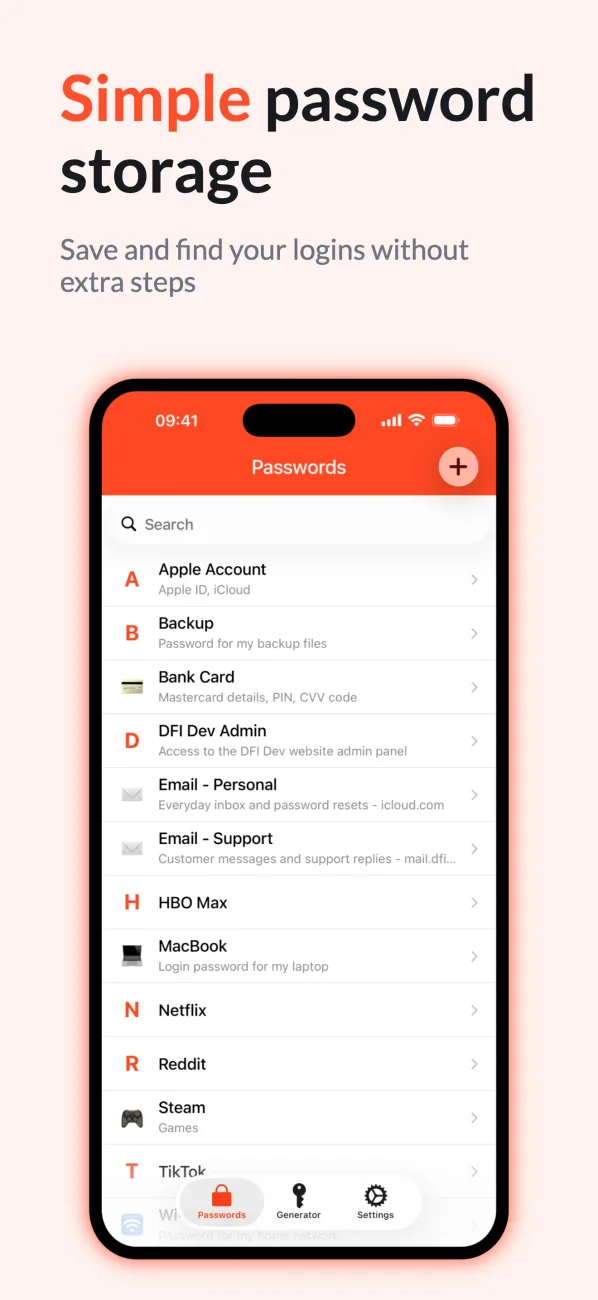
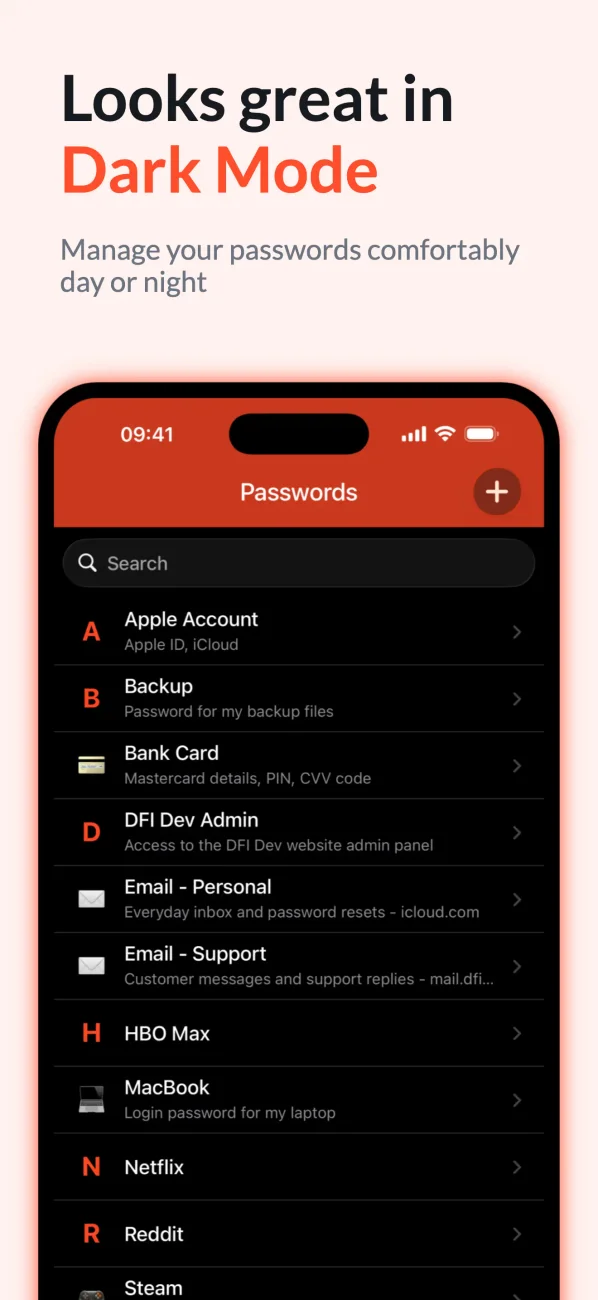
iPassworder is a fast and simple password manager built for everyday use.
Add a new password in seconds, find what you need quickly, copy it with one tap, and move on. No complicated folders, no clutter, and no unnecessary steps - just a clean way to store and access your passwords and private information.
Keep logins, emails, bank accounts, cards, and other sensitive data in one easy-to-use vault. Unlock securely with your Master Password, Face ID, or Touch ID, and access your saved data even when you are offline.
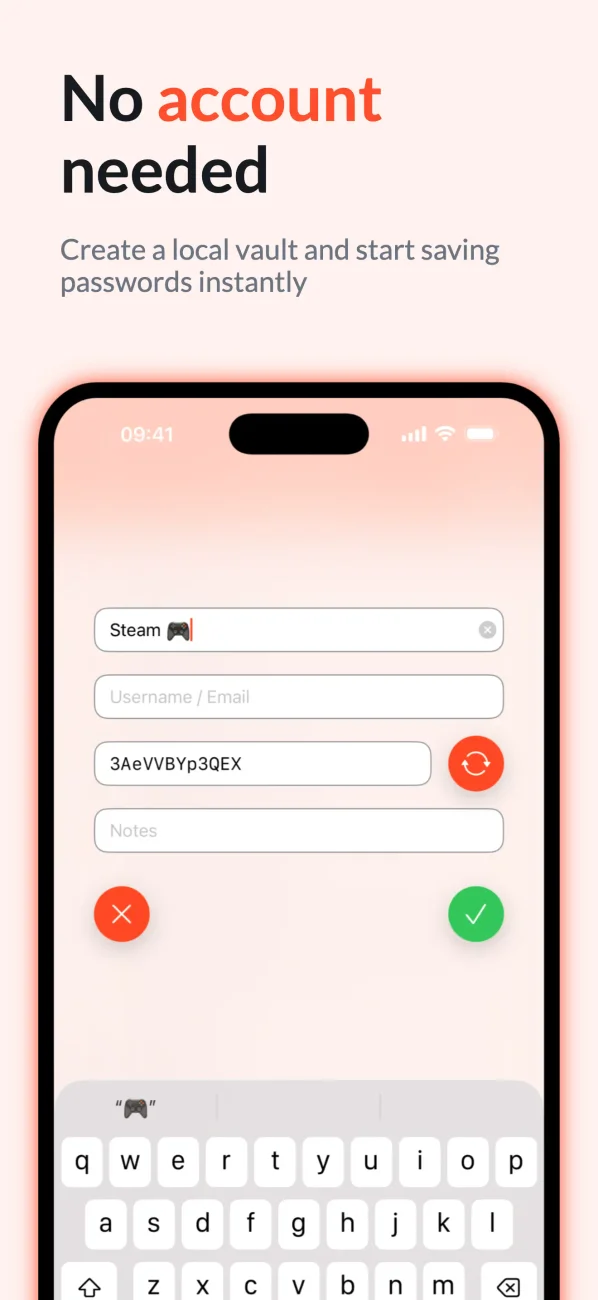
iPassworder also includes a built-in Password Generator, helping you create strong, unique passwords whenever you need them. With Quick Password Create, you can generate and fill a password while adding a new entry with just one tap.
The app is ad-free, including the free version. And if you choose to upgrade, there are no subscriptions - just a one-time purchase.
Key Features:
• Simple Interface: Clean, focused design with no complicated structure.
• Fast Password Access: Find and copy saved passwords with one tap.
• Face ID & Touch ID: Unlock quickly and securely with biometrics.
• Password Generator: Create strong, unique passwords instantly.
• Quick Password Create: Instantly generate and fill in passwords on the go.
• Automatic Device Syncing: Keep your data updated across devices.
• Offline Access: Use your saved data even without internet.
• Database Export: Easily back up or print your data.
• Ad-Free Experience: No ads, even in the free version.
• No Subscriptions: Upgrade once with a one-time purchase.
• Smart Auto-Lock: Stays unlocked briefly when you return, then locks after inactivity.
What’s new
Version 7.0.1 · Jun 3, 2026
Added 9 new localizations.
App privacy
What Dmytro Vynokurov declares on the App Store about how this app handles data.
-
Data not collected
The developer does not collect any data from this app.
Privacy practices may vary, for example with the features you use or your age.
Information
- Seller
- Dmytro Vynokurov
- Category
- Productivity
- Version
- 7.0.1
- Updated
- Jun 3, 2026
- Released
- Oct 3, 2013
- Size
- 2.4 MB
- Requires
- iOS 16.0 or later
- Age rating
- 4+
- Price
- Free
- In-app purchases
- Yes
- Languages
- English, Danish, Dutch, French, German, Hindi, Indonesian, Italian, Japanese, Korean, Norwegian Bokmål, Polish + 8 more
- Copyright
- © Dmytro Vynokurov
You might also like
-
 My Passwords ManagerProductivity
-
 Password Manager'Lock Apps Keep Vault Safe
-
 mSecure: Password ManagerSecure Storage Digital Wallet
-
 SecureSafe Password ManagerPassword Generator & Autofill
-
 aWallet Password ManagerWallet Password Manager
-
 Password Manager: SafePasskeys & 2FA
-
 Password Manager - Safe LockAutofill Passwords & Passcode
-
 Password Manager & GeneratorSecret Photo Vault & App lock
-
 Password Safe Manager & VaultPasskey, 2FA & Authenticator
-
 Password Manager iPassSafePassword Generator & Autofill