iPerf Reloaded
Network speed test with iPerf3
Designed for iPhone, iPad
Free · In-app purchases
- Age rating4+
- CategoryDeveloper Tools
- DeveloperJohannes von Reitzenstein
- LanguagesEnglish+ 4 more
- Size4.2 MB
Links to the official App Store page
Download.org hosts no file of iPerf Reloaded. The button opens its official App Store page, published by Johannes von Reitzenstein. Listing last checked on Nov 12, 2026.
Screenshots
About
iPerf Reloaded brings the power of iPerf3 — the industry-standard network performance tool — directly to your iPhone and iPad.
WHAT IS IPERF?
iPerf3 is an open-source tool used by network engineers, IT admins, and enthusiasts worldwide to measure real TCP throughput between two devices. Unlike internet speed tests that hit a remote server, iPerf tests your LOCAL network — Wi-Fi, Ethernet, VPN tunnels, or any IP connection — giving you accurate, raw numbers without server-side bottlenecks.
WALK TEST WITH VIDEO
Walk through a home, office or warehouse while filming. Current throughput, average, peak and a live chart are burned into the video – ideal for finding dead spots and showing customers the coverage.
• Shows whether you measure over Wi-Fi or cellular, optionally with the Wi-Fi name
• Video quality from 720p up to 4K, compact files that are easy to share
• Share the video directly or save it to Photos
WHAT YOU CAN DO
• Measure download and upload throughput to any iPerf3 server on your network
• TCP and UDP protocol support
• Test with 1–10 parallel streams to saturate high-speed links
• Choose test durations: 5 s, 30 s, or unlimited
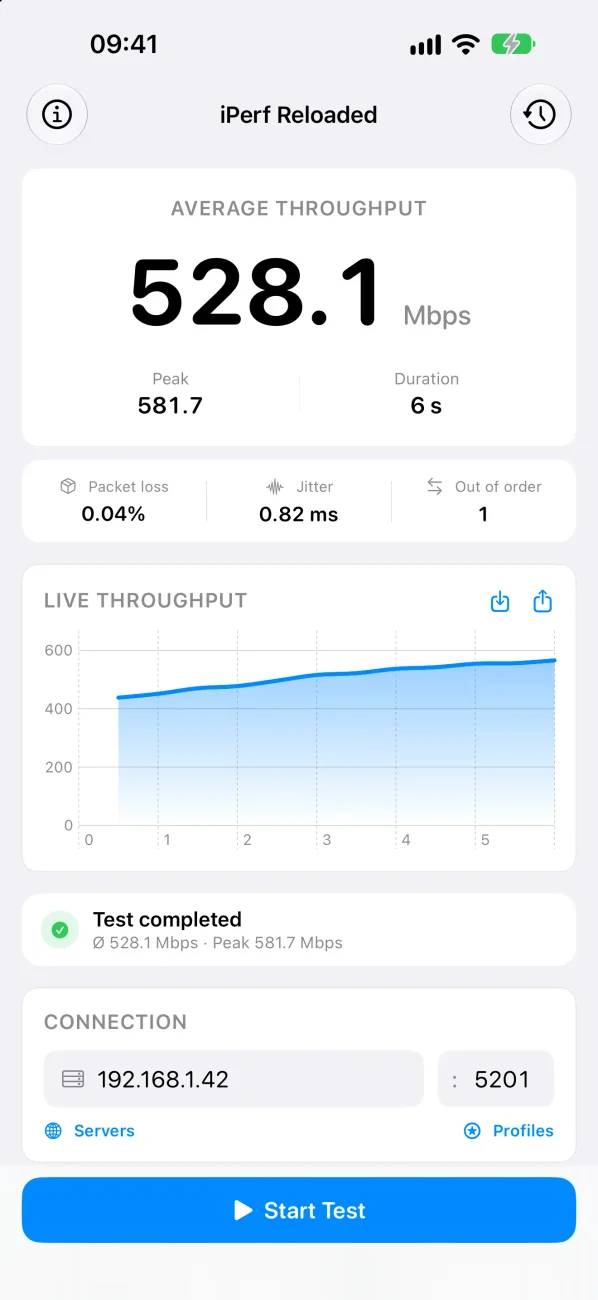
• Watch throughput evolve live in a smooth 5Hz real-time chart
• Share test results as an image or CSV export
• Optimized iPad landscape layout
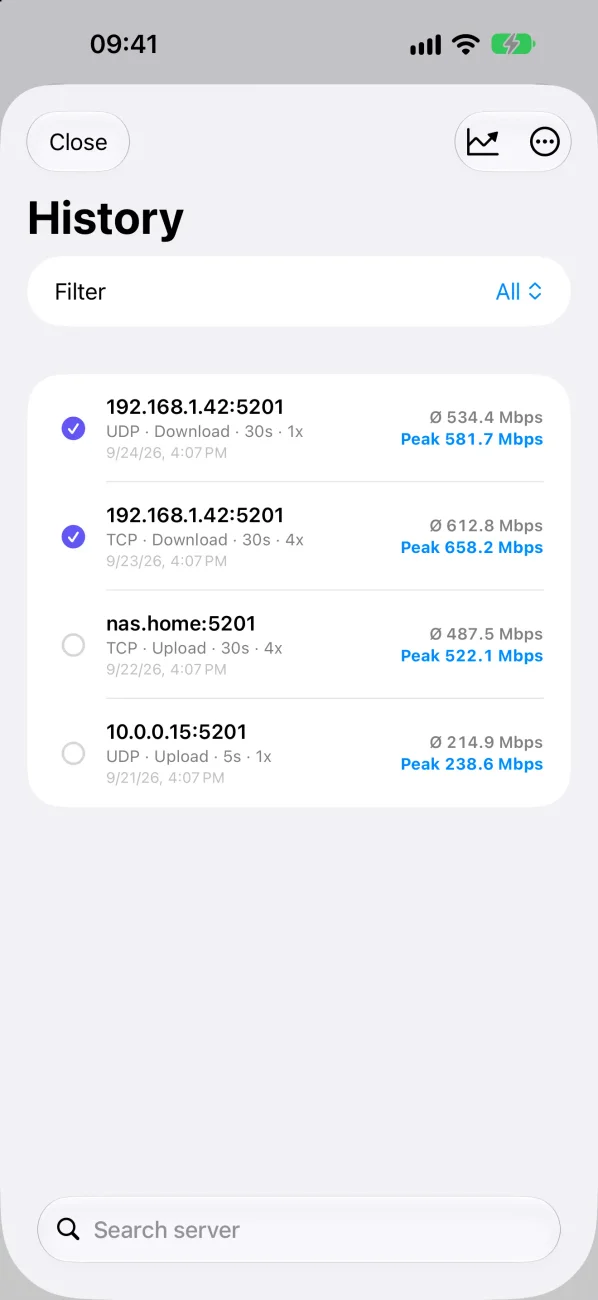
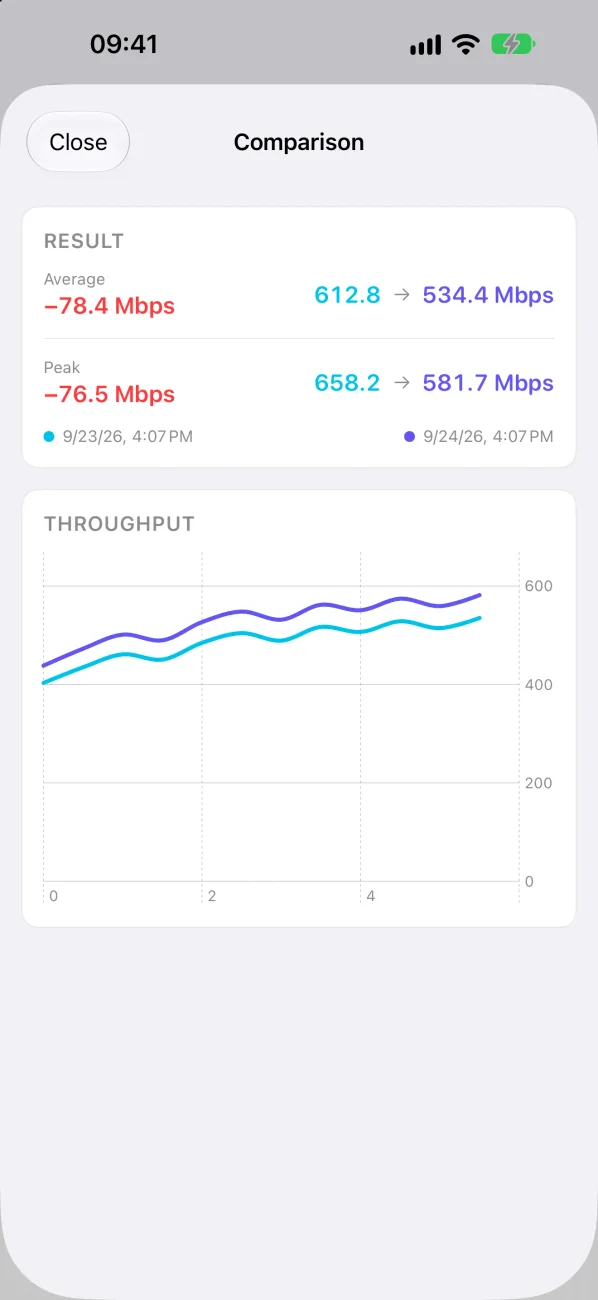
• Save and compare past test runs in the built-in history
• Reusable test profiles for recurring measurements
• UDP diagnostics with packet loss, jitter, and out-of-order packets
• Search, filter, and directly repeat saved tests
• Light and dark theme
TYPICAL USE CASES
• Verify your Wi-Fi access point's real-world speed
• Diagnose bottlenecks in home or office networks
• Benchmark a new router, switch, or network adapter
• Validate QoS or VPN performance
REQUIREMENTS
An iPerf3 server must be reachable on your network. Run `iperf3 -s` on any Mac, Linux, Windows, or Raspberry Pi to start one instantly. Public iPerf3 servers are also available online (see iperf3serverlist.net).
PRIVACY
No tracking, no analytics, no ads. All test data stays on your device. No account required.
iPerf Reloaded is a clean, modern SwiftUI rewrite based on the open-source iperf3 library.
FREE AND AD-FREE
All measurement features are free, with no ads and no account. Walk tests up to 60 seconds (with watermark) are free as well.
IPERF RELOADED PRO (OPTIONAL)
Pro unlocks walk test videos without time limit or watermark, your own label (e.g. company or site name), location markers such as "Floor 1", and videos in 1080p at 60 fps or 4K.
Pro is available as a monthly or yearly subscription; the yearly plan includes a 7-day free trial. Payment is charged to your Apple Account. The subscription renews automatically unless cancelled at least 24 hours before the end of the current period. Manage or cancel it in your Apple Account settings.
Terms of Use (EULA): https://www.apple.com/legal/internet-services/itunes/dev/stdeula/
Privacy Policy: https://johannesvr96.github.io/iperf-reloaded-support/
What’s new
Version 1.12 · Nov 8, 2026
Version 1.12:
• Optimized for iPhone Duo and large displays: the full screen and landscape on iPhone, with a two-column layout on wide screens
• Walk test: held sideways, the controls now sit at the side like in the Camera app, so the preview is much larger. The video orientation follows the camera, also on foldable iPhones
• New measurement core iperf 3.22 (was 3.9): current security fixes and one thread per stream for high rates with several streams
• Walk Test Pro is now easy to find in the Info menu
• New app icon, with dark and tinted variants
All measurement features stay free and ad-free.
App privacy
What Johannes von Reitzenstein declares on the App Store about how this app handles data.
-
Data not collected
The developer does not collect any data from this app.
Privacy practices may vary, for example with the features you use or your age.
Information
- Seller
- Johannes von Reitzenstein
- Category
- Developer Tools
- Version
- 1.12
- Updated
- Nov 8, 2026
- Released
- Apr 26, 2026
- Size
- 4.2 MB
- Requires
- iOS 16.0 or later
- Age rating
- 4+
- Price
- Free
- In-app purchases
- Yes
- Languages
- English, French, German, Italian, Spanish
- Copyright
- © 2026 Johannes von Reitzenstein
You might also like
-
 iPerf PulseNetwork Speed Test
-
 Nice SSHAll Your Hosts in One Place
-
 LogCat Analyzer: Debug ToolkitAdvanced Debugging Analysis
-
 Swift IDE : SwiftPad CompilerCode Editor & Swift Playground
-
 Forge Database ManagerNative Database Manager
-
 Text Editor : Code Editor#1 App Built for Developers
-
 Pull requests ManagerPull Request Command Center
-
 PyodiosOffline Python notebook & REPL
-
 Regex PlaygroundTest, Learn & Master in Regex
-
 HTTP Debugger+Debug PC's HTTP Traffic