iPrivate Data - Secret Vault
Photos, Passwords & Browser
Designed for iPhone, iPad
In-app purchases
- Age rating17+
- CategoryUtilities
- DeveloperNileshKumar Rathod
- LanguagesEnglish
- Size22.8 MB
Links to the official App Store page
Download.org hosts no file of iPrivate Data - Secret Vault. The button opens its official App Store page, published by NileshKumar Rathod. Listing last checked on Nov 12, 2026.
Screenshots
About
ONE APP. TOTAL PRIVACY.
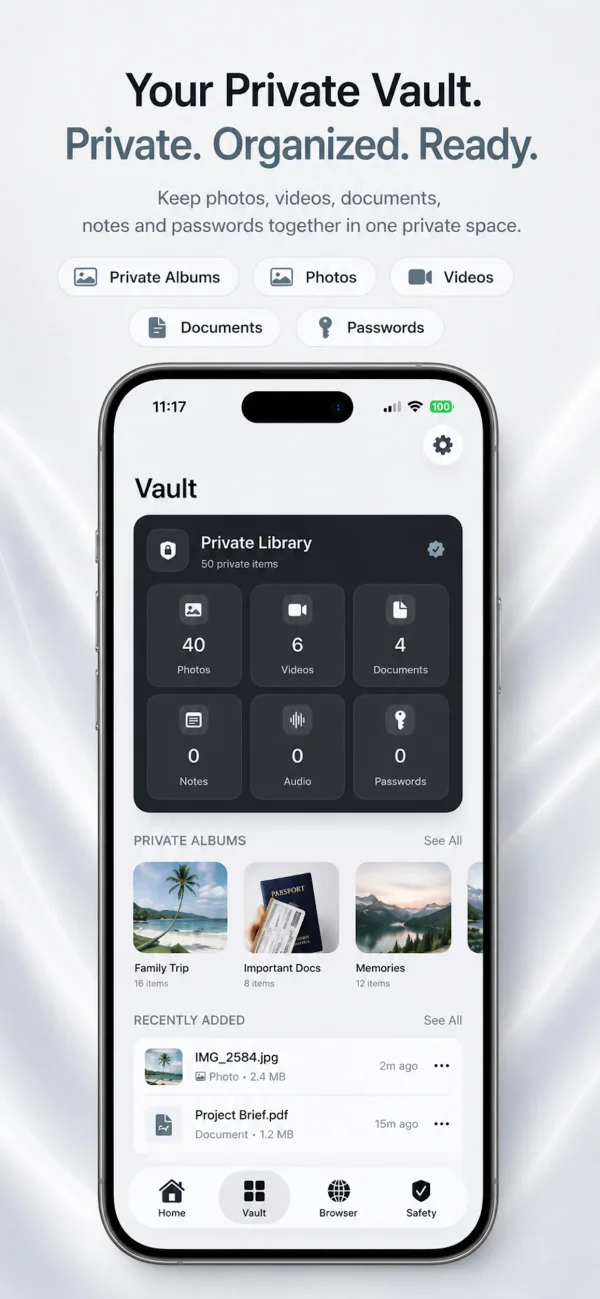
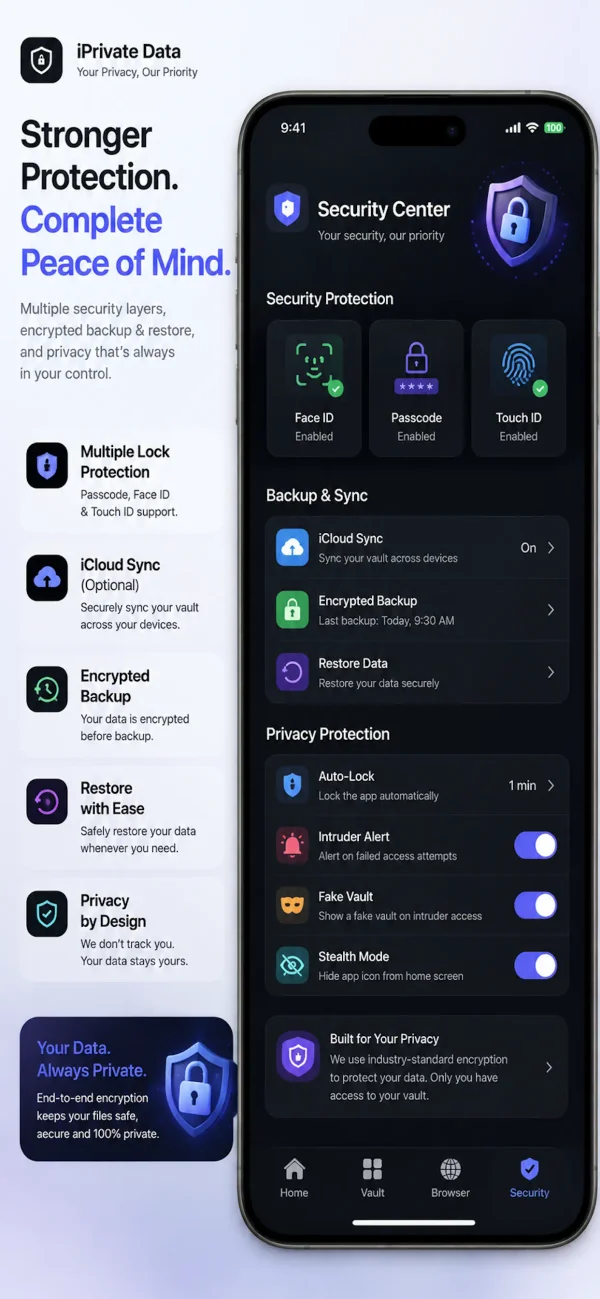
iPrivate Data - Secret Vault is a premium personal vault for what matters most. Protect photos, videos, documents, notes, audio, passwords, identity records, payment cards and contacts behind your PIN or password and Face ID or Touch ID.
YOUR PRIVATE VAULT
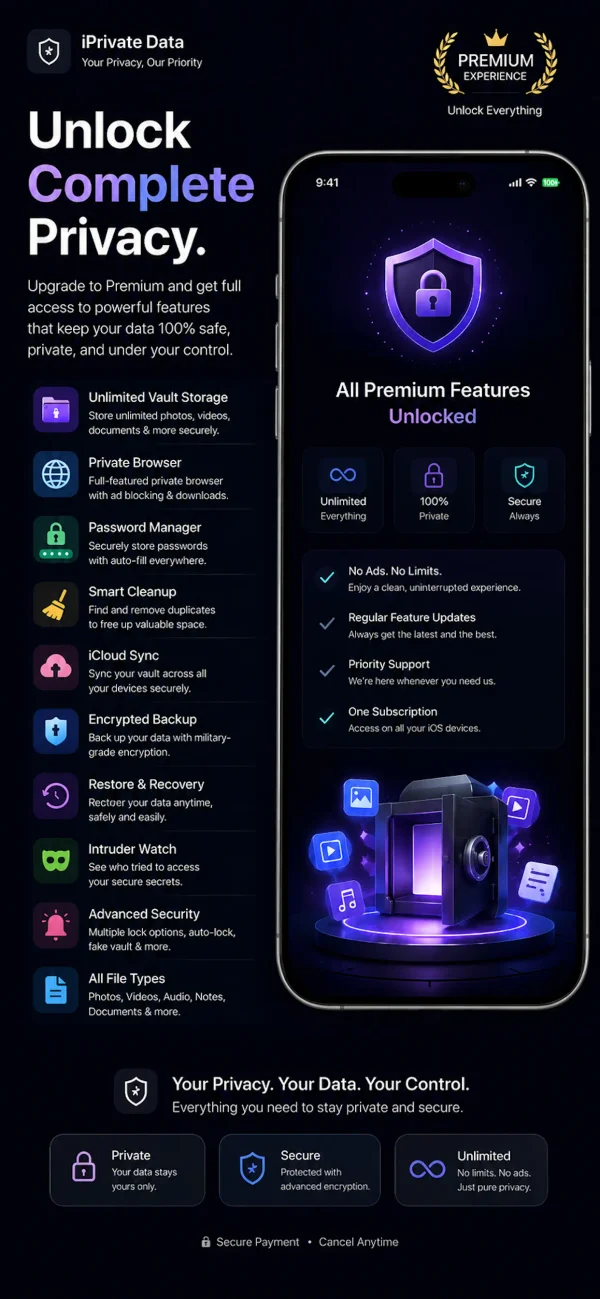
• Import photos, Live Photos, GIFs, videos, PDFs, documents and audio in original quality.
• Capture private photos, record audio and scan multi-page documents directly into the vault.
• Use on-device OCR to recognize and search text in scans.
• Create private notes with auto-save, checklists, attachments, search and pinning.
• Organize with categories, custom and nested folders, favourites and smart collections.
• Search, sort, switch between grid and list views, resize thumbnails and use batch actions.
• View photos full screen, zoom, swipe, play slideshows and videos, preview documents and listen to audio.
• Move, rename, share and export your content whenever needed.
PASSWORD MANAGER & AUTOFILL
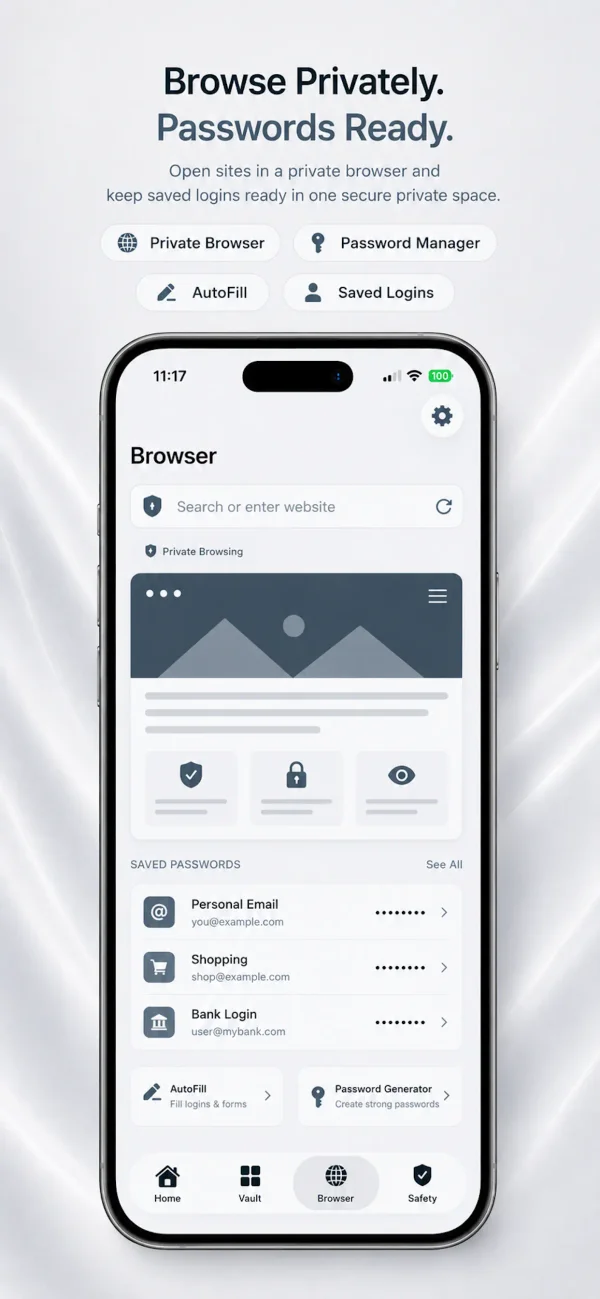
Save website logins in an encrypted password vault and use AutoFill in Safari and supported apps. Add one-time password secrets for 2FA codes, import or export logins, find weak passwords and privately check passwords against known breach data. Secrets remain masked until you authenticate.
IDENTITY WALLET & PRIVATE CONTACTS
Keep passports, driving licences, ID cards, insurance details, payment cards and vital records with encrypted scans and attachments. Scan supported cards or QR codes for faster entry. Create private contacts or import selected details, then review duplicates and missing information on device.
SMART CLEANUP
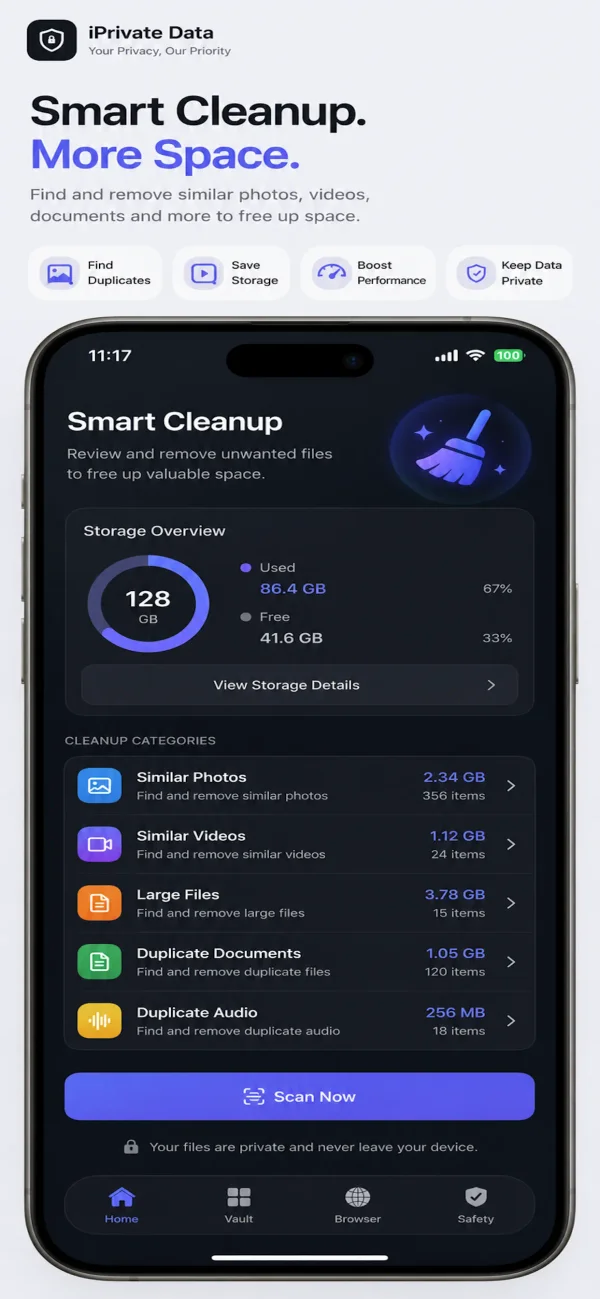
Review exact duplicates, similar photos, duplicate videos, blurry images, bursts, screenshots, screen recordings, large videos, large vault files and selected external folders. Scans run on device. You decide what to remove, and duplicate groups always keep one item.
PRIVATE BROWSER
Browse with non-persistent tabs, private search, bookmarks, tracker and ad reduction, pop-up controls, unsafe-site warnings and JavaScript controls. Clear cookies, cache and session history, browse full screen, and save supported downloads to your vault. Private Browser is not a VPN or anonymity service.
PROTECTION THAT FITS YOUR LIFE
• Lock with a PIN or password; unlock with Face ID or Touch ID.
• Choose auto-lock timing, hide app-switcher content, use face-down panic lock or lock manually.
• Add another authentication step to private notes and individual folders.
• Use Lock Camouflage, alternate icons and familiar-looking lock screens for discretion.
• Create a separate Decoy Vault with a second PIN.
• Enable Intruder Capture to save a local front-camera photo after an incorrect PIN.
• Review protection, permissions, storage and recovery readiness in Data Safety Center.
BACKUP, SYNC & RECOVERY
Create a password-protected encrypted backup, verify it and restore without replacing existing content. Optional private iCloud Sync keeps supported content available across your Apple devices. Your PIN and recovery key are never stored in iCloud. Use your recovery key to reset a forgotten credential on the same device.
MORE USEFUL TOOLS
• Save items with the iOS Share Extension or “Save to iPrivate Data” Shortcuts action.
• Set private reminders for backups, sync issues, expiring records and Recently Deleted items.
• Restore deleted vault items before retention ends, or permanently delete them with authentication.
• View app and device storage from the Home dashboard.
• Personalize themes, appearance and app icons.
CLEAR PRIVACY CONTROLS
Vault media stays in the private iOS app container with Apple Complete File Protection and your vault lock. Passwords, identity records and private contacts use AES-256-GCM encryption with keys protected by the iOS Keychain. Product analytics are optional and off by default.
Some features require Premium. Plans and offers may vary by region.
Terms of Use (EULA): https://www.apple.com/legal/internet-services/itunes/dev/stdeula/
App privacy
What NileshKumar Rathod declares on the App Store about how this app handles data.
-
Data linked to you
May be collected and linked to your identity.
- Location
- Identifiers
- Usage data
-
Data not linked to you
May be collected but is not linked to your identity.
- Purchases
- Identifiers
- Usage data
- Diagnostics
Privacy practices may vary, for example with the features you use or your age.
Information
- Seller
- NileshKumar Rathod
- Category
- Utilities
- Version
- 1.0
- Updated
- Aug 14, 2026
- Released
- Aug 13, 2026
- Size
- 22.8 MB
- Requires
- iOS 17.0 or later
- Age rating
- 17+
- In-app purchases
- Yes
- Languages
- English
- Copyright
- © NilApps
You might also like
-
 Alight! - Home CommunicationLights that Speak for You
-
 Vault: Hide Photos & FilesPrivate Face ID photo locker
-
 Recopy - Copy & PasteCopy, Organize, Search, Paste
-
 SnapTransTranslate Anything!
-
 Lumask - Photo PrivacyProtect Photos & Remove EXIF
-
 Photo Vault - Hide PicturesLock Videos & Private Albums
-
 KeepLock - Photo LockLock Private Photos & Videos
-
 Locka: Photo Vault & BrowserPrivate Album & Decoy Passcode
-
 File Save: Private VaultSecure Encryption No Cloud
-
 MotorBit: OBD2 Scanner ELM327Car Diagnostics & Fault Codes