iScan Pro ▸ Smart Scanner
Scan, Sign, Fax & Collaborate
Designed for iPhone, iPad
Free · In-app purchases
- Age rating4+
- CategoryBusiness
- DeveloperiCubemedia Inc.
- LanguagesEnglish+ 13 more
- Size35.9 MB
Links to the official App Store page
Download.org hosts no file of iScan Pro ▸ Smart Scanner. The button opens its official App Store page, published by iCubemedia Inc. Listing last checked on Nov 25, 2026.
Screenshots
About
Turn your iPhone and iPad into the ultimate document command center. iScan Pro is the first smart scanner on the App Store - combining professional scanning with intelligent analysis to give you 50+ powerful tools for scanning, signing, analyzing, and sharing documents like never before.
INTELLIGENT DOCUMENT SCANNING
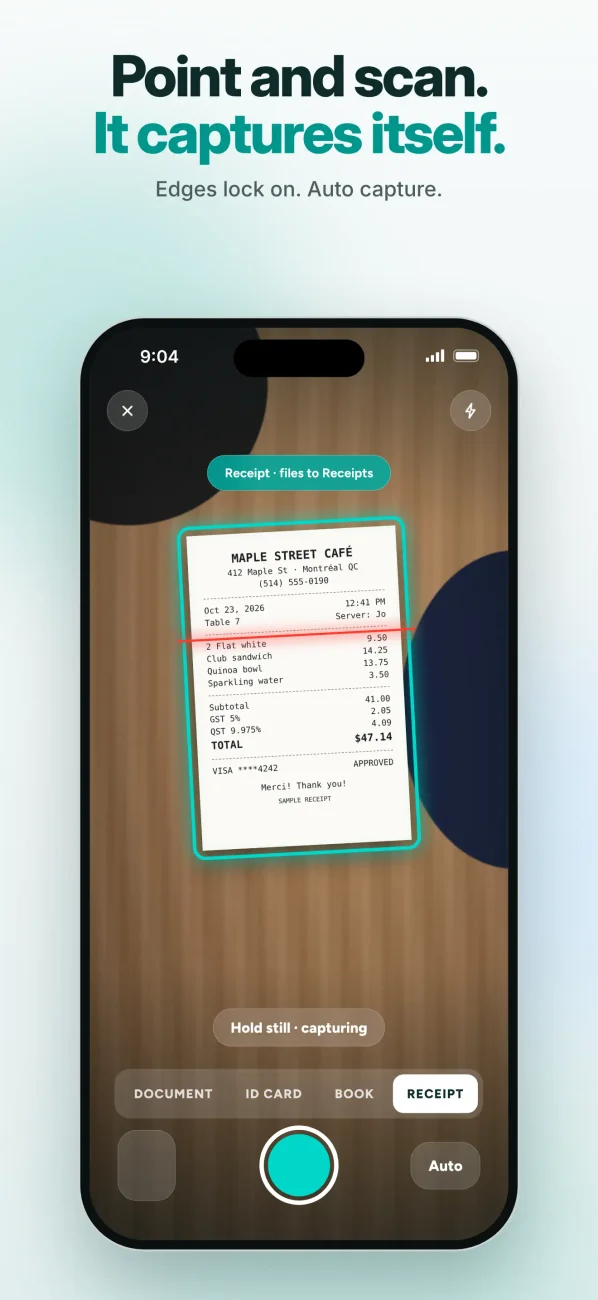
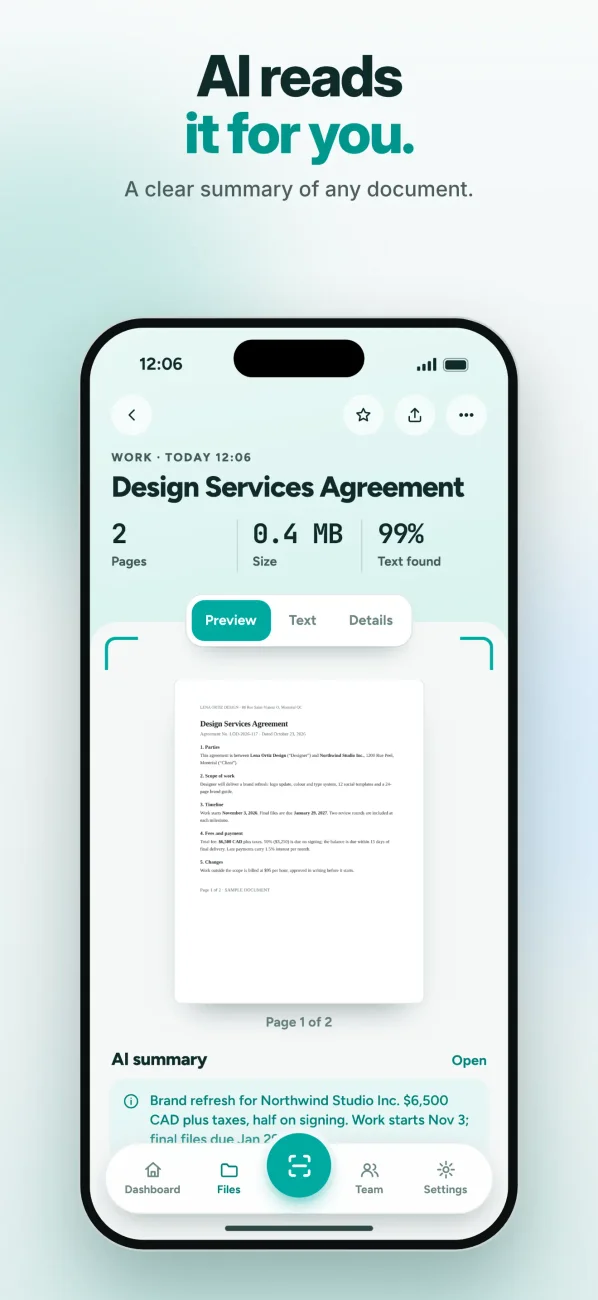
Capture crystal-clear scans with automatic edge detection and perspective correction. Whether it's contracts, receipts, IDs, business cards, or whiteboards — iScan Pro detects document type and optimizes quality automatically.
• Smart edge detection with real-time preview
• Auto-enhance for perfect clarity
• Multiple document types: Books, IDs, Receipts, Business Cards, Whiteboards
• Batch scanning for multi-page documents
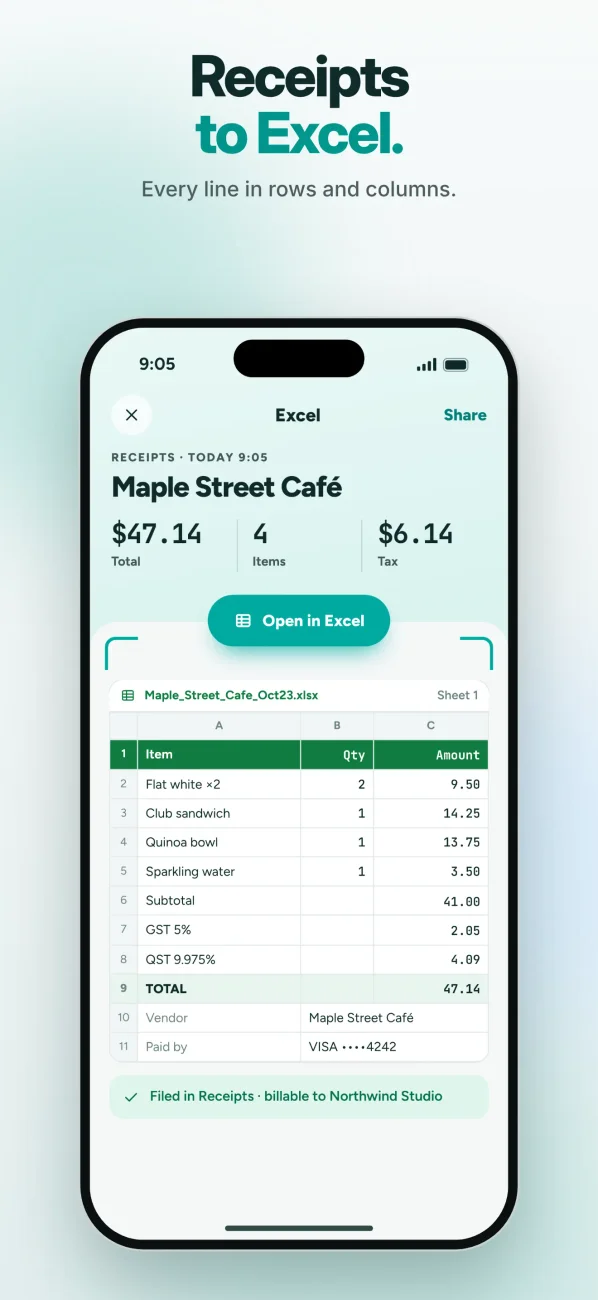
• Export as PDF, Word, Excel, or Images
SMART ANALYSIS FEATURES
Let intelligent automation do the heavy lifting:
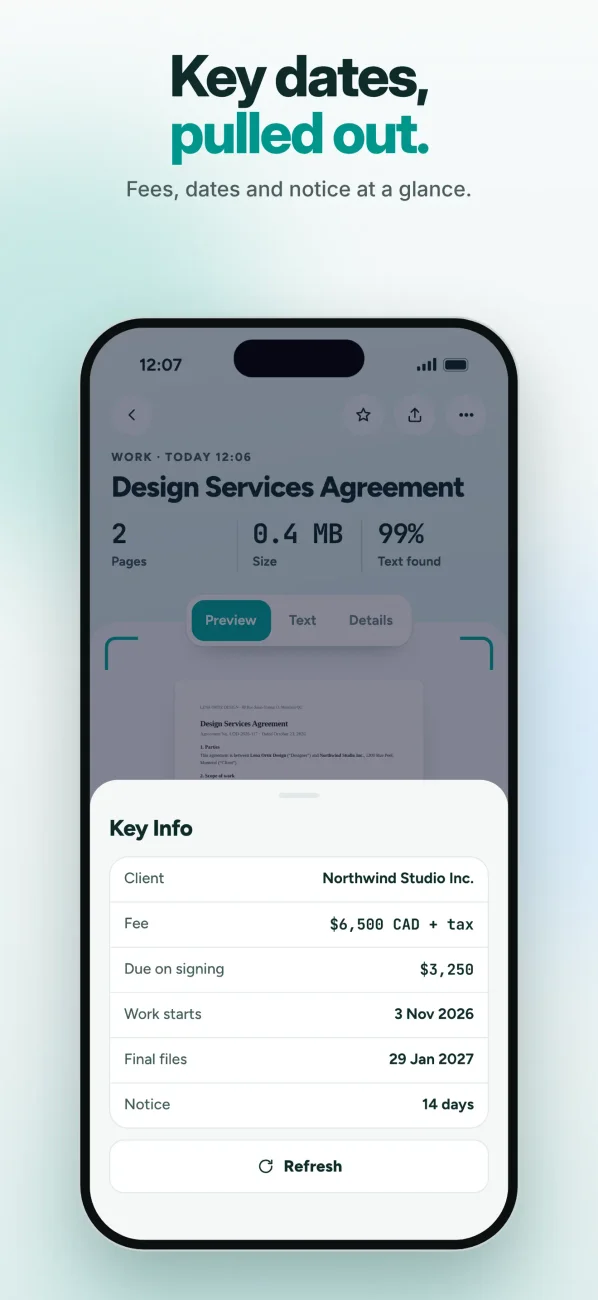
• Contract Intelligence — Instantly extract key terms, parties, dates, payment details, and potential risks from contracts
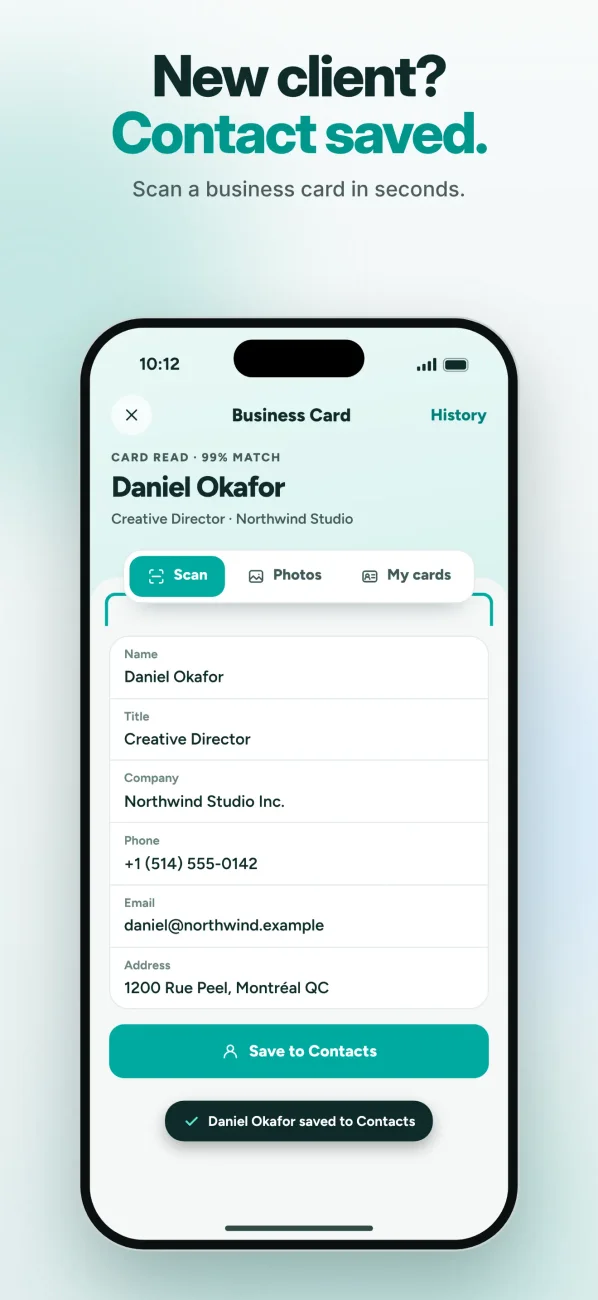
• Business Card Scanner — Scan cards and automatically save contacts with names, emails, phones, and social profiles
• Document Assistant — Ask questions about your documents and get instant answers
• Audio Summaries — Convert documents into podcast-style audio summaries you can listen to anywhere
• Smart Classification — Documents are automatically organized into categories
PROFESSIONAL PDF TOOLS
Everything you need to manage PDFs:
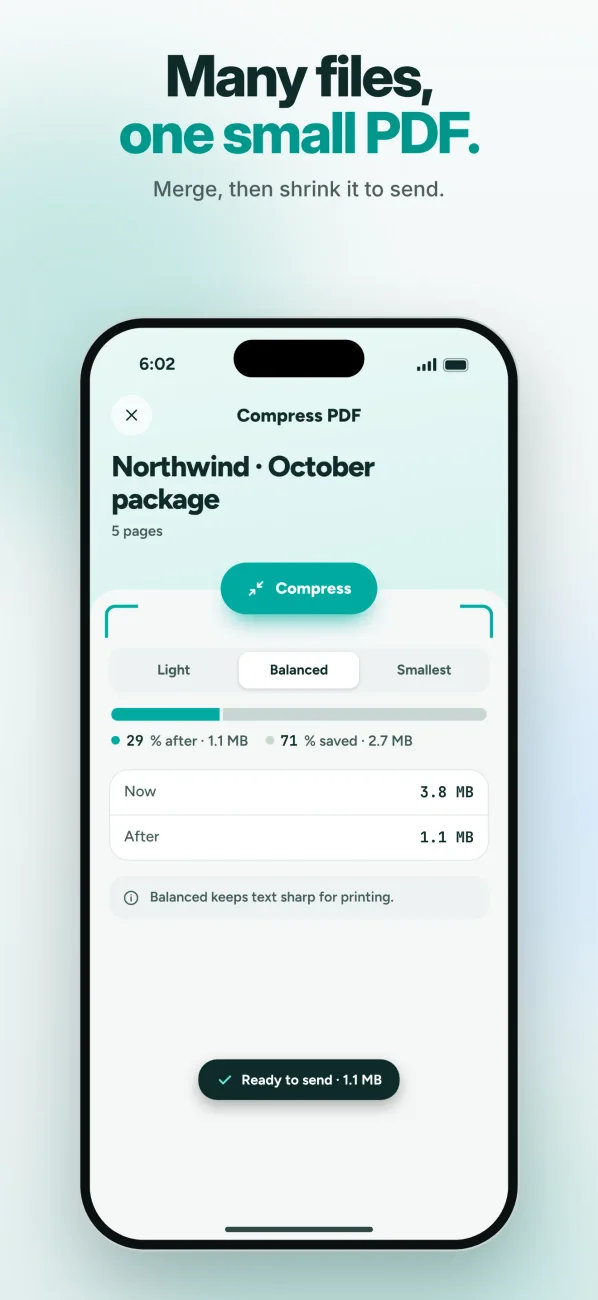
• Merge multiple PDFs into one
• Split PDFs by page
• Compress to reduce file size
• Password protect sensitive documents
• Add watermarks
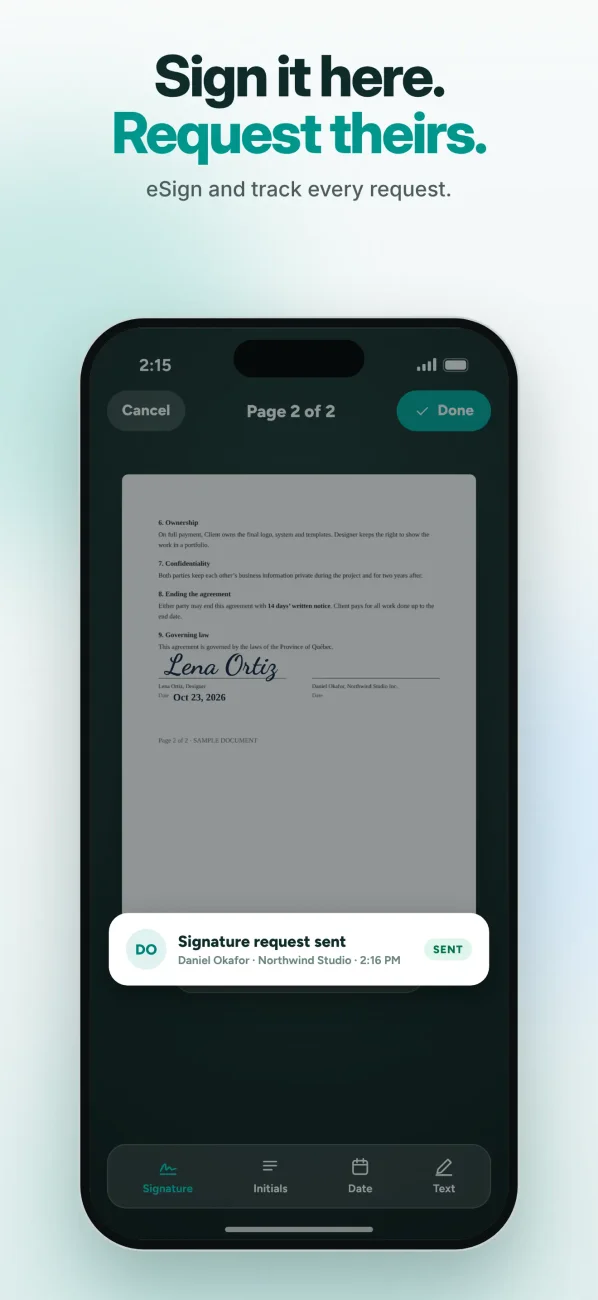
• Digital signatures and e-signing
TEAM COLLABORATION
Share and collaborate securely:
• Share documents for viewing, signing, or approval
• Request e-signatures from multiple recipients
• Track who accessed your documents
• Set expiration dates on shared links
• Real-time signature status tracking
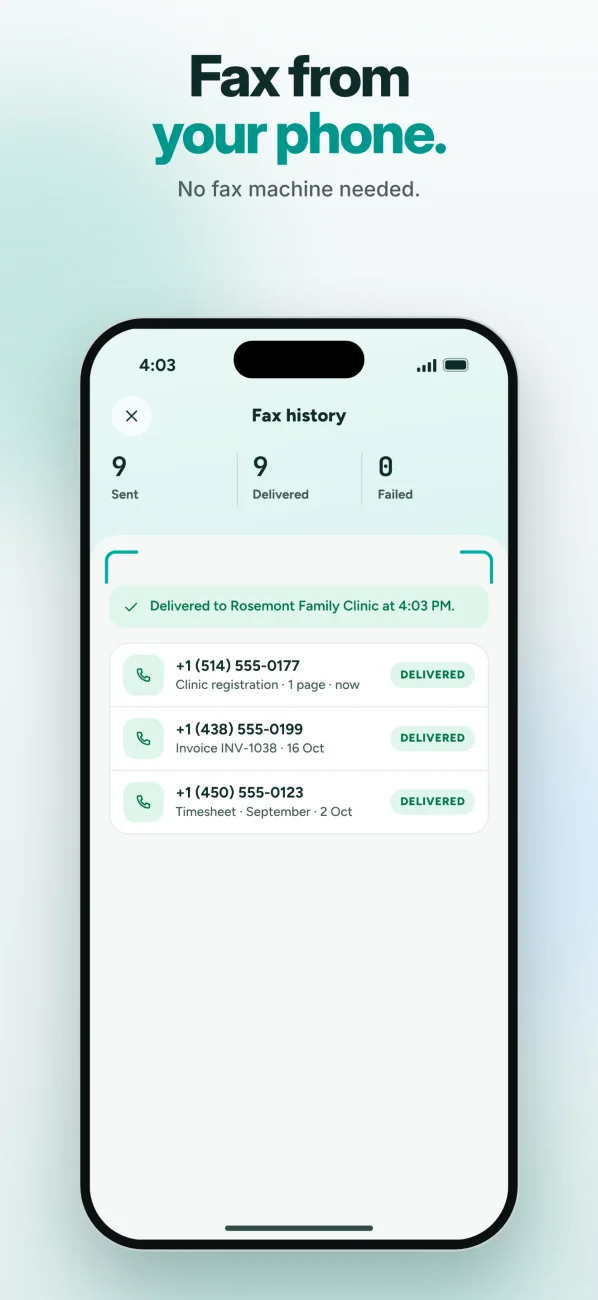
SEND FAX WORLDWIDE
No fax machine needed — send faxes directly from your device to any fax number in the world.
QR CODE TOOLS
Create and scan QR codes for:
• URLs and websites
• WiFi credentials
• Contact information (vCard)
• Phone numbers and SMS
• Email addresses
• GPS locations
• Bio-link landing pages
ADVANCED FEATURES
• Object Counter — Count items in photos with intelligent detection
• Room Scanner — Analyze rooms and identify objects automatically
• Image Restoration — Enhance old or damaged photos
• Voice Recording — Record and transcribe audio notes
• Document Conversion — Export to Word (.docx) or Excel (.xlsx)
CLOUD INTEGRATION
Sync and backup to your favorite cloud services:
• iCloud
• Google Drive
• OneDrive
• Dropbox
What’s new
Version 3.0 · Nov 24, 2026
A FRESH NEW LOOK
iScan Pro has a new design: a calm header with your documents and tools
on a clean sheet below, a bigger Scan button, smooth motion and a new
animated launch. Every screen fits the iPad, side by side.
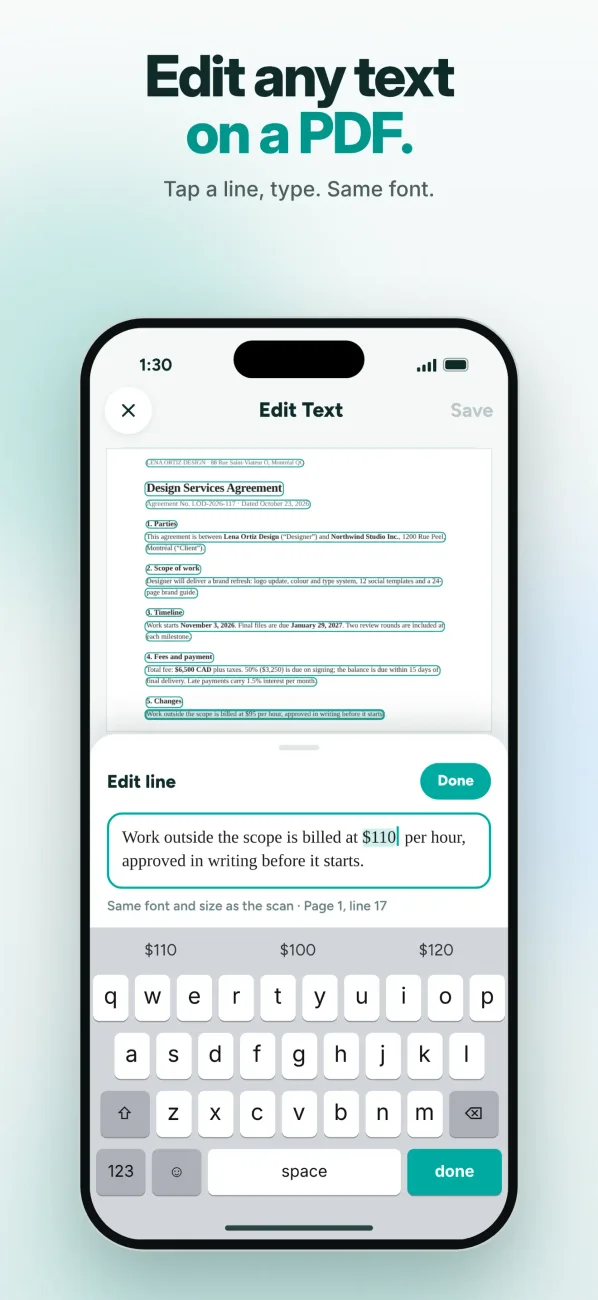
EDIT THE WORDS ON THE PDF PAGE
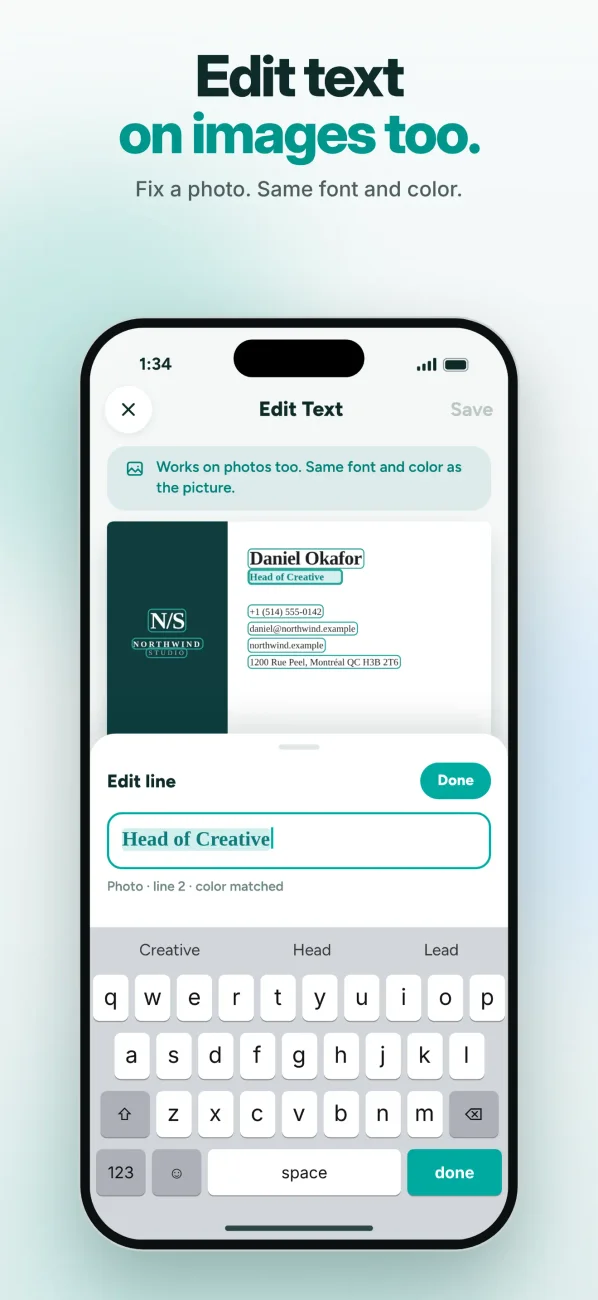
Edit Text now changes the words right on your scan or photo. Tap a line,
type, and the new words appear in the same place, size, typeface and
colour, even on a business card photographed at an angle. Everything
else on the page stays exactly as scanned.
WORD AND EXCEL, FORMATTING KEPT
Convert a scan to Word or Excel and keep its layout: headings, bold,
alignment, columns, and real numbers, amounts and dates. Open Word and
Excel files and edit them: only what you change is changed. Fonts,
tables, pictures, sheets, formulas and number formats stay as they were.
IMPORT WORD, EXCEL AND POWERPOINT
Bring Office files in from the Files app and see them exactly as they
look in Office.
BETTER BUSINESS CARDS
Business Card crops the card from the photo, straightens it and turns
it the right way up before reading it. Saving to Contacts is instant,
and Business Card is now the first tool on your Dashboard.
AUTO-CAPTURE ON EVERY IPHONE
Hold your phone over a page and it captures on its own, on every
iPhone size.
ALSO IN THIS RELEASE
• Saving a scan takes you straight to your new document
• A new name, typed or suggested by AI, shows everywhere at once
• Before an AI feature first sends content to OpenAI, iScan Pro tells
you what is sent and asks; you can turn it off in Settings
• Photos and images can be edited on the page too
• Support is now at support@icube.so
App privacy
What iCubemedia Inc. declares on the App Store about how this app handles data.
-
Data not linked to you
May be collected but is not linked to your identity.
- Diagnostics
Privacy practices may vary, for example with the features you use or your age.
Information
- Seller
- iCubemedia Inc.
- Category
- Business
- Version
- 3.0
- Updated
- Nov 24, 2026
- Released
- Aug 9, 2014
- Size
- 35.9 MB
- Requires
- iOS 17.0 or later
- Age rating
- 4+
- Price
- Free
- In-app purchases
- Yes
- Languages
- English, Arabic, Danish, Dutch, French, German, Italian, Japanese, Korean, Portuguese, Russian, Simplified Chinese + 2 more
- Copyright
- © iCubemedia Inc.
You might also like
-
 PDF Manager - Scan Text, PhotoPhoto Scanner, Edit,PDF filler
-
 Stamp Maker - PDF SignerCreate Stamps & Watermarks
-
 SparkPDF: Scan, Sign & FillPDF Filler & Document Scanner
-
 PDF Extractor: Image & OCROffline OCR, Tables, Markdown
-
 Pushpin for PinboardA Blazing Fast Pinboard Client
-
 Ticking: Tasks Made EasyTask Management for Anyone
-
 Scrap PaperProductivity
-
 AlignScan – Document ScannerScan, OCR, Sign & Edit PDFs
-
 PDF ReflowRead PDFs without zooming
-
 Callvent – Calls to CalendarCall Log, Notes & Reminders