
Iteko Tasks
Capture and manage your tasks.
Designed for iPhone, iPad, Mac
In-app purchases
- Age rating4+
- CategoryProductivity
- DeveloperMikel Iturrioz
- LanguagesEnglish+ 4 more
- Size11.1 MB
Links to the official App Store page
Download.org hosts no file of Iteko Tasks. The button opens its official App Store page, published by Mikel Iturrioz. Listing last checked on Nov 13, 2026.
Screenshots

About
iteko is a fast, focused GTD-style task manager for iPhone, iPad, and Mac — built around a simple idea: capture everything, organize it your way, and work it through a clear, visual board.
Now iPhone Duo compatible.
CAPTURE WITHOUT FRICTION
Jot a task down the moment it crosses your mind. Every new task starts in your Inbox, so nothing gets lost and nothing has to be filed perfectly on the way in.
A KANBAN BOARD THAT MATCHES HOW YOU ACTUALLY WORK
Move tasks through five clear stages — Inbox, Pending, Today, Doing, Done — with drag and drop on iPad and Mac, or a simple "Move to" menu everywhere else. See exactly what's waiting, what you've committed to today, and what's already finished.
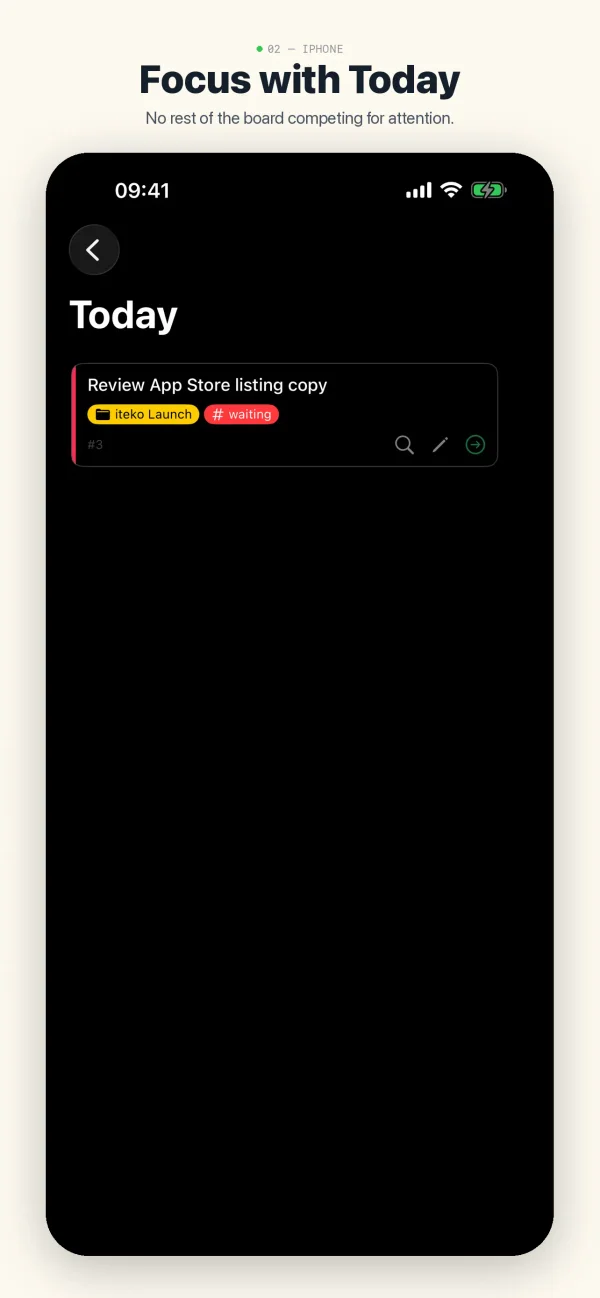
FOCUS WITH TODAY
Pull tasks onto Today when you're ready to work them, and see just that one list — no rest of the board competing for your attention.
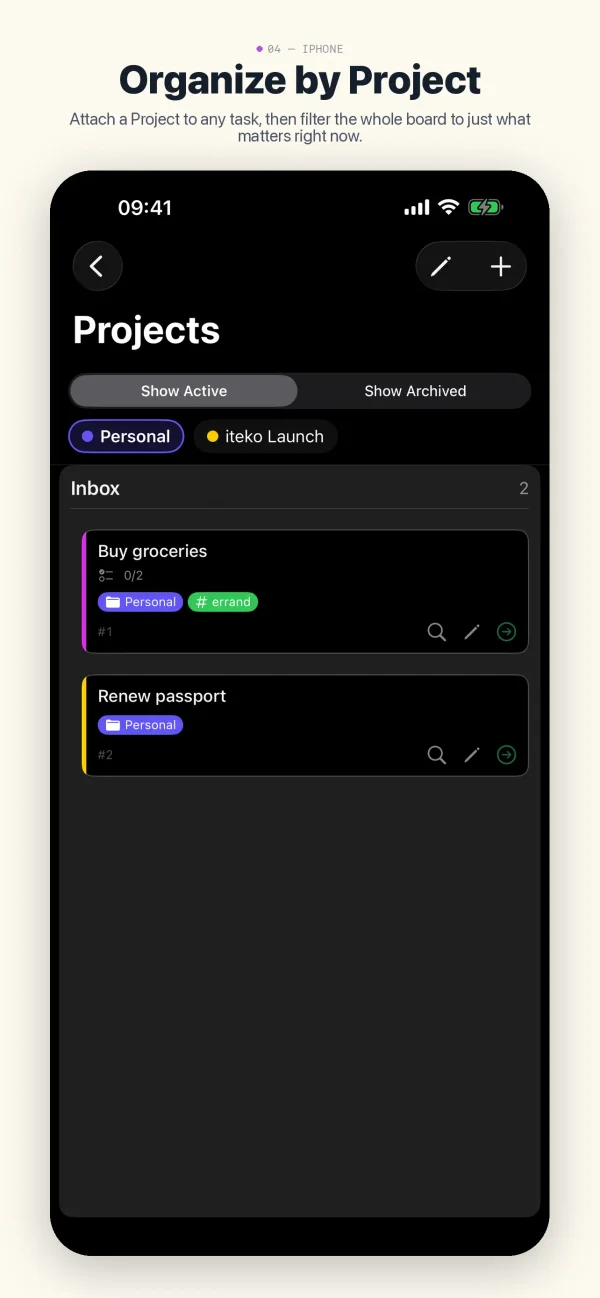
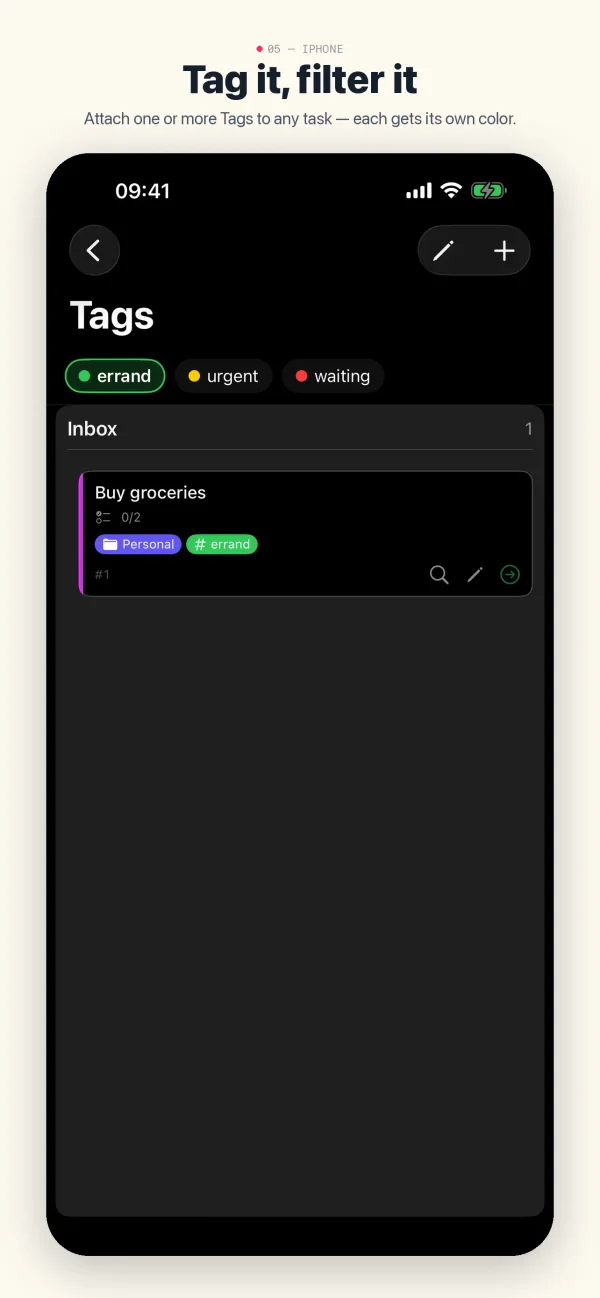
ORGANIZE WITH TAGS AND PROJECTS
Attach one or more Tags and a Project to any task, then filter the whole board down to just what matters right now. Give tags and projects their own colors so they're recognizable at a glance, and archive a project once it's wrapped up — every task in it goes with it, without deleting anything.
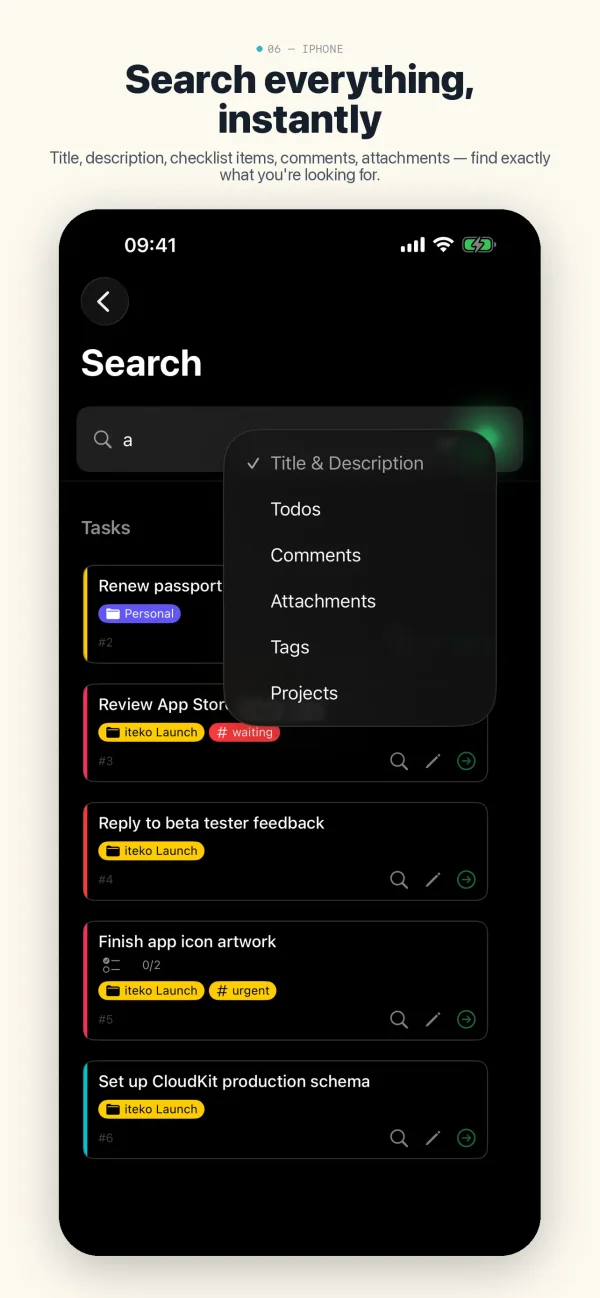
FIND ANYTHING, FAST
Search across every task, project, and tag from the sidebar, with results as you type and filters to narrow down exactly what you're looking for.
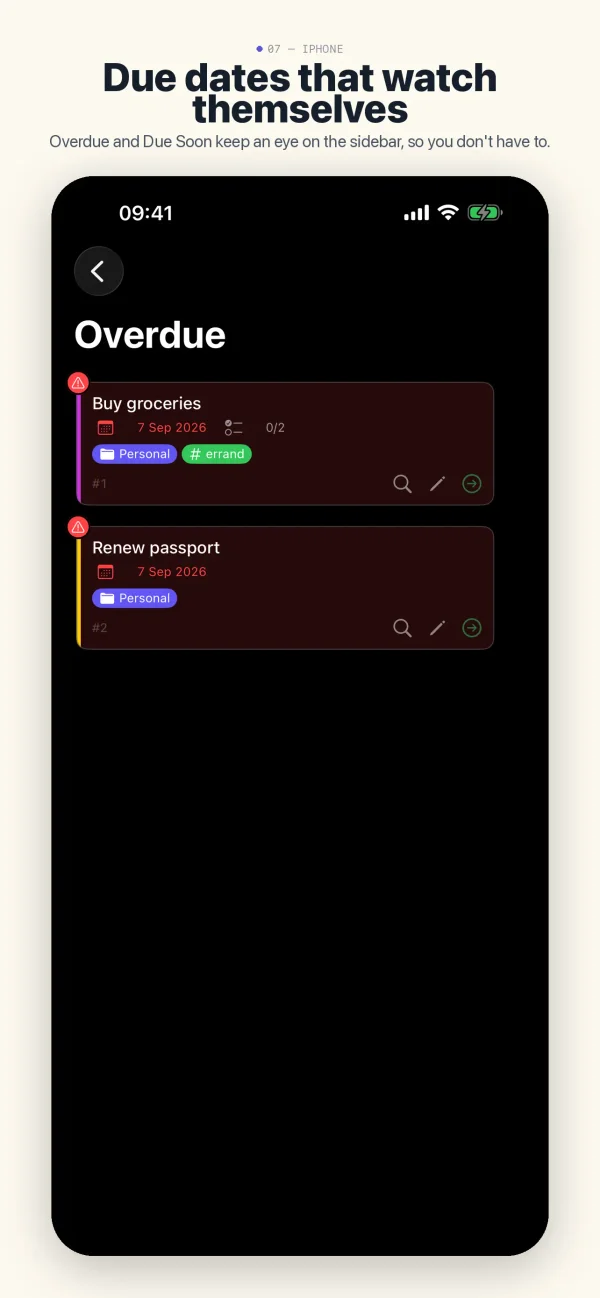
NEVER MISS A DUE DATE
Set a due date on any task and iteko reminds you before it's due. Overdue and Due Soon are always one tap away in the sidebar, so nothing quietly slips past.
WIDGETS FOR YOUR HOME SCREEN
Add a task, check what's due today, or see what's overdue — right from your Home Screen or Lock Screen, no need to open the app first.
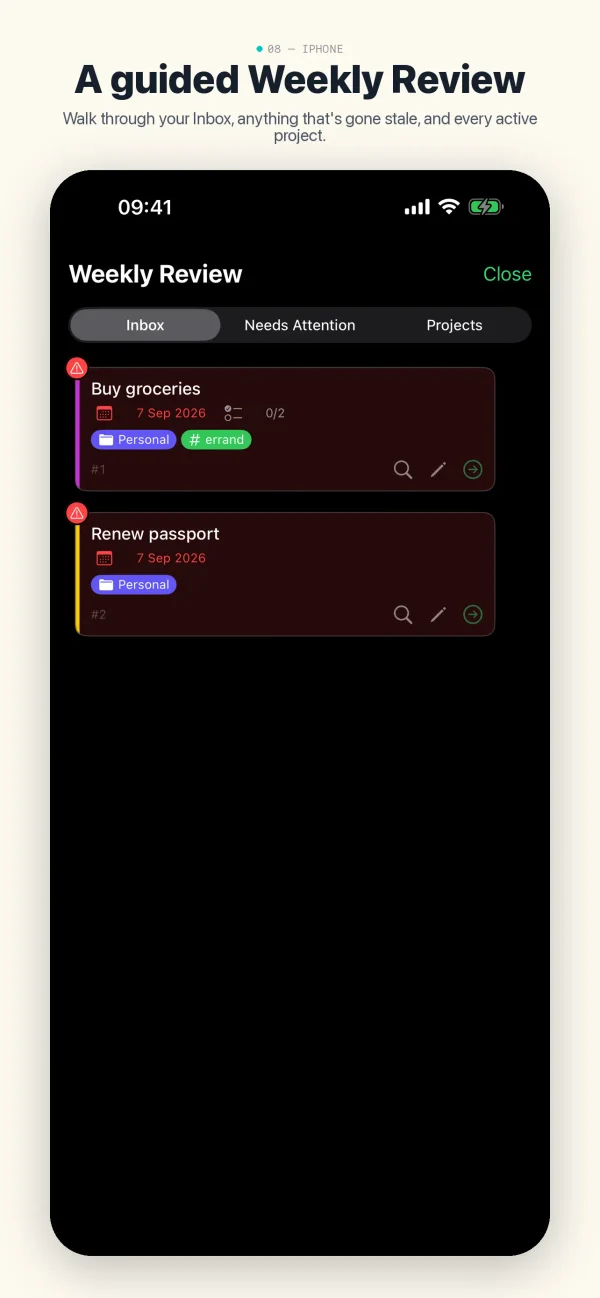
A WEEKLY REVIEW, BUILT IN
A guided weekly review walks you through your Inbox, anything that's gone stale, and every active project — the GTD habit that keeps a task list honest, built right into the app.
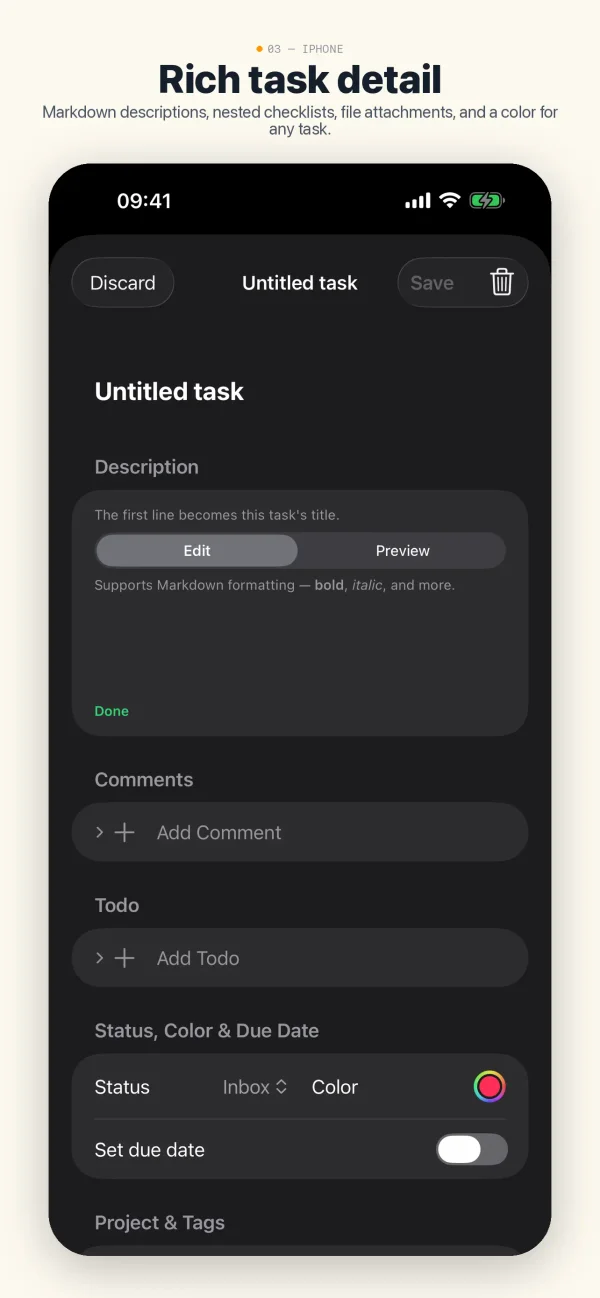
RICH TASK DETAIL
Write descriptions and observations in Markdown, leave timestamped comments as work progresses, break work down with nested checklists, attach files and images, and pick a color for any task so it stands out on the board. Every task gets its own number, so you can reference it precisely.
BUILT FOR EVERY SCREEN
iteko adapts its layout to whatever you're using it on — a compact single-column board on iPhone, a full multi-column Kanban view on iPad and Mac, with a sidebar for quickly jumping between your board, tags, projects, and Today. On Mac, a native menu bar, a Settings window, and fully customizable keyboard shortcuts make it feel right at home.
YOUR DATA, YOUR WAY
Export everything to CSV whenever you want, or import it back in — your tasks are never locked in.
SYNCED, PRIVATELY, ACROSS ALL YOUR DEVICES
Everything you capture syncs automatically via your private iCloud account — no separate sign-up, no third-party servers, no ads. Start a task on your iPhone, finish it on your Mac.
Whether you're running GTD by the book or just want an Inbox that never lets anything slip through, iteko gives you a clear, calm place to capture it, organize it, and get it done. Every feature is free, always — supporting development is entirely optional.
Available in English, Spanish, French, German, and Basque.
Terms of Use (EULA): https://www.apple.com/legal/internet-services/itunes/dev/stdeula/
Privacy Policy: https://iteko.dev/privacy-policy/
What’s new
Version 1.6.5 · Nov 10, 2026
What's New in 1.6.5
Environments when adding and editing tasks
• Choose a task's Environment right in the task editor, whether you're adding a task or editing one. This includes tasks started from the Quick Add widget.
• Add a task to a different Environment, and iteko switches to it after you save, so you see the new task straight away.
• Move a task to another Environment by changing it in the editor. Its Project and Tags from the old Environment are removed, and iteko switches to the new Environment so the task stays in view.
Widgets
• Today and Overdue / Due Soon widgets show each task's Environment as a colored label.
• Tapping an empty part of a widget no longer opens iteko. Tap the title to open that list, a task to open it, or the circle to complete it.
• Quick Add widget: only the New Task button opens the app.
• Tasks marked Won't Do no longer appear in the Overdue / Due Soon widget, or in the "What's overdue" shortcut.
Mac
• iteko now keeps a single window. Clicking a widget, a notification or a link brings that window forward instead of opening new windows or tabs.
Fixes
• Fixed due-date reminders repeating every few minutes, especially on Mac. If a reminder's time passed while iteko was closed, it now arrives once.
App privacy
What Mikel Iturrioz declares on the App Store about how this app handles data.
-
Data not collected
The developer does not collect any data from this app.
Privacy practices may vary, for example with the features you use or your age.
Information
- Seller
- Mikel Iturrioz
- Category
- Productivity
- Version
- 1.6.5
- Updated
- Nov 10, 2026
- Released
- Aug 26, 2026
- Size
- 11.1 MB
- Requires
- iOS 18.0 or later
- Age rating
- 4+
- In-app purchases
- Yes
- Languages
- English, Basque, French, German, Spanish
- Copyright
- © 2026 iteko.dev
You might also like
-
 flm9 To-Do – Tasks & TeamworkShared lists, projects & AI
-
 TaskCowCow-Themed Task App
-
 Just Checking - Did I?Gentle Reminders & Tasks
-
 Kanban Board: Task & ProjectsScrum, Gantt & Work Planner
-
 Apical: Planner, Tasks & EmailTo-Do List, Calendar & Notes
-
 UnTask - One at a timeMinimalist TODO app.
-
 This Week: Weekly Task PlannerTask Planner with Reminders
-
 TaskLock: To Do & App BlockerHabit Tracker & Screen Time
-
 Pomodoro Timer & Focus: TaskerStudy Sessions & App Blocker
-
 Cumbersome: AI LLM API ClientAPI to ChatGPT, OpenAI, Ollama