
iToDo - Notes & Tasks
Notes That Turn Into Action
Designed for iPhone, iPad, Mac
$4.99
- Age rating4+
- CategoryProductivity
- Developer涛 熊
- LanguagesEnglish+ 1 more
- Size4.0 MB
Links to the official App Store page
Download.org hosts no file of iToDo - Notes & Tasks. The button opens its official App Store page, published by 涛 熊. Listing last checked on Nov 18, 2026.
Screenshots

About
iToDo brings thoughtful notes and clear next steps together.
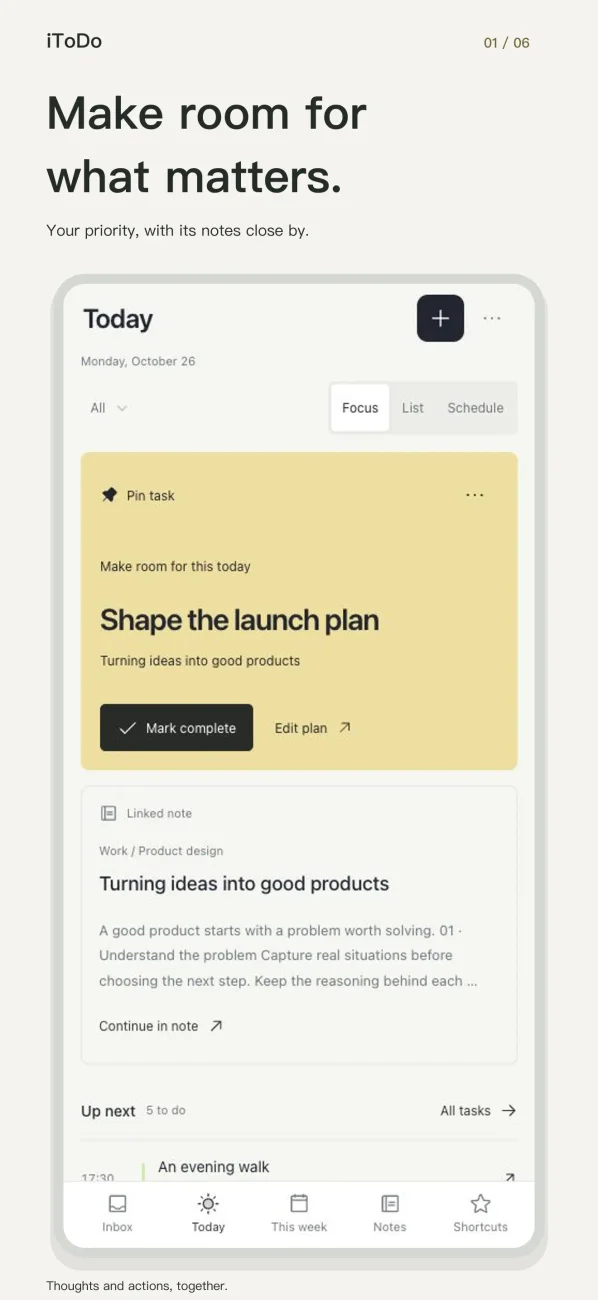
Capture an idea before organizing it. When it is time to act, connect it to a task—with the original context close by.
FOUR WAYS TO WORK
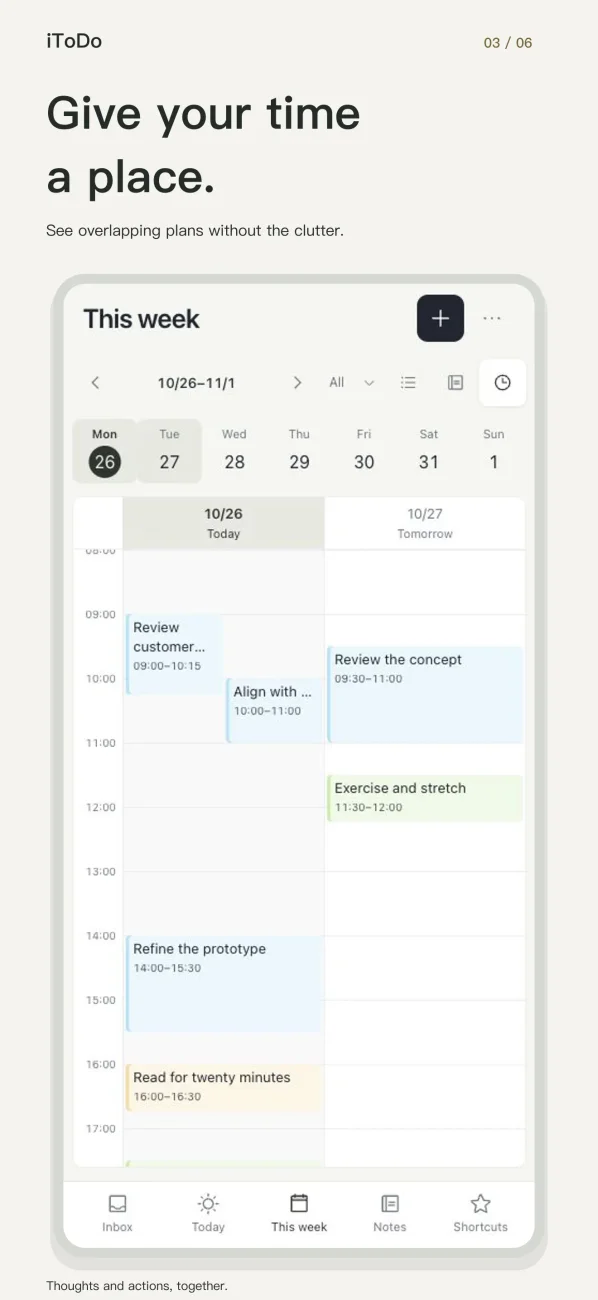
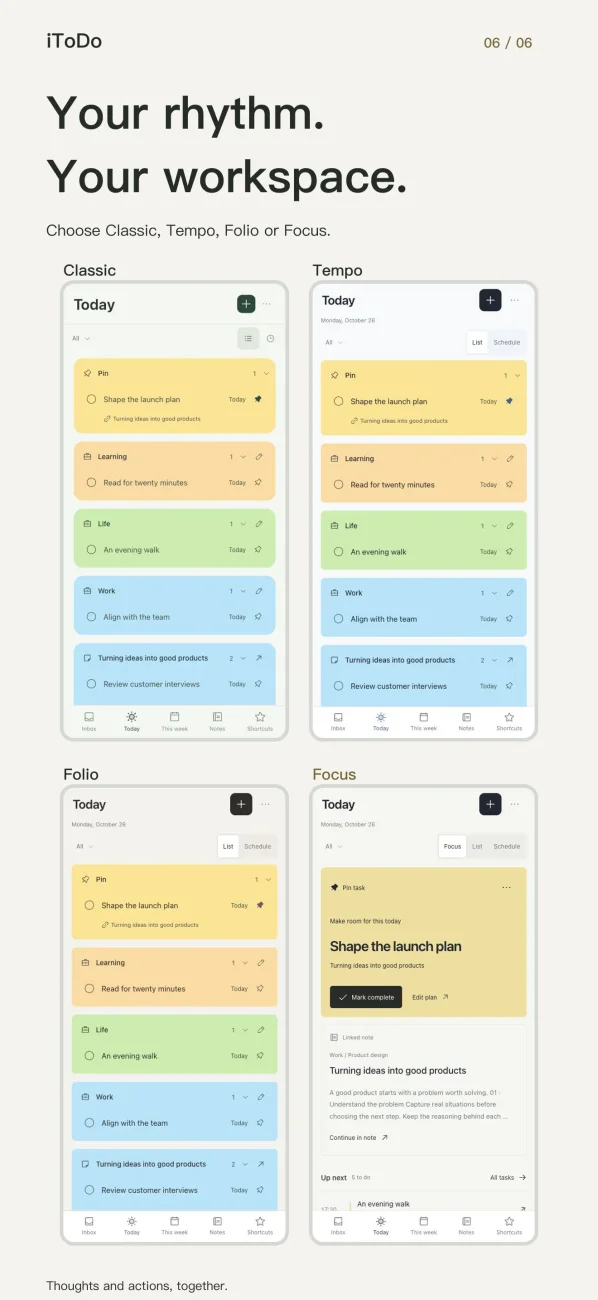
Choose Classic, Tempo, Folio or Focus. Find your priorities in Today, see the bigger picture in This Week, and collect tasks in Inbox.
TASKS AND SCHEDULES
Organize with topics and colors. Pin priorities, add reminders, and set optional start and end times. Repeat daily, on selected weekdays or at the end of each month. Completed tasks remain visible in calendars, and overlapping events appear side by side.
YOUR WEEKLY PLAN
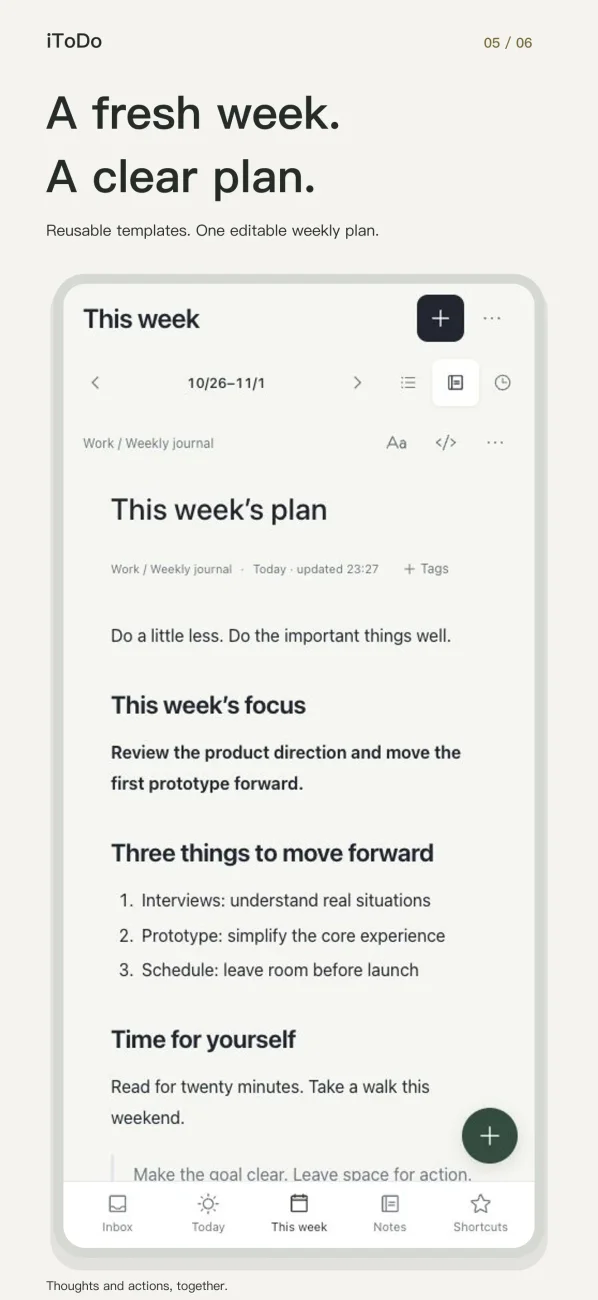
Edit your plan as a real note. Choose a folder, reusable template and weekly creation time—even during the previous week. Existing plans are reused rather than duplicated. Automatic creation checks while the app is open and catches up when you reopen it.
ROOM FOR YOUR IDEAS
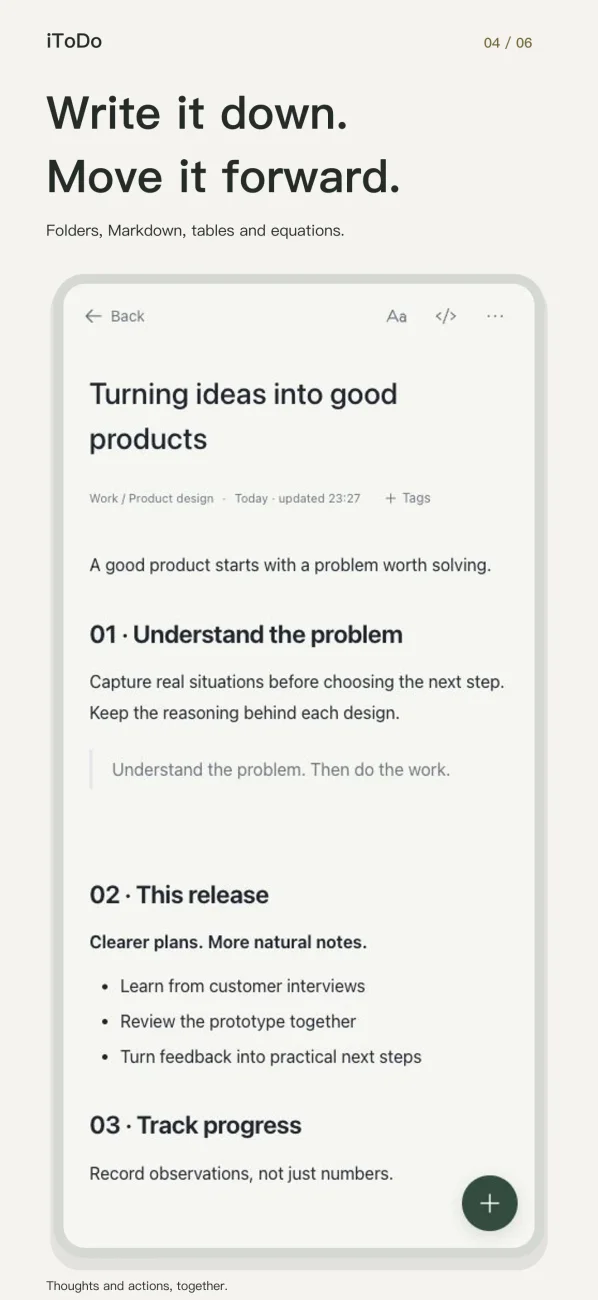
Organize notes with nested folders and tags. Use a two-pane workspace on Mac and open individual notes on iPhone. Write with Markdown and slash commands; add LaTeX equations, tables, code blocks, rich text, images and attachments. Tasks created inside notes remain part of your task workspace.
LOCAL FIRST, CONNECTED ACROSS DEVICES
Write and edit offline. Sync through your private iCloud database across iPhone, iPad and Mac using the same Apple ID. Widgets show your progress; shortcuts bring frequent folders closer. Local backup and restore, plus a seven-day trash, help protect your work.
No ads, no cross-app tracking and no separate account required. Your content stays on your devices and, when enabled, in your own private CloudKit database.
What’s new
Version 1.6 · Nov 4, 2026
• Widgets now match all four theme templates, with improved layouts across sizes and light and dark appearances. The Focus widget highlights its first task without enlarging the row.
• Completing a recurring task keeps future occurrences available in Inbox and This Week, with clearer completion and overdue labels.
• Improved completed-task management with undo, plus direct month and year selection.
• Improved pinned notes, compact shortcuts and removal controls, and back navigation from shortcuts.
• Refined template colors, settings, navigation and balanced task-card layouts.
App privacy
What 涛 熊 declares on the App Store about how this app handles data.
-
Data not collected
The developer does not collect any data from this app.
Privacy practices may vary, for example with the features you use or your age.
Information
- Seller
- 涛 熊
- Category
- Productivity
- Version
- 1.6
- Updated
- Nov 4, 2026
- Released
- Sep 29, 2026
- Size
- 4.0 MB
- Requires
- iOS 16.4 or later
- Age rating
- 4+
- Price
- $4.99
- Languages
- English, Simplified Chinese
- Copyright
- © 2026 Tao Xiong
You might also like
-
 Nu Tasks ProsYour schedule, works offline
-
 Anythings: To-Do List & TasksKeeps itself in order
-
 Infoplane: Short Notes ManagerRemembers everything for you
-
 Superlist: To Do List & NotesAI Meetings, Tasks & Reminders
-
 墨记-精美日记本·笔记本Productivity
-
 AI背书匠-高效背书神器Productivity
-
 LibibCatalog your collections
-
 MarginNote 3E-reader Redefine your Study
-
 Agenda: Notes meets CalendarTimeline notes
-
 Noteshelf: AI Notes & PDFHandwriting, Planner & Journal