
- 対象年齢4+
- カテゴリ仕事効率化
- 開発元Murali Balaraman
- 言語英語
- サイズ91.7 MB
App Storeの公式ページにリンクしています
Download.orgはJin Mobileのファイルを一切ホストしていません。ボタンを押すと、Murali Balaramanが公開しているApp Storeのアプリページが開きます。ページの最終確認:2026/11/16。
スクリーンショット



概要
開発元はこのテキストをお使いの言語で提供していません。
Talk, and Jin Mobile writes.
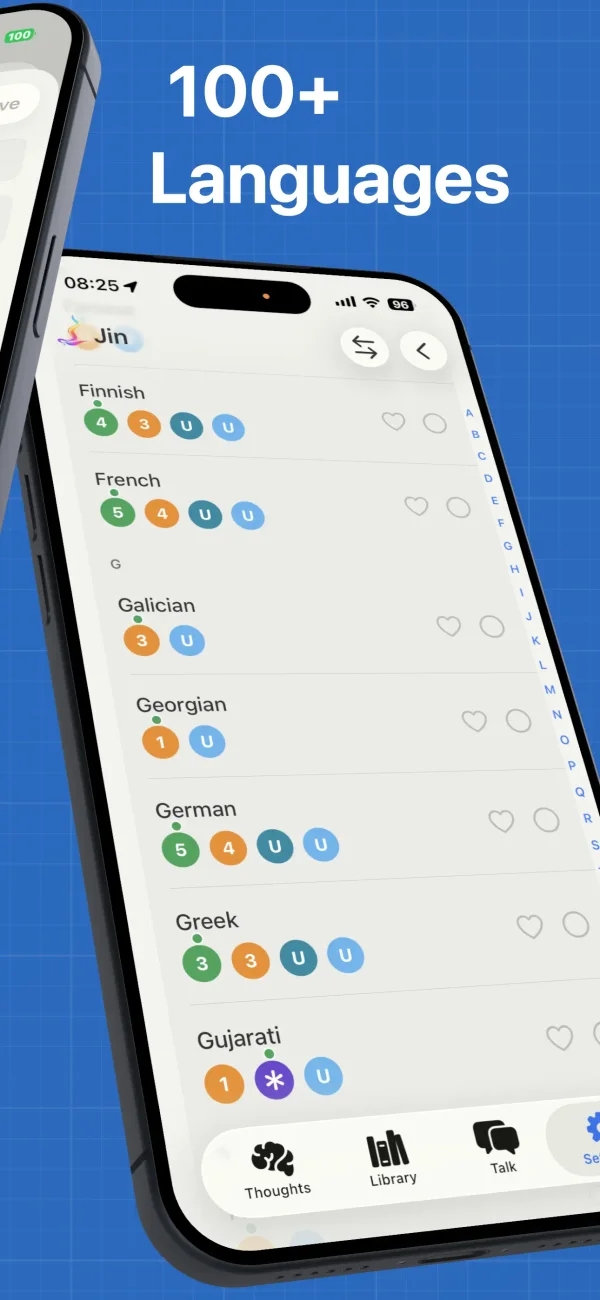
Jin Mobile turns your voice into clean text as you speak, in any of 100+ languages, on iPhone, iPhone Duo, iPad, and Apple Watch.
Every feature free for 7 days, then Monthly or Lifetime.
WHY JIN MOBILE
• Accuracy. 99%+, tracked for every speech model in Stats.
• Live transcription. Your words appear as you say them.
• 100+ languages, each on the speech model that suits it best.
• Vocabulary. 4,000+ words built in, including 1,800+ professional and medical terms.
• Private. Speech runs on your device, and one switch keeps everything local.
• Every device. iPhone, iPad, and Apple Watch sync in seconds. Open an iPhone Duo and two pages sit side by side.
• Help: a Guide, page tours, a Glossary, and Siri.
DICTATION
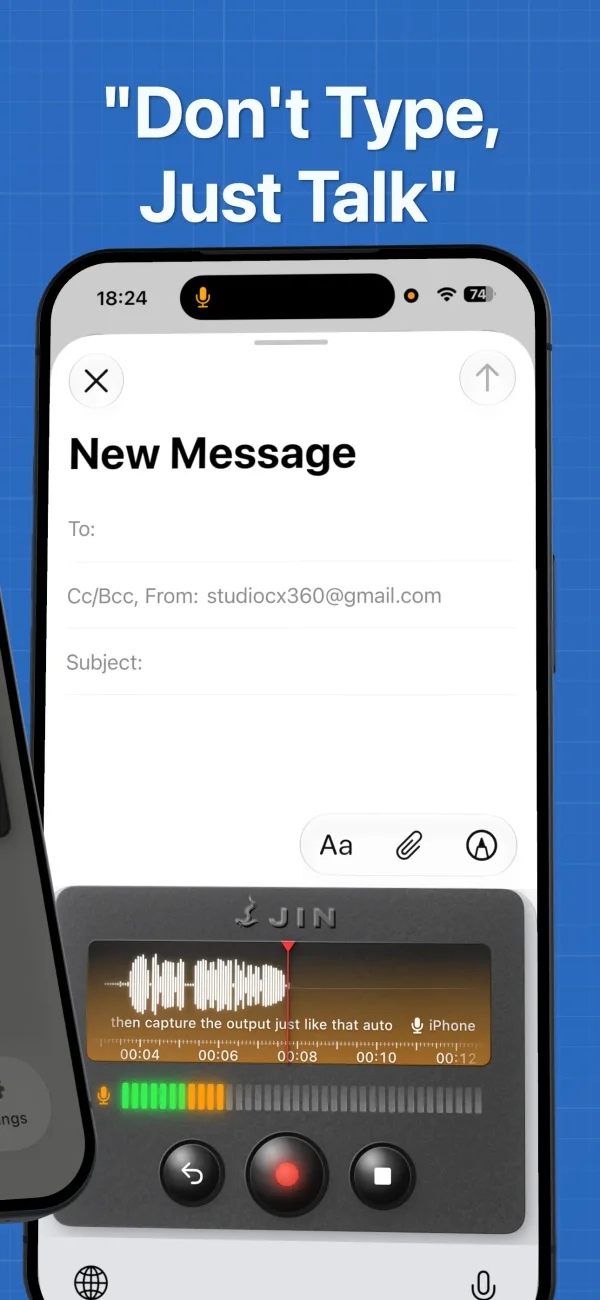
• The keyboard types into any app: Mail, Messages, Slack, Notes, Safari.
• Edit as you speak. Say "scratch that" to drop a sentence.
• Magic Formatting writes times, dates, money, phone numbers, and math the right way.
• Tones: Verbatim, Formal, Casual, Texting, Excited, Email, and Document. Write Like Me sounds like you.
• Swipe typing, AutoCorrect, and suggestions that learn your words.
• Bolt. Copy text, say what to do with it, and paste the result.
• Dictation History keeps every take, audio included.
• Filler Words, Snippets, and Replacements. Say "Hey Jin" when your hands are full.
• Hinglish, Tanglish, Banglish, and Singlish, written in English letters.
THOUGHTS AND LIBRARY
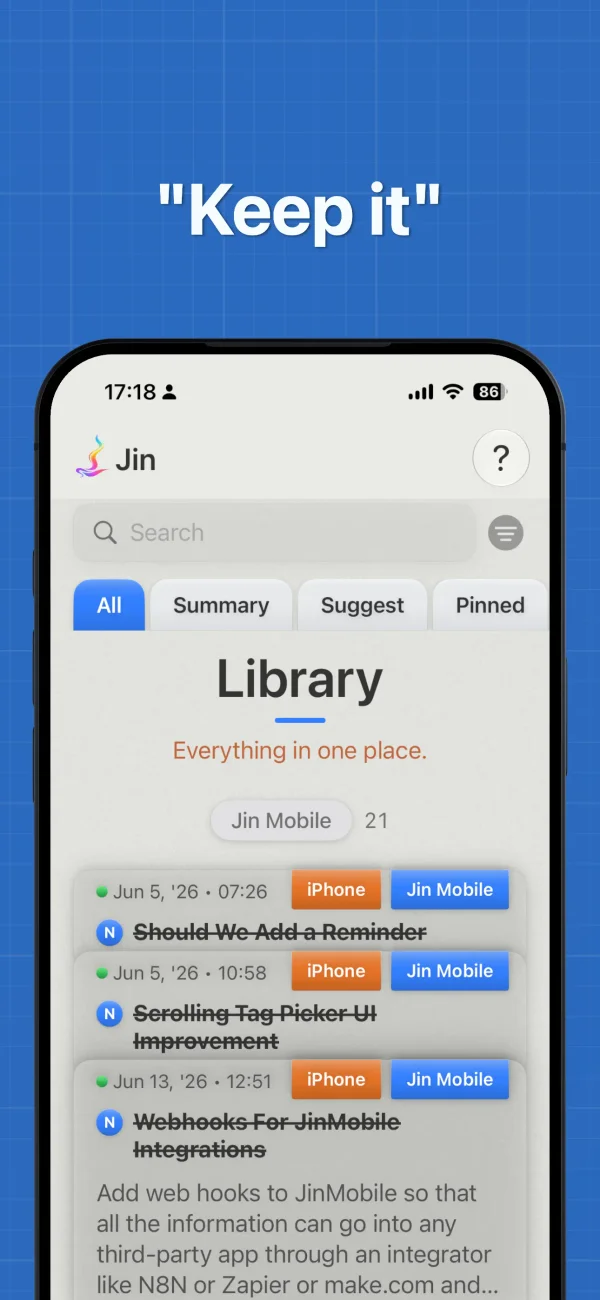
• Tap the rainbow button and speak. Your thought is saved and titled.
• Capture from Apple Watch, upload audio, or use Free Flow Mode for long-form thinking.
• Smart Suggest files each thought into Projects, Folders, and Sub Folders.
• Ask your Library out loud. Explore asks questions that take a thought further.
• Add photos, files, scans, places, reminders, Urgency, and People to any thought.
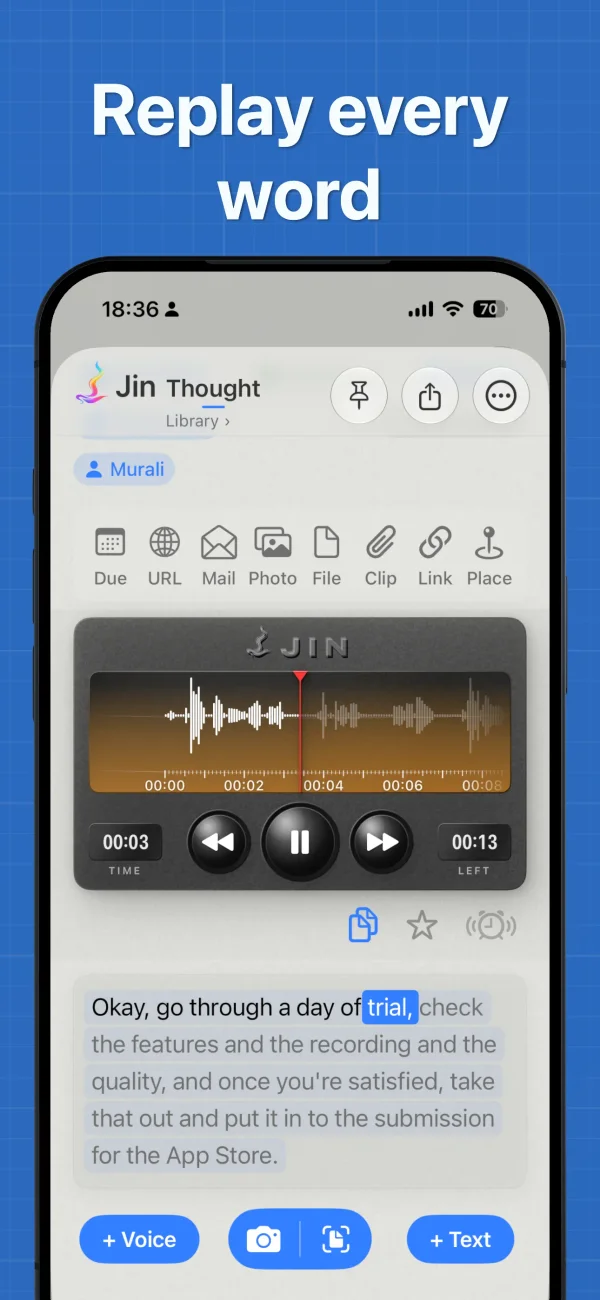
• Karaoke playback from 0.5x to 2x. Every word lights up as you hear it.
• Clippy keeps what you copy.
• Pending, Archive, Journal, Merge, Find & Replace, and summaries by folder, tag, or date.
MEETINGS
• Record or upload a meeting, with speaker labels. You confirm everyone's consent before it records.
• Only your own voice is learned. Others are told apart in each meeting and not kept.
• Templates. Thirty summary layouts, or your own. Mark key moments live.
• Plaud. Your recordings arrive on their own.
• Auto recovery. An interrupted recording is saved and rebuilt from its audio.
CALENDAR
• Speak to your calendar. Start a thought with "calendar" or "reminder" and Act makes it.
• Event Tasks. Speak tasks and sub-tasks onto any event, tick them off, move the rest.
• Deadlines, To-Dos, and projects that run over several days with one checklist.
• Your week hour by hour. On iPad held sideways, your day sits beside the month.
• Availability shows when you're free, with another city's clock.
TRANSLATE
• Speak one language and read another. Lasso any text in any app to translate it.
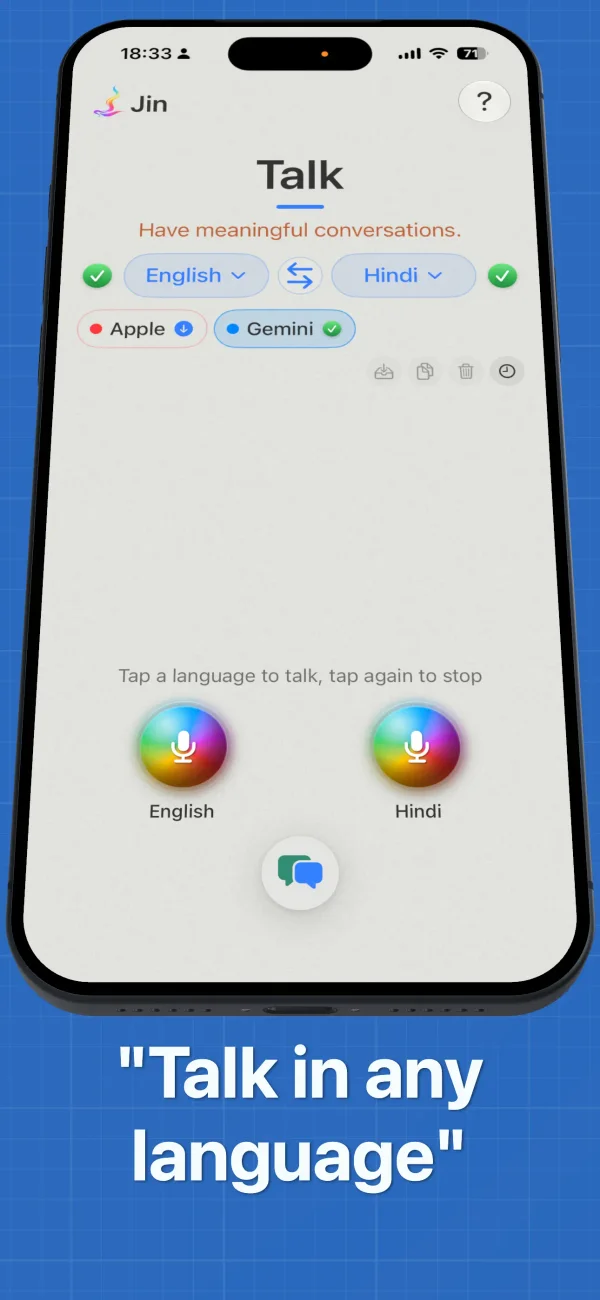
• Talk. Two people, two languages, one phone, read aloud as you go.
• Apple translates English pairs on device. A Gemini key adds many more.
STATS AND STREAKS
• Stats and streaks pool across all your devices.
• Speech Coach scores Pace, Fillers, Hesitation, Variation, and Clarity.
• Earn a daily badge, answer Quiz of the Day, and fill a six-month Consistency grid.
INTEGRATIONS
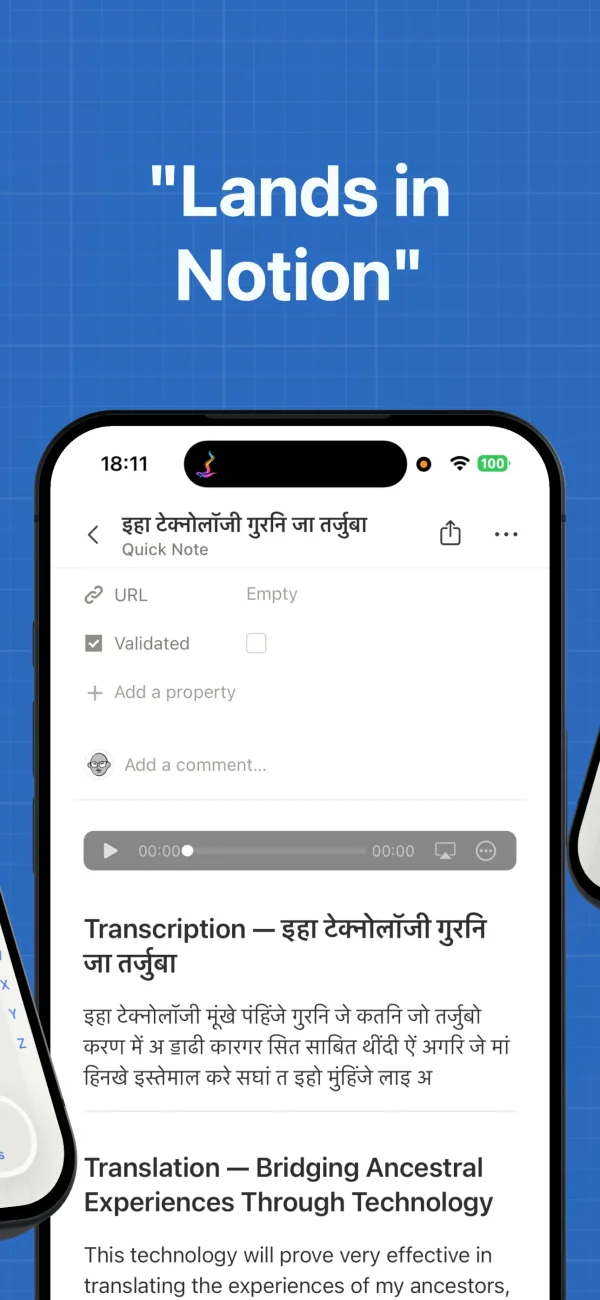
• Notion, Apple Calendar, and Apple Reminders.
• Webhooks to Make, Zapier, n8n, and hundreds more apps.
EVERYTHING ELSE
• Local: one switch, and nothing you capture leaves your phone.
• Cloud features use your own key, only when you turn them on.
• App Lock keeps your library, or any tab in it, behind Face ID.
• Audio Retention from a day to forever. Discarded recordings wait in Recovered Audio.
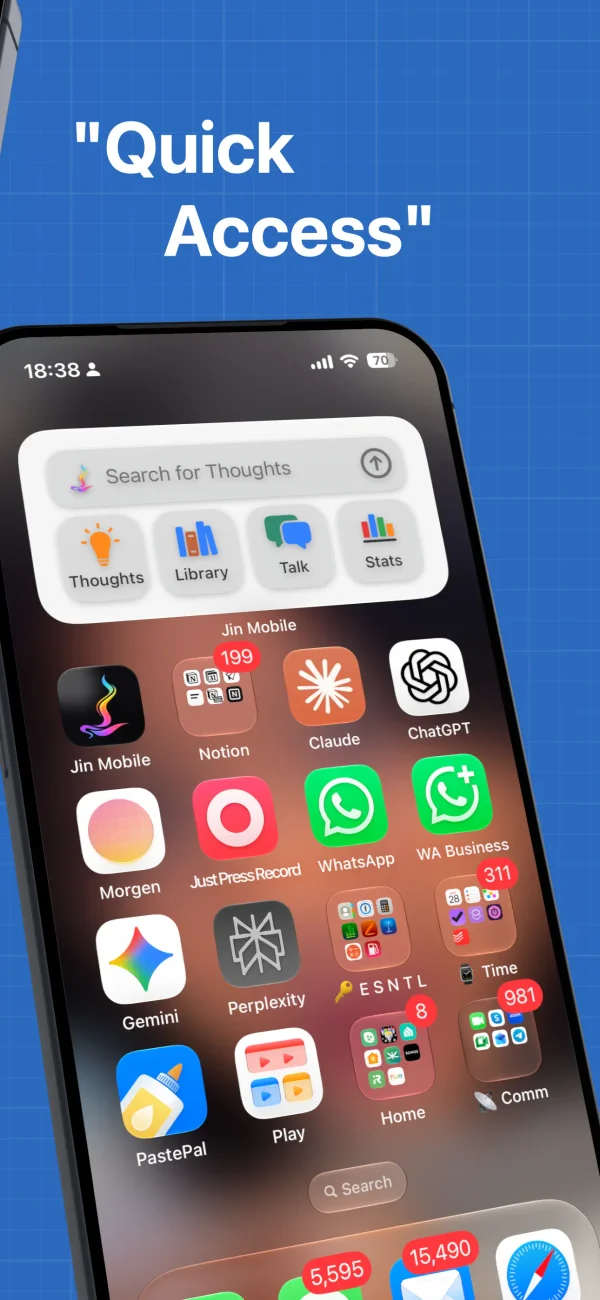
• Backed up to iCloud. Home Screen widgets, including a Calendar.
• No account needed. Works offline.
Open Jin Mobile and start talking.
Terms of Use: https://www.apple.com/legal/internet-services/itunes/dev/stdeula/
Privacy Policy: https://studiocx360.com/services-4
新機能
バージョン 1.7.2 · 2026/11/13
Jin Mobile now has two plans: Monthly, with a free week, or Lifetime, paid once. If you bought Jin Mobile before, you keep everything and there is nothing to buy.
New in 1.7.2:
• Made for iPhone Duo. Folded, it works like your iPhone. Open it and two pages sit side by side, with the divider on the fold.
• A Holiday List in Settings, Cal, the same one as on your Mac. Mark the holidays you take off and add your own vacation days.
• Blackout dates in a project, and Next Free on Availability to jump to your next free slot.
• Day Labels can span several days. Add one from any day, drag one to another day, and see them as a band in the day view and a blue line on the month.
• To-Dos has three levels of groups, one box to add to, and an Inbox for to-dos your Mac found in a Thought.
• Tasks can run over several days and carry up to five reminders. Tap a task's circle once to start it and again to tick it off.
• Priority as Q1, Q2 or Q3 on Thoughts and tasks.
• Merge events: press and hold an event to join events on one day into one, tasks included.
• Tap an event task with sub-tasks to tick them all at once. An event's count shows how many tasks are started.
• Rename a Thought or a meeting wherever its title shows.
• Share as Jin Note now carries the summary, notes, to-dos, mind map and rewrite, each with its own switch.
• Navigation shows the whole app as a map you can jump through.
• Photos: pick several at once, or drop or paste a picture.
• On iPad, the Jin Mobile keyboard leaves more room for the text you are writing.
• Check Now on the Sync card, and a deleted event now leaves every device.
• Many smaller fixes.
アプリのプライバシー
このアプリのデータの取り扱いについて、Murali BalaramanがApp Storeで申告している内容です。
-
ユーザーに関連付けられないデータ
収集される場合がありますが、ユーザーの識別情報には関連付けられません。
- 位置情報
- 連絡先
- ユーザーコンテンツ
プライバシーの取り扱いは、ご利用の機能やお客様の年齢などに応じて異なる場合があります。
情報
- 販売元
- Murali Balaraman
- カテゴリ
- 仕事効率化
- バージョン
- 1.7.2
- 更新日
- 2026/11/13
- リリース
- 2026/4/21
- サイズ
- 91.7 MB
- 必要条件
- iOS 17.4以降
- 対象年齢
- 4+
- 価格
- 無料
- アプリ内課金
- あり
- 言語
- 英語
- 著作権
- © 2026 Murali Balaraman
こちらもおすすめ
-
 Caddy: Notes, Tasks & Contacts仕事効率化
-
 Ragondin Assistant仕事効率化
-
 TypePrompt - 定型文キーボード入力コピペ不要の自動ペーストと同期
-
 Relay Voice: Memos into Notes仕事効率化
-
 I On It: AIボイスメモ・リマインダー・予定管理話すだけで文字起こし、タスク化。電話もメッセージもワンタップ
-
 Prismical - AI Note Taker仕事効率化
-
 ZenNotes Web Clipper仕事効率化
-
 Snaptex: 数式・LaTeXを画像にAI回答とMarkdown表
-
 Whoice Widget - Transcriptions仕事効率化
-
 masterfile仕事効率化