- Age rating4+
- CategoryGraphics & Design
- DeveloperPinzhu Chen
- LanguagesEnglish+ 1 more
- Size147.9 MB
Links to the official App Store page
Download.org hosts no file of KeKe Art. The button opens its official App Store page, published by Pinzhu Chen. Listing last checked on Nov 18, 2026.
Screenshots

About
Found a photo that would make a beautiful rubber stamp — then hit the wall every carver knows? It's too colorful and busy to carve from. Line art you find online is either too fine to cut or too rough to keep the detail. Tracing by hand is slow and never quite right. And when you finally print it, the size doesn't match your block.
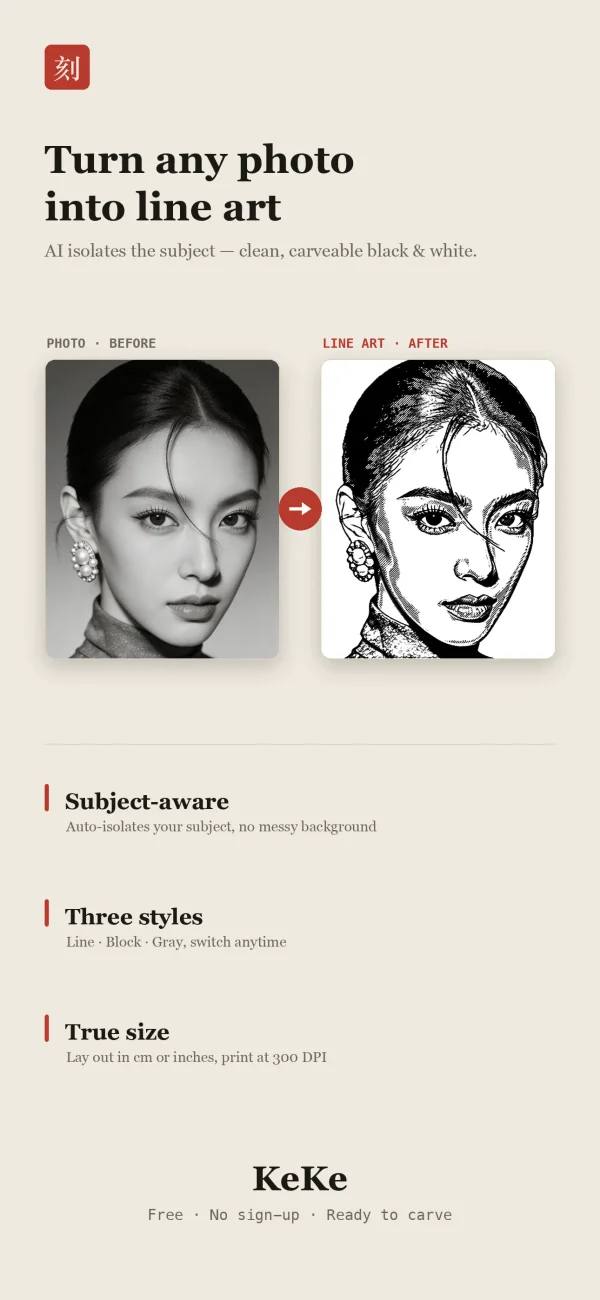
KeKe takes over that whole path. One photo goes in; a clean, carvable design at exactly the right size comes out — right on your iPhone. No drawing skills. No desktop software. No account, no sign-up, and your photos never leave your device.
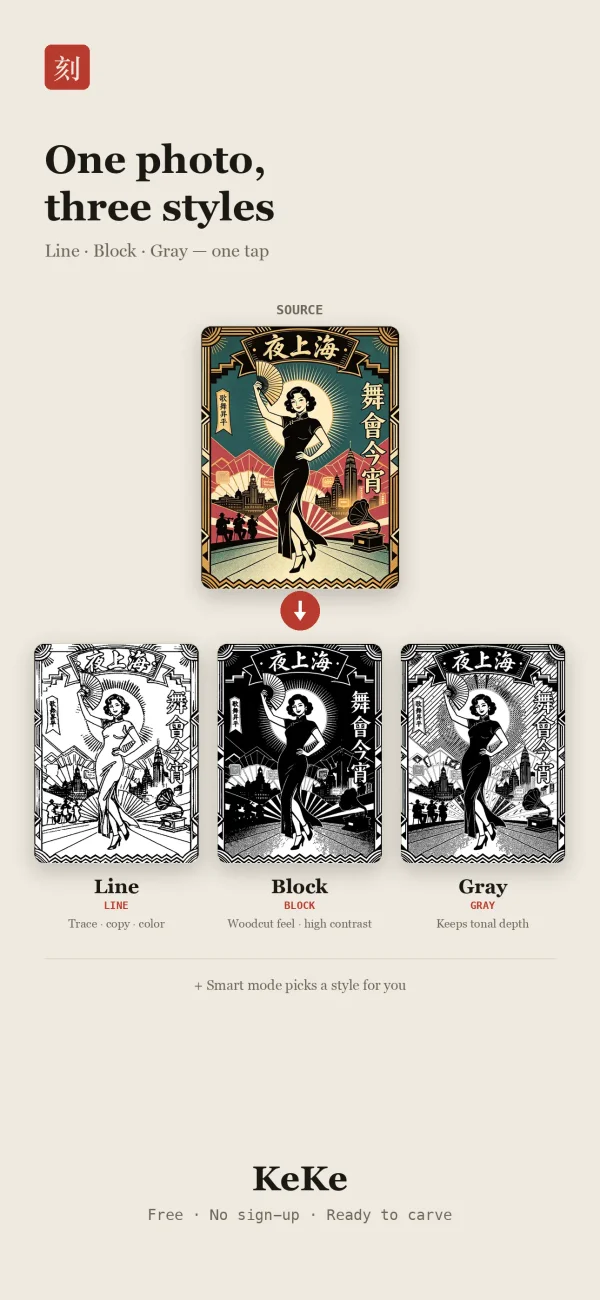
— THREE WAYS TO CARVE ONE PHOTO —
Pick the look that fits your subject, or let Smart mode choose for you:
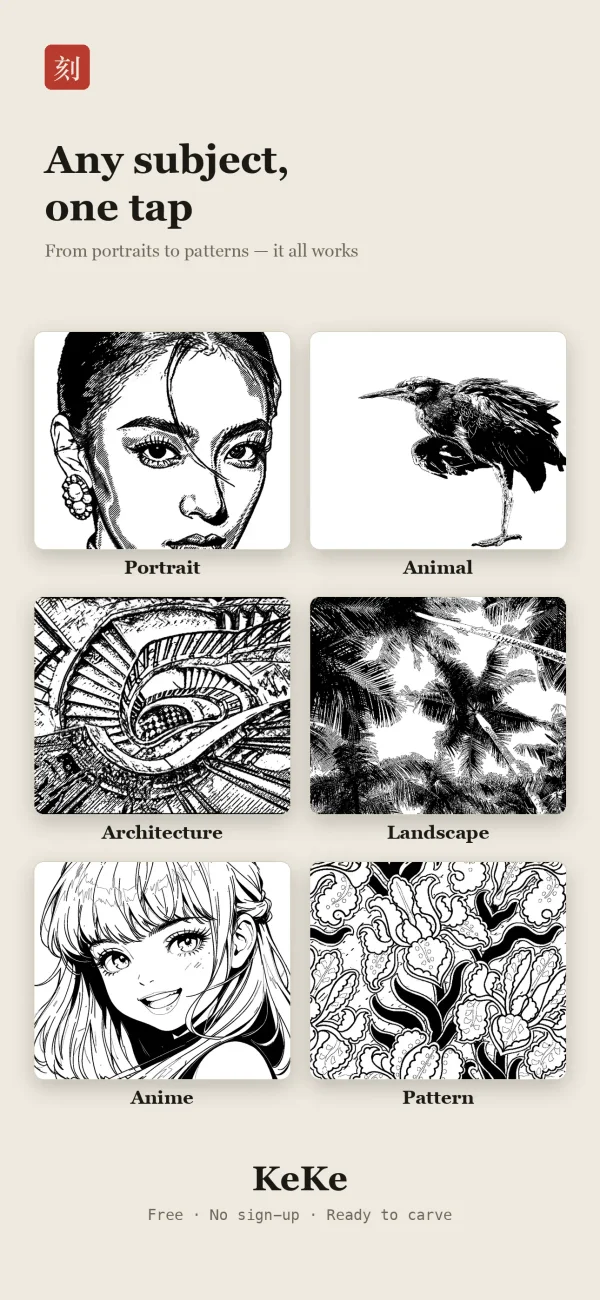
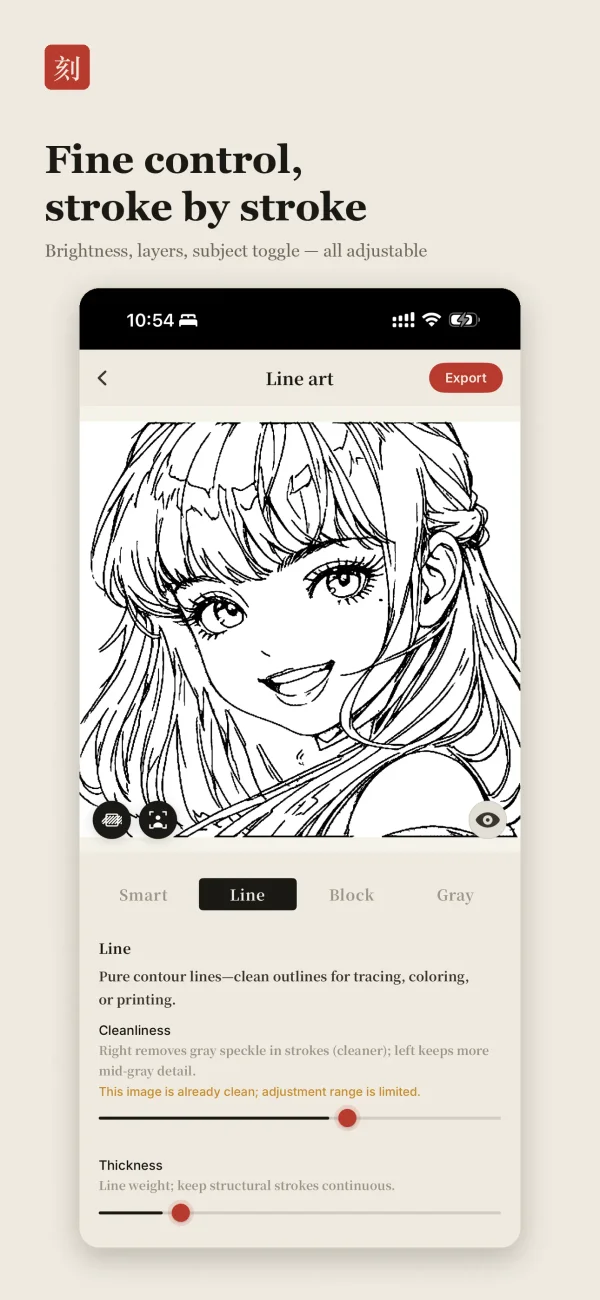
• Line Art — clean contour outlines for cartoons, illustrations, and logos; just follow the line with your blade
• Block Print — high-contrast black-and-white masses, like a woodcut; great for portraits and bold silhouettes
• Tonal Shading — dots, lines, or cross-hatching that build up light and shade for realistic subjects
• Smart — not sure which to use? One tap gives you the best-fit result automatically
— A LIVE WORKSHOP, NOT A ONE-TAP FILTER —
Everything updates in real time, so you shape the design by eye:
• Threshold — set exactly where black meets white, keeping your subject clear and the noise out
• Shadow fill — add dot, line, or cross-hatch shading for depth
• Line thickness — thicken strokes so they're actually carvable, not too fine for the blade
• Mirror flip — a stamp prints in reverse, so flip the design first and your text and direction come out right
• Press and hold anytime to compare against the original and check you haven't lost key detail
— PRINT AT THE EXACT STAMP SIZE —
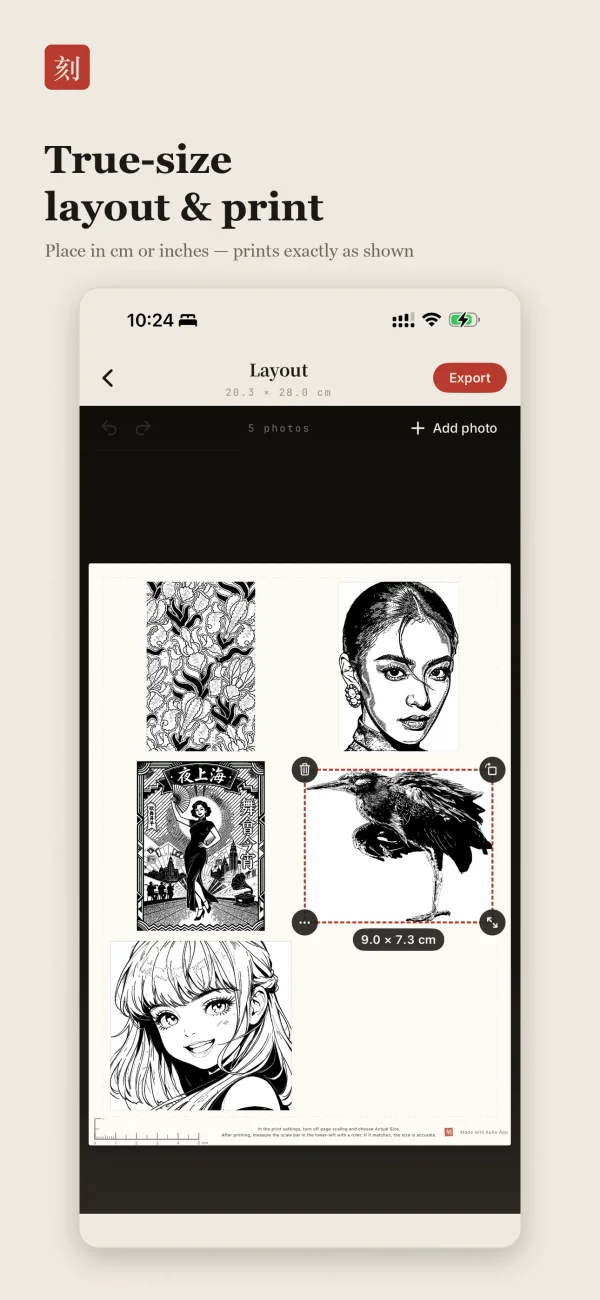
The most common carving mistake is finishing a stamp and realizing it came out a size too big. KeKe's Layout board fixes that: arrange one design or several onto an A4 sheet and see each one's true size in centimeters or inches as you go. Type in an exact width or drag the handle — height scales to match. Export at 300 DPI (PNG for single designs, JPEG for layouts), save to Photos, and print at 100% to transfer.
— FOR PEOPLE WHO CARVE BY HAND —
Rubber stamps, tufted rugs, laser engraving, wood and leather carving — if your craft starts from a design you print and transfer, KeKe gets you there in minutes.
Turn the photos you love into stamps you can carve. Download KeKe and cut your first block today.
App privacy
What Pinzhu Chen declares on the App Store about how this app handles data.
-
Data used to track you
May be used to track you across apps and websites owned by other companies.
- Identifiers
- Usage data
-
Data not linked to you
May be collected but is not linked to your identity.
- Identifiers
- Usage data
- Diagnostics
Privacy practices may vary, for example with the features you use or your age.
Information
- Seller
- Pinzhu Chen
- Category
- Graphics & Design
- Version
- 1.0
- Updated
- Aug 17, 2026
- Released
- Aug 17, 2026
- Size
- 147.9 MB
- Requires
- iOS 17.6 or later
- Age rating
- 4+
- Price
- Free
- Languages
- English, Simplified Chinese
- Copyright
- © 2026 RoamingSpace
You might also like
-
 Imprinta: Print StudioCarve, Ink & Layer Artwork
-
 Phosphor PressRetro screens & halftone print
-
 tone+Authentic halftone print
-
 Print Lab: Riso Photo FXRiso, Newsprint & Screen Print
-
 InkvertStack Filters.Transform Photos
-
 Pixel-APhotos into pixel patterns
-
 PressInkTurn photos into real prints
-
 refs.draw with references
-
 Chiser: Photo to Sketch AICreate Art & Coloring Books
-
 ColorHints MosaicGraphics & Design