- Age rating4+
- CategoryUtilities
- DeveloperVislab
- LanguagesEnglish+ 7 more
- Size117.6 MB
Links to the official App Store page
Download.org hosts no file of Ken Recorder. The button opens its official App Store page, published by Vislab. Listing last checked on Nov 18, 2026.
Screenshots

About
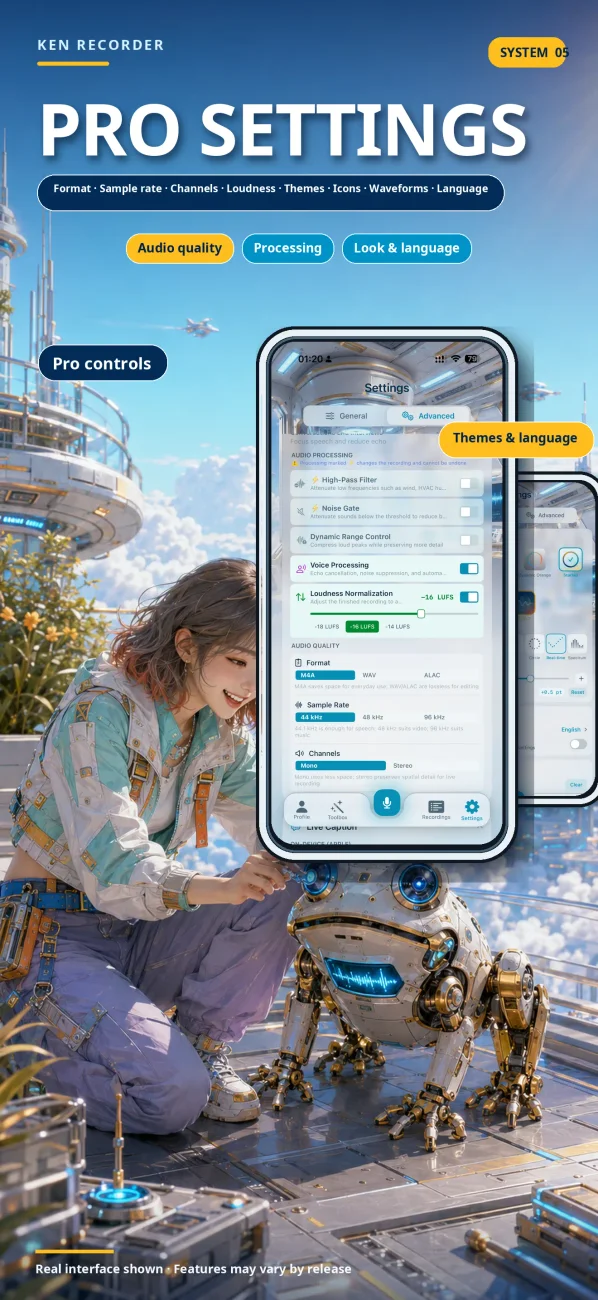
Ken Recorder is more than a voice recorder. It turns sound into live captions, structured notes, polished audio, and files you can actually use.
RECORD FOR THE MOMENT
• Choose Custom, Meeting, Denoise, Lossless, or Music mode
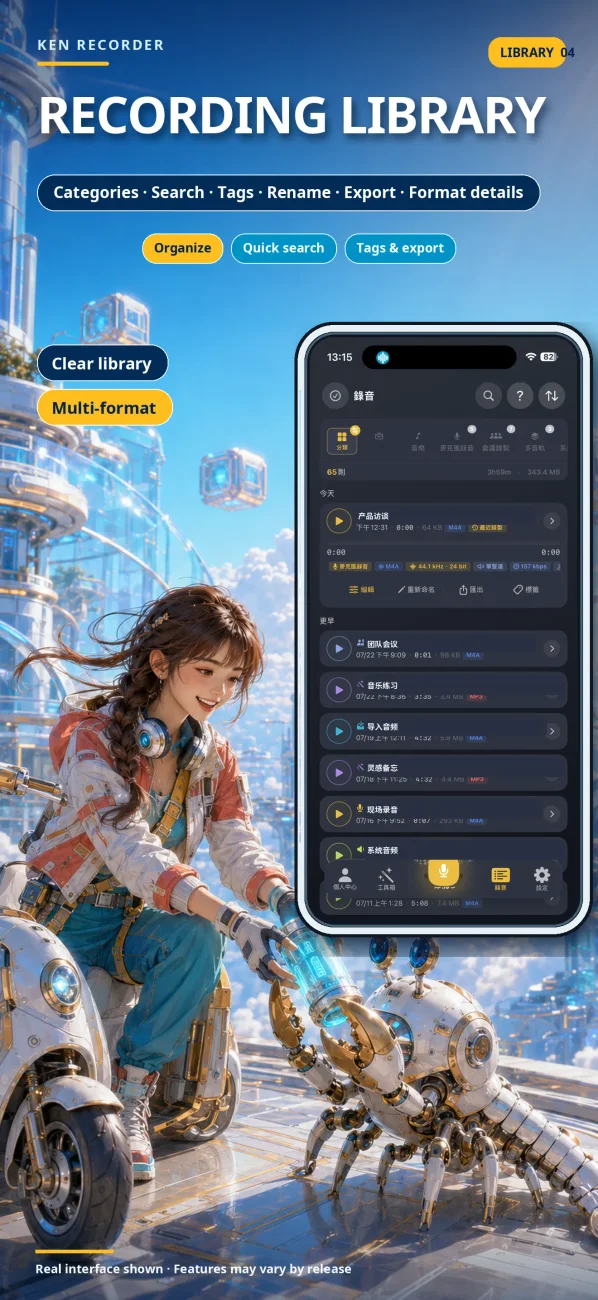
• Record in M4A or WAV and adjust sample rate, bit depth, and channels
• Use voice-activated recording to pause during silence
• Select compatible external microphones and audio inputs
SEE WHAT WAS SAID
• Follow live captions while recording
• Use free on-device recognition or start cloud recognition when needed
• Translate captions on device, even offline
• Turn completed recordings into timestamped transcripts and subtitle files
POLISH AUDIO ON DEVICE
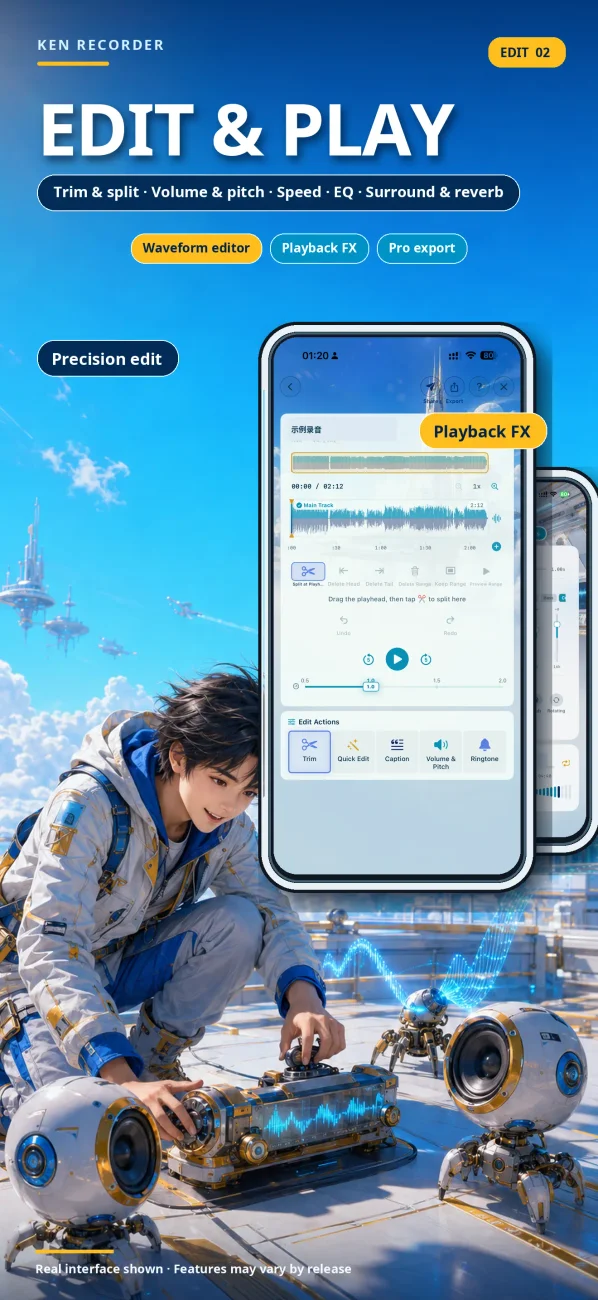
• Zoom and trim the waveform; adjust volume and pitch
• Reduce noise, enhance far-field speech, tune EQ, dynamics, and loudness
• Convert M4A, WAV, AAC, FLAC, and MP3
• Create M4R ringtones and listen in the dedicated audio player
TURN MEETINGS INTO RESULTS
• Use templates for interviews, brainstorms, lectures, and action plans
• Capture photos that stay linked to the recording timeline
• Generate structured, editable meeting notes
• Export audio, subtitles, Word, PDF, slides, mind maps, or shareable video
AI TOOLS WHEN YOU NEED THEM
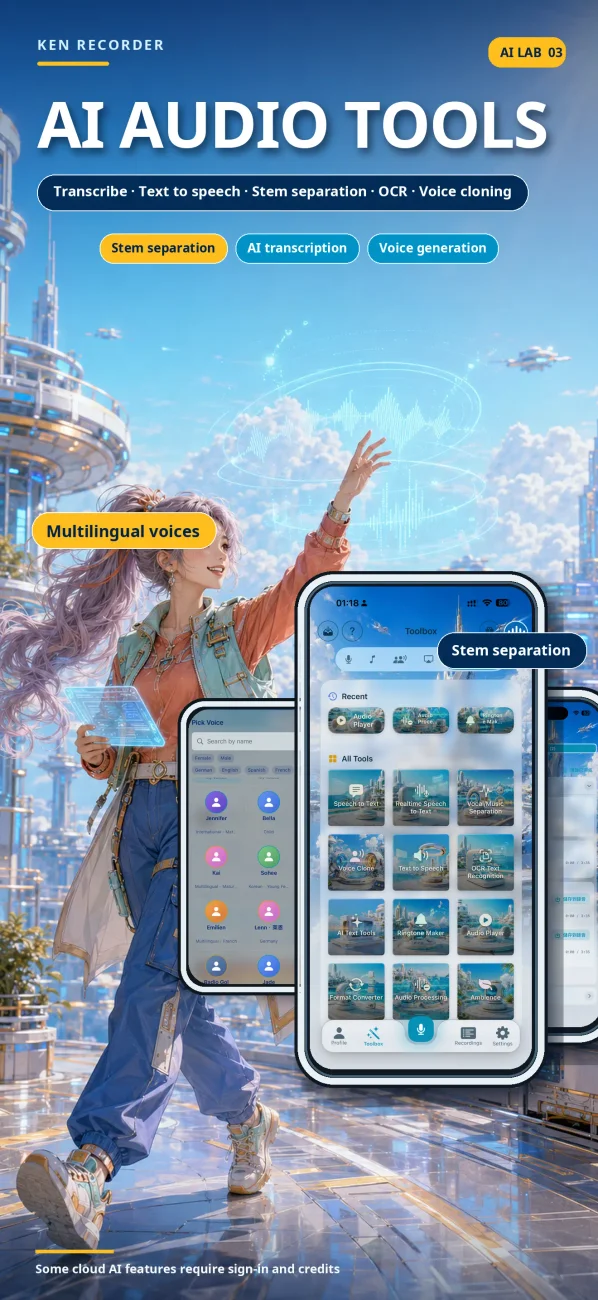
• Separate stems, create speech from text, or use authorized voice cloning
• Summarize, proofread, translate, improve tone, and scan text with OCR
• Cloud AI tasks require sign-in and Credits; an estimate appears before use
LOCAL FIRST
Core recording, playback, editing, local noise reduction, format conversion, on-device OCR, and ambience playback work without an account or network connection. Files stay on your device by default. Content is uploaded only when you start a cloud AI task or choose another upload feature.
Ken Recorder does not record phone calls. System audio capture works only with compatible app playback and is subject to iOS and protected-content limits.
AI-generated transcripts, translations, summaries, and speech may contain errors. Review results before use or sharing, and make sure you have the rights and permissions required to record, process, or share any content.
Terms of Use (EULA):
https://www.apple.com/legal/internet-services/itunes/dev/stdeula/
Privacy Policy:
https://kenrecorder.cyberken.cn/privacy/
App privacy
What Vislab declares on the App Store about how this app handles data.
-
Data used to track you
May be used to track you across apps and websites owned by other companies.
- Location
- Identifiers
- Usage data
-
Data linked to you
May be collected and linked to your identity.
- Purchases
- Location
- Contact info
- User content
- Identifiers
- Usage data
- Diagnostics
- Other data
-
Data not linked to you
May be collected but is not linked to your identity.
- Diagnostics
Privacy practices may vary, for example with the features you use or your age.
Information
- Seller
- Chengdu Cyberken Technology Co., Ltd.
- Category
- Utilities
- Version
- 1.0
- Updated
- Aug 3, 2026
- Released
- Aug 3, 2026
- Size
- 117.6 MB
- Requires
- iOS 18.0 or later
- Age rating
- 4+
- Price
- Free
- In-app purchases
- Yes
- Languages
- English, French, German, Japanese, Korean, Simplified Chinese, Spanish, Traditional Chinese
- Copyright
- © 2026 Chengdu Cyberken Technology Co., Ltd.
You might also like
-
 NameGuard - App Name CheckGlobal Storefront Availability
-
 Pixel Clock PixelPixel nightstand clock
-
 AudioForge AICreate & Edit Audio from Media
-
 极守护-应用锁,防沉迷手机,隐藏,屏幕时间管理,家长管理Utilities
-
 Comfort Smart Bedused to control electric beds
-
 Level: Sound Level MeterSet & Match Speaker Levels
-
 HookGeniusAI Content Creator Assistant
-
 MorseScope: Code & AudioEncode, Decode & Practice
-
 Morseon - Morse Code ToolkitSend, Decode, Learn & Practice
-
 MaxHear: Hearing AmplifierPersonal Sound Amplifier