
- Age rating4+
- CategoryPhoto & Video
- DeveloperKessler Crane Inc.
- LanguagesEnglish
- Size34.4 MB
Links to the official App Store page
Download.org hosts no file of Kessler kOS. The button opens its official App Store page, published by Kessler Crane Inc. Listing last checked on Nov 15, 2026.
Screenshots



About
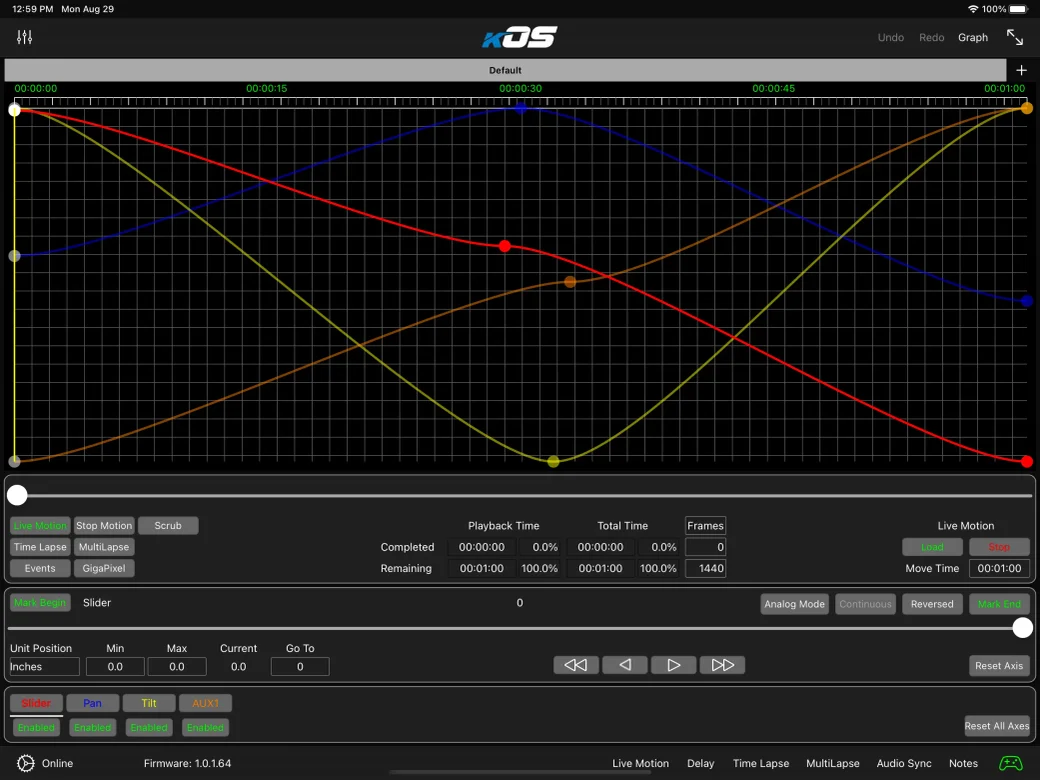
kOS is an advanced camera motion control software that unlocks the highest level of control and features for Kessler’s industry-leading motion control systems including Second Shooter Plus, Second Shooter Pro, and the newest motion control system CineShooter.
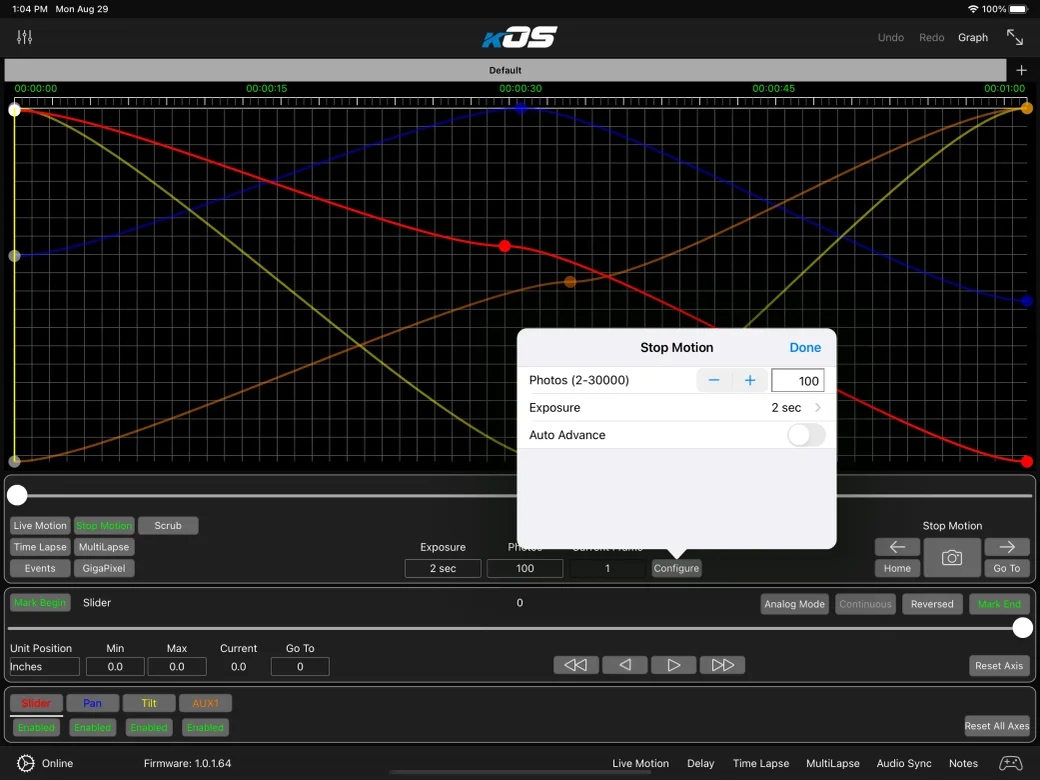
This app allows for ultra-refined keyframe based control in a powerful and easy-to-use interface for applications such as timelapse, stop motion, live video/cinematography, event video, and advanced photography controlled wirelessly via iPad.
CONTROL ANY MOTION
Live, looping, stop motion, timelapse, GigaPixel* and Event Mode camera moves at your fingertips.
DIGITAL KEYRAMING
Simply move each axis into position and hit record. kOS saves your exact positioning for 100% repeatable moves.
WIFI CONNECTIVITY
Your CineShooter, Second Shooter Pro, or Second Shooter Plus device creates its own WiFi network that you can connect your device to instantly.
COMPLEX KEYFRAME MOVEMENT
Create up to 20 keyframes at once for ultra complex movement.
EASY KEYFRAME SMOOTHING
Add and manipulate curves to your moves for ease-in and ease-out motion. Also, link each side of the keyframe to match.
EDITABLE KEYFRAMES
No need to re-record the move if it's not exactly what you want. Edit one or all axes and keyframes into the perfect position. Featuring incremental, exact motor position plus tap and move keyframe adjustments.
REPEATABILITY
Repeat the exact same move over and over again at the same speed or variable speeds depending on the application.
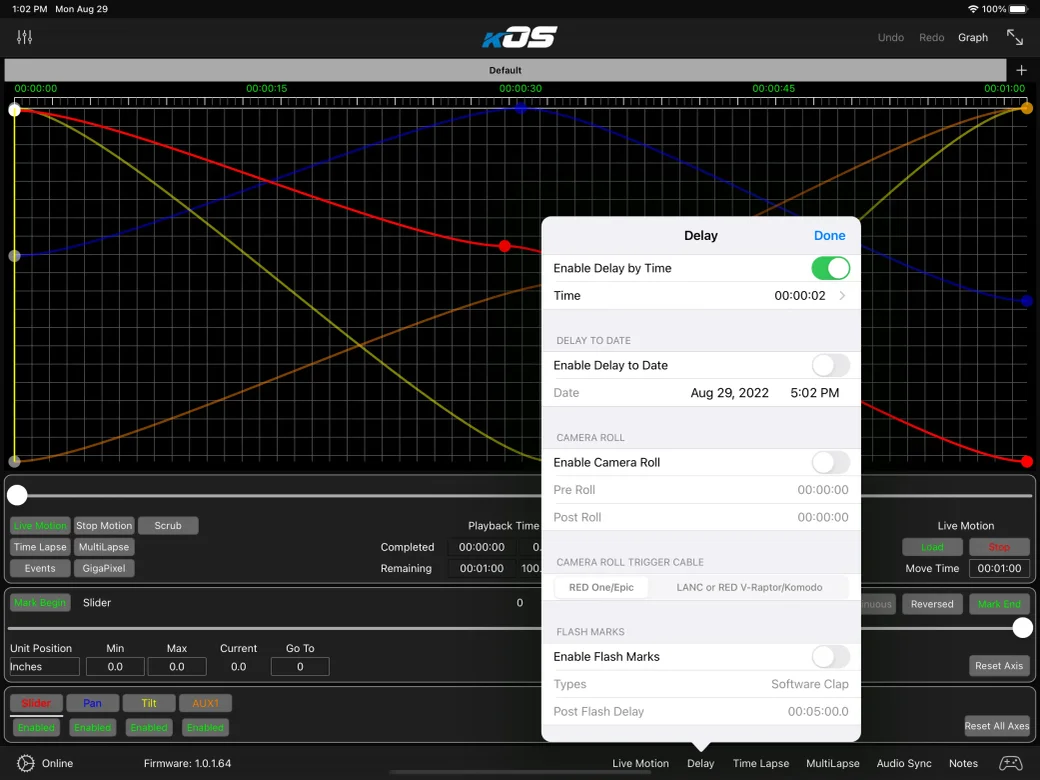
DELAY BY DATE/TIME
Not going to be around when your move needs to start? No problem. Easily set a date/time or fixed amount of time to have your move begin. kOS takes care of the rest.
FLASH MARK/BLOOP
Sync up your moves easily via the built-in flash marks with adjustable delay.
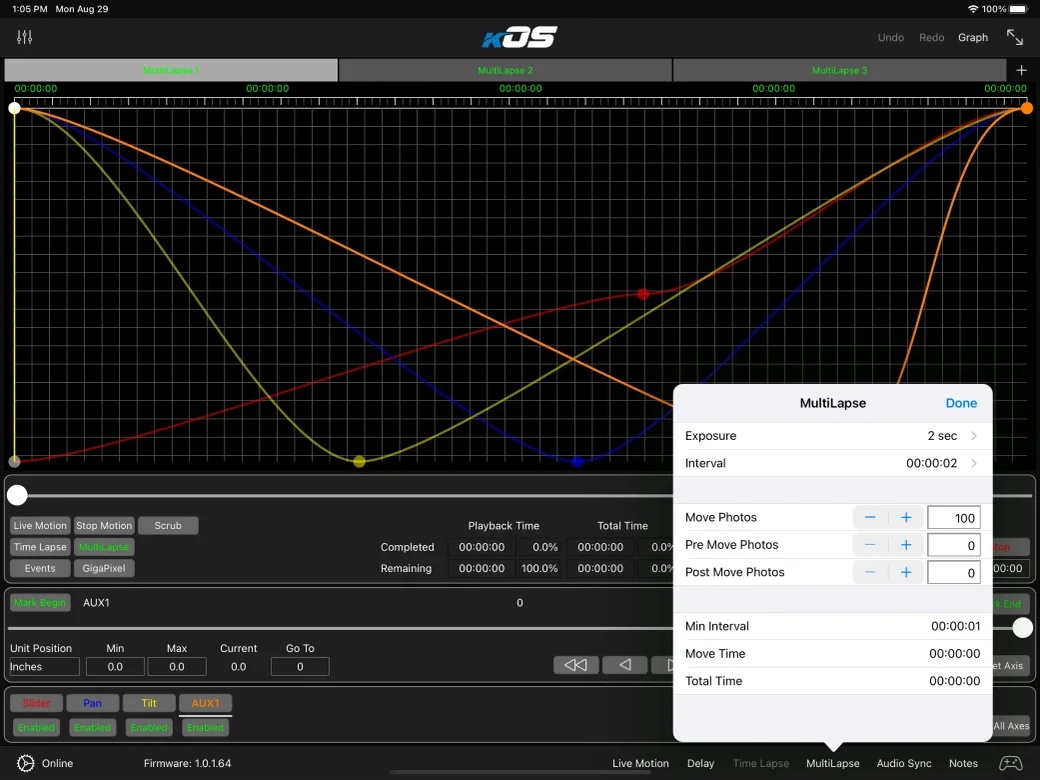
PRE & POST-PHOTOS (TIMELAPSE MODE)
Easily add a series of head or tail photos to your timelapse move.
GO TO POSITION
Set minimum and maximum ranges on each axis (ie. slider 0" to 32") and go to any position by entering a value.
LOAD & GO
This feature allows for pre-loading a move so that you are able to start instantly whenever you are ready.
CAMERA PRE and POST ROLL
Trigger your camera to start recording any amount of time before the move begins and when to stop after the move ends.
ANALOG CONTROL PANEL
Manually control several axes live with the built in analog controller.
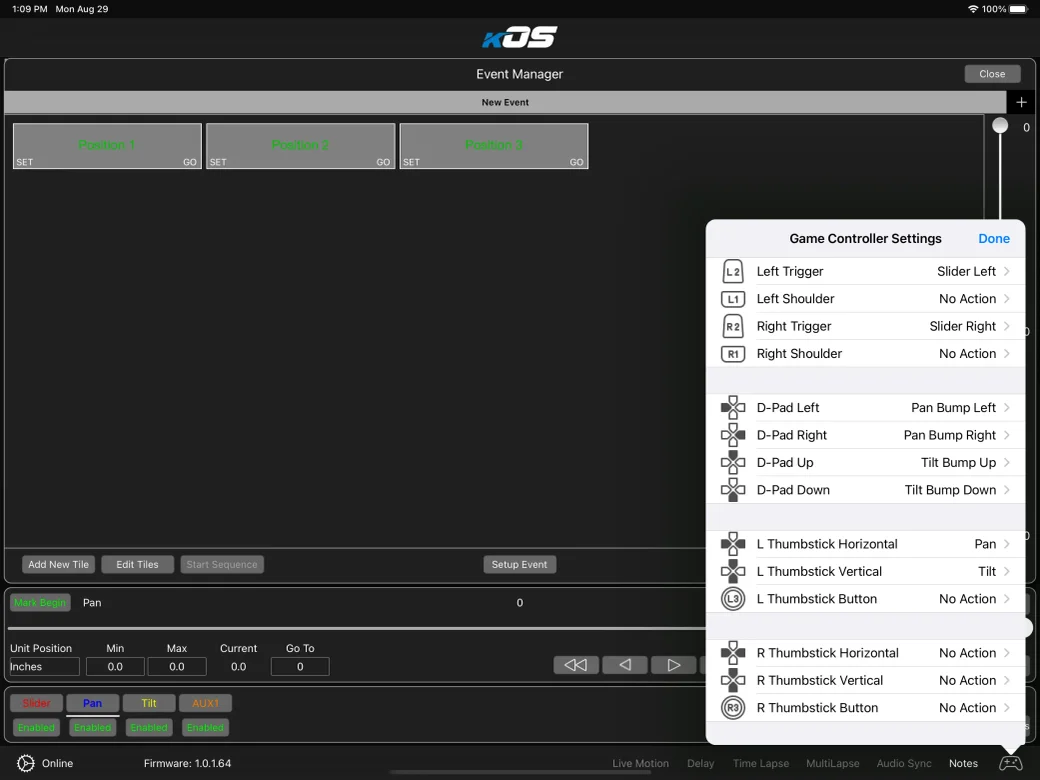
EVENT MODE
Event mode is mainly intended for live events or scenarios where exact position recalling on-the-fly is needed. For example, if you are filming a live concert, you can have different positions on stage saved. You can move easily from the drummer, to the guitarist, to the lead singer and so forth. This mode is also great for repeatedly hitting actor marks on set.
GIGAPIXEL
GigaPixel is traditionally used for 360 degree virtual tours, panoramic photographs or GigaPixel images which are extremely high resolution photographs that are compiled of many lower resolution photographs.
GRAPH EXPANSION
Expand the graph with one touch when precise key framing is needed.
SCRUB THROUGH MOVE
Need to edit a key frame or see when the camera will be in a certain position? Use the scrub feature to instantly move to a desired position.
LOOPING
Looping is made easy with kOS. Simply select one-time or continuous looping.
CAMERA CONTROL
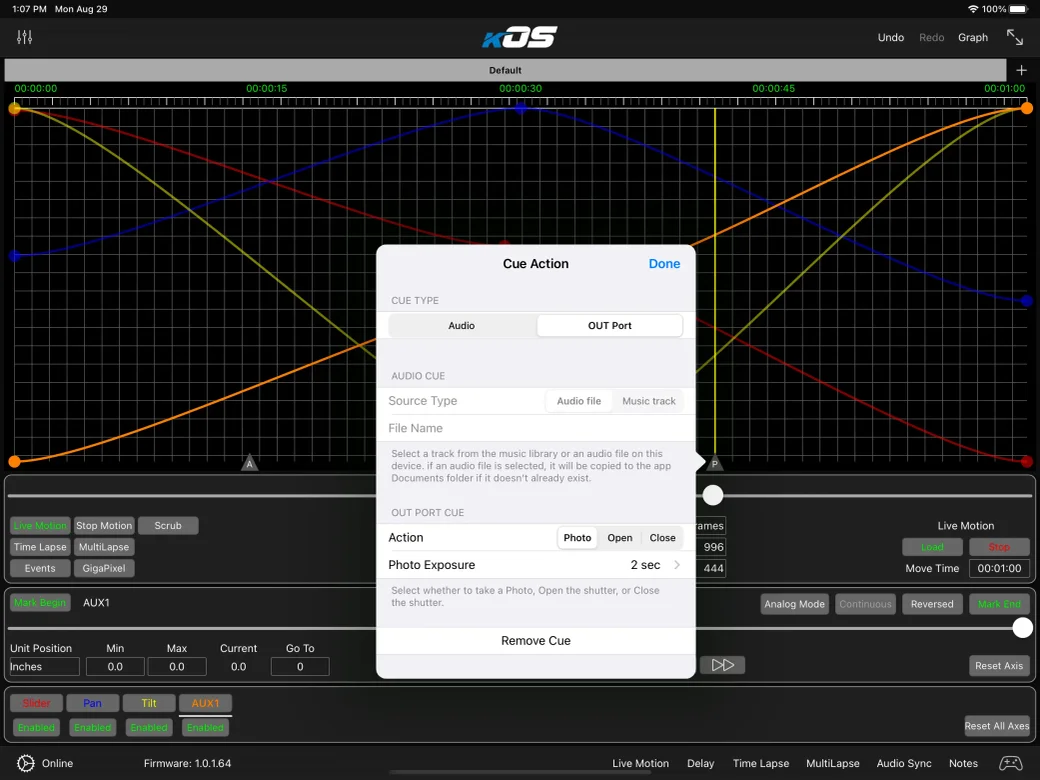
Set CineShooter, Second Shooter Pro, Second Shooter Plus device to trigger or control your camera’s exposure time within kOS.
AUTO TIMELAPSE CALCULATION
Enter your desired clip length and frame rate, then kOS will calculate the run time needed.
BUMP BUTTONS
Move in very small increments to ensure a precise camera position.
DROPBOX INTEGRATION
Upload saved moves directly to your Dropbox account within kOS app.
MOTOR CONFIGURATION
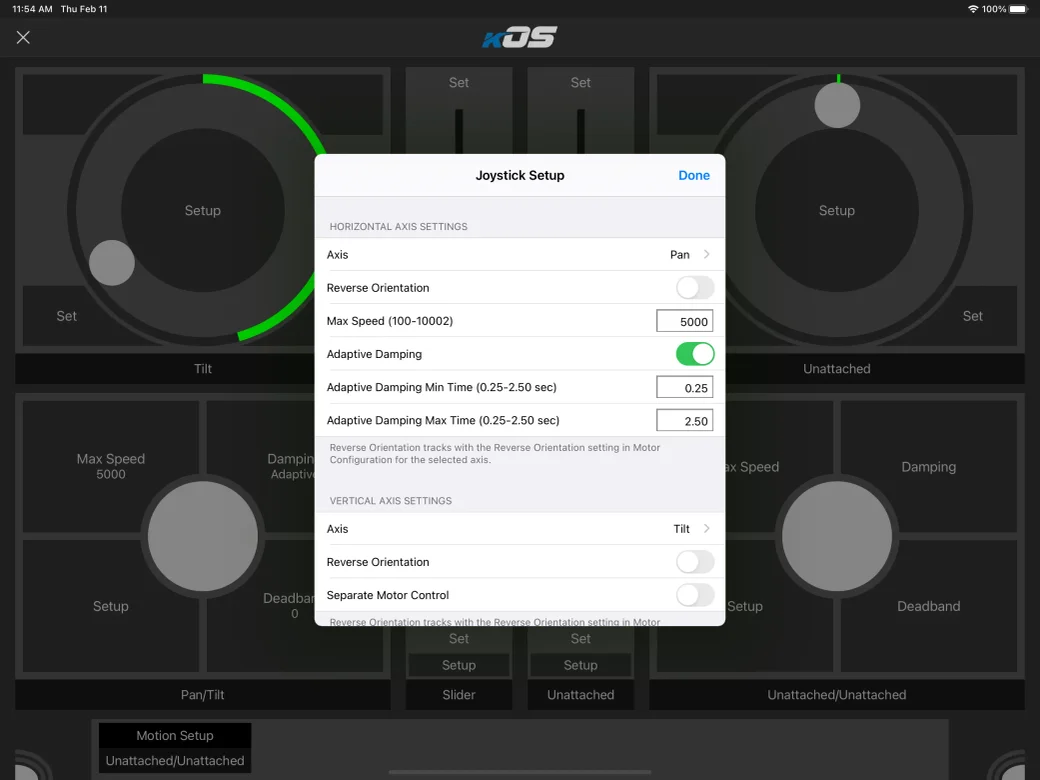
Each axis is able to be customized with individual features such as run speed, dampening, smoothness of curves, bump button, and axis naming.
What’s new
Version 5.2.10 · Oct 14, 2026
* This app now requires iOS 26.
* Improved iOS 27 support.
* Additional bug fixes and UI/performance improvements.
App privacy
What Kessler Crane Inc. declares on the App Store about how this app handles data.
-
Data not linked to you
May be collected but is not linked to your identity.
- Diagnostics
Privacy practices may vary, for example with the features you use or your age.
Information
- Seller
- Kessler Crane Inc.
- Category
- Photo & Video
- Version
- 5.2.10
- Updated
- Oct 14, 2026
- Released
- Jul 7, 2016
- Size
- 34.4 MB
- Requires
- iOS 26.0 or later
- Age rating
- 4+
- Price
- Free
- Languages
- English
- Copyright
- © 2013-2026 Kessler Crane Inc. All Rights Reserved.
You might also like
-
 Freefly EmberWireless control and playback
-
 LensKit: Lens ToolsSpecs, coverage and more
-
 MIOPS MOBILEPhoto & Video
-
 Tentacle TimebarPhoto & Video
-
 Bluetooth+ for BlackmagicPocket 4K / 6K & Ursa Mini Pro
-
 ZoeLogCamera Reports for Film & TV
-
 iFootage MocoPhoto & Video
-
 FinderKit: ViewfinderFor filmmaking and photography
-
 Canon Multi-Camera ControlPhoto & Video
-
 Lightcraft JetsetA Movie Studio in Your Pocket