
- Age rating4+
- CategoryProductivity
- DeveloperMark Lester Edquilane
- LanguagesEnglish
- Size10.1 MB
Links to the official App Store page
Download.org hosts no file of KeyFill. The button opens its official App Store page, published by Mark Lester Edquilane. Listing last checked on Nov 15, 2026.
Screenshots



About
KeyFill - Quick Access Autofill Keyboard Extension
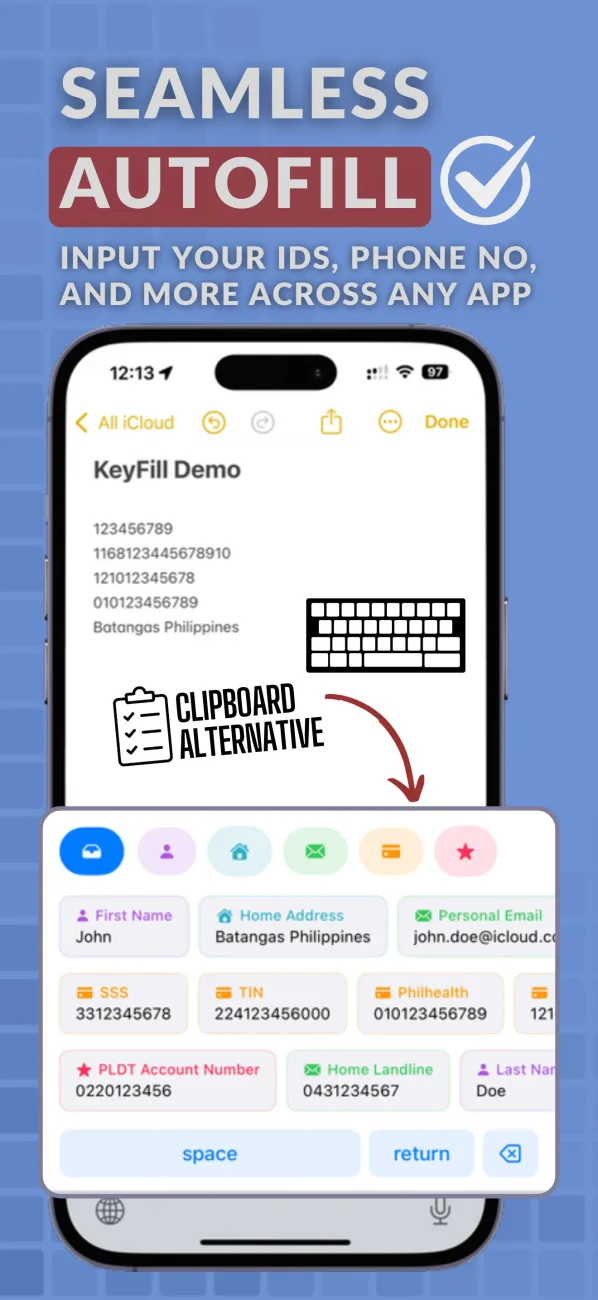
Tired of repeatedly typing your ID numbers, email addresses, and other personal information? KeyFill is a secure and efficient keyboard extension that helps you quickly fill in frequently used information across any app on your iOS device. With features like reply with templates, allowing you to respond to messages or emails with pre-saved templates in just a single tap. Effortlessly paste information, including IDs, passports, emails, addresses and licenses, with quick access through our user-friendly interface. Designed for efficiency, our app allows manual entry a breeze, making it easier than ever to fill out forms. Your sensitive information is kept safe with secure data storage and local storage, ensuring privacy without relying on cloud services. KeyFill saves you time, keeps you organized, and ensures your data remains secure. Boost your productivity with the ultimate cross-platform keyboard extension!
Key Features:
• Custom Keyboard Extension - Access your saved items directly from any text field.
• Reply with Templates - Respond to messages or emails with pre-saved templates in just a single tap.
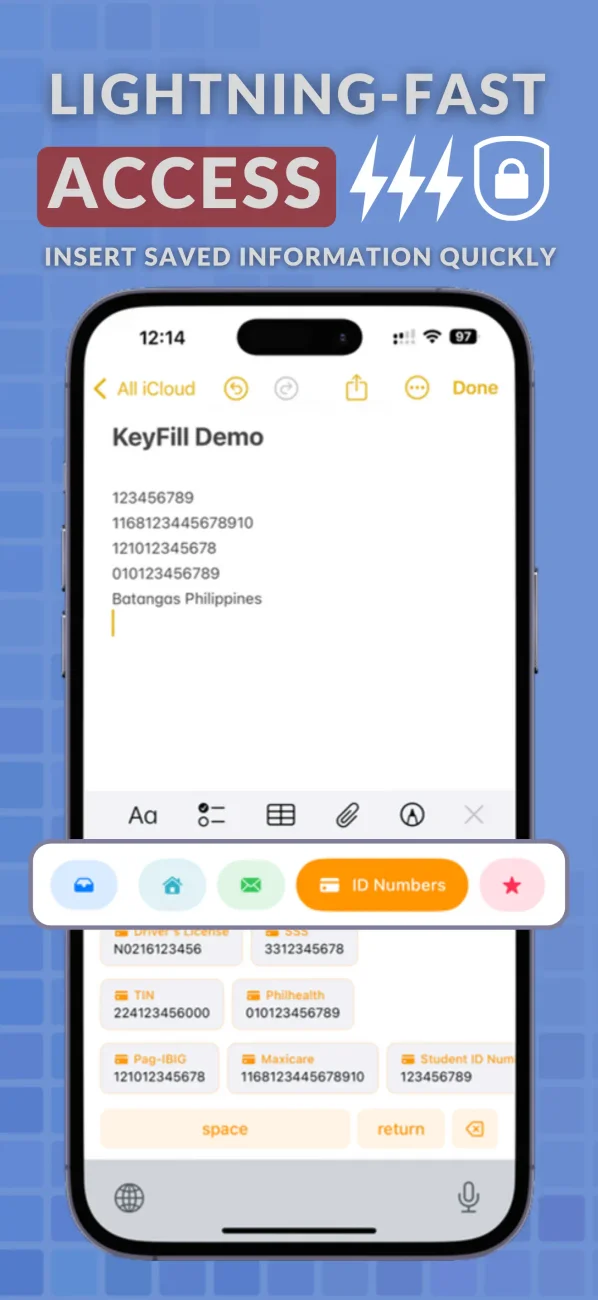
• Category Organization - Organize items into Personal Info, Address, Contact, ID Numbers, and Custom categories.
• Quick Access - Instantly fill in emails, addresses, phone numbers, and more with a single tap.
• Secure Storage - Your data is securely stored using iOS Keychain.
• Real-time Sync - Changes in the main app instantly reflect in the keyboard.
• Free Version - Store up to 5 items without any cost.
• Pro Version - Unlock unlimited item storage with a one-time purchase.
What KeyFill Can Do:
• Save and organize frequently used text snippets.
• Access saved items from any app's text field.
• Categorize items for better organization.
• Sync data between the main app and keyboard.
• Work offline without an internet connection.
• Secure data using iOS Keychain.
• Upgrade to unlimited items with the Pro version.
What KeyFill Cannot Do:
• Automatically detect or fill form fields.
• Store passwords or sensitive authentication data.
• Import/export data.
• Customize keyboard layout or appearance.
• Work with system password autofill.
• Access or modify the system clipboard.
Privacy & Security:
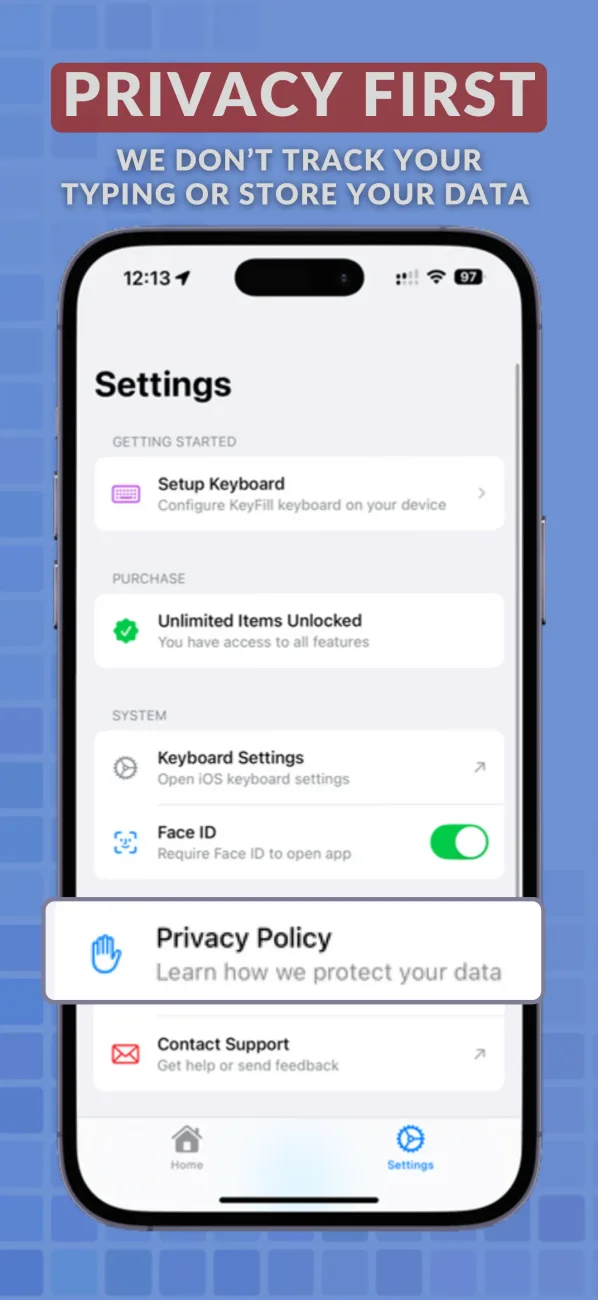
• No internet connection required.
• All data stored locally on your device.
• Uses iOS Keychain for secure storage.
• No data collection or analytics.
• No third-party services used.
What’s new
Version 1.7 · Jan 5, 2026
Minor bug fixes and UI improvements.
App privacy
What Mark Lester Edquilane declares on the App Store about how this app handles data.
-
Data not collected
The developer does not collect any data from this app.
Privacy practices may vary, for example with the features you use or your age.
Information
- Seller
- Mark Lester Edquilane
- Category
- Productivity
- Version
- 1.7
- Updated
- Jan 5, 2026
- Released
- Jan 10, 2025
- Size
- 10.1 MB
- Requires
- iOS 17.6 or later
- Age rating
- 4+
- Price
- Free
- In-app purchases
- Yes
- Languages
- English
- Copyright
- © 2026 Mark Lester Edquilane
You might also like
-
 Pink PulsePink Noise with Metronome
-
 Quick Fill ProCopy & fill forms with ease
-
 Pilot EFB: Flight PlannerFly The Plane - Not the EFB
-
 QuickClipperSave & Copy Snippets Fast
-
 Pocket Deck - MTGBuild & Test decks, Track Life
-
 DocuPDF – Scanner & EditorScan, Edit, Convert & Sign PDF
-
 Build Ur: Build your LifeRoutine, Schedule, To do list
-
 Notes Magic - Cloud NotesLet write a magic note
-
 Auto Paste Keyboard AppSmart keyboard for fast typing
-
 MP3 Converter - All Formats20+ Formats Trim & Compress