Kibord
Clipboard History KeyBoard
Designed for iPhone, iPad
Free · In-app purchases
- Age rating4+
- CategoryUtilities
- Developer金桃 董
- LanguagesEnglish+ 9 more
- Size10.2 MB
Links to the official App Store page
Download.org hosts no file of Kibord. The button opens its official App Store page, published by 金桃 董. Listing last checked on Nov 13, 2026.
Screenshots

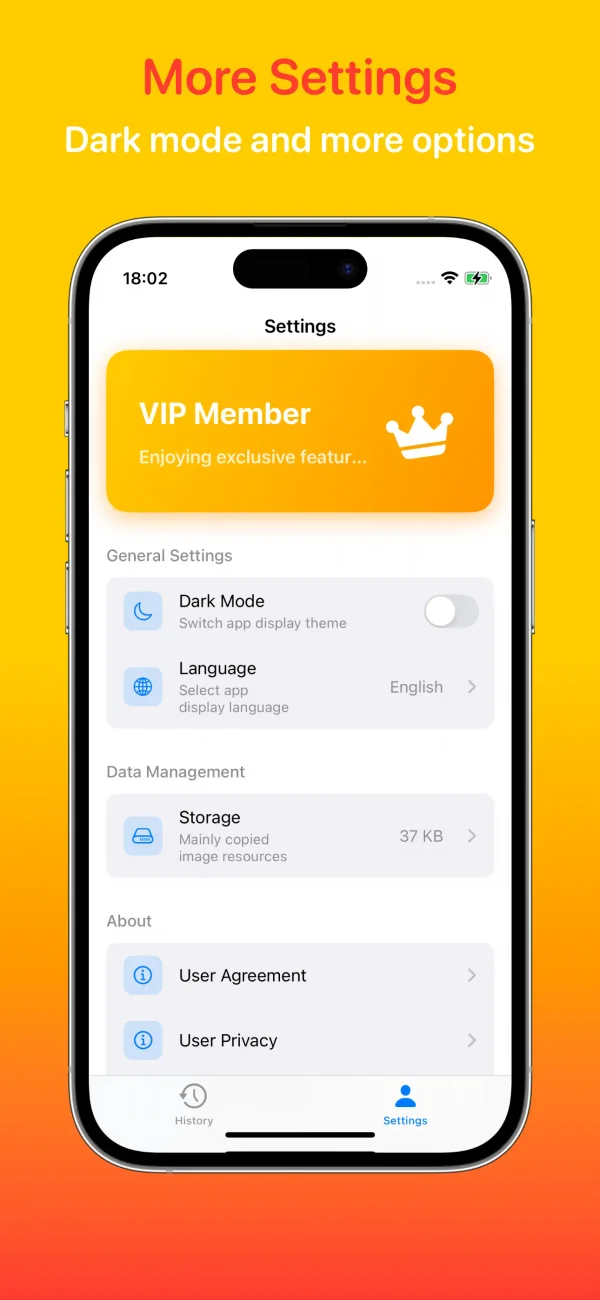
About
Copy. Paste. Repeat. Like a Pro.
Tired of copying the same thing over and over again? Forgot what you just copied 5 minutes ago? Wish your keyboard could do a little more than just type? Say hello to your new favorite productivity sidekick!
What’s This App About?
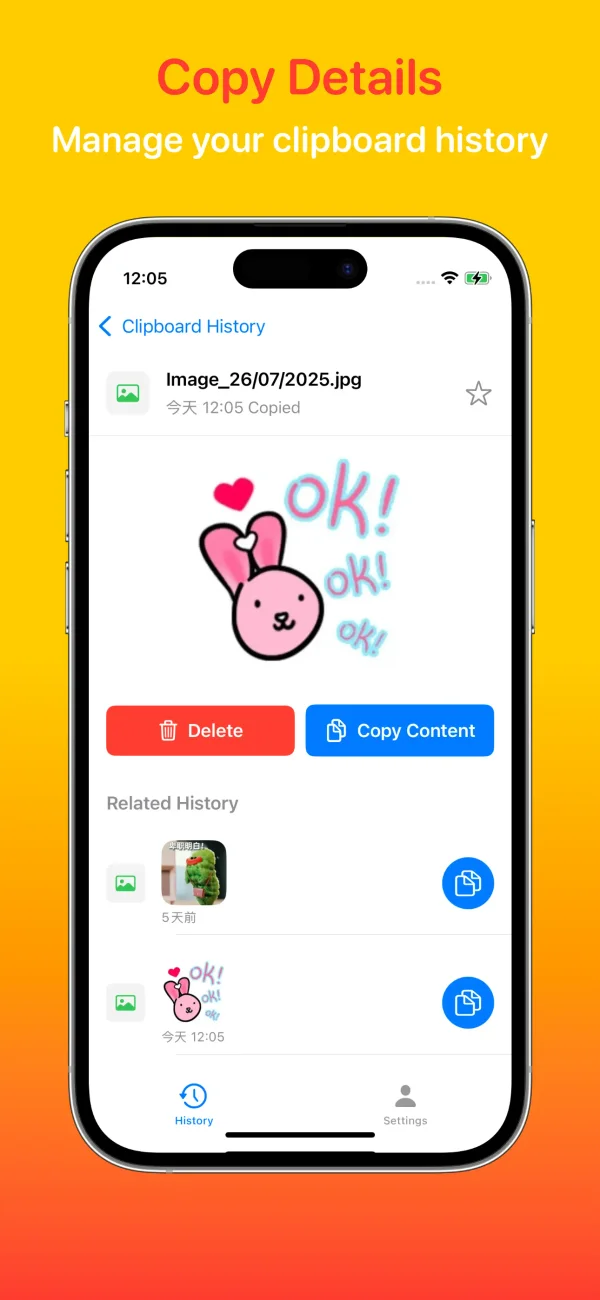
This isn’t your average copy-paste tool — it’s like copy-paste with superpowers. Our app keeps a neat history of all your copied text, images, and more, so you can easily access and reuse anything you’ve copied. No more “Oops, I copied over it!” moments.
Main Features
Clipboard History: Automatically saves what you copy — text, links, images, emojis, you name it.
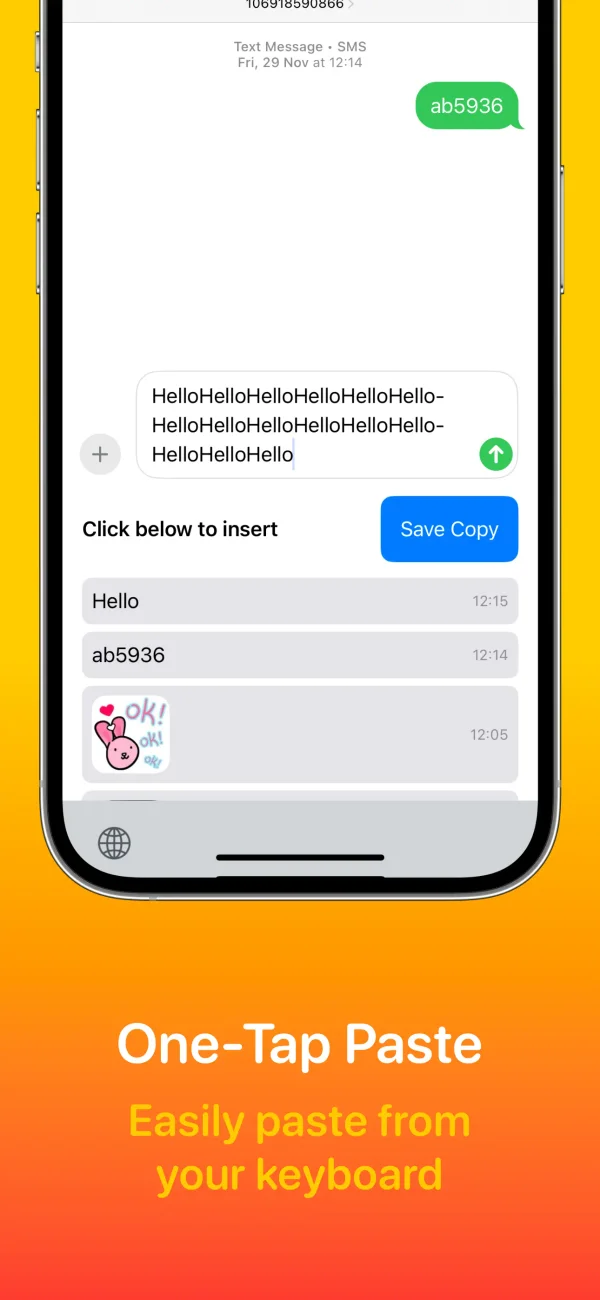
One-Tap Paste on Keyboard: Access your copy history right from your custom keyboard. Just tap and paste, like magic.
Favorites: Got something you use all the time? Star it and keep it at the top.
Smart & Simple UI: Designed to be as friendly as your grandma's cookie jar. Open it anytime, find what you need instantly.
Works Inside Your Keyboard
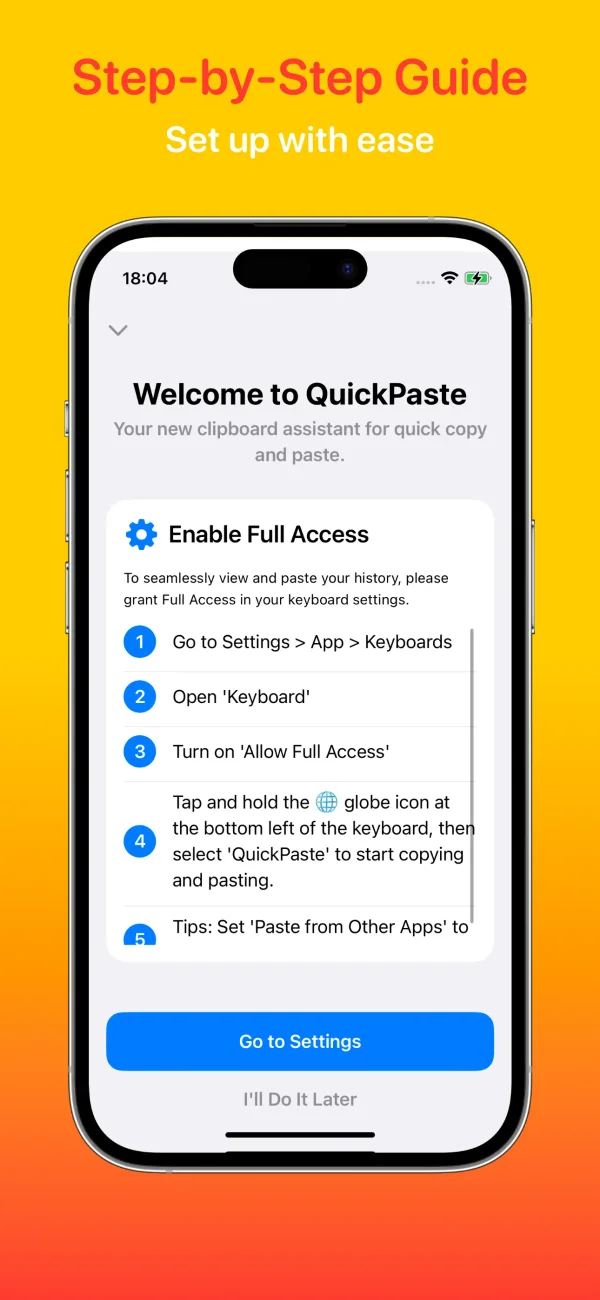
No need to switch apps or go digging around — just switch to our keyboard and boom! All your clipboard history is right there, ready to paste into any text field.
Go Premium (Optional, but awesome)
Unlock full access with a monthly membership plan and enjoy all features without limits.
Why You'll Love It:
Saves time, saves stress
Perfect for power users, students, marketers, meme lords, and everyone in between
Seriously — once you use it, you’ll wonder how you ever lived without it
So go ahead — download now, and never lose your copy again.
Copy. Paste. Dominate.
###############################
Any feedback or feature suggestions are very welcome to contact us via email: dongdajieOh@yeah.net
###############################
If you have subscribed before, re-downloaded the app, or downloaded the app on other platforms such as iPad, Mac, you can restore the subscription status by restoring the subscription!
Privacy Policy: https://dongdajieohyeah.github.io/QuickPaste/quick_paste_privacy.html
Terms of Use: https://www.apple.com/legal/internet-services/itunes/dev/stdeula/
What’s new
Version 1.4.0 · Dec 17, 2025
- A kitten clattered away on the keyboard, typing a bunch of words!
App privacy
What 金桃 董 declares on the App Store about how this app handles data.
-
Data not collected
The developer does not collect any data from this app.
Privacy practices may vary, for example with the features you use or your age.
Information
- Seller
- 金桃 董
- Category
- Utilities
- Version
- 1.4.0
- Updated
- Dec 17, 2025
- Released
- Jul 21, 2025
- Size
- 10.2 MB
- Requires
- iOS 16.0 or later
- Age rating
- 4+
- Price
- Free
- In-app purchases
- Yes
- Languages
- English, Arabic, French, German, Hindi, Japanese, Portuguese, Spanish, Thai, Traditional Chinese
- Copyright
- © @dongdajie
You might also like
-
 AI Text Scanner: Copy PasteClipboard Helper, Scan Pages
-
 KeyPaste - Clipboard ManagerAuto Copy & Paste Keyboard
-
 AutoPaste & Clipboard ManagerCopy Paste Keyboard & History
-
 Clipboard: OnePasteCopy Paste Keyboard
-
 Paste Keyboard : Text ShortcutAuto Copy Paste fast clipboard
-
 Copied: Workspace KeyboardText Shortcuts & Clipboard
-
 Clipboard Manager - PycopasteCopy History & Paste Keyboard
-
 LazyBoard: Text ExpanderQuick Reply & Paste Keyboard
-
 Copy And Paste Keyboard +Auto Pasting & Easy Clipboard
-
 Clipboard : Keyboard ManagerCopy, Paste & Organize Data