
Konsol: SSH & Serial Console
Network Terminal & 30 Tools
Designed for iPhone, iPad, Mac
Free · In-app purchases
- Age rating4+
- CategoryUtilities
- DeveloperCurtis Waldner
- LanguagesEnglish
- Size30.0 MB
Links to the official App Store page
Download.org hosts no file of Konsol: SSH & Serial Console. The button opens its official App Store page, published by Curtis Waldner. Listing last checked on Nov 12, 2026.
Screenshots
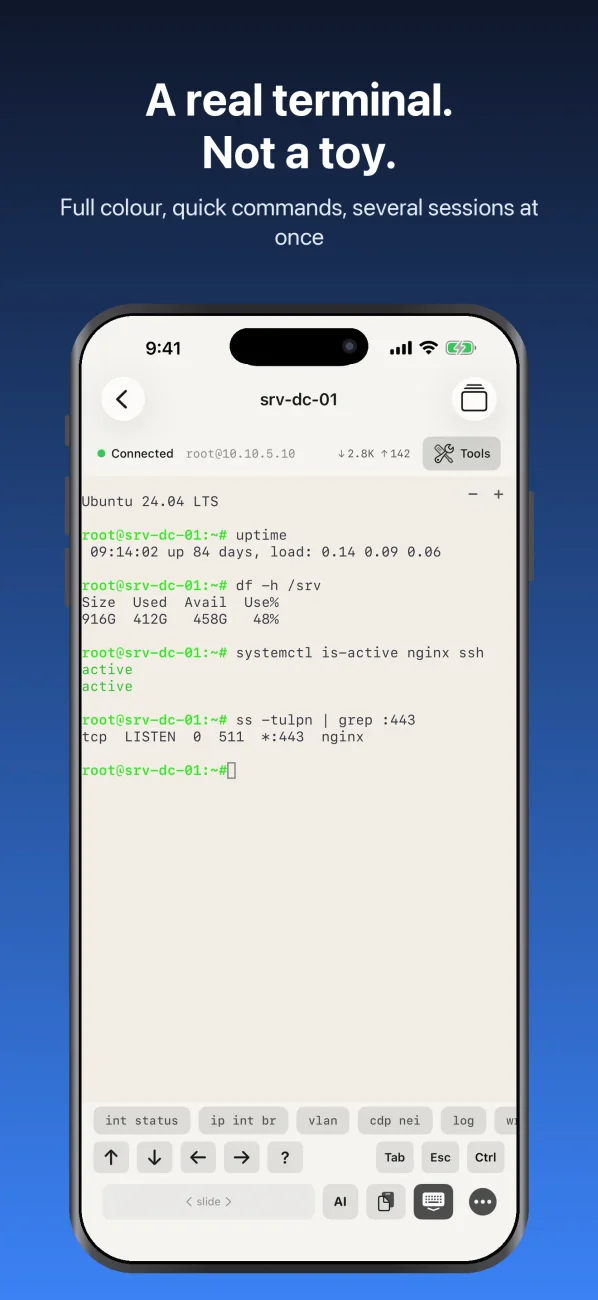
About
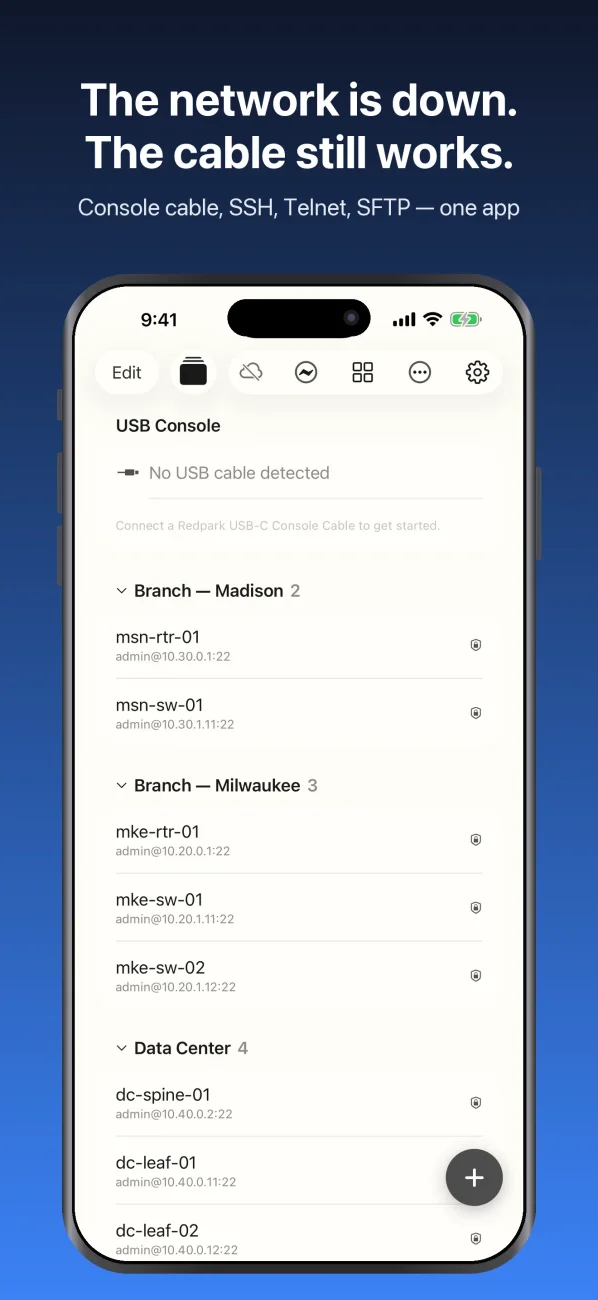
The switch stopped answering. You can't SSH to it — that's the problem. Konsol reaches it down a console cable instead, from the phone already in your pocket.
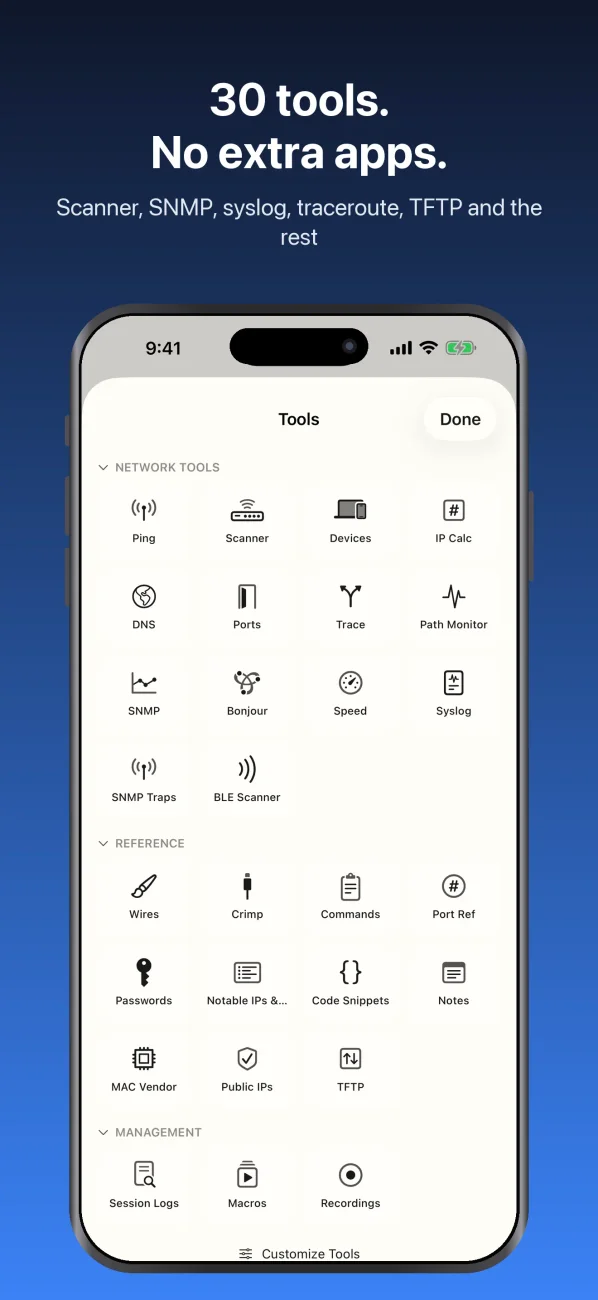
Then it stays useful for everything else: SSH, Telnet, SFTP, and 28 network tools that don't need a laptop.
EVERY WAY INTO A DEVICE
• Serial console over a USB-C cable — the way in when the network is what's broken
• Wireless console adapters, so the cable can stay in the rack
• SSH with password or key auth — RSA, ED25519, ECDSA, plus jump hosts
• Telnet, for the old kit that still only speaks it
• SFTP, with a real file browser
Older gear that modern SSH clients refuse to talk to will usually still negotiate here.
28 TOOLS, NOT 28 APPS
Ping · Network Scanner · Device Discovery · Port Checker · Traceroute · Path Monitor · DNS Lookup · IP Calculator · Speed Test · Public IP Lookup
SNMP Monitor · SNMP Trap Receiver · Syslog Receiver · TFTP Server · Bonjour Browser · BLE Scanner
Command Reference · Port Reference · Wire Colors · Crimp Guide · MAC Vendor Lookup · Notable IPs & MACs · Code Snippets · Network Notes · Passwords
Session Logs · Macros · Recordings
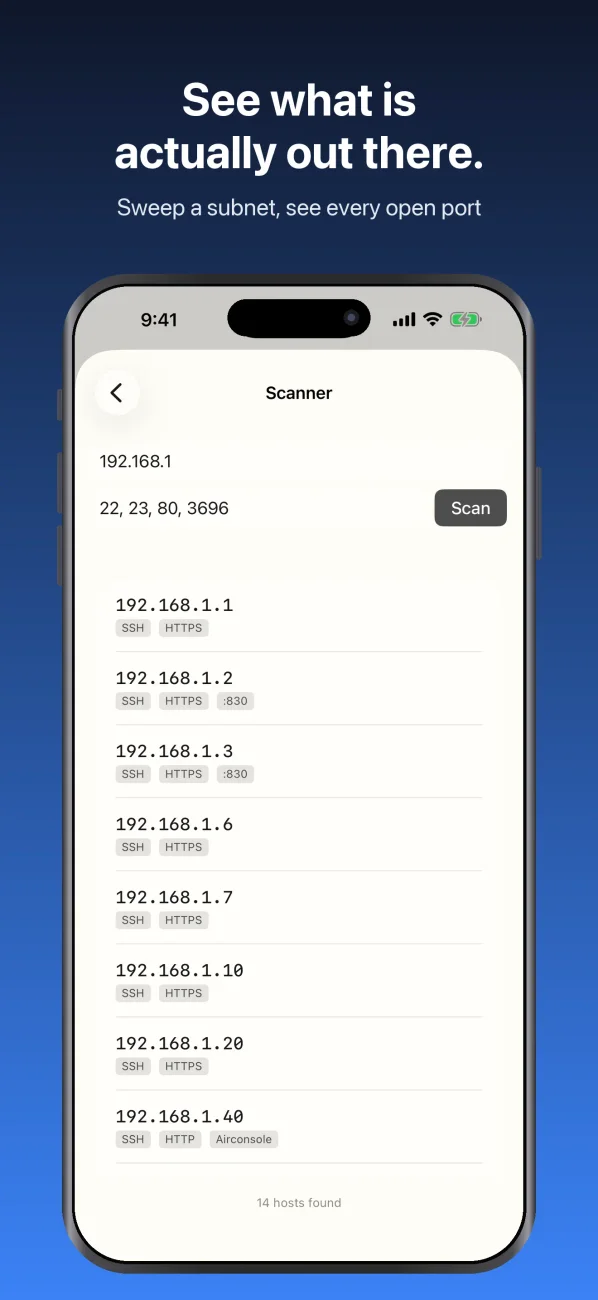
The scanner sweeps a subnet and reports what answered and on which ports. Path Monitor keeps watching a route, so the fault that happens twice an hour has somewhere to show up. The reference tools need no signal at all.
A TERMINAL THAT BEHAVES LIKE ONE
• Line mode for typing on a phone; raw mode for vim, nano and anything drawing its own screen
• Full ANSI colour, with highlight rules so "down" catches your eye as it scrolls past
• Quick buttons for the commands you send constantly, with per-vendor templates
• Macros for the lines you type every time you turn up a port
• Several sessions at once, and broadcast to send one line to all of them
• Session recording, played back at original timing
• 27 terminal colour schemes and 51 app themes
CONFIGS YOU CAN GO BACK TO
Pull a running config over SSH and keep it. Compare any two and see exactly what changed — the answer to "it worked on Tuesday". Backups are plain text, readable without this app, by anyone.
SYNCED FOLDERS
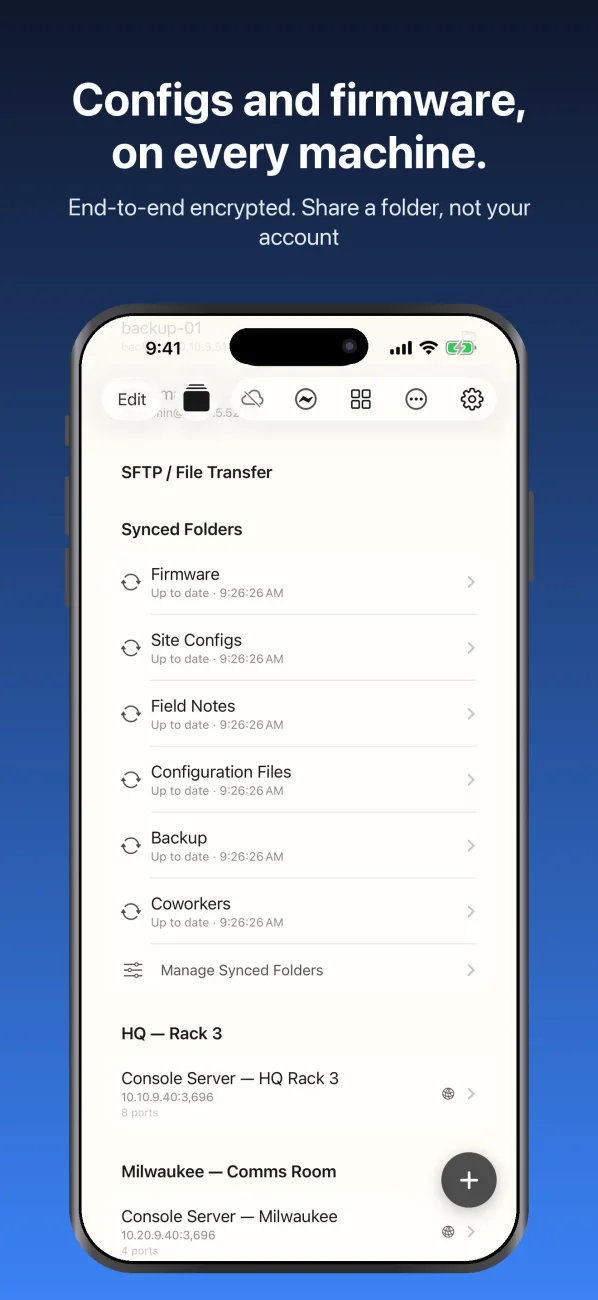
A folder of firmware images, configs and notes that stays in step across your devices. Each folder has its own key, so you can share one with a colleague without handing over anything else.
Everything on the share is encrypted before it leaves the device. Filenames and contents are never visible to the server. Deletions are never applied behind your back: when another device deletes something, this one asks first, and keeps asking until you answer.
Add photos from your library, converted so every machine opens them. Put the share on a NAS, an SFTP server, or Konsol Cloud.
SYNC, YOUR WAY
One setting says where your data syncs: Apple iCloud, Konsol Sync, or nowhere. Konsol Sync needs no account — the sync password is the identity; set the same one on each device and they find each other. Everything is encrypted before it leaves, and Sync settings list every device sharing your data — strangers get flagged.
FREE, AND PRO
Free covers three saved connections, one session at a time, and most of the reference tools.
Pro lifts the limits and unlocks the heavier tools — scanner, SNMP, syslog, config backup, recording, macros and the rest. One subscription covers all your devices on the same account.
Work you already have keeps working if a subscription lapses.
Konsol Pro is an auto-renewing subscription: $4.99 per month or $34.99 per year. Payment is charged to your Apple Account at confirmation of purchase. The subscription renews automatically unless auto-renew is turned off at least 24 hours before the end of the current period. Your account is charged for renewal within 24 hours before the period ends. Manage your subscription, or turn off auto-renew, in Account Settings after purchase.
Privacy Policy: https://runaboutdigital.com/konsol/privacy.html
Terms of Use (EULA): https://www.apple.com/legal/internet-services/itunes/dev/stdeula/
What’s new
Version 2.08 · Oct 22, 2026
Fixed saved passwords for quick connect
App privacy
What Curtis Waldner declares on the App Store about how this app handles data.
-
Data not linked to you
May be collected but is not linked to your identity.
- Contact info
- Usage data
Privacy practices may vary, for example with the features you use or your age.
Information
- Seller
- Curtis Waldner
- Category
- Utilities
- Version
- 2.08
- Updated
- Oct 22, 2026
- Released
- Apr 16, 2026
- Size
- 30.0 MB
- Requires
- iOS 17.6 or later
- Age rating
- 4+
- Price
- Free
- In-app purchases
- Yes
- Languages
- English
- Copyright
- © 2026 Runabout Digital
You might also like
-
 Terminus SSH TerminalSSH Client & Server Console
-
 Terminal ConsoleSerial console terminal app
-
 DockerTab: Docker ManagerMonitor & Control Containers
-
 mDNSShark: Network ScannerBonjour Browser, WiFi & LAN
-
 Conduit: SSH, RDP, VNC & WebSecure Remote Connections
-
 TERMinator - BBS TerminalRetro BBS Telnet & SSH Client
-
 Flipper MapSee Flipper Zero Files on Map
-
 Packet CommanderTerminal for Packet Radio
-
 DashboarrUtilities
-
 FTPManager - FTP & SFTP ClientManage, Transfer, Stream Files